Logo
MINECRAFTBIBLE
Items
Items

All game items

Blocks
Blocks

Building blocks

Mobs
Mobs

Creatures & monsters

Biomes
Biomes

World biomes

Structures
Structures

Generated structures

Recipes
Recipes

Crafting guides

Advancements
Advancements

Achievements

Loot Tables
Loot Tables

Drop rates

Tags
Tags

Item groupings

All Versions
View all data →
Capes
Cape ArchiveNEW

Browse rare Minecon capes, OptiFine capes, and custom capes from players worldwide

Browse

Player Database
Player DatabasePopular

Search any player

Skin Browser
Skin Browser

Browse & download skins

Cape Gallery
Cape GalleryNEW

Minecon & OptiFine capes

Seed Vault
Seed Vault

Curated seeds

Learn

Guides
GuidesNew

Tutorials & tips

Blog
Blog

News & updates

Community

Community Hub
Community HubHub

Posts, discussions & more

All Versions
View community →
Seed Analyzer
Seed Analyzer

World seed analysis

Loot Explorer
Loot Explorer

Drop rates

Crafting Calculator
Crafting Calculator

Material planning

Enchant Calculator
Enchant Calculator

Probability math

Redstone Lab
Redstone Lab

Signal timing

Trading Profit
Trading Profit

Villager ROI

All Versions
View all tools →
Mods
Mods

Browse all mods

Plugins
Plugins

Server plugins

Resource Packs
Resource Packs

Textures & sounds

Shaders
Shaders

Visual enhancements

Datapacks
Datapacks

World logic

Scanner
Mod Intelligence

Scan & analyze any mod

All Versions
View all mods →
Loading...
IntroductionIntroductionVersion HistoryVersion HistoryGuidesGuidesBlog & NewsBlog & News
ItemsItemsBlocksBlocksMobsMobsRecipesRecipesBiomesBiomesStructuresStructuresAdvancementsAdvancementsLoot TablesLoot TablesTagsTags
ModsModsPluginsPluginsResource PacksResource PacksShadersShadersDatapacksDatapacks

MinecraftBible

The Ultimate Wiki

Logo
MINECRAFTBIBLE

The ultimate Minecraft reference. Every item, block, mob, and recipe documented with precision.

Community

  • Skin Browser
  • Cape Gallery
  • Seed Vault
  • Blog
  • Guides

Database

  • Items
  • Blocks
  • Mobs
  • Recipes
  • Biomes
  • Structures

Tools

  • Seed Analyzer
  • Mod Intelligence
  • Crafting Calculator
  • Enchant Calculator

Mods & Packs

  • Mods
  • Plugins
  • Resource Packs
  • Shaders
  • Datapacks

Site & Legal

  • About
  • Authors
  • Editorial Policy
  • Corrections
  • Contact
  • Privacy Policy
  • Terms of Service
  • DMCA
  • Sitemap

© 2026 MinecraftBible. Not affiliated with Mojang or Microsoft.

PrivacyTermsContact
Photocraft
ModMIT

Photocraft

A functional "instant" camera that generates map art of the player's viewpoint

907
Downloads
15
Followers
5 months ago
Updated
📦
6
Versions
game-mechanicsdatapackfabricforgeneoforgequilt
Download Latestv1.0.0+modView on Modrinth

📖About Photocraft

Warning

This datapack uses experimental features!

Please make a backup before adding this pack to an existing world!

Resource Pack Required

To find the relevant resource pack, go to the page for the specific datapack version you are trying to install!

Photocraft Datapack
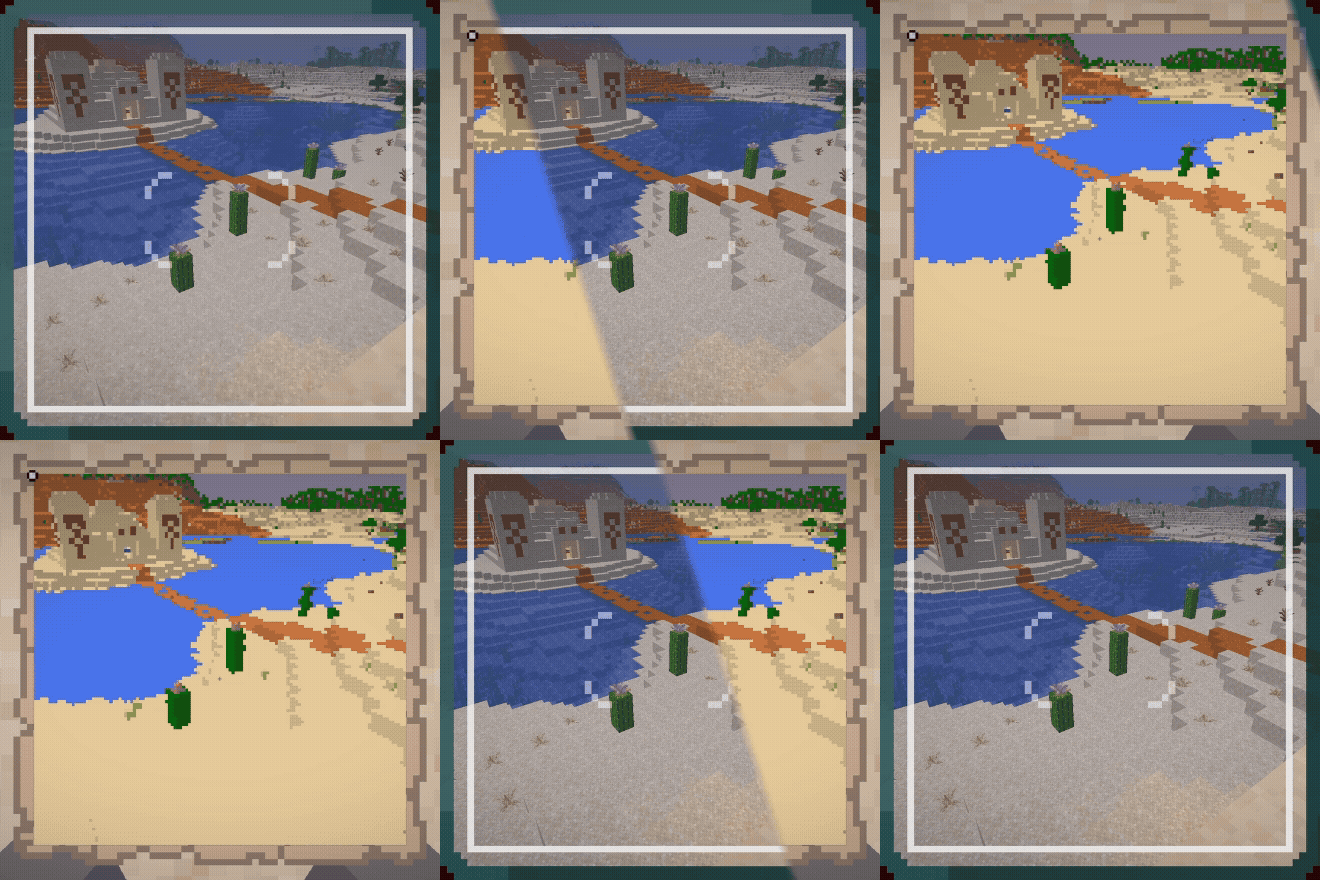
Animated comparison of photographed region and resulting photograph

This datapack adds a camera that can be used to create map-art "photos" of the world.
There are two items and recipes added to the game - the camera itself, and photo paper.

You can craft a Camera with 3 Black Carpet, 2 Iron Ingots, 2 Redstone, 1 Spyglass, and 1 Lightning Rod:
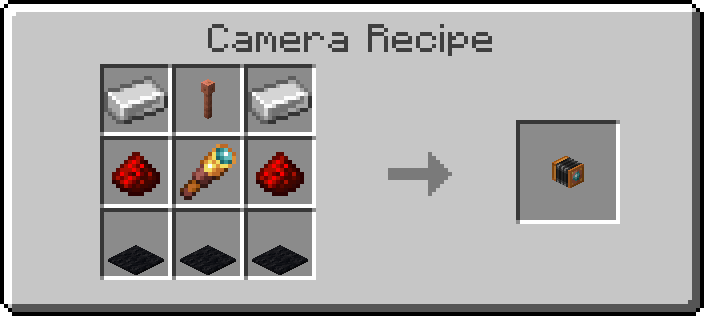
Crafting Recipe for Camera

You can craft 4 pieces of Photo Paper with 3 Resin, 3 Paper, 1 Cyan Dye, 1 Yellow Dye, and 1 Magenta Dye:
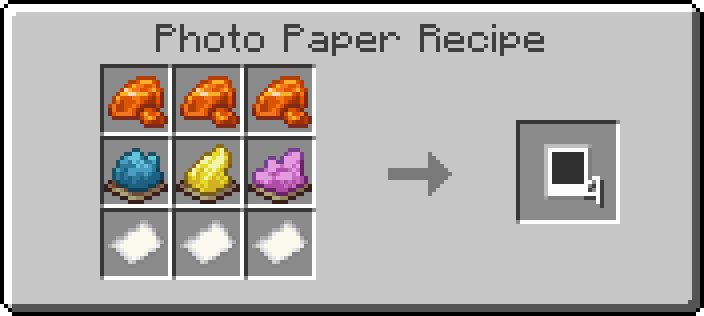
Crafting Recipe for Photo Paper

To use the camera, click and hold the use-item button. This will pull up a viewfinder that will provide a frame of what will be included in the photo. Releasing the use-item button will place the camera in the world.
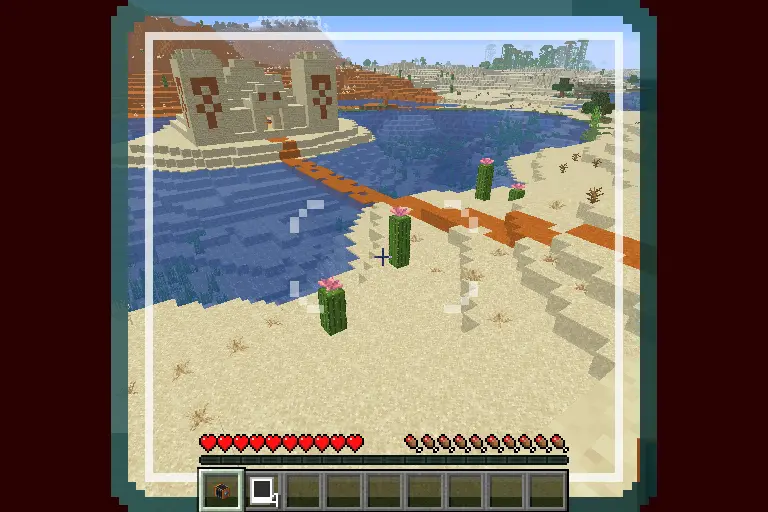
Example of Viewfinder

To take a photo, click the use-item button on the camera while holding a piece of photo paper. The camera will start emitting smoke particles and the lights on the back of the camera will start turning on, showing photo progress.
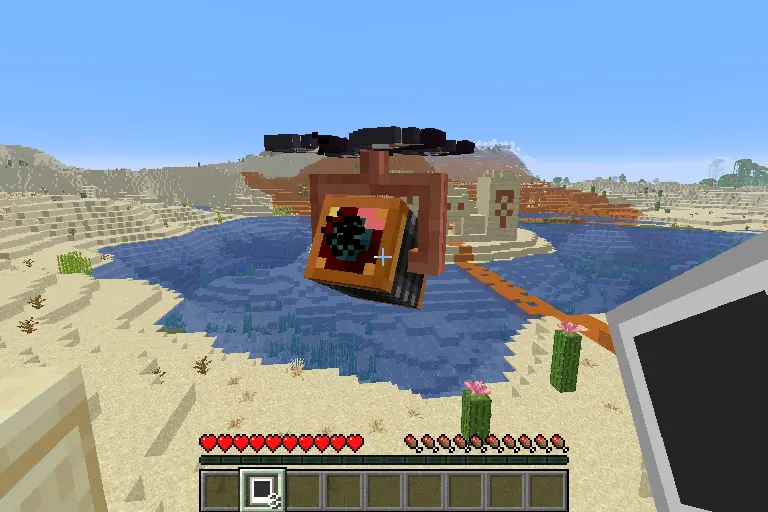
A Camera generating a photo

When the camera is done exposing the photo, the lights on the back will turn green and the camera will play a sound.
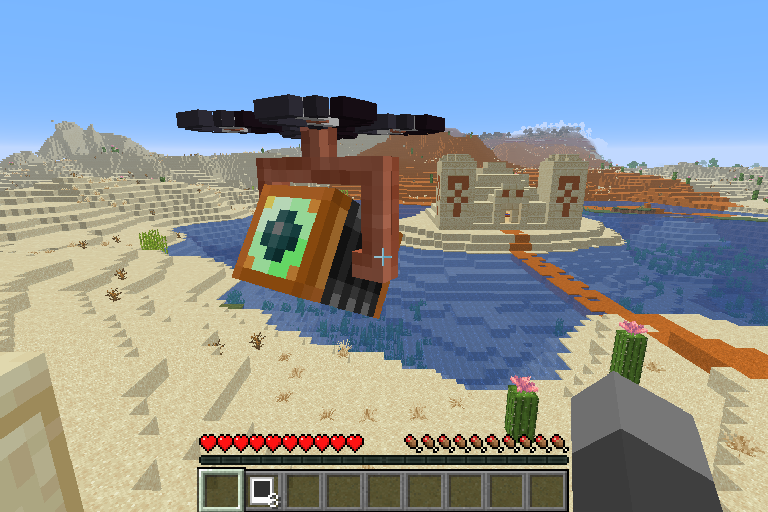
A camera that is done generating a photo

Right click the camera with an empty hand to retrieve the final photo.
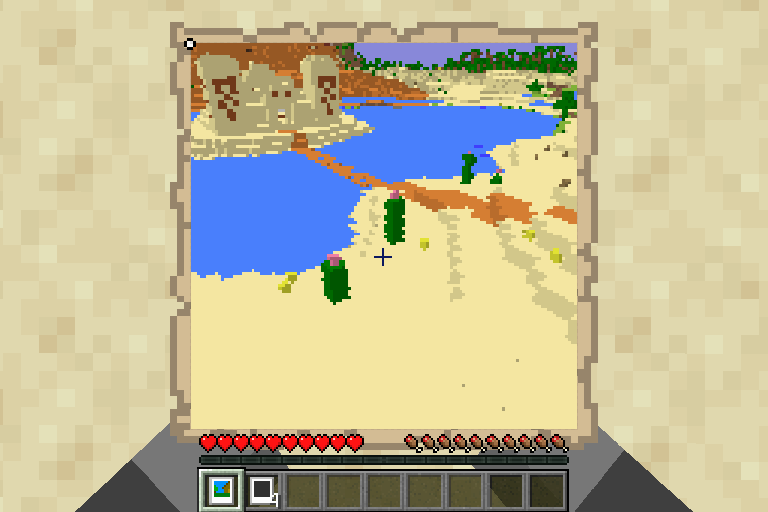
A finalized photo

At any point, other than when retrieving a photo, left-clicking the camera will cause it to break, dropping a camera. Any photo that is stored in the camera will be lost if it is not retrieved first!

👥 Team & Contributors

dqwertyc.dev
dqwertyc.devOwner

⚙️ Compatibility

Environment
🖥️ Server-side
Loaders
datapackfabricforgeneoforgequilt
Minecraft Versions
1.21.101.21.11

🔗 Links

Modrinth Page