Logo
MINECRAFTBIBLE
Items
Items

All game items

Blocks
Blocks

Building blocks

Mobs
Mobs

Creatures & monsters

Biomes
Biomes

World biomes

Structures
Structures

Generated structures

Recipes
Recipes

Crafting guides

Advancements
Advancements

Achievements

Loot Tables
Loot Tables

Drop rates

Tags
Tags

Item groupings

All Versions
View all data →
Capes
Cape ArchiveNEW

Browse rare Minecon capes, OptiFine capes, and custom capes from players worldwide

Browse

Player Database
Player DatabasePopular

Search any player

Skin Browser
Skin Browser

Browse & download skins

Cape Gallery
Cape GalleryNEW

Minecon & OptiFine capes

Seed Vault
Seed Vault

Curated seeds

Learn

Guides
GuidesNew

Tutorials & tips

Blog
Blog

News & updates

Community

Community Hub
Community HubHub

Posts, discussions & more

All Versions
View community →
Seed Analyzer
Seed Analyzer

World seed analysis

Loot Explorer
Loot Explorer

Drop rates

Crafting Calculator
Crafting Calculator

Material planning

Enchant Calculator
Enchant Calculator

Probability math

Redstone Lab
Redstone Lab

Signal timing

Trading Profit
Trading Profit

Villager ROI

All Versions
View all tools →
Mods
Mods

Browse all mods

Plugins
Plugins

Server plugins

Resource Packs
Resource Packs

Textures & sounds

Shaders
Shaders

Visual enhancements

Datapacks
Datapacks

World logic

Scanner
Mod Intelligence

Scan & analyze any mod

All Versions
View all mods →
Loading...
IntroductionIntroductionVersion HistoryVersion HistoryGuidesGuidesBlog & NewsBlog & News
ItemsItemsBlocksBlocksMobsMobsRecipesRecipesBiomesBiomesStructuresStructuresAdvancementsAdvancementsLoot TablesLoot TablesTagsTags
ModsModsPluginsPluginsResource PacksResource PacksShadersShadersDatapacksDatapacks

MinecraftBible

The Ultimate Wiki

Logo
MINECRAFTBIBLE

The ultimate Minecraft reference. Every item, block, mob, and recipe documented with precision.

Community

  • Skin Browser
  • Cape Gallery
  • Seed Vault
  • Blog
  • Guides

Database

  • Items
  • Blocks
  • Mobs
  • Recipes
  • Biomes
  • Structures

Tools

  • Seed Analyzer
  • Mod Intelligence
  • Crafting Calculator
  • Enchant Calculator

Mods & Packs

  • Mods
  • Plugins
  • Resource Packs
  • Shaders
  • Datapacks

Site & Legal

  • About
  • Authors
  • Editorial Policy
  • Corrections
  • Contact
  • Privacy Policy
  • Terms of Service
  • DMCA
  • Sitemap

© 2026 MinecraftBible. Not affiliated with Mojang or Microsoft.

PrivacyTermsContact
Overflowing Bars
ModMPL-2.0

Overflowing Bars

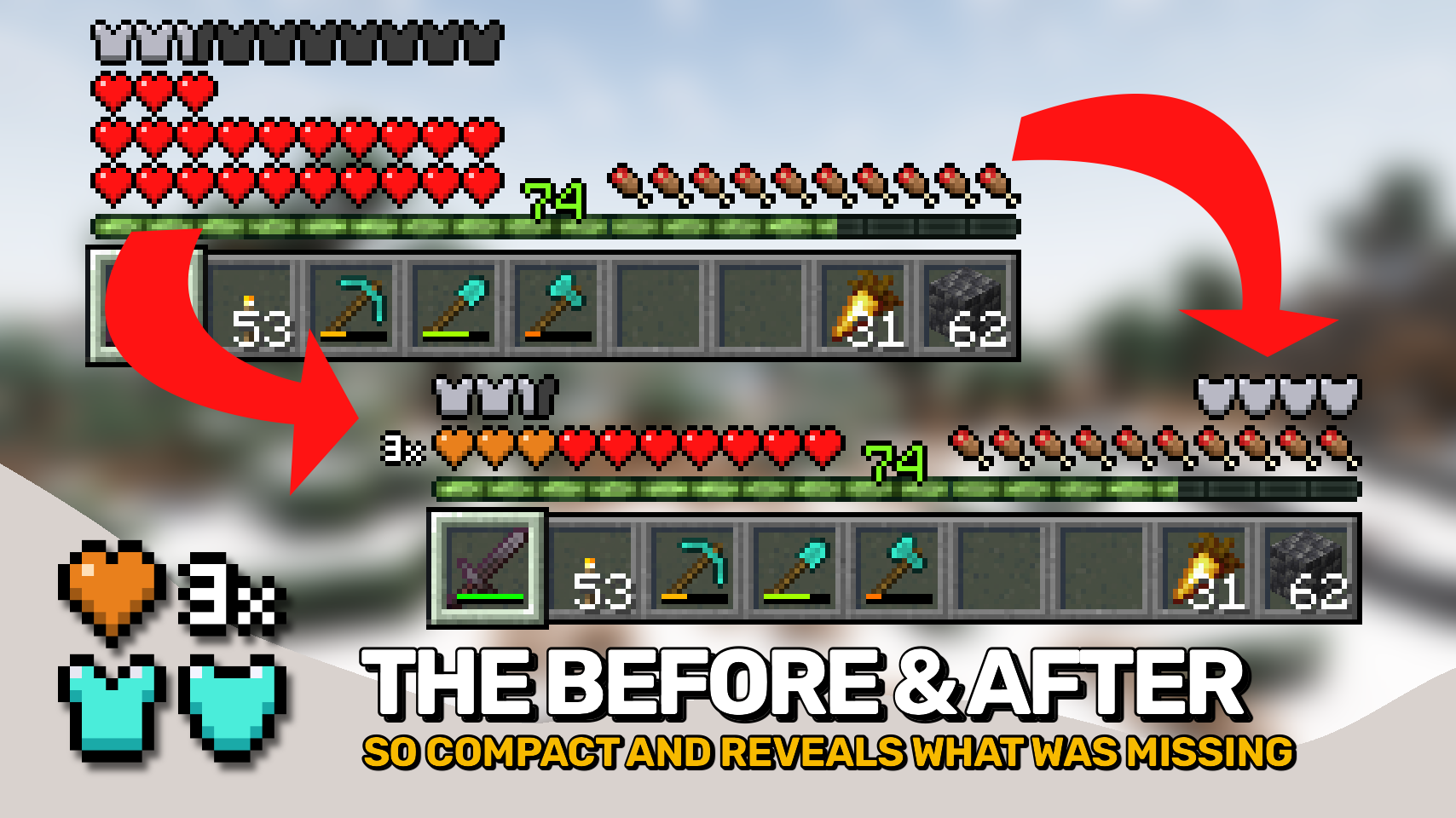
Expand health, armor and armor toughness bars beyond vanilla. Nice and compact without confusing colors.

6.6M
Downloads
869
Followers
5 months ago
Updated
📦
30
Versions
game-mechanicsutilityfabricforgeneoforge
Download Latestv21.11.0View on Modrinth

📖About Overflowing Bars


Overflowing Bars is here to bring an end to all health / armor / toughness overlay / extension mods! Get proper, nice and compact health, armor and armor toughness bars in just this single mod!

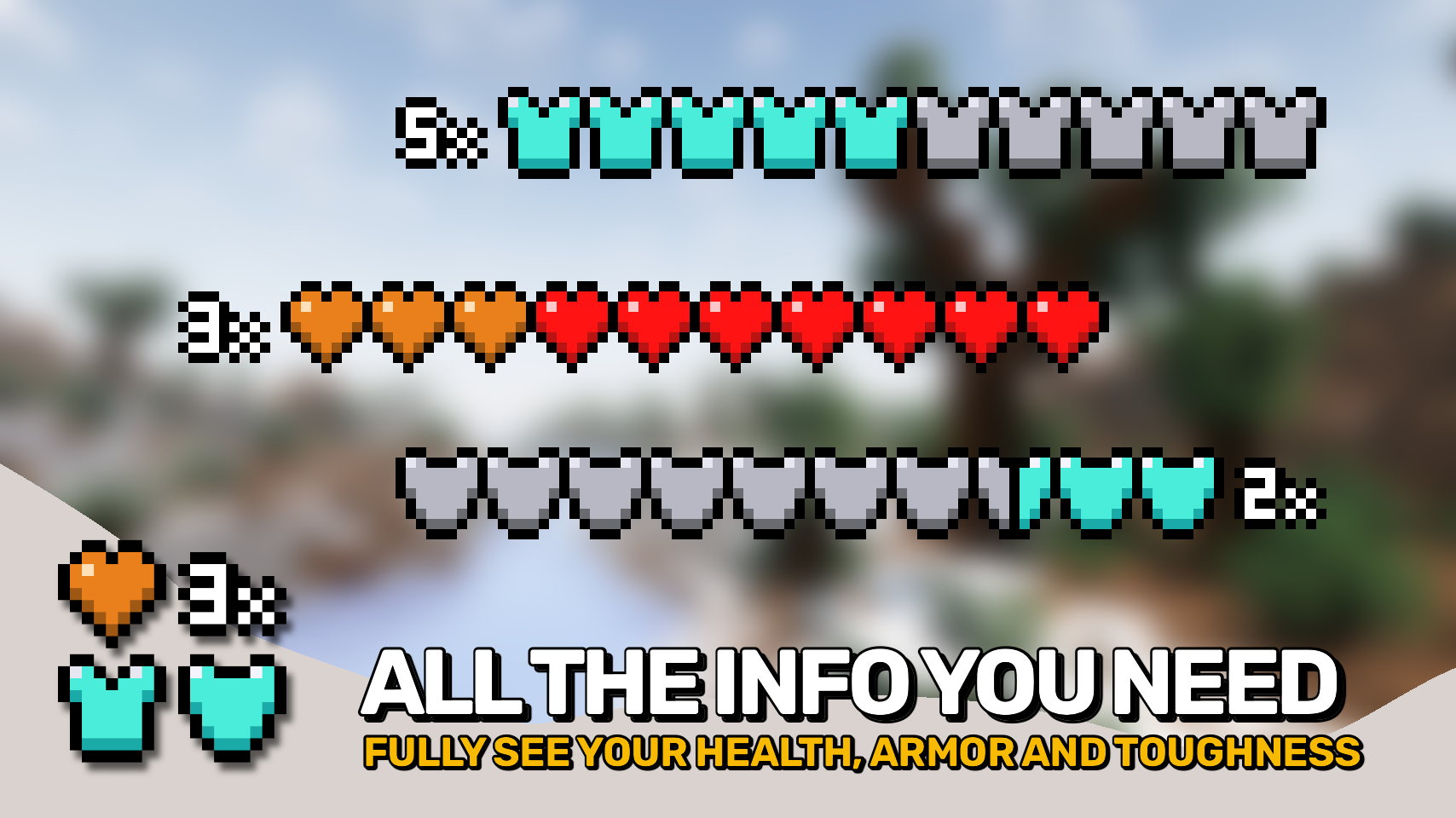
▶️ Only ever uses two colors: the vanilla base color + orange / light blue. A tiny number to the side tells you how many layers are stacked on top instead of making you guess from the current color.

▶️ Stacks hearts on top of each other when you have more than 10 hearts. The stacked layer will always show as orange.

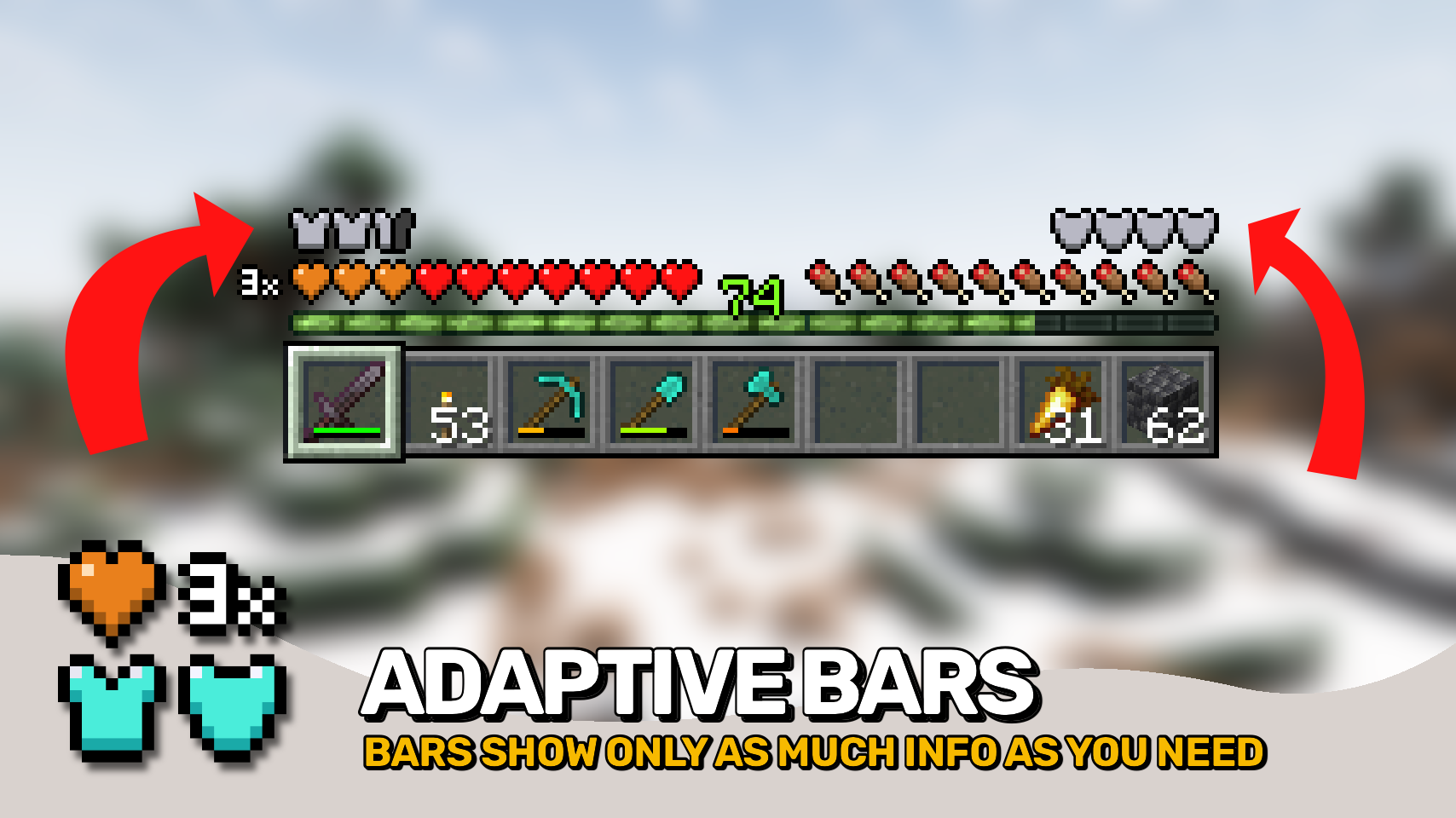
▶️ Stack armor points on top of each other when you have more than 20 points. The stacked layer shows light blue. Only as many armor icons as necessary are shown.

▶️ Adds a display for armor toughness right above the food bar, behaves just like the armor bar (can be moved left if you prefer).

▶️ Also fixes incoming chat messages to no longer hide the armor bar.

▶️ Fully configurable! Change stacking behavior, number display and so much more!

▶️ Install AttributeFix by DarkhaxDev to properly support armor and toughness values above 20.

⏩ INSTALLATION REQUIRED ON CLIENT

⏩ REQUIRES PUZZLES LIB TO BE INSTALLED (FABRIC & NEOFORGE)

⏩ REQUIRES FABRIC API TO BE INSTALLED (FABRIC)

⏩ REQUIRES FORGE CONFIG API PORT TO BE INSTALLED (FABRIC)

If available for a mod, configuration is possible directly from in-game using the mod menu (requires Mod Menu by Prospector to be installed on Fabric). Please note that on older Minecraft versions installing Forge Config Screens is also a requirement.

For manual configuration using an external text editor all files are found at .minecraft/config, named as MOD_ID-client.toml, MOD_ID-common.toml, or MOD_ID-server.toml, depending on the type of config. Not all types might exist for a mod, if any at all.

🌟 Thanks to LocusWay and their Overpowered Armor Bar mod for inspiring the layered armor bar.

🌟 Thanks to Vazkii and their Quark mod for inspiring the armor and toughness overlay icon.

🌟 Thanks to cadaverous_queen and their Rustic mod for the armor toughness icon and the original idea for that bar.

🌟 Thanks to mDiyo and their Mantle mod for originally coming up with the stacking hearts display.


👥 Team & Contributors

LunaPixelStudios
LunaPixelStudios
Studio
Fuzs
FuzsOwner

⚙️ Compatibility

Environment
💻 Client-side
Loaders
fabricforgeneoforge
Minecraft Versions
1.21.11

🔗 Links

Modrinth Page