Logo
MINECRAFTBIBLE
Items
Items

All game items

Blocks
Blocks

Building blocks

Mobs
Mobs

Creatures & monsters

Biomes
Biomes

World biomes

Structures
Structures

Generated structures

Recipes
Recipes

Crafting guides

Advancements
Advancements

Achievements

Loot Tables
Loot Tables

Drop rates

Tags
Tags

Item groupings

All Versions
View all data →
Capes
Cape ArchiveNEW

Browse rare Minecon capes, OptiFine capes, and custom capes from players worldwide

Browse

Player Database
Player DatabasePopular

Search any player

Skin Browser
Skin Browser

Browse & download skins

Cape Gallery
Cape GalleryNEW

Minecon & OptiFine capes

Seed Vault
Seed Vault

Curated seeds

Learn

Guides
GuidesNew

Tutorials & tips

Blog
Blog

News & updates

Community

Community Hub
Community HubHub

Posts, discussions & more

All Versions
View community →
Seed Analyzer
Seed Analyzer

World seed analysis

Loot Explorer
Loot Explorer

Drop rates

Crafting Calculator
Crafting Calculator

Material planning

Enchant Calculator
Enchant Calculator

Probability math

Redstone Lab
Redstone Lab

Signal timing

Trading Profit
Trading Profit

Villager ROI

All Versions
View all tools →
Mods
Mods

Browse all mods

Plugins
Plugins

Server plugins

Resource Packs
Resource Packs

Textures & sounds

Shaders
Shaders

Visual enhancements

Datapacks
Datapacks

World logic

Scanner
Mod Intelligence

Scan & analyze any mod

All Versions
View all mods →
Loading...
IntroductionIntroductionVersion HistoryVersion HistoryGuidesGuidesBlog & NewsBlog & News
ItemsItemsBlocksBlocksMobsMobsRecipesRecipesBiomesBiomesStructuresStructuresAdvancementsAdvancementsLoot TablesLoot TablesTagsTags
ModsModsPluginsPluginsResource PacksResource PacksShadersShadersDatapacksDatapacks

MinecraftBible

The Ultimate Wiki

Logo
MINECRAFTBIBLE

The ultimate Minecraft reference. Every item, block, mob, and recipe documented with precision.

Community

  • Skin Browser
  • Cape Gallery
  • Seed Vault
  • Blog
  • Guides

Database

  • Items
  • Blocks
  • Mobs
  • Recipes
  • Biomes
  • Structures

Tools

  • Seed Analyzer
  • Mod Intelligence
  • Crafting Calculator
  • Enchant Calculator

Mods & Packs

  • Mods
  • Plugins
  • Resource Packs
  • Shaders
  • Datapacks

Site & Legal

  • About
  • Authors
  • Editorial Policy
  • Corrections
  • Contact
  • Privacy Policy
  • Terms of Service
  • DMCA
  • Sitemap

© 2026 MinecraftBible. Not affiliated with Mojang or Microsoft.

PrivacyTermsContact
OpenTelemetry Instrumentation Extension
ModLGPL-3.0-or-later

OpenTelemetry Instrumentation Extension

Instrumentation for the Java OpenTelemetry Agent to include additional game telemetry

568
Downloads
4
Followers
5 months ago
Updated
📦
12
Versions
managementtechnologyutilityfabric
Download Latestv1.3.0View on Modrinth

📖About OpenTelemetry Instrumentation Extension

OpenTelemetry can be used to report various monitoring data (including metrics, logs and traces) and is a de-facto industry standard.

This mod provides additional instrumentation for the OpenTelemetry JavaAgent so that various game metrics can be reported. The overall functionality is similar to fabric-exporter.

Instrumented/Reported metrics
  • MSPT/TPS
  • Loaded chunks
  • Server state
  • Networking
    • connections
    • handshakes
    • packets sent/received
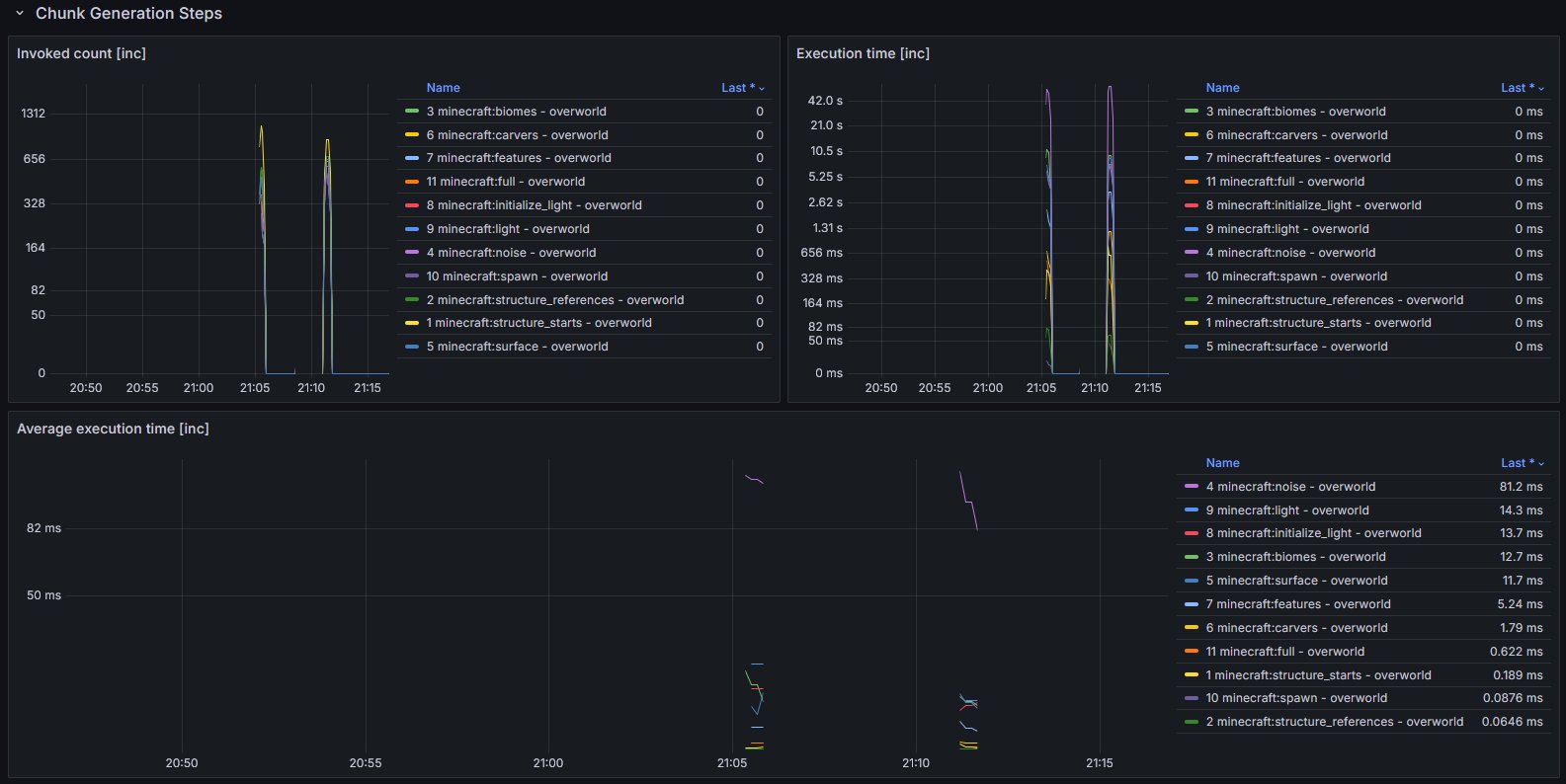
  • Chunk generation
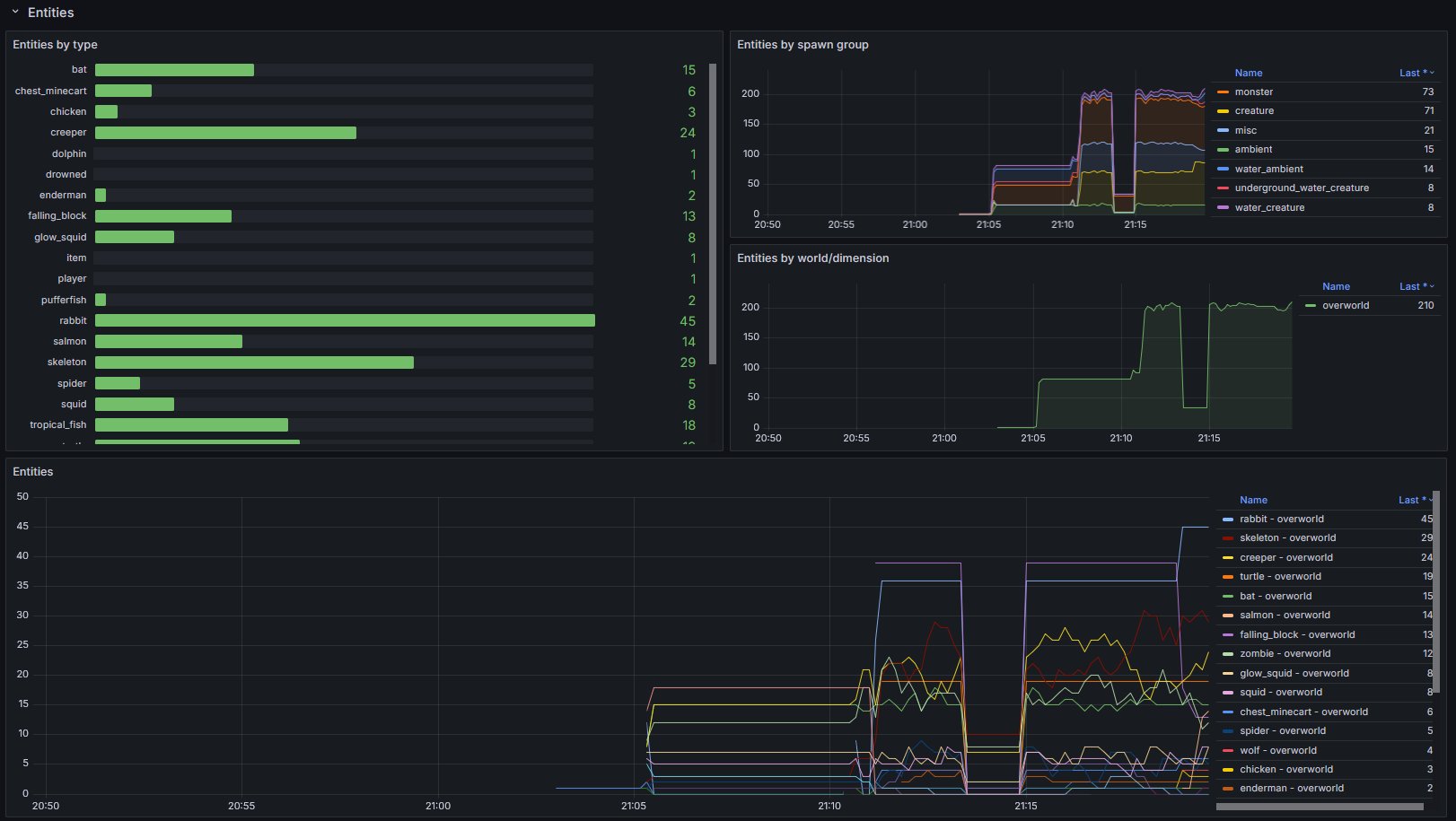
  • Entities
    • grouped by type, spawn ground and world/dimension
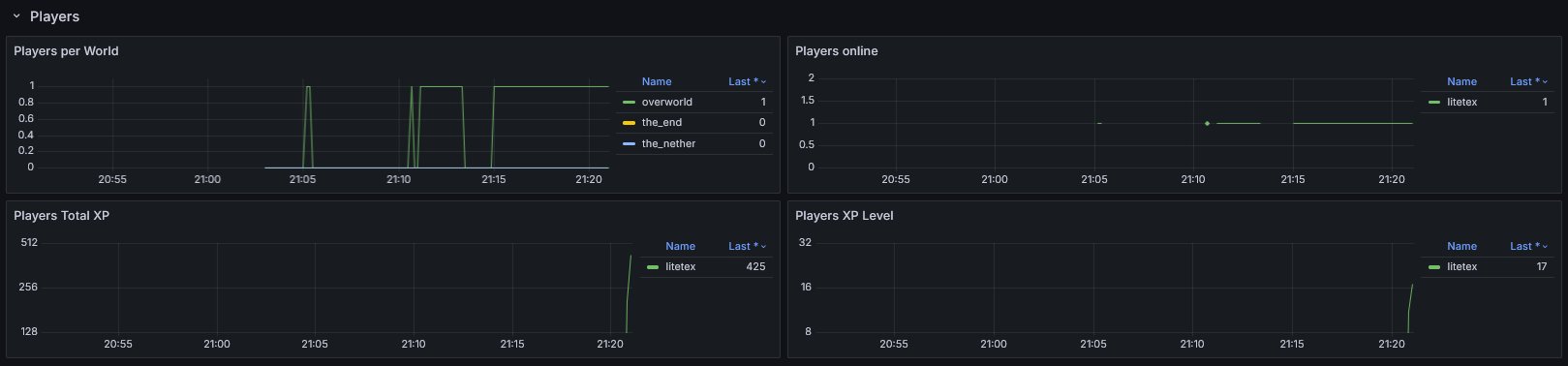
  • Players
    • by world
    • online
    • total xp (score)
    • xp level
  • Runtime
    • game version
    • Fabric version
  • Optional data from spark

Setup

  1. Make sure you have an endpoint where OpenTelemetry data can be ingested.
    This could be a OpenTelemetry Collector hosted by you or by someone else (e.g. in the Grafana Cloud).
  2. Setup the OpenTelemetry Java Agent so that it sends data to your ingestion service.
  3. Add the OpenTelemetry Agent Helper Extension for Fabric.
    • This is required so that the OpenTelemetry Agent is correctly detecting and utilizing the mod.
  4. Simply add and (optionally) configure this mod. It should work out of the box.
  5. Import the provided dashboard into Grafana
    • From Grafana Dashboards
    • From the local demo in the repo
Diagram showcasing how the overall infrastructure can look

Infra Overview

You may also have a look at the corresponding development setup as it contains an locally running deployment of the full infrastructure.

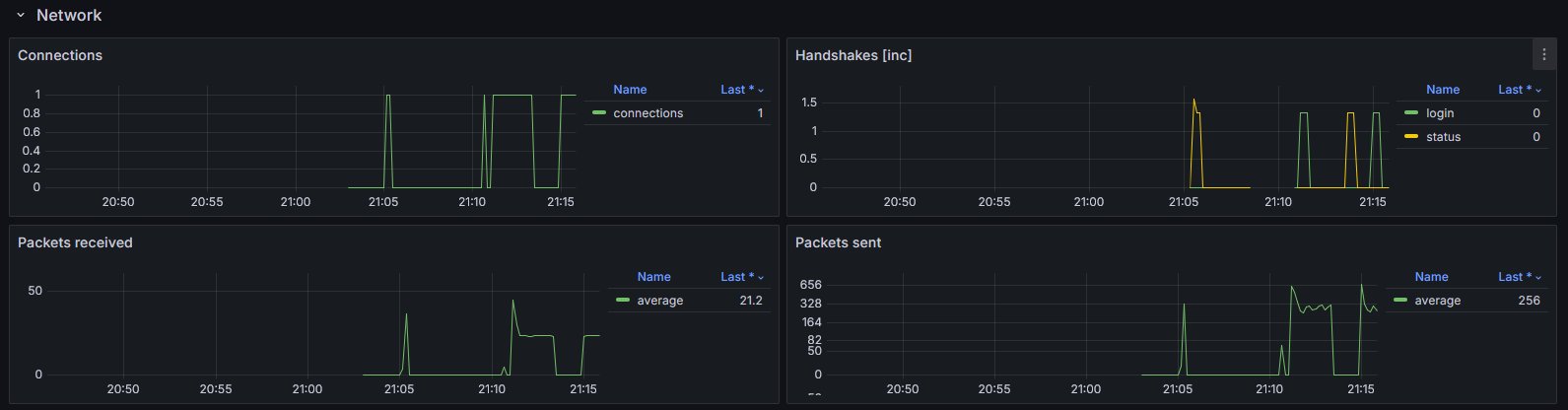
Dashboard look
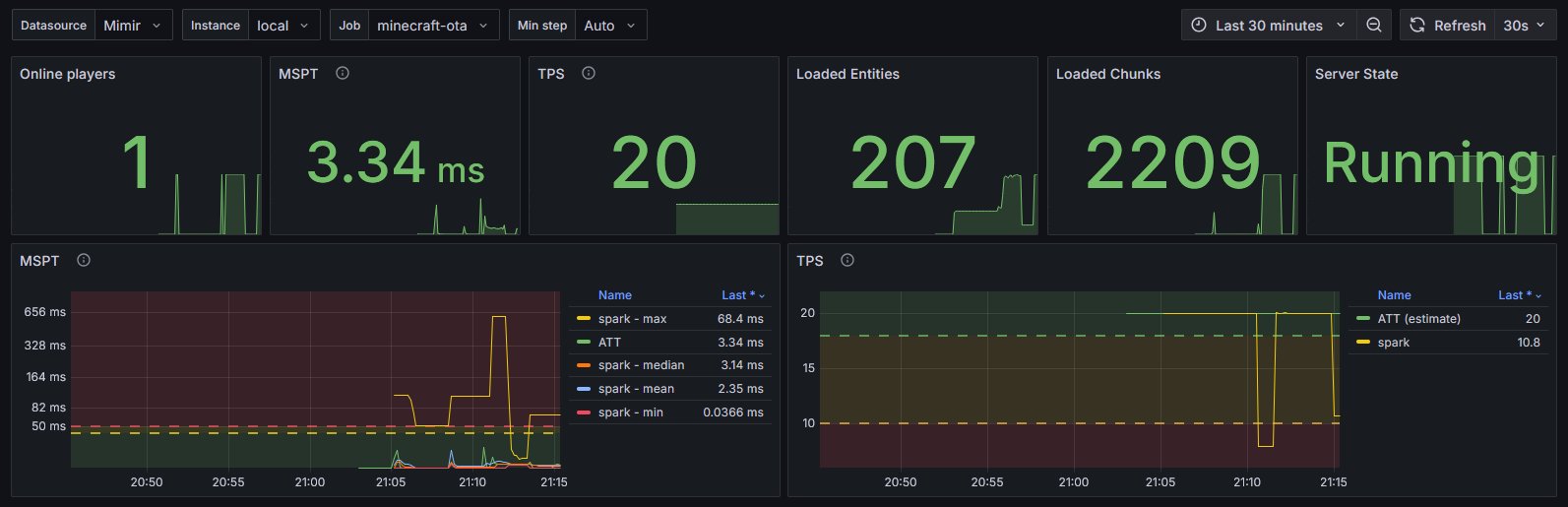
Overview
Network
Chunk Generation
Entities
Player

Example integrations

  • For itzg/minecraft-server see here

Configuration

The default configuration of the mod should usually work out of the box.

If you wish to customize it, open config/oie.json and tune the corresponding values.

Further documentation can be found directly inside the corresponding Java Code.

👥 Team & Contributors

litetex
litetexOwner

⚙️ Compatibility

Environment
🖥️ Server-side
Loaders
fabric
Minecraft Versions
1.21.11

🔗 Links

Modrinth Page