


Mine Piece
Japanese anime "ONE PIECE" mod
📖About Mine Piece
DISCLAIMER
This is a NON-PROFIT, fan-made project created for community enjoyment. It is NOT affiliated with, endorsed by, or associated with Eiichiro Oda, Shueisha, Toei Animation, or the "ONE PIECE" Production Committee. NO COPYRIGHT INFRINGEMENT IS INTENDED. All intellectual property rights belong to their respective owners.
Use of internal data such as textures and models is PROHIBITED.
This mod adds skills, items, weapons, entities, and structures from One Piece to Minecraft.
Survival
When you start the game, you will be given a "Skill Selection Book", "Compasses", and a "Raid Flag".
- Skill Selection Book: Choose a skill to gain that character's traits and unlock their abilities.
- Compasses: A compass that points towards locations such as East Blue and Grand Line.
- Raid Flag: Right-click to start or end a raid.
Bounty
Utilize guards, backsteps, and skills to defeat entities. The more entities you defeat, the higher your bounty will become, strengthening your stats and increasing your techniques (Haki included).
Pirate Crew
By pressing the 'V' key, you can create a team and scout entities to form your own pirate crew.
Raid
Every 20 minutes, a raid by pirates or the Marines will occur. There are approximately 8 types of raids each in East Blue, Grand Line, and New World. Clearing them will grant you advancements. The raids that appear will change based on your advancement progress.
Structures
Pirate ships, Marine bases, villages, and towns will generate in the world. You can find items from treasure chests by exploring.
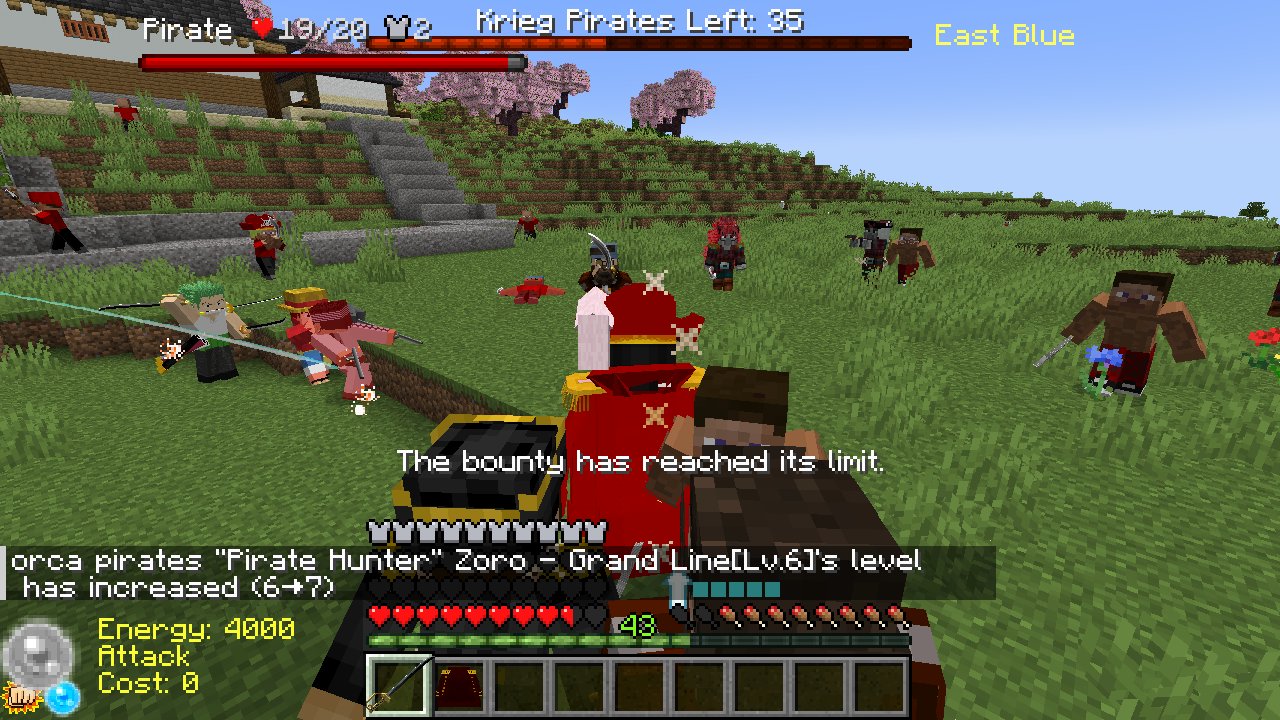
PvP
You can easily enjoy PvP using the /pvp start command.
Using the PvP command automatically sets a world border, and a battle royale starts with all entities within the world.
PvP rules:
- Player hunger will not decrease.
- Players will not regenerate health.
- All entities other than players will always be hostile.
- Treasure chests containing Devil Fruits can be found in random locations on the map.
- Any bounty gained or Devil Fruits obtained during PvP will be reset after the PvP session ends.
If you wish to play team battles, create a team with the 'V' key before PvP and use the flag to form your team.
When only one player or one team remains, PvP will automatically end, and two rankings will be displayed.
Commands
gamerule Commands
- /gamerule minepiecePVP <true/false>
- /gamerule minepieceBountyMultiplier
- /gamerule minepieceHakiMultiplier
- /gamerule minepieceGainExperience <true/false>
- /gamerule minepiecePlayerBountyLimit
- /gamerule minepieceCrewBountyLimit
- /gamerule minepieceAutoRaidStart <true/false>
- /gamerule minepieceAutoRaidFrequency
minepiece Commands
- /minepiece raid [start/finish] [eastblue/southblue/grandline/newworld]
- /minepiece bounty [add/query/set/limit] [target]
- /minepiece summon [eastblue/grandline/newworld] [marine/pirate] :Summon pirate crew or marine corps
minepiece0 Commands (Not requiring OP)
- /minepiece0 get [compasses/flag] [target]
- /minepiece0 setTeamname
Other Commands
- /pvp start [marine/pirate/random/all]
- /pvp finish
Helps
- Change minecraft difficulty (easy, normal, or hard) if you find the game is too difficult or too easy. The strength of the entities will change greatly.
Wolrd Map
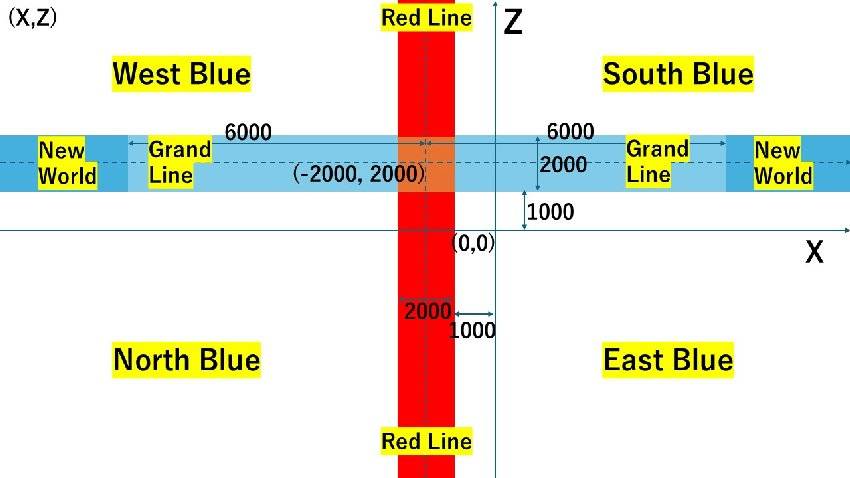
※Go to
East Blue: /tp @s 0 ~ 0
West Blue: /tp @s -5000 ~ 5000
North Blue: /tp @s -5000 ~ -5000
South Blue: /tp @s 5000 ~ 5000
Red Line: /tp @s -2000 ~ 0
Grand Line: /tp @s 0 ~ 2000
New World: /tp @s 6000 ~ 2000
Skypiea (WIP): /execute in minepiece:skypiea_dimension run tp @s 0 150 0
Credits
This is a fan-made recreation based on the original works: "ONE PIECE" by Eiichiro Oda / Shueisha / Toei Animation
This mod developed in MCreator
MCreator→https://mcreator.net/