Logo
MINECRAFTBIBLE
Items
Items

All game items

Blocks
Blocks

Building blocks

Mobs
Mobs

Creatures & monsters

Biomes
Biomes

World biomes

Structures
Structures

Generated structures

Recipes
Recipes

Crafting guides

Advancements
Advancements

Achievements

Loot Tables
Loot Tables

Drop rates

Tags
Tags

Item groupings

All Versions
View all data →
Capes
Cape ArchiveNEW

Browse rare Minecon capes, OptiFine capes, and custom capes from players worldwide

Browse

Player Database
Player DatabasePopular

Search any player

Skin Browser
Skin Browser

Browse & download skins

Cape Gallery
Cape GalleryNEW

Minecon & OptiFine capes

Seed Vault
Seed Vault

Curated seeds

Learn

Guides
GuidesNew

Tutorials & tips

Blog
Blog

News & updates

Community

Community Hub
Community HubHub

Posts, discussions & more

All Versions
View community →
Seed Analyzer
Seed Analyzer

World seed analysis

Loot Explorer
Loot Explorer

Drop rates

Crafting Calculator
Crafting Calculator

Material planning

Enchant Calculator
Enchant Calculator

Probability math

Redstone Lab
Redstone Lab

Signal timing

Trading Profit
Trading Profit

Villager ROI

All Versions
View all tools →
Mods
Mods

Browse all mods

Plugins
Plugins

Server plugins

Resource Packs
Resource Packs

Textures & sounds

Shaders
Shaders

Visual enhancements

Datapacks
Datapacks

World logic

Scanner
Mod Intelligence

Scan & analyze any mod

All Versions
View all mods →
Loading...
IntroductionIntroductionVersion HistoryVersion HistoryGuidesGuidesBlog & NewsBlog & News
ItemsItemsBlocksBlocksMobsMobsRecipesRecipesBiomesBiomesStructuresStructuresAdvancementsAdvancementsLoot TablesLoot TablesTagsTags
ModsModsPluginsPluginsResource PacksResource PacksShadersShadersDatapacksDatapacks

MinecraftBible

The Ultimate Wiki

Logo
MINECRAFTBIBLE

The ultimate Minecraft reference. Every item, block, mob, and recipe documented with precision.

Community

  • Skin Browser
  • Cape Gallery
  • Seed Vault
  • Blog
  • Guides

Database

  • Items
  • Blocks
  • Mobs
  • Recipes
  • Biomes
  • Structures

Tools

  • Seed Analyzer
  • Mod Intelligence
  • Crafting Calculator
  • Enchant Calculator

Mods & Packs

  • Mods
  • Plugins
  • Resource Packs
  • Shaders
  • Datapacks

Site & Legal

  • About
  • Authors
  • Editorial Policy
  • Corrections
  • Contact
  • Privacy Policy
  • Terms of Service
  • DMCA
  • Sitemap

© 2026 MinecraftBible. Not affiliated with Mojang or Microsoft.

PrivacyTermsContact
One Enough Item
ModGPL-3.0-only

One Enough Item

With OEI, you can effortlessly replace duplicate items with a single designated representative item.

382.5K
Downloads
49
Followers
4 months ago
Updated
📦
27
Versions
fabricforgeneoforge
Download Latestv1.0.7-hotfixView on Modrinth

📖About One Enough Item

OneEnoughItem (OEI)

This mod was developed to resolve the issue of duplicated item dictionaries in modpacks – three types of silver, four types of lead, five types of tomatoes, six types of corn – each with distinct recipes.

With OEI, you can effortlessly replace duplicate items with unique designated representatives.

Typical Cases

e7b458ea
17 types of tomatoes in a modpack

304e2a74
Six types of silver ore in a modpack

All with independent recipes!

Those days are now over. With OEI, items are replaced with their designated representatives immediately upon creation!

Usage

OEI is datapack-driven and supports hot reloading. Configure replacements at data/oei/replacements using this simple syntax:

[
    {
        "matchItems": [
            "#forge:ore",
            "minecraft:potato",
            "minecraft:carrot"
        ],
        "resultItems": "minecraft:egg"
    }
]

List item IDs to replace under matchItems, and specify the designated representative in resultItems.

Warning: Never replace an item with itself – this may cause critical bugs!

KubeJS Integration:

ServerEvents.highPriorityData(event => {
    event.addJson("oei:replacements/raw_materials.json", [
        {
            "matchItems": ["#forge:raw_materials/silver"],
            "resultItems": "thermal:raw_silver"
        }
    ]);
});

OEI supports tag matching. If tag-based replacements require game reloads, use raw item IDs instead (likely due to mod conflicts).

Built-in Editor (v1.0.3+):
Press CTRL+R to open the GUI editor for codeless replacement configuration!
The editor includes recipe deduplication – see official documentation.

Effects

OEI replaces items at the earliest possible stage – not by scanning player inventories.

Example: Replacing all items with eggs instantly transforms the creative inventory:
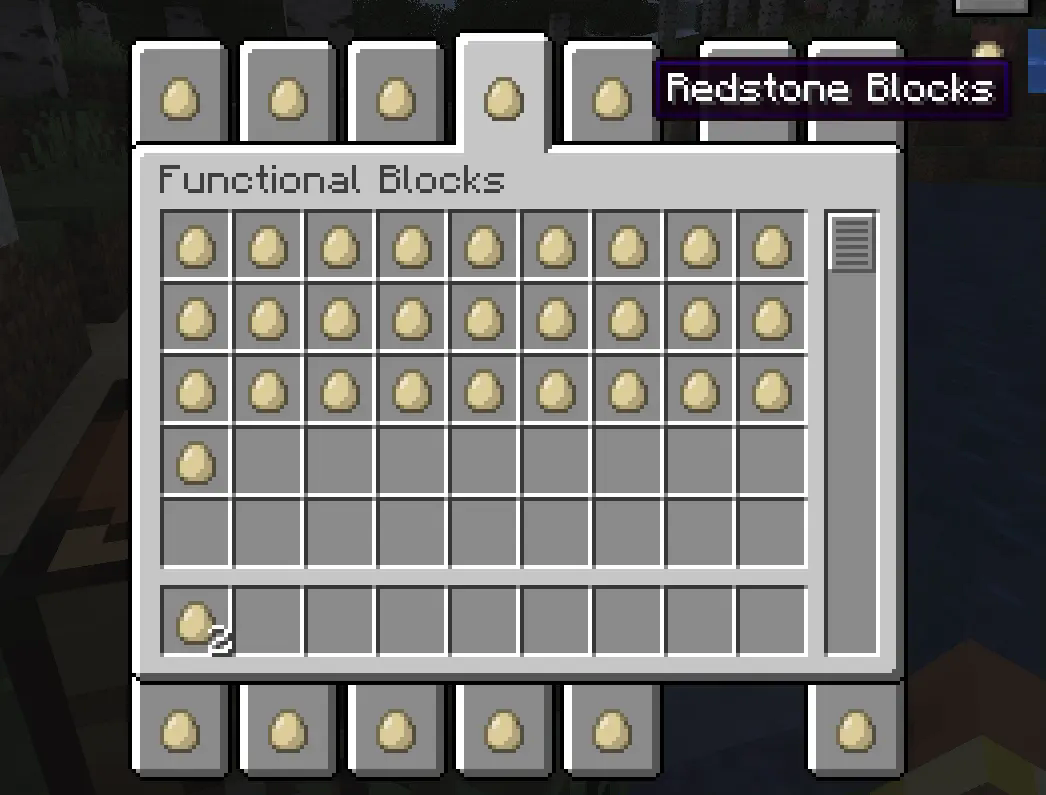
CreativeModeTabs

Recipes automatically adapt. Here, iron ingots → eggs in a furnace recipe:
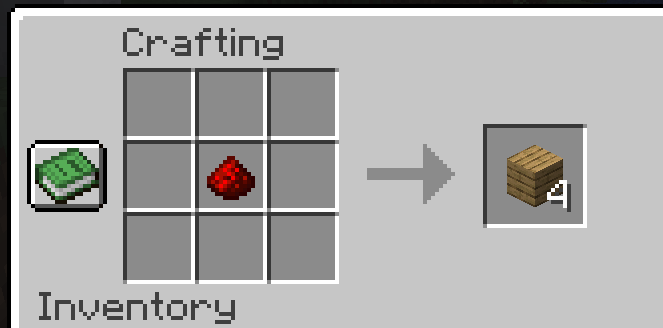
Crafting

All recipes are automatically processed, including JEI displays:
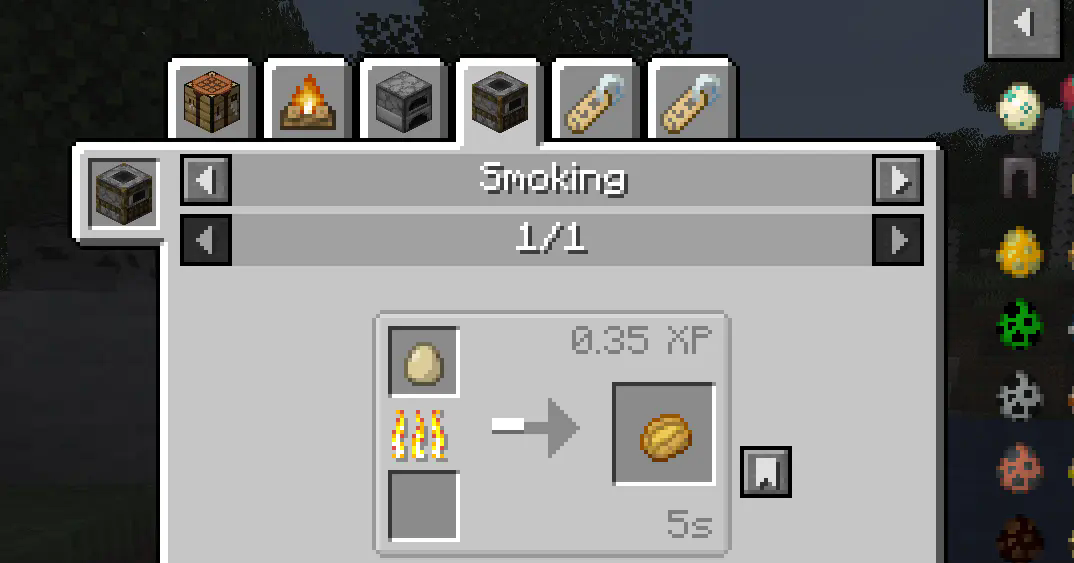
JEI

Works with trades, advancements, and nearly all non-hardcoded recipes.

Additionally, replacing items with air will completely remove them. However, for compatibility reasons, such changes will not take effect in the Creative Mode inventory or JEI displays.

Deep Replacement

Enable in config to extend replacements to item interaction contexts (e.g., healing iron golems with eggs after replacing iron ingots).

Use when standard recipe replacement fails for specific mods.
Note: Only affects item detection – does not fully inherit original item functionality.

Roadmap

  • Properties Stripping: Remove properties of replaced items (e.g., food properties to exclude them from Spice of Life handbooks). Configurable.
  • Tag Inheritance: Make representatives inherit all tags from replaced items.
  • Tag Removal: Completely strip tags from replaced items to eliminate them from recipes.

👥 Team & Contributors

zhenshiz
zhenshiz
Member
Flechazo098
Flechazo098
Member
MerrySnow
MerrySnowOwner

⚙️ Compatibility

Environment
✅ Client & Server
Loaders
fabricforgeneoforge
Minecraft Versions
1.21.1

🔗 Links

Modrinth Page