Logo
MINECRAFTBIBLE
Items
Items

All game items

Blocks
Blocks

Building blocks

Mobs
Mobs

Creatures & monsters

Biomes
Biomes

World biomes

Structures
Structures

Generated structures

Recipes
Recipes

Crafting guides

Advancements
Advancements

Achievements

Loot Tables
Loot Tables

Drop rates

Tags
Tags

Item groupings

All Versions
View all data →
Capes
Cape ArchiveNEW

Browse rare Minecon capes, OptiFine capes, and custom capes from players worldwide

Browse

Player Database
Player DatabasePopular

Search any player

Skin Browser
Skin Browser

Browse & download skins

Cape Gallery
Cape GalleryNEW

Minecon & OptiFine capes

Seed Vault
Seed Vault

Curated seeds

Learn

Guides
GuidesNew

Tutorials & tips

Blog
Blog

News & updates

Community

Community Hub
Community HubHub

Posts, discussions & more

All Versions
View community →
Seed Analyzer
Seed Analyzer

World seed analysis

Loot Explorer
Loot Explorer

Drop rates

Crafting Calculator
Crafting Calculator

Material planning

Enchant Calculator
Enchant Calculator

Probability math

Redstone Lab
Redstone Lab

Signal timing

Trading Profit
Trading Profit

Villager ROI

All Versions
View all tools →
Mods
Mods

Browse all mods

Plugins
Plugins

Server plugins

Resource Packs
Resource Packs

Textures & sounds

Shaders
Shaders

Visual enhancements

Datapacks
Datapacks

World logic

Scanner
Mod Intelligence

Scan & analyze any mod

All Versions
View all mods →
Loading...
IntroductionIntroductionVersion HistoryVersion HistoryGuidesGuidesBlog & NewsBlog & News
ItemsItemsBlocksBlocksMobsMobsRecipesRecipesBiomesBiomesStructuresStructuresAdvancementsAdvancementsLoot TablesLoot TablesTagsTags
ModsModsPluginsPluginsResource PacksResource PacksShadersShadersDatapacksDatapacks

MinecraftBible

The Ultimate Wiki

Logo
MINECRAFTBIBLE

The ultimate Minecraft reference. Every item, block, mob, and recipe documented with precision.

Community

  • Skin Browser
  • Cape Gallery
  • Seed Vault
  • Blog
  • Guides

Database

  • Items
  • Blocks
  • Mobs
  • Recipes
  • Biomes
  • Structures

Tools

  • Seed Analyzer
  • Mod Intelligence
  • Crafting Calculator
  • Enchant Calculator

Mods & Packs

  • Mods
  • Plugins
  • Resource Packs
  • Shaders
  • Datapacks

Site & Legal

  • About
  • Authors
  • Editorial Policy
  • Corrections
  • Contact
  • Privacy Policy
  • Terms of Service
  • DMCA
  • Sitemap

© 2026 MinecraftBible. Not affiliated with Mojang or Microsoft.

PrivacyTermsContact
Nitsha's FastBind
ModMIT

Nitsha's FastBind

Adds a menu with buttons that can be programmed to execute various in-game commands.

2.0K
Downloads
24
Followers
4 months ago
Updated
📦
30
Versions
utilityfabricforgeneoforge
Download Latestv3.1.0-1.21.11-neoforgeView on Modrinth

📖About Nitsha's FastBind

Nitsha's FastBind

Adds a menu where you can activate pre-programmed actions. Configure command execution or key press emulation the way you want



Update 3.1 — Lights! Camera! Action!

New

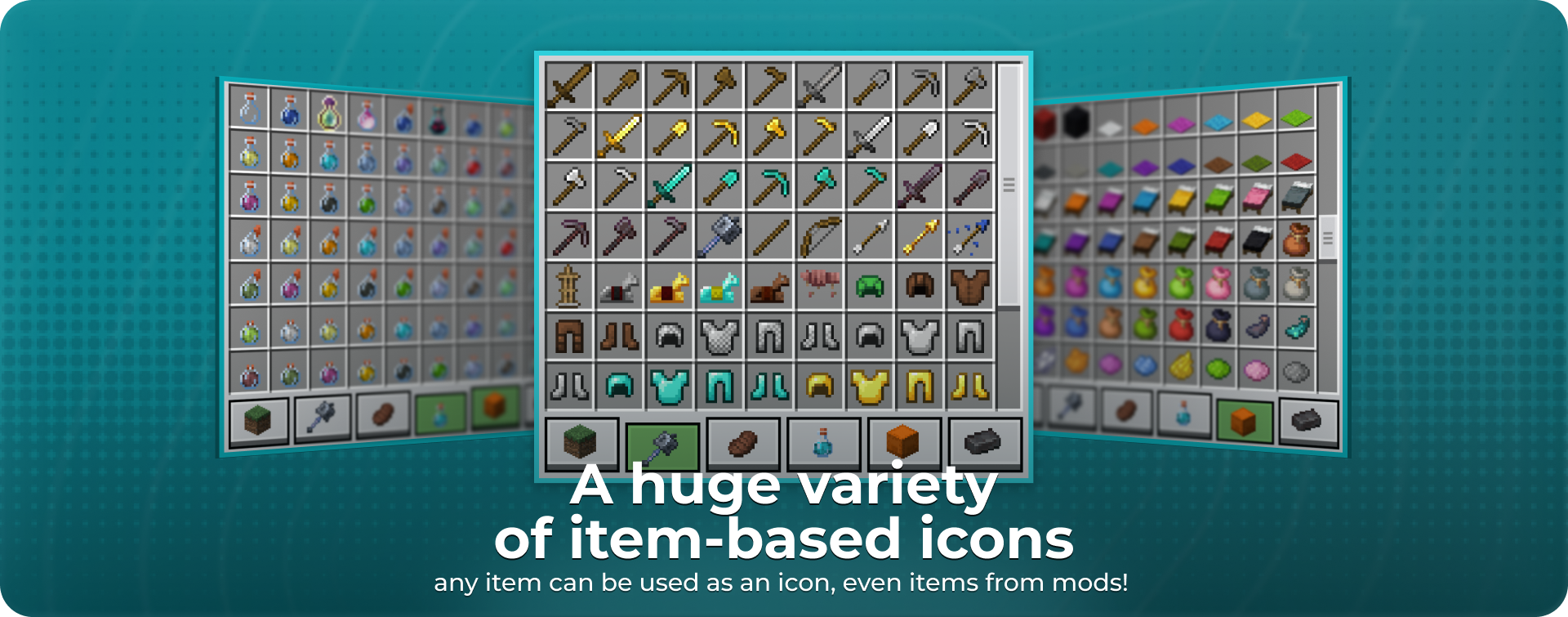
  • Icon selector update! Now you can choose ANY item or block from the game, and even more — it also supports items from your installed mods!
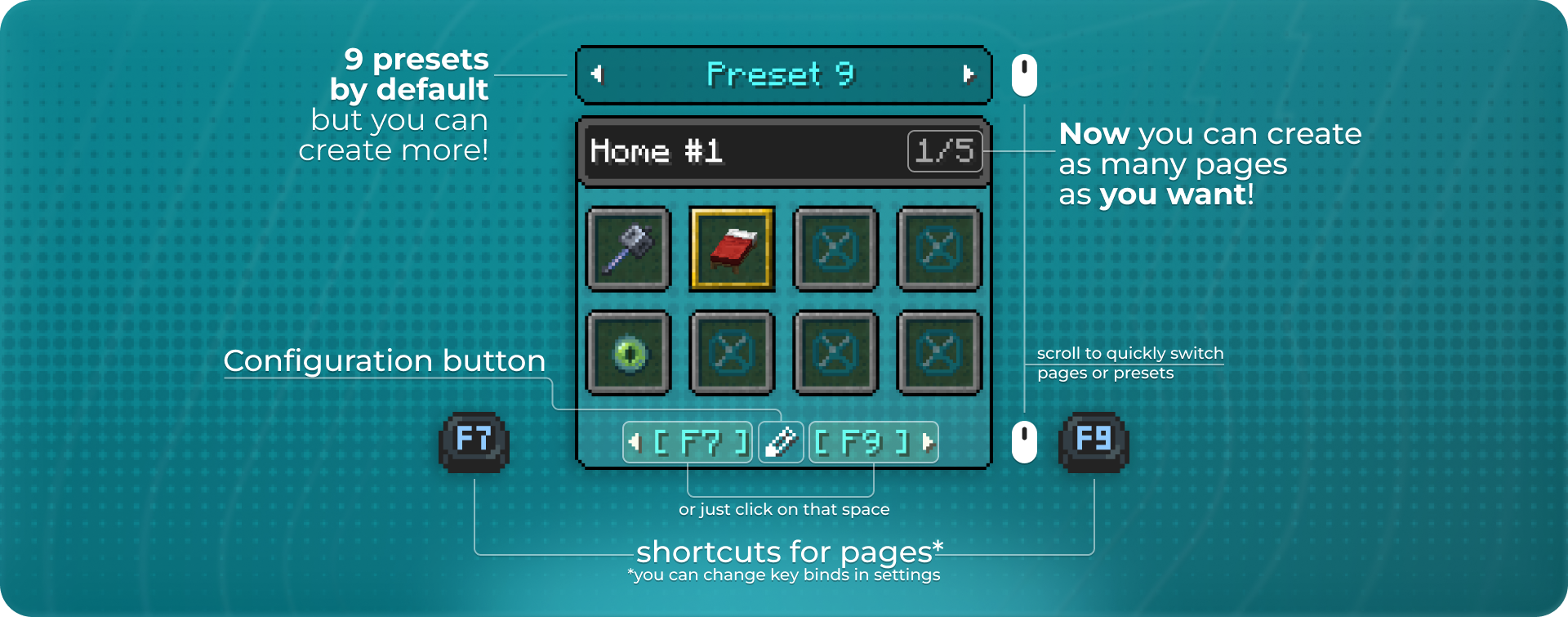
  • Now you can create as many pages and presets as you want! By default, there are 9 presets with 5 pages each.
  • New actions! You can send a local chat message or show a title on screen. Actions support formatting, so you can make them look as beautiful as they should be! :3
  • Full support for Forge and NeoForge.
  • Support for Minecraft 1.21.9/1.21.10
  • Some redesign of the configuration menu

Fixes & tech updates

  • New UI components, such as a custom Text Field and a new action selection menu. These features are still new, so there may be bugs — feel free to report them
  • Added Japanese translation. Thanks to elinka47(PExPE3)!
  • Switched from Yarn mappings to MojMap (that’s why this update took a bit longer than I expected)
  • Deleted the /nitsha::welcome command
  • I fully rewrote the way the mod stores your binds. All your binds will migrate from v3.0 to v3.1, but if you're updating from v2.0 to v3.1, a new config will be created.
  • New logo :3

If you have any ideas for a new type of action, I’ll be happy to hear them! You can share your ideas here


How to use

By default, the FastBind menu opens while you are pressing the F8 key. You can switch pages using the F7 and F9 keys. (each key bind can be changed in the options)

The mod features an advanced preset system for convenient grouping. You can create unlimited presets, each with an unlimited number of bind pages.
How to use

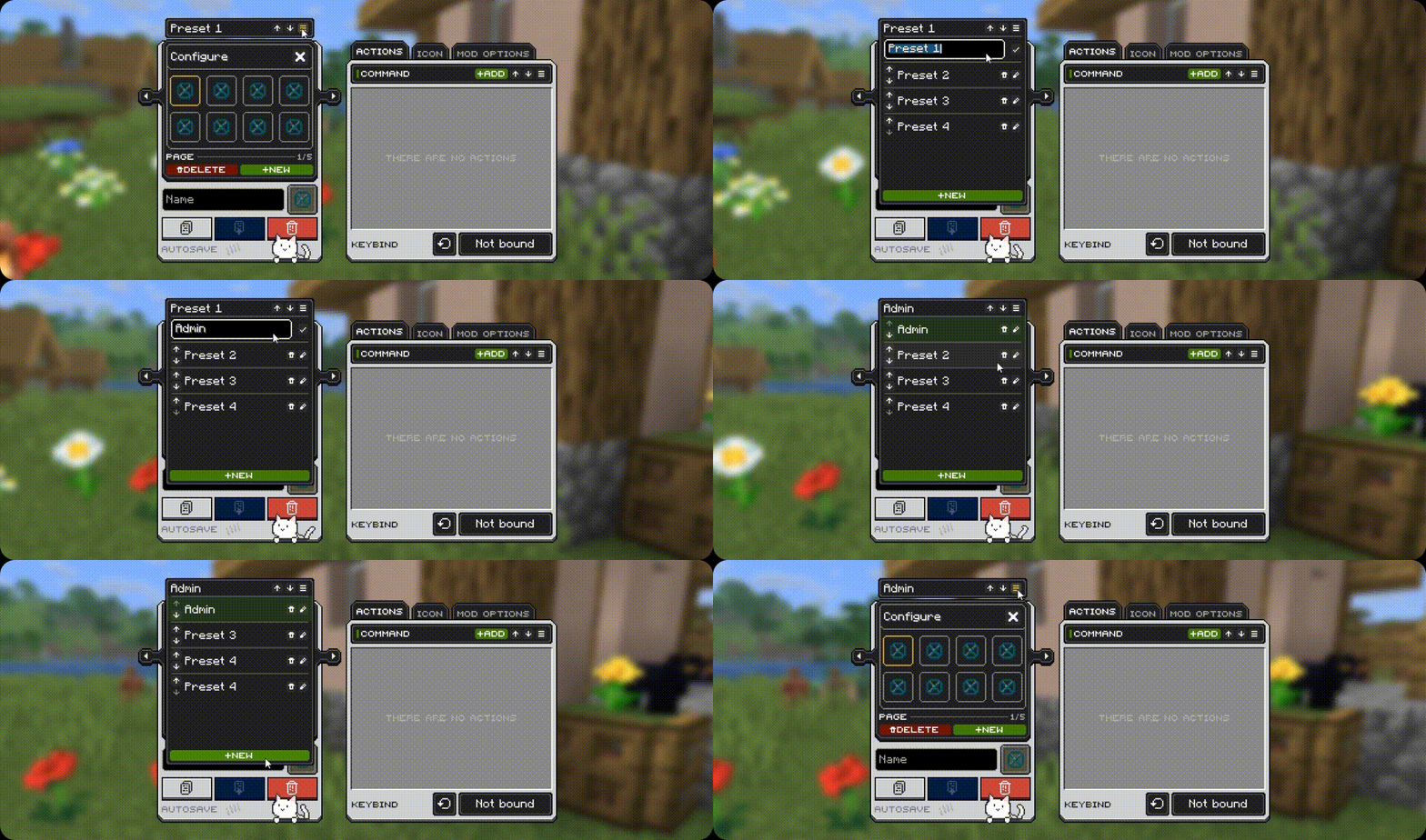
Presets

Group your binds into presets for easier organization. You can create as many presets as you need. By default, the mod generates 9 presets, each containing 40 bind slots.
Configuration

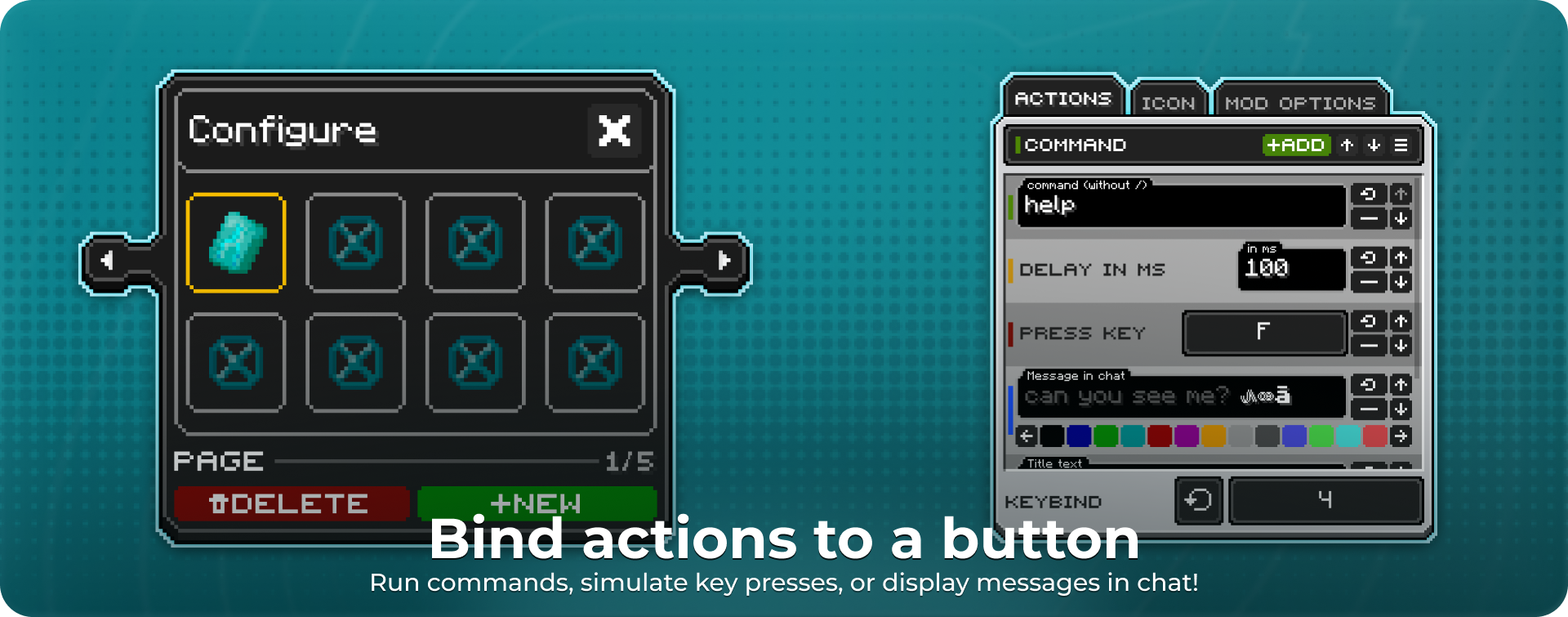
Each button can run various actions:

  • In-game command
  • Key press emulation
  • Delay (in milliseconds)
  • Local chat message
  • Show a title on screen

You can also choose the key that triggers the action.
Customize each button

A large variety of icons based on in-game items. Choose whatever you like — all items are grouped into categories for your convenience. Starting with update 3.1, icons can even be items from your installed mods!
A large variety of icons

👥 Team & Contributors

Nitsha
NitshaOwner

⚙️ Compatibility

Environment
💻 Client-side
Loaders
fabricforgeneoforge
Minecraft Versions
1.21.11

🔗 Links

Modrinth Page