Logo
MINECRAFTBIBLE
Items
Items

All game items

Blocks
Blocks

Building blocks

Mobs
Mobs

Creatures & monsters

Biomes
Biomes

World biomes

Structures
Structures

Generated structures

Recipes
Recipes

Crafting guides

Advancements
Advancements

Achievements

Loot Tables
Loot Tables

Drop rates

Tags
Tags

Item groupings

All Versions
View all data →
Capes
Cape ArchiveNEW

Browse rare Minecon capes, OptiFine capes, and custom capes from players worldwide

Browse

Player Database
Player DatabasePopular

Search any player

Skin Browser
Skin Browser

Browse & download skins

Cape Gallery
Cape GalleryNEW

Minecon & OptiFine capes

Seed Vault
Seed Vault

Curated seeds

Learn

Guides
GuidesNew

Tutorials & tips

Blog
Blog

News & updates

Community

Community Hub
Community HubHub

Posts, discussions & more

All Versions
View community →
Seed Analyzer
Seed Analyzer

World seed analysis

Loot Explorer
Loot Explorer

Drop rates

Crafting Calculator
Crafting Calculator

Material planning

Enchant Calculator
Enchant Calculator

Probability math

Redstone Lab
Redstone Lab

Signal timing

Trading Profit
Trading Profit

Villager ROI

All Versions
View all tools →
Mods
Mods

Browse all mods

Plugins
Plugins

Server plugins

Resource Packs
Resource Packs

Textures & sounds

Shaders
Shaders

Visual enhancements

Datapacks
Datapacks

World logic

Scanner
Mod Intelligence

Scan & analyze any mod

All Versions
View all mods →
Loading...
IntroductionIntroductionVersion HistoryVersion HistoryGuidesGuidesBlog & NewsBlog & News
ItemsItemsBlocksBlocksMobsMobsRecipesRecipesBiomesBiomesStructuresStructuresAdvancementsAdvancementsLoot TablesLoot TablesTagsTags
ModsModsPluginsPluginsResource PacksResource PacksShadersShadersDatapacksDatapacks

MinecraftBible

The Ultimate Wiki

Logo
MINECRAFTBIBLE

The ultimate Minecraft reference. Every item, block, mob, and recipe documented with precision.

Community

  • Player Database
  • Skin Browser
  • Cape Gallery
  • Community Hub
  • Seed Vault

Database

  • Items
  • Blocks
  • Mobs
  • Recipes
  • Biomes
  • Structures

Tools

  • Seed Analyzer
  • Mod Intelligence
  • Crafting Calculator
  • Enchant Calculator

Mods & Packs

  • Mods
  • Plugins
  • Resource Packs
  • Shaders
  • Datapacks

© 2026 MinecraftBible. Not affiliated with Mojang or Microsoft.

PrivacyTermsContact
Netherite Compass
ModMIT

Netherite Compass

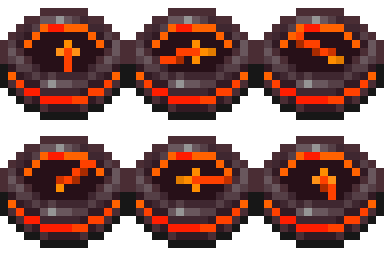
This mod adds the Netherite Compass to your game which helps you track down Ancient Debris blocks in you world.
47.4K
Downloads
138
Followers
7 months ago
Updated
📦
25
Versions
adventureequipmentutilityfabricforge
Download Latestv1.14.0View on Modrinth

📖About Netherite Compass

About the mod

This mod adds the Netherite Compass to your game which helps you track down Ancient Debris blocks in you world.

Netherite Compass

Behaviour:

Tracking:

The Netherite Compass will point to the nearest Ancient Debris in you 3x3 chunk area. If it finds an Ancient Debris block it will lock onto it and will point to it (even if you move and another Ancient Debris is closer) until the block is broken.
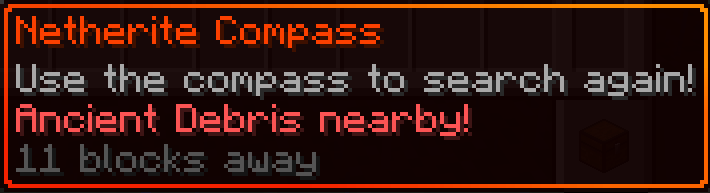
Found Debris

Locating:

If the compass didn't managed to find Ancient Debris in your nearby are it will start spinning. This means its continuously looking for them while you have it on you.
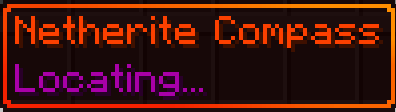
Found Debris

Changing Dimensions:

If you go to another dimension and your compass is locked onto an Ancient Debris, it will warn you in its description that the Ancient Debris is in another dimension. It will start wobbling around like the default compass when it can't find its target.
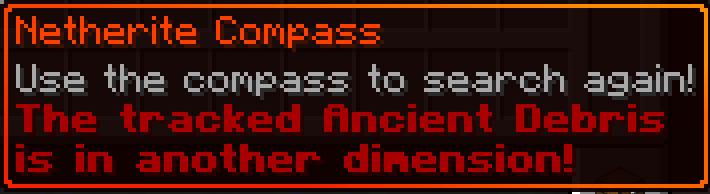
Wrong Dimension

Using the compass:

When you right click the compass it will try to search for a new target if it already had one. This action will give you a five second cooldown before you can use it again (just like the ender pearl when thrown).

Droped and Item frames

The compass will not change its state if its droped or in an Item frame. For example, if its in the "Locating..." state and you put into an Item frame it will not lock onto an Ancient Debris if you place one nearby, like it would if you had it in your inventory.

Crafting

In order to obtain the Netherite Compass the player have to put three items into the Smithing Table:
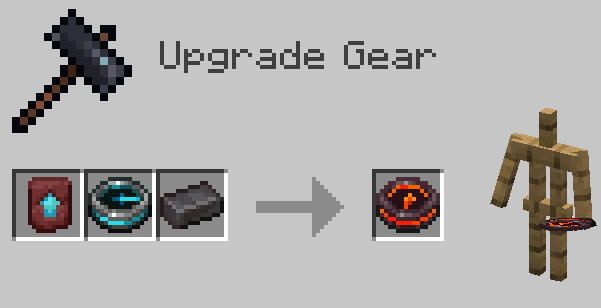
  • Netherite Upgrade Smithing Template
  • Recovery Compass
  • Netherite Ingot

Crafting

Configuring search radius with Modmenu

This mod integrates with Mod Menu to provide an in-game configuration screen. You can adjust the chunk search radius to balance between performance and search range.

Note: Larger search radii will scan more chunks, which may impact performance on slower systems. The default value of radius 1 -> 3x3 chunks should be more than enough for vanilla worlds.
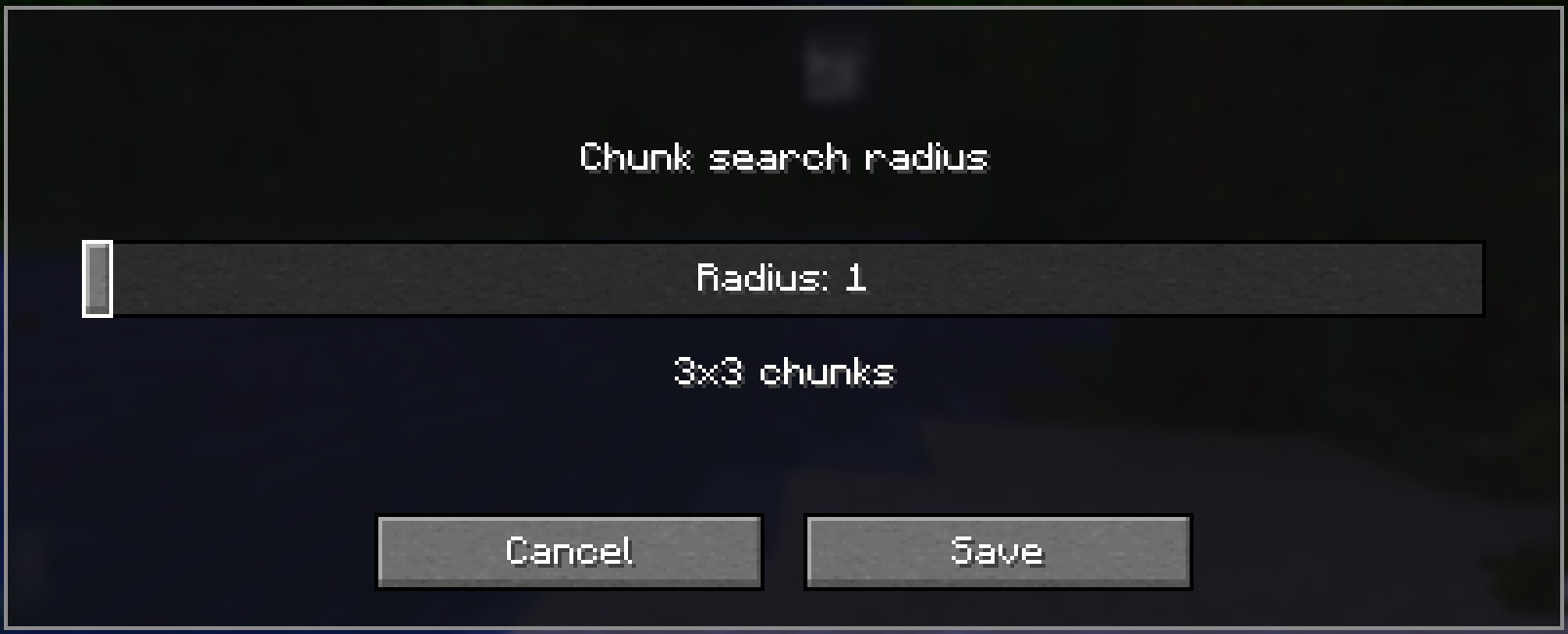
Mod Menu Config

👥 Team & Contributors

DorkixAzIgazi
DorkixAzIgaziOwner

⚙️ Compatibility

Environment
✅ Client & Server
Loaders
fabricforge
Minecraft Versions
1.21.11

🔗 Links

Modrinth Page