Logo
MINECRAFTBIBLE
Items
Items

All game items

Blocks
Blocks

Building blocks

Mobs
Mobs

Creatures & monsters

Biomes
Biomes

World biomes

Structures
Structures

Generated structures

Recipes
Recipes

Crafting guides

Advancements
Advancements

Achievements

Loot Tables
Loot Tables

Drop rates

Tags
Tags

Item groupings

All Versions
View all data →
Capes
Cape ArchiveNEW

Browse rare Minecon capes, OptiFine capes, and custom capes from players worldwide

Browse

Player Database
Player DatabasePopular

Search any player

Skin Browser
Skin Browser

Browse & download skins

Cape Gallery
Cape GalleryNEW

Minecon & OptiFine capes

Seed Vault
Seed Vault

Curated seeds

Learn

Guides
GuidesNew

Tutorials & tips

Blog
Blog

News & updates

Community

Community Hub
Community HubHub

Posts, discussions & more

All Versions
View community →
Seed Analyzer
Seed Analyzer

World seed analysis

Loot Explorer
Loot Explorer

Drop rates

Crafting Calculator
Crafting Calculator

Material planning

Enchant Calculator
Enchant Calculator

Probability math

Redstone Lab
Redstone Lab

Signal timing

Trading Profit
Trading Profit

Villager ROI

All Versions
View all tools →
Mods
Mods

Browse all mods

Plugins
Plugins

Server plugins

Resource Packs
Resource Packs

Textures & sounds

Shaders
Shaders

Visual enhancements

Datapacks
Datapacks

World logic

Scanner
Mod Intelligence

Scan & analyze any mod

All Versions
View all mods →
Loading...
IntroductionIntroductionVersion HistoryVersion HistoryGuidesGuidesBlog & NewsBlog & News
ItemsItemsBlocksBlocksMobsMobsRecipesRecipesBiomesBiomesStructuresStructuresAdvancementsAdvancementsLoot TablesLoot TablesTagsTags
ModsModsPluginsPluginsResource PacksResource PacksShadersShadersDatapacksDatapacks

MinecraftBible

The Ultimate Wiki

Logo
MINECRAFTBIBLE

The ultimate Minecraft reference. Every item, block, mob, and recipe documented with precision.

Community

  • Player Database
  • Skin Browser
  • Cape Gallery
  • Community Hub
  • Seed Vault

Database

  • Items
  • Blocks
  • Mobs
  • Recipes
  • Biomes
  • Structures

Tools

  • Seed Analyzer
  • Mod Intelligence
  • Crafting Calculator
  • Enchant Calculator

Mods & Packs

  • Mods
  • Plugins
  • Resource Packs
  • Shaders
  • Datapacks

© 2026 MinecraftBible. Not affiliated with Mojang or Microsoft.

PrivacyTermsContact
Net Music
ModCC-BY-NC-SA-4.0

Net Music

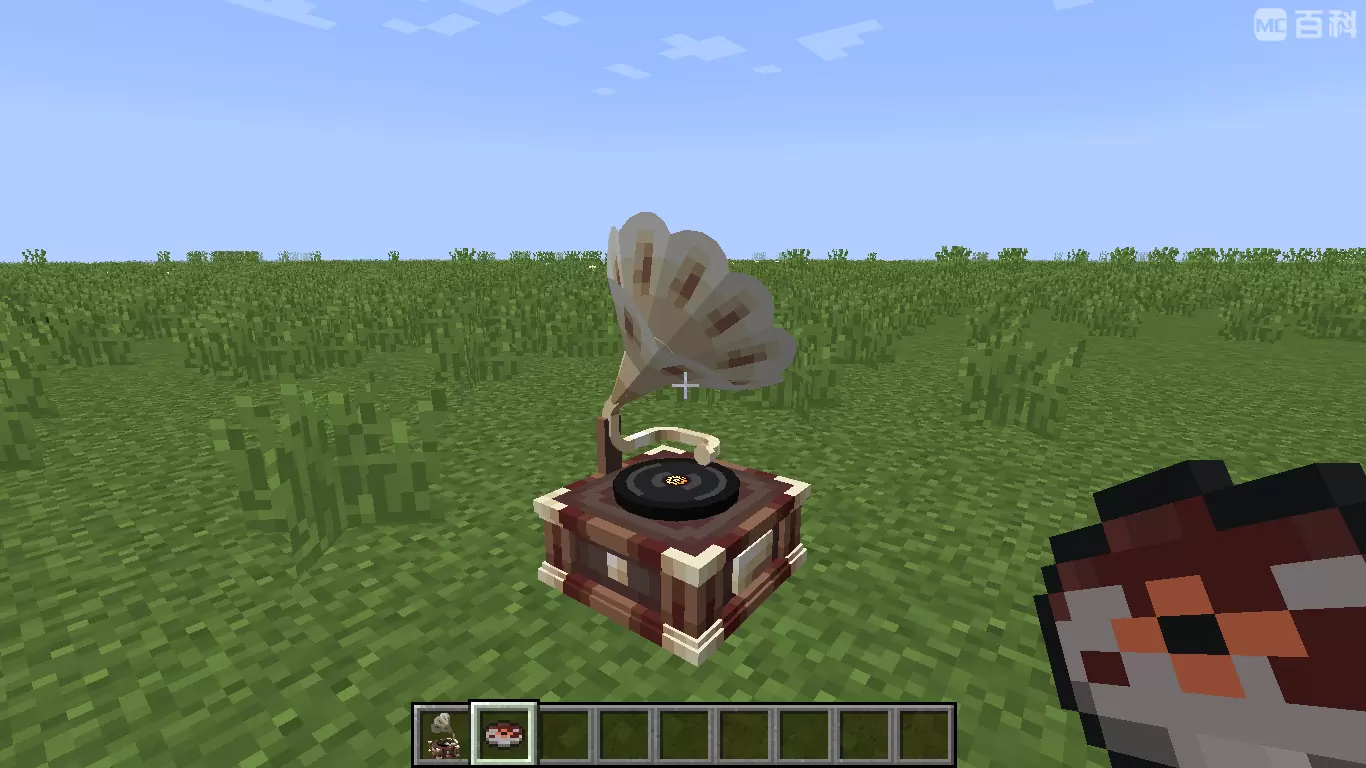
A CD player that can directly play NetEase Cloud network streaming music

3.2M
Downloads
112
Followers
Today
Updated
📦
30
Versions
decorationutilityfabricforgeneoforge
Download Latestv1.5.0-fabric+mc26.1View on Modrinth

📖About Net Music

Introduce

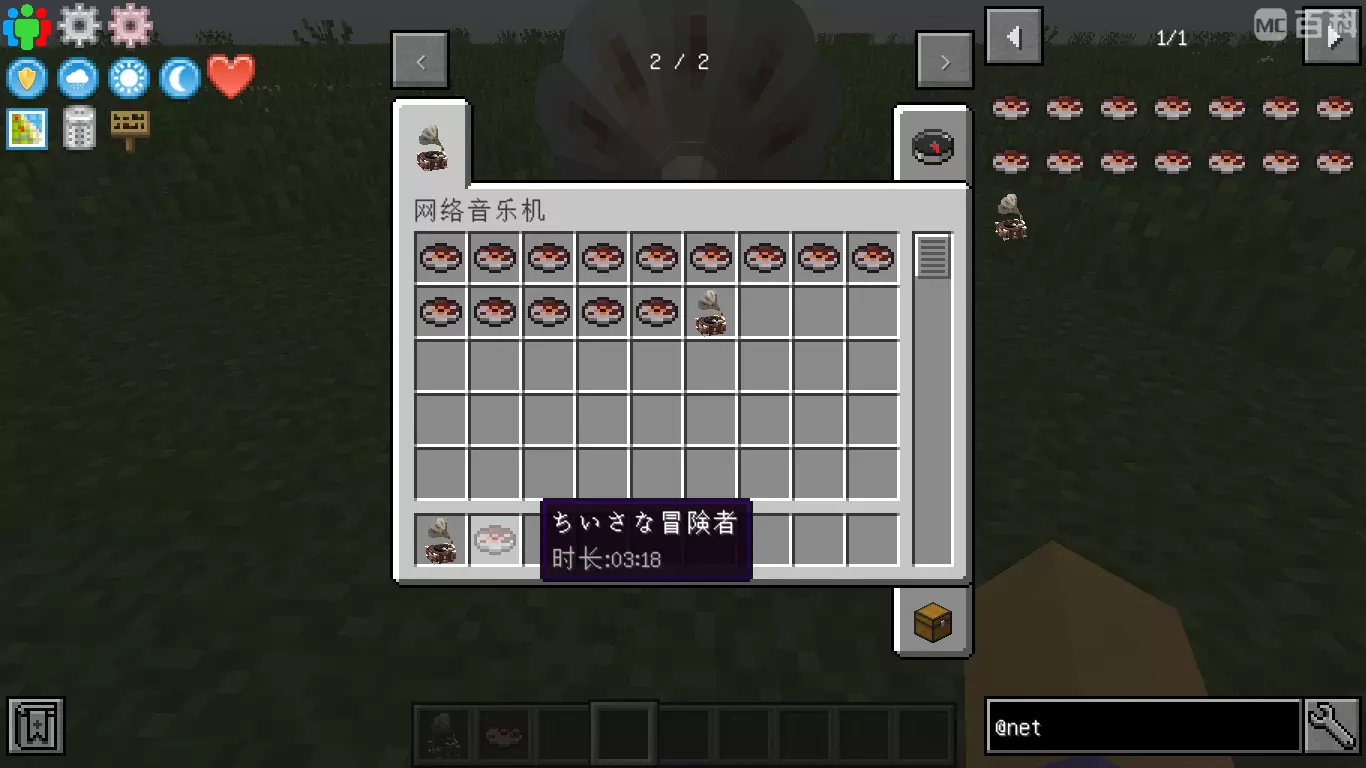
This mod adds a CD player that can directly play network-streamed music. Its behavior is exactly the same as the vanilla CD player. Other players near the CD player can also hear the music you play!

The songs played on the CD can be customized through NBT data, and support for NetEase Cloud Music has been specially added!
music
cd

How to Play Custom Music on Server

Plan A: Google Drive

  1. Make sure NetMusic mod is installed on both server and client side.
  2. Upload your song to Google Drive (Only MP3 format is supported).
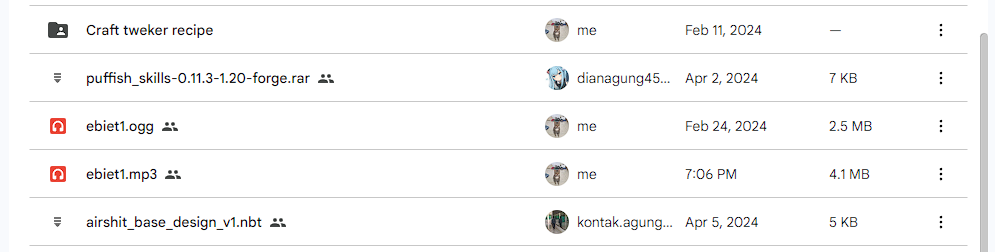
1
3. Double click on the file, and select the 3 dot icon on the top right. Click "Open in a new window" option.
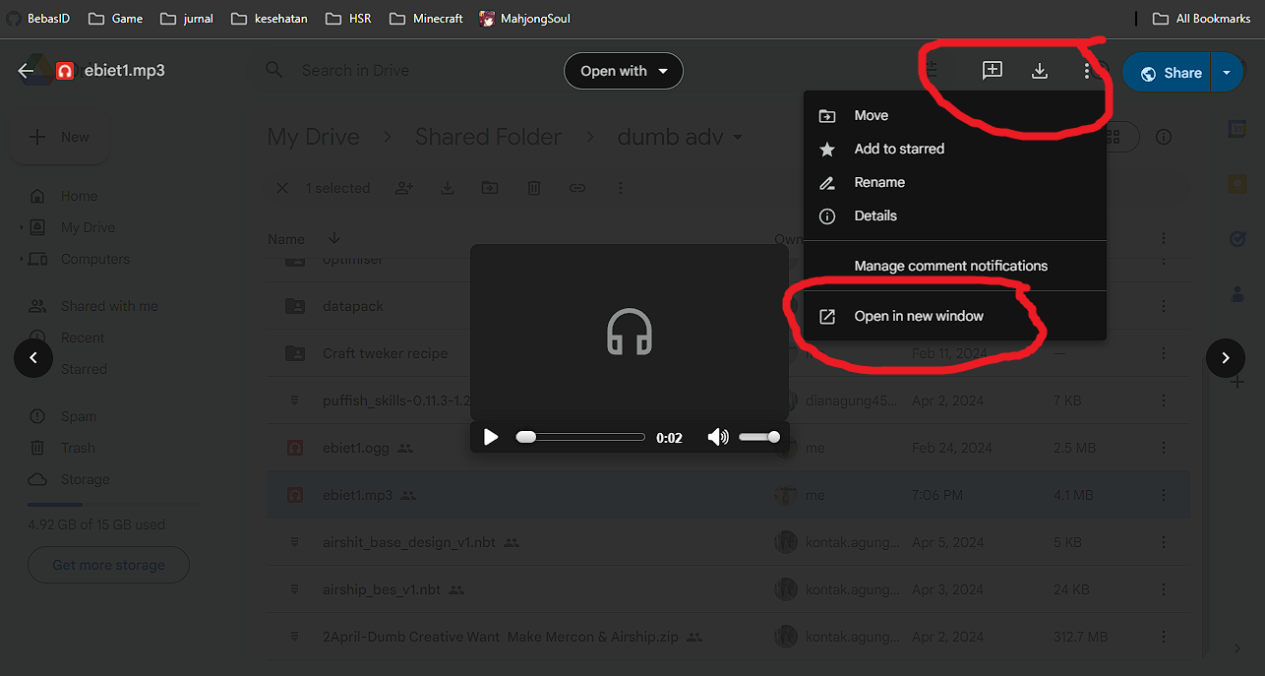
2
4. In the new window, copy the link in the URL box.
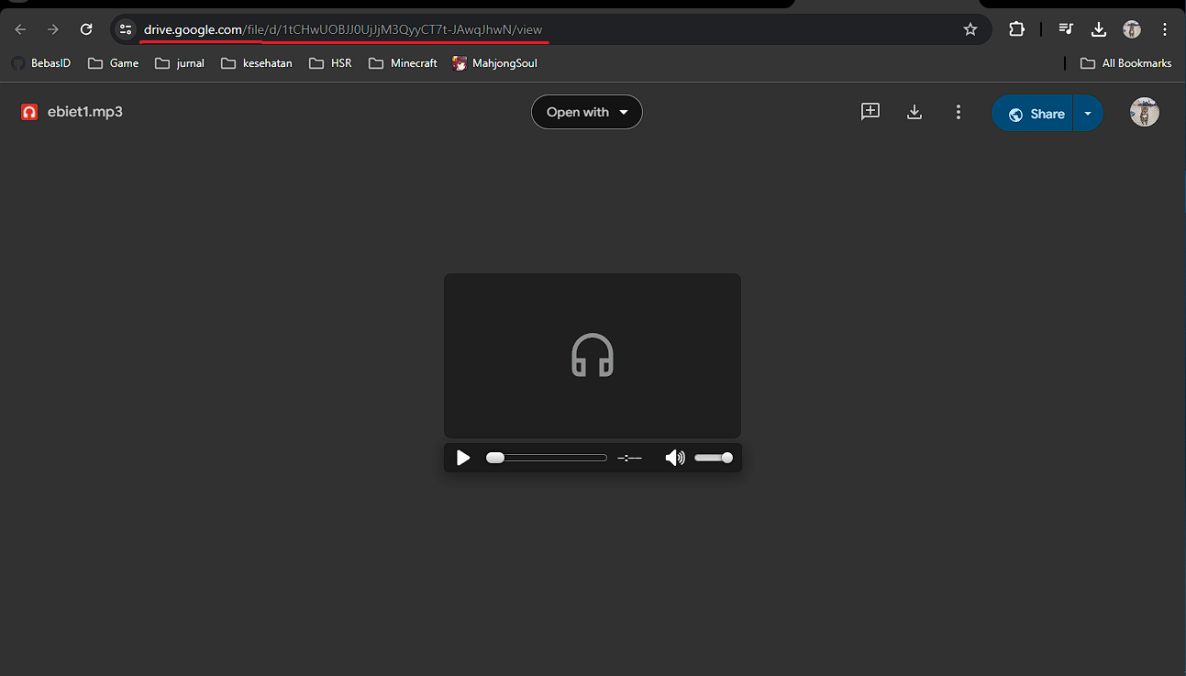
3
5. Open the in-game GUI, and fill in the details below:"

  • Enter the song url: Paste the link here
  • Enter the song name: Input the song name
  • Time (s): the duration of the song in seconds
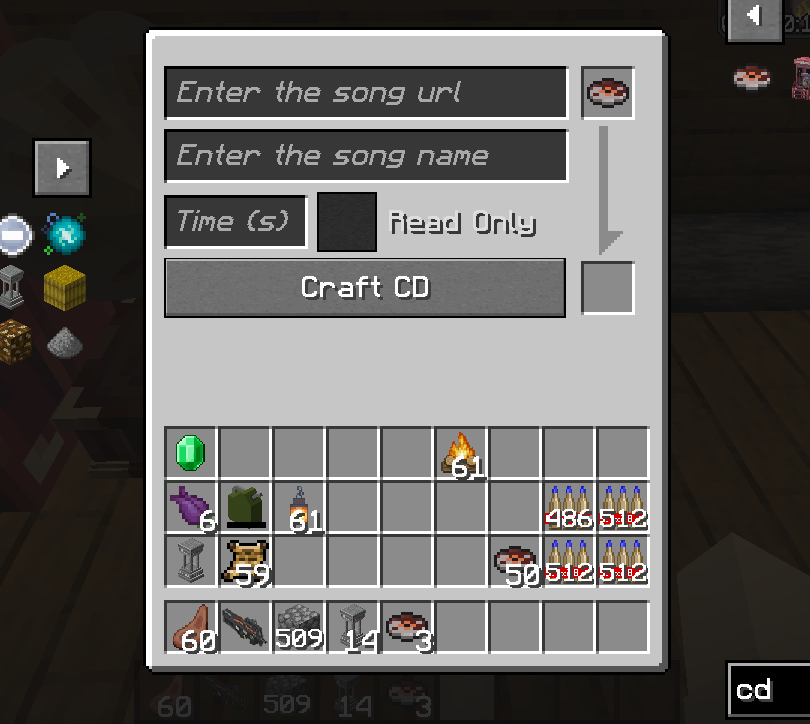
4
6. In the event where the song cannot be played, you will need to convert your link using the template below:

https://drive.usercontent.google.com/download?id={your ID}&export=download&authuser=0

delete {your ID} and paste Gdrive id example link

1tCHwUOBJJ0UjJjM3QyyCT7t-JAwqJhwN

4

Plan B: YouTube

  1. find you music youtube url link, I gave you some example : https://www.youtube.com/watch?v=UqP8rZu6xLM
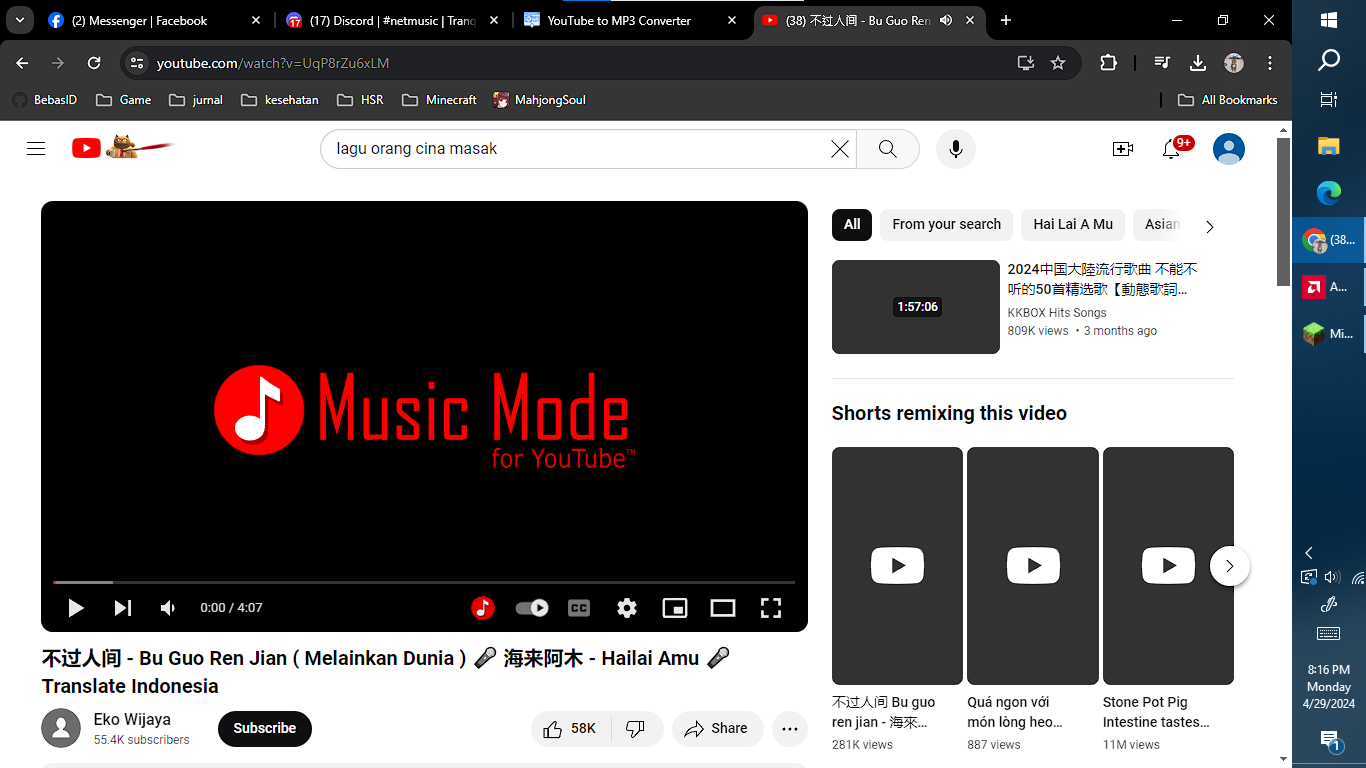
1
2. now paste your link at yt2mp3 converter: https://mp3-convert.org/youtube-to-mp3-converterss/
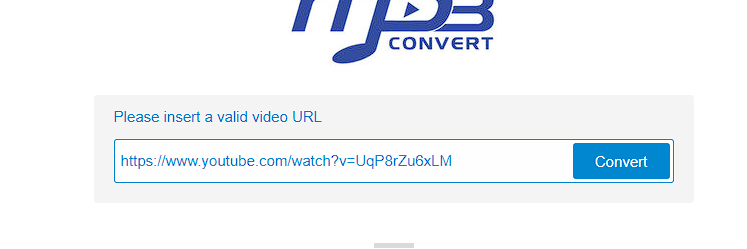
2
3. convert and you got 2 section download and convert next.

3
4. Right klik download section and copy link address
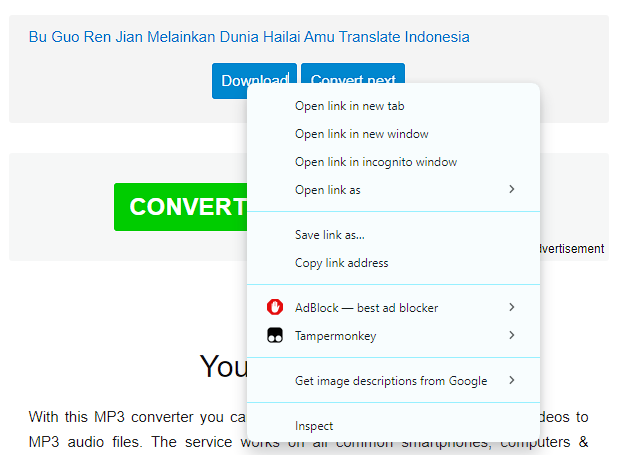
4
5. input at song url in game, dont forget to input song time

4

Thanks to Kucing, luckyu19 for the help

👥 Team & Contributors

TartaricAcid
TartaricAcidOwner

⚙️ Compatibility

Environment
✅ Client & Server
Loaders
fabricforgeneoforge
Minecraft Versions
26.1.2

🔗 Links

Modrinth Page