Logo
MINECRAFTBIBLE
Items
Items

All game items

Blocks
Blocks

Building blocks

Mobs
Mobs

Creatures & monsters

Biomes
Biomes

World biomes

Structures
Structures

Generated structures

Recipes
Recipes

Crafting guides

Advancements
Advancements

Achievements

Loot Tables
Loot Tables

Drop rates

Tags
Tags

Item groupings

All Versions
View all data →
Capes
Cape ArchiveNEW

Browse rare Minecon capes, OptiFine capes, and custom capes from players worldwide

Browse

Player Database
Player DatabasePopular

Search any player

Skin Browser
Skin Browser

Browse & download skins

Cape Gallery
Cape GalleryNEW

Minecon & OptiFine capes

Seed Vault
Seed Vault

Curated seeds

Learn

Guides
GuidesNew

Tutorials & tips

Blog
Blog

News & updates

Community

Community Hub
Community HubHub

Posts, discussions & more

All Versions
View community →
Seed Analyzer
Seed Analyzer

World seed analysis

Loot Explorer
Loot Explorer

Drop rates

Crafting Calculator
Crafting Calculator

Material planning

Enchant Calculator
Enchant Calculator

Probability math

Redstone Lab
Redstone Lab

Signal timing

Trading Profit
Trading Profit

Villager ROI

All Versions
View all tools →
Mods
Mods

Browse all mods

Plugins
Plugins

Server plugins

Resource Packs
Resource Packs

Textures & sounds

Shaders
Shaders

Visual enhancements

Datapacks
Datapacks

World logic

Scanner
Mod Intelligence

Scan & analyze any mod

All Versions
View all mods →
Loading...
IntroductionIntroductionVersion HistoryVersion HistoryGuidesGuidesBlog & NewsBlog & News
ItemsItemsBlocksBlocksMobsMobsRecipesRecipesBiomesBiomesStructuresStructuresAdvancementsAdvancementsLoot TablesLoot TablesTagsTags
ModsModsPluginsPluginsResource PacksResource PacksShadersShadersDatapacksDatapacks

MinecraftBible

The Ultimate Wiki

Logo
MINECRAFTBIBLE

The ultimate Minecraft reference. Every item, block, mob, and recipe documented with precision.

Community

  • Skin Browser
  • Cape Gallery
  • Seed Vault
  • Blog
  • Guides

Database

  • Items
  • Blocks
  • Mobs
  • Recipes
  • Biomes
  • Structures

Tools

  • Seed Analyzer
  • Mod Intelligence
  • Crafting Calculator
  • Enchant Calculator

Mods & Packs

  • Mods
  • Plugins
  • Resource Packs
  • Shaders
  • Datapacks

Site & Legal

  • About
  • Authors
  • Editorial Policy
  • Corrections
  • Contact
  • Privacy Policy
  • Terms of Service
  • DMCA
  • Sitemap

© 2026 MinecraftBible. Not affiliated with Mojang or Microsoft.

PrivacyTermsContact
Neko UI
ModLicenseRef-AM-CC-0

Neko UI

change and add more ui/hud

25.5K
Downloads
21
Followers
3 months ago
Updated
📦
30
Versions
optimizationforgeneoforge
Download Latestv1.21.11-2.0.2-26020300-NeoView on Modrinth

📖About Neko UI

Neko UI

Introduction

Neko UI enhances your gaming experience by modifying the original HUD and adding a range of practical interfaces.

Important Notes

  • Cores Mod Users: If you have the Cores mod installed, please download the file without the "all" suffix to avoid conflicts.
  • JS Code Support: If you need to use JavaScript code to customize the interface, please additionally download and install the GraalJS mod.(Run with Nashorn when the graaljs mod is not present)

Usage Guide

General Usage

Neko UI offers extensive customization options. If you're not satisfied with the default interface, you can modify the configuration files to customize the HUD display to your liking.

If you encounter any issues during customization, please refer to the WIKI documentation or contact me using the contact information below.


JS Code Example

With JavaScript code, you can draw custom UI elements on the screen, such as two elliptical health bars.

Example: Center Health Bar
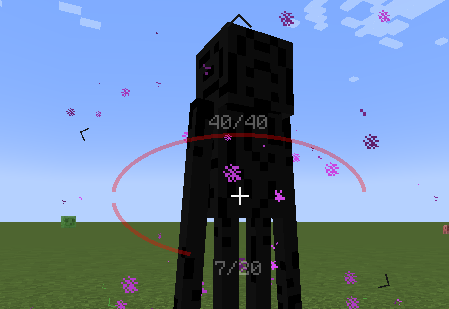
Center Health Bar

Interface Preview

Here are some interface previews of Neko UI, showcasing its features and customization options.

Custom HUD: The health bar, hunger bar, experience bar, and hotbar have been redesigned and can be enabled or disabled individually.
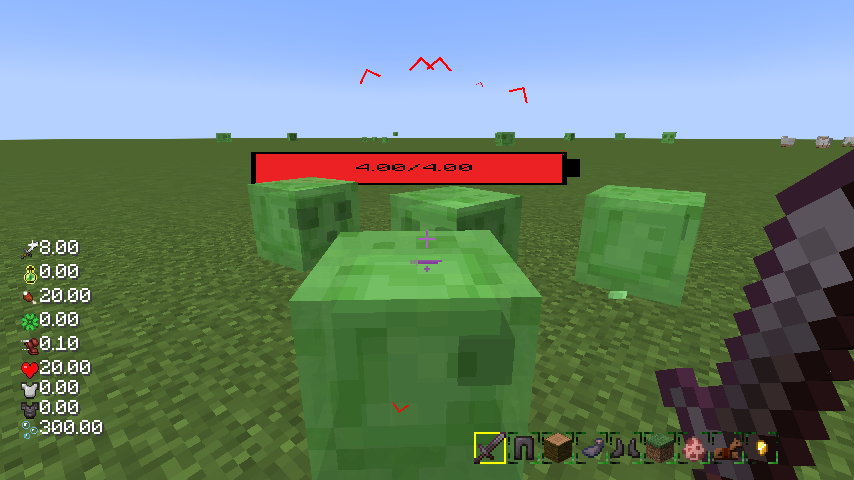
Custom HUD

Creature Direction Indicator: Real-time display of creatures relative to your position, with dynamic scaling of icons based on distance for easy tracking.
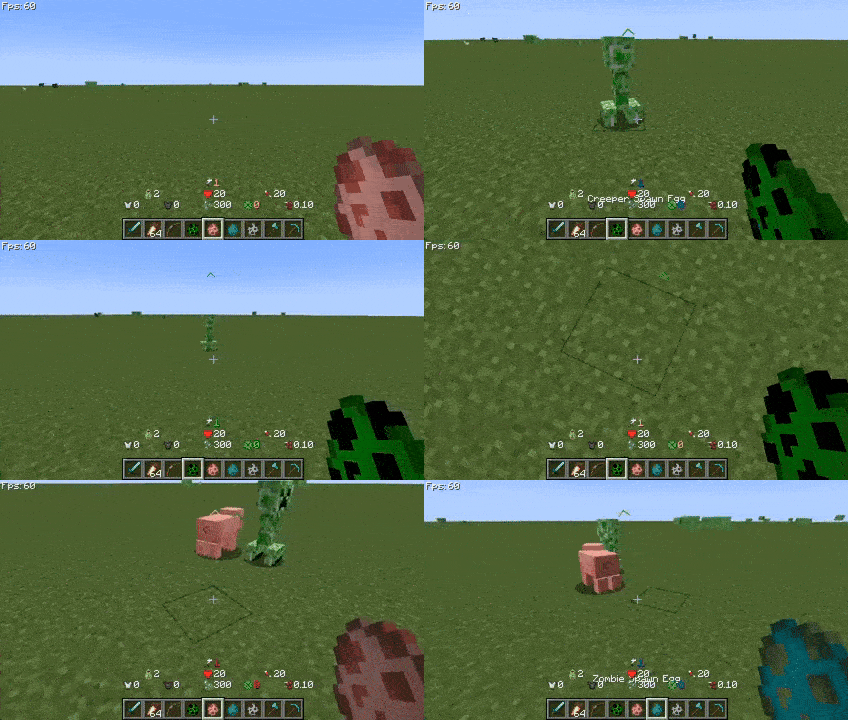
Creature Direction Indicator

Quick Menu: Hold down the TAB key to open the quick menu, switch interfaces with the left and right mouse buttons, slide to the desired option, and release TAB to trigger.

Quick Menu

More Information

If you have any questions, suggestions, or feedback, please feel free to contact me through the following methods.

Happy gaming!

Contact Information

  • Telegram
  • Discord

👥 Team & Contributors

A
anmaoOwner

⚙️ Compatibility

Environment
💻 Client-side
Loaders
forgeneoforge
Minecraft Versions
1.21.11

🔗 Links

Modrinth Page