Logo
MINECRAFTBIBLE
Items
Items

All game items

Blocks
Blocks

Building blocks

Mobs
Mobs

Creatures & monsters

Biomes
Biomes

World biomes

Structures
Structures

Generated structures

Recipes
Recipes

Crafting guides

Advancements
Advancements

Achievements

Loot Tables
Loot Tables

Drop rates

Tags
Tags

Item groupings

All Versions
View all data →
Capes
Cape ArchiveNEW

Browse rare Minecon capes, OptiFine capes, and custom capes from players worldwide

Browse

Player Database
Player DatabasePopular

Search any player

Skin Browser
Skin Browser

Browse & download skins

Cape Gallery
Cape GalleryNEW

Minecon & OptiFine capes

Seed Vault
Seed Vault

Curated seeds

Learn

Guides
GuidesNew

Tutorials & tips

Blog
Blog

News & updates

Community

Community Hub
Community HubHub

Posts, discussions & more

All Versions
View community →
Seed Analyzer
Seed Analyzer

World seed analysis

Loot Explorer
Loot Explorer

Drop rates

Crafting Calculator
Crafting Calculator

Material planning

Enchant Calculator
Enchant Calculator

Probability math

Redstone Lab
Redstone Lab

Signal timing

Trading Profit
Trading Profit

Villager ROI

All Versions
View all tools →
Mods
Mods

Browse all mods

Plugins
Plugins

Server plugins

Resource Packs
Resource Packs

Textures & sounds

Shaders
Shaders

Visual enhancements

Datapacks
Datapacks

World logic

Scanner
Mod Intelligence

Scan & analyze any mod

All Versions
View all mods →
Loading...
IntroductionIntroductionVersion HistoryVersion HistoryGuidesGuidesBlog & NewsBlog & News
ItemsItemsBlocksBlocksMobsMobsRecipesRecipesBiomesBiomesStructuresStructuresAdvancementsAdvancementsLoot TablesLoot TablesTagsTags
ModsModsPluginsPluginsResource PacksResource PacksShadersShadersDatapacksDatapacks

MinecraftBible

The Ultimate Wiki

Logo
MINECRAFTBIBLE

The ultimate Minecraft reference. Every item, block, mob, and recipe documented with precision.

Community

  • Player Database
  • Skin Browser
  • Cape Gallery
  • Community Hub
  • Seed Vault

Database

  • Items
  • Blocks
  • Mobs
  • Recipes
  • Biomes
  • Structures

Tools

  • Seed Analyzer
  • Mod Intelligence
  • Crafting Calculator
  • Enchant Calculator

Mods & Packs

  • Mods
  • Plugins
  • Resource Packs
  • Shaders
  • Datapacks

© 2026 MinecraftBible. Not affiliated with Mojang or Microsoft.

PrivacyTermsContact
My Totem Doll
ModCC-BY-ND-4.0

My Totem Doll

Replaces vanilla totems with autogenerated 2D or 3D totems for EVERY player in Minecraft! Rename your totem to player's nickname to use it's skin.

400.2K
Downloads
644
Followers
7 months ago
Updated
📦
30
Versions
decorationequipmentgame-mechanicsfabric
Download Latestv2.3.3+1.21.11View on Modrinth

📖About My Totem Doll

Discord link to the "LopyMine's Project" discord server CurseForge Link-Banner Github Link-Banner Modrinth Link-Banner

💬 Description

My Totem Doll — Client-Side Fabric Mod which replaces all totems with player dolls. Rename your totem to any player's nickname to use it's skin. Also supports capes and custom models!
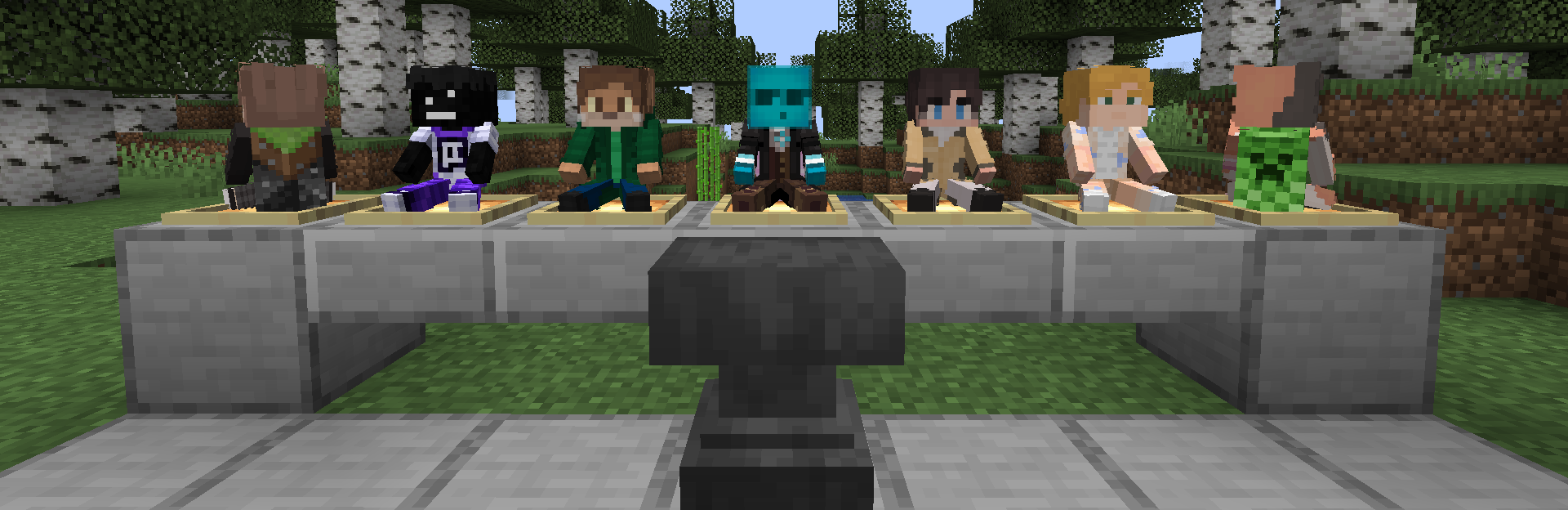
Showcase

👋 Welcome Screen

When you launch game with mod for the first time, you will be greeted with a Welcome Screen. Here you will select your default totem:
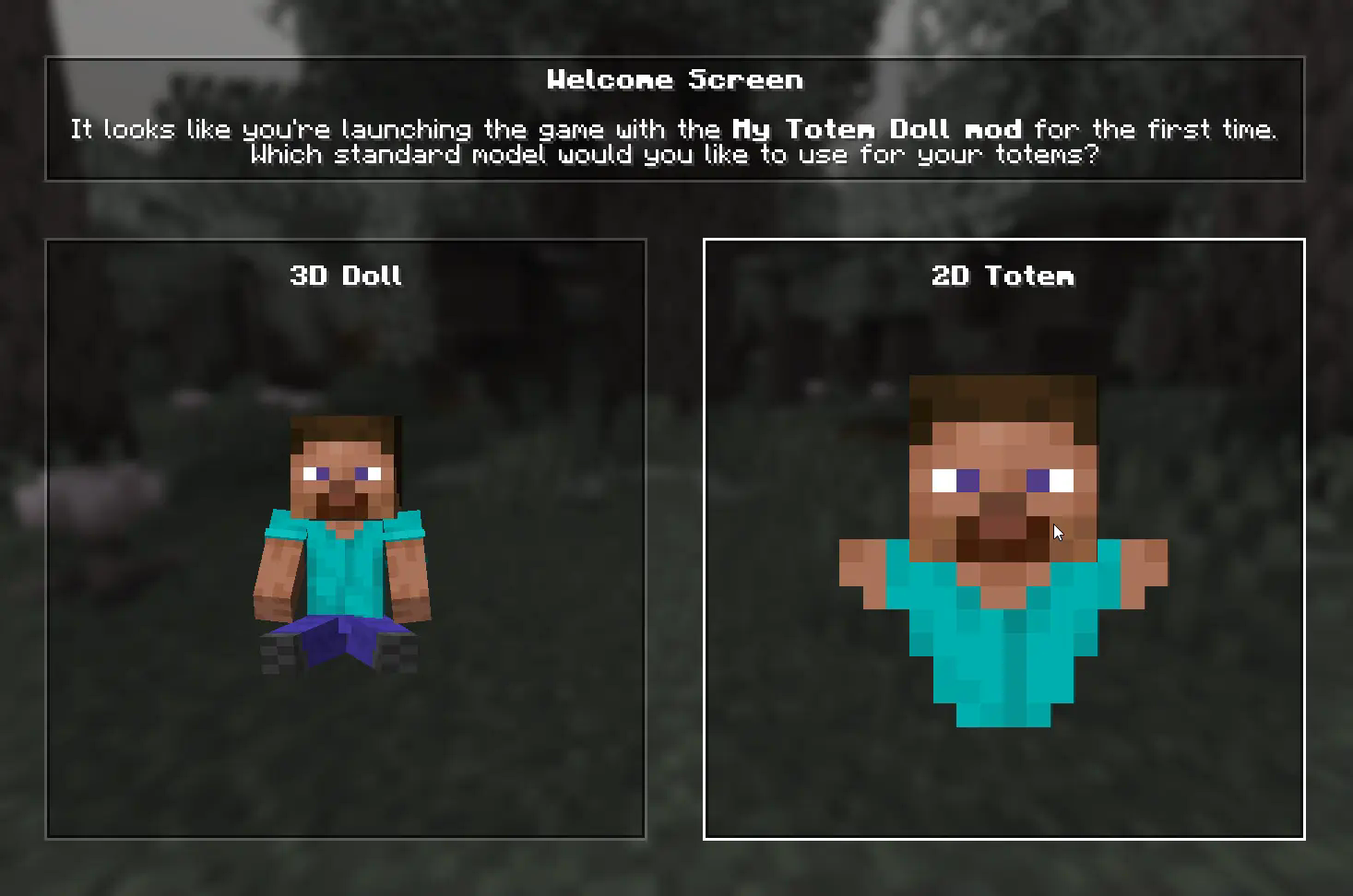
Showcase

⚙️ Configuration

1) Rendering

You can configure the rendering of totems in the first person. Open My Totem Doll configuration screen from Mod Menu and go to the Rendering tab, there you will find options for configuring the left and right hand:
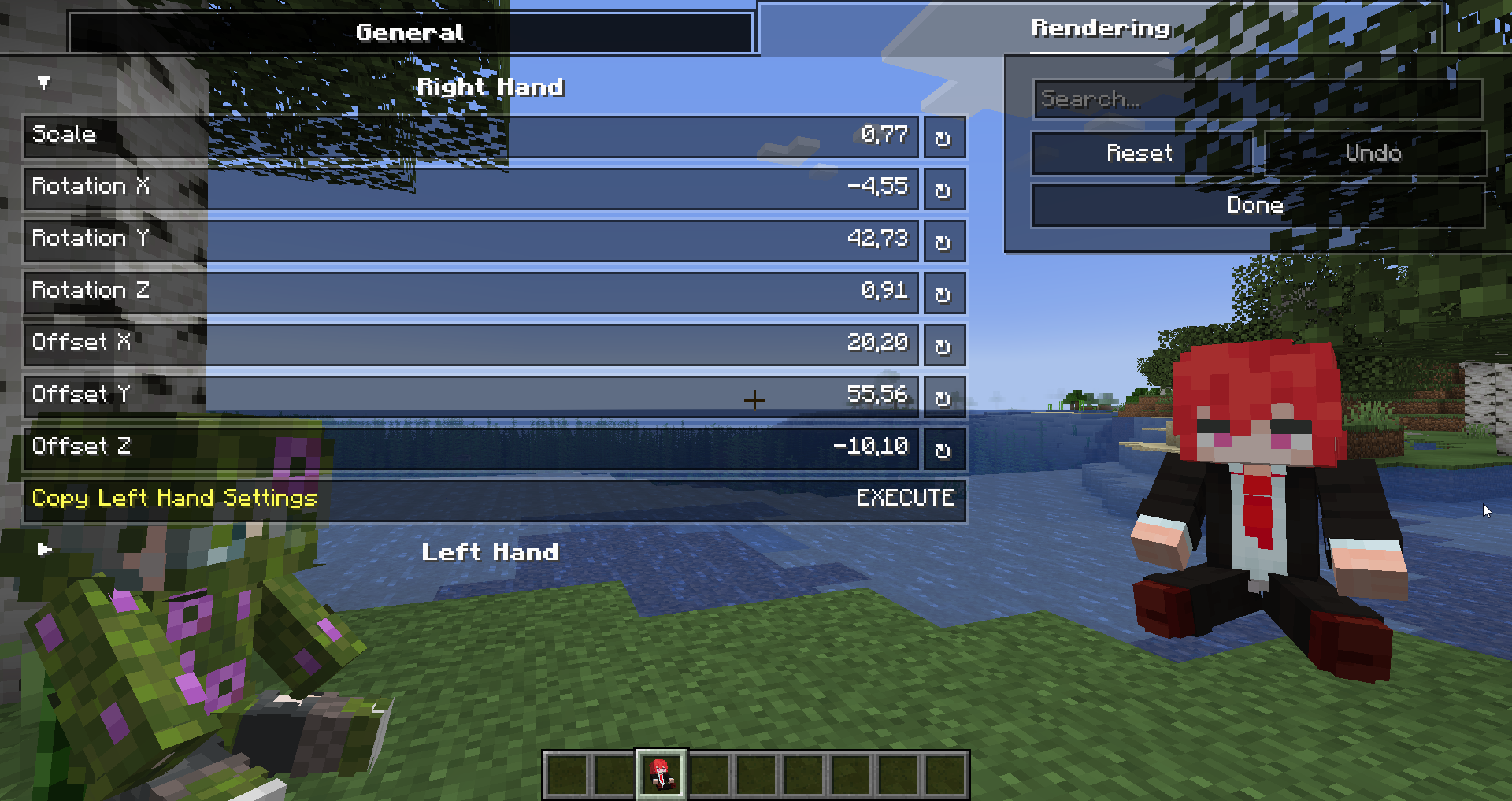
Showcase

2) Standard Doll

You can also customize the hands, model, skin textures for your standard totem!
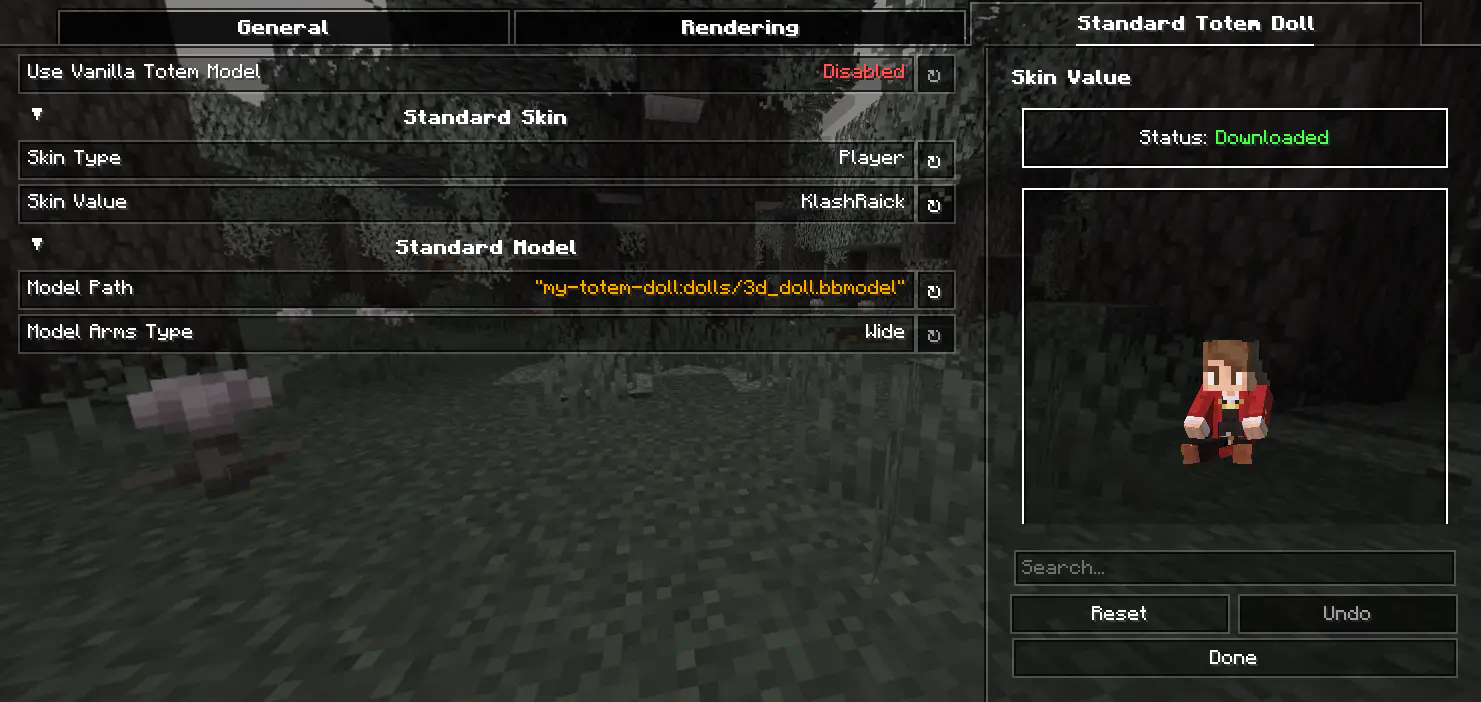
Showcase

3) Selecting Standard Doll Model

If you want to change your standard doll model, just hover to Model Path button and click on it. After that you will see Standard Model Selection Screen, there you can choose your standard doll model.

Showcase

🍃 Refresh Player Skins

My Totem Doll also has some commands for refreshing the totem skins:

/my-totem-doll refresh all - To refresh skins for all loaded players.

/my-totem-doll refresh player [<NICKNAME>] - To refresh skin for specific player.

Showcase

🧵 Totem Customization

You can customize individual totems in the anvil! Put your totem in the anvil to the first slot to see the Tags menu button. Click on it to open the Tags menu.
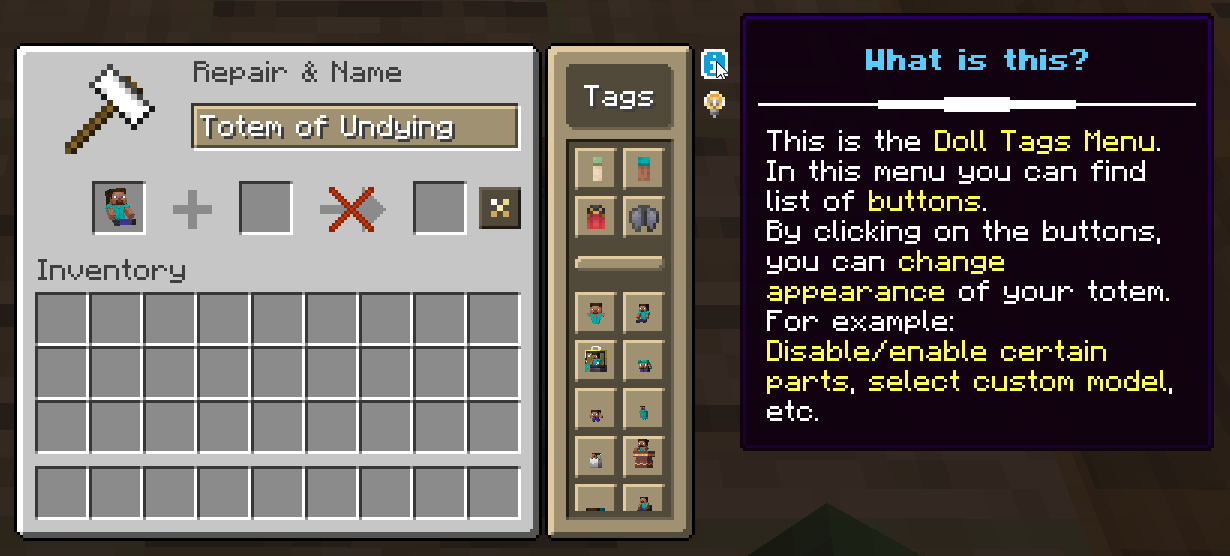
Showcase

🔥 Custom Models

You can even add your own models by following this wiki.

A good example is My Totem Doll Model Pack made by community. It has over 40 new models (some were even added to the mod!).

Showcase

🎮 Multiplayer Support

You can also see other players' totems! Without mod on the server.
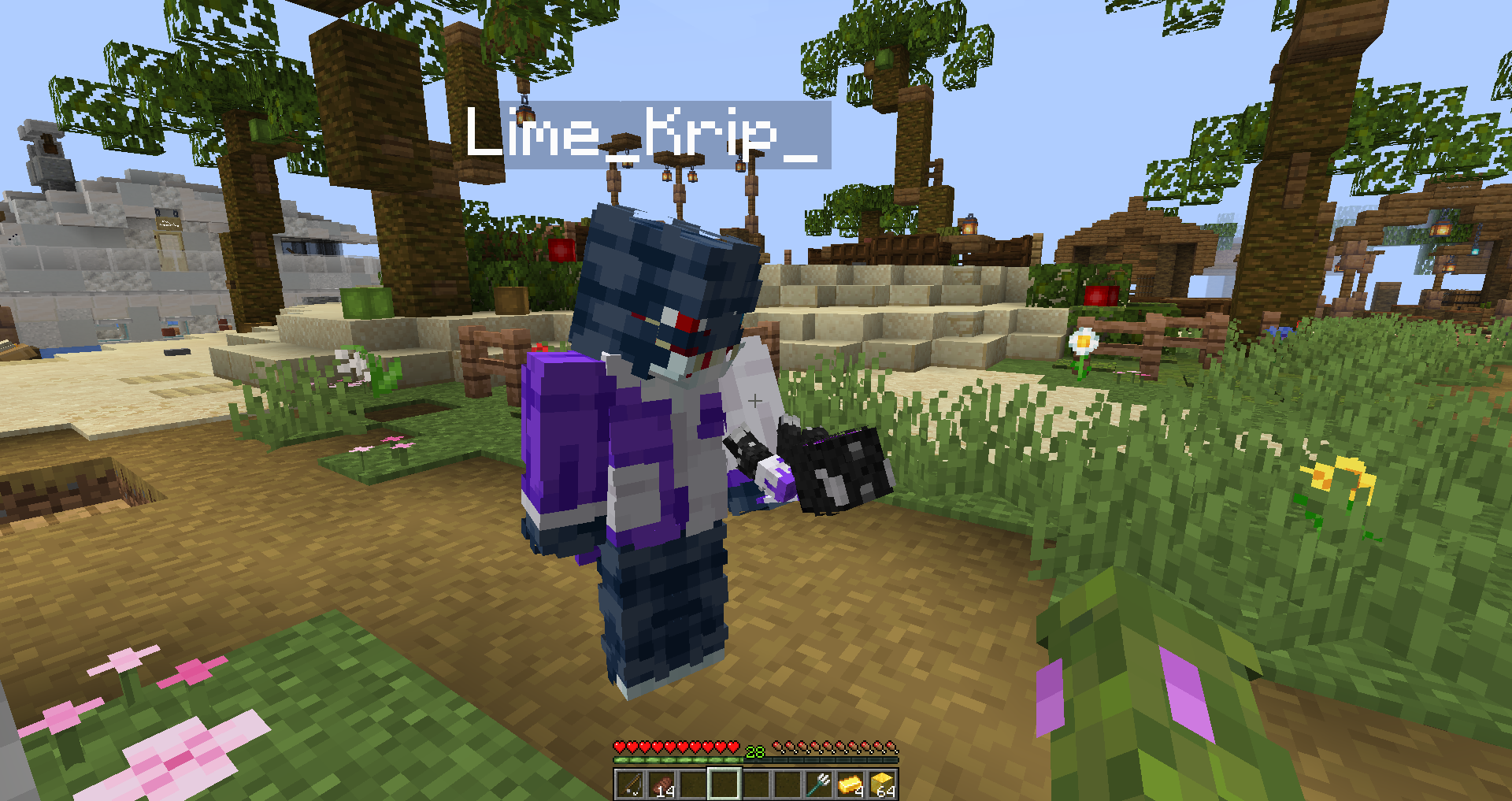
Showcase

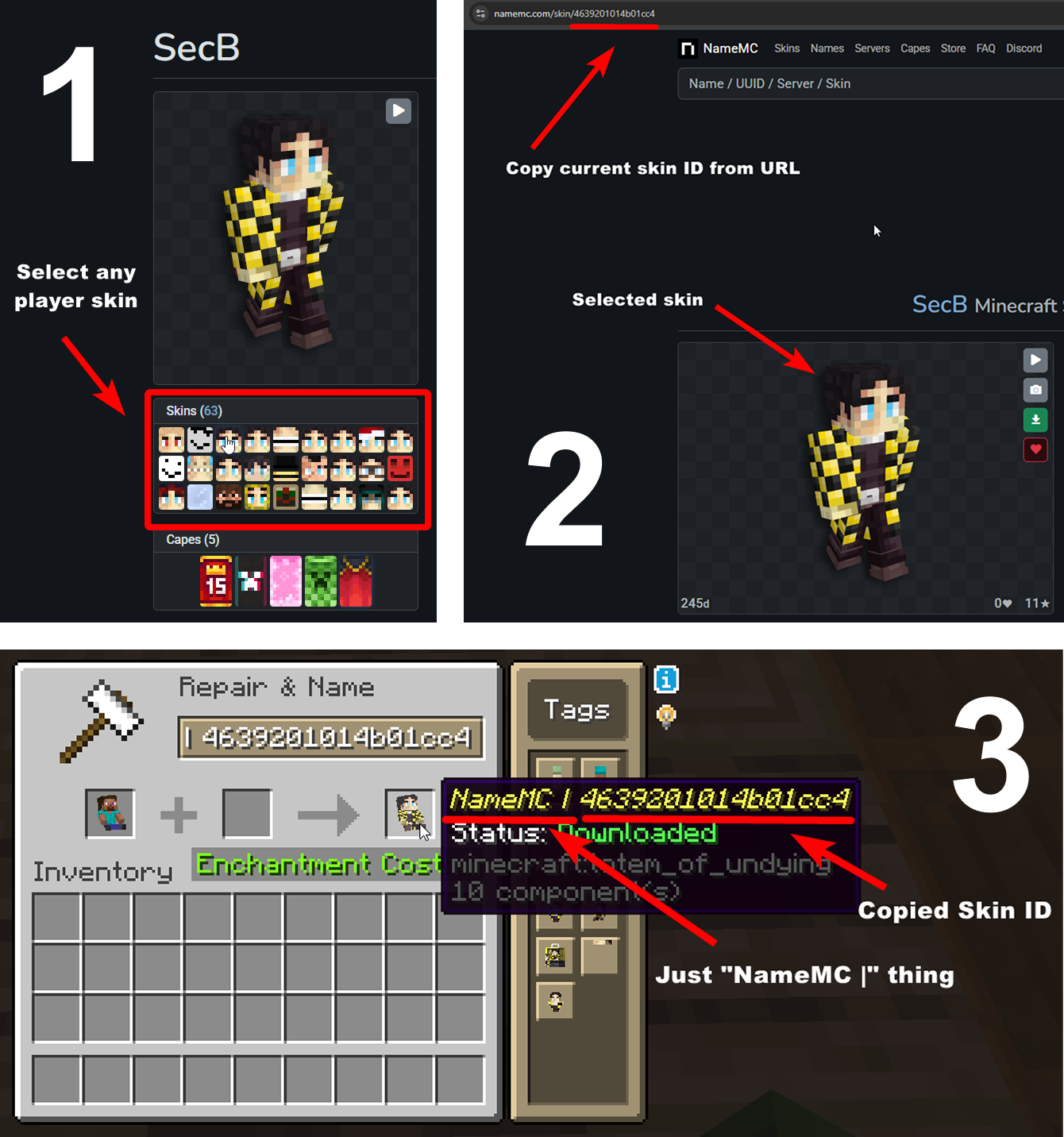
🧥 Using NameMC Skins

Yeah, you also can use NameMC skins on your totems. To use it, just select any player skin, copy skin id, rename your totem to NameMC | and paste copied skin id. And that's all!
Showcase

👥 Team & Contributors

KlashRaick
KlashRaick
Author/Sponsor
LopyMine
LopyMine
Developer

⚙️ Compatibility

Environment
💻 Client-side
Loaders
fabric
Minecraft Versions
1.21.11

🔗 Links

Modrinth Page