Logo
MINECRAFTBIBLE
Items
Items

All game items

Blocks
Blocks

Building blocks

Mobs
Mobs

Creatures & monsters

Biomes
Biomes

World biomes

Structures
Structures

Generated structures

Recipes
Recipes

Crafting guides

Advancements
Advancements

Achievements

Loot Tables
Loot Tables

Drop rates

Tags
Tags

Item groupings

All Versions
View all data →
Capes
Cape ArchiveNEW

Browse rare Minecon capes, OptiFine capes, and custom capes from players worldwide

Browse

Player Database
Player DatabasePopular

Search any player

Skin Browser
Skin Browser

Browse & download skins

Cape Gallery
Cape GalleryNEW

Minecon & OptiFine capes

Seed Vault
Seed Vault

Curated seeds

Learn

Guides
GuidesNew

Tutorials & tips

Blog
Blog

News & updates

Community

Community Hub
Community HubHub

Posts, discussions & more

All Versions
View community →
Seed Analyzer
Seed Analyzer

World seed analysis

Loot Explorer
Loot Explorer

Drop rates

Crafting Calculator
Crafting Calculator

Material planning

Enchant Calculator
Enchant Calculator

Probability math

Redstone Lab
Redstone Lab

Signal timing

Trading Profit
Trading Profit

Villager ROI

All Versions
View all tools →
Mods
Mods

Browse all mods

Plugins
Plugins

Server plugins

Resource Packs
Resource Packs

Textures & sounds

Shaders
Shaders

Visual enhancements

Datapacks
Datapacks

World logic

Scanner
Mod Intelligence

Scan & analyze any mod

All Versions
View all mods →
Loading...
IntroductionIntroductionVersion HistoryVersion HistoryGuidesGuidesBlog & NewsBlog & News
ItemsItemsBlocksBlocksMobsMobsRecipesRecipesBiomesBiomesStructuresStructuresAdvancementsAdvancementsLoot TablesLoot TablesTagsTags
ModsModsPluginsPluginsResource PacksResource PacksShadersShadersDatapacksDatapacks

MinecraftBible

The Ultimate Wiki

Logo
MINECRAFTBIBLE

The ultimate Minecraft reference. Every item, block, mob, and recipe documented with precision.

Community

  • Skin Browser
  • Cape Gallery
  • Seed Vault
  • Blog
  • Guides

Database

  • Items
  • Blocks
  • Mobs
  • Recipes
  • Biomes
  • Structures

Tools

  • Seed Analyzer
  • Mod Intelligence
  • Crafting Calculator
  • Enchant Calculator

Mods & Packs

  • Mods
  • Plugins
  • Resource Packs
  • Shaders
  • Datapacks

Site & Legal

  • About
  • Authors
  • Editorial Policy
  • Corrections
  • Contact
  • Privacy Policy
  • Terms of Service
  • DMCA
  • Sitemap

© 2026 MinecraftBible. Not affiliated with Mojang or Microsoft.

PrivacyTermsContact
Cursors Extended
ModMIT

Cursors Extended

Configurable Minecraft-themed cursors

496.7K
Downloads
486
Followers
4 months ago
Updated
📦
30
Versions
decorationutilityfabricforgeneoforgequilt
Download Latestv4.1.5+1.21.11View on Modrinth

📖About Cursors Extended

Cursors Extended

default pointing_hand grabbing ibeam shift busy not_allowed crosshair resize_all resize_ew resize_ns resize_nwse resize_nesw

Replaces the boring old default system cursors with Minecraft-themed cursors.

Previously known as Minecraft Cursor before 1.21.9 introduced many breaking changes for the mod.

📌 Requirements

  • When on Fabric: Fabric API

✨ Features

  • Customize cursor textures using resource packs.
  • Give life to your cursor with custom animations.
  • Includes extra cursor shapes fit for other contexts.
  • Enhanced cursor logic to various GUI elements via Legacy Mode.
  • Adjust various options to your liking. Navigate to the Mods screen or on Options › Controls › Mouse Settings › Cursor Settings.
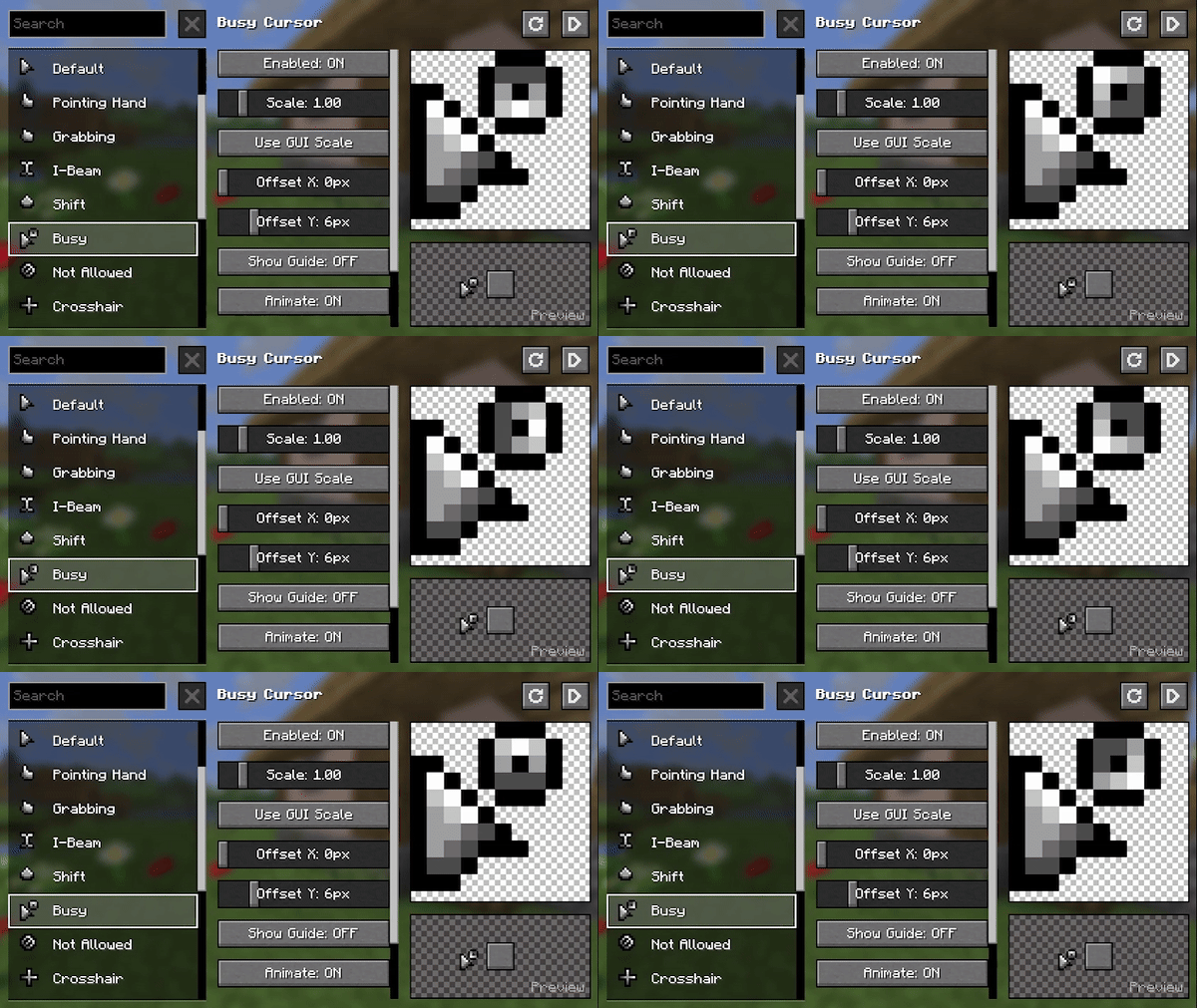
cursors_extended

🖌️ Create Resource Packs

Make your own resource pack and share it on supported platforms!

Already have one on v3? Convert it with the V3 Converter.
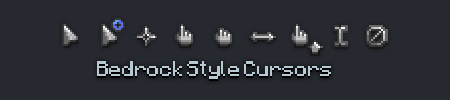
Bedrock-Style Cursors

Get started here: https://fishstiz.github.io/cursors_extended-wiki/resource-pack/getting-started

🔗 Compatibility

  • If the cursor does not change from the system cursor, it is likely a compatibility issue. Workarounds exist but aren't foolproof.
    • Workarounds include mod cursor tracking and remapping. Can be disabled in case it causes issues.
    • Fabric: check for a warning log indicating that the workarounds could not be applied due to GLFW being loaded early.
    • NeoForge: report the issue for a possible workaround or patch for the incompatible mod.
    • You may also try Aggressive Cursor and/or Virtual Mode as workarounds, also helps with diagnosing compatibility issues.

👥 Team & Contributors

fishstiz
fishstizOwner

⚙️ Compatibility

Environment
💻 Client-side
Loaders
fabricforgeneoforgequilt
Minecraft Versions
1.21.11

🔗 Links

Modrinth Page