Logo
MINECRAFTBIBLE
Items
Items

All game items

Blocks
Blocks

Building blocks

Mobs
Mobs

Creatures & monsters

Biomes
Biomes

World biomes

Structures
Structures

Generated structures

Recipes
Recipes

Crafting guides

Advancements
Advancements

Achievements

Loot Tables
Loot Tables

Drop rates

Tags
Tags

Item groupings

All Versions
View all data →
Capes
Cape ArchiveNEW

Browse rare Minecon capes, OptiFine capes, and custom capes from players worldwide

Browse

Player Database
Player DatabasePopular

Search any player

Skin Browser
Skin Browser

Browse & download skins

Cape Gallery
Cape GalleryNEW

Minecon & OptiFine capes

Seed Vault
Seed Vault

Curated seeds

Learn

Guides
GuidesNew

Tutorials & tips

Blog
Blog

News & updates

Community

Community Hub
Community HubHub

Posts, discussions & more

All Versions
View community →
Seed Analyzer
Seed Analyzer

World seed analysis

Loot Explorer
Loot Explorer

Drop rates

Crafting Calculator
Crafting Calculator

Material planning

Enchant Calculator
Enchant Calculator

Probability math

Redstone Lab
Redstone Lab

Signal timing

Trading Profit
Trading Profit

Villager ROI

All Versions
View all tools →
Mods
Mods

Browse all mods

Plugins
Plugins

Server plugins

Resource Packs
Resource Packs

Textures & sounds

Shaders
Shaders

Visual enhancements

Datapacks
Datapacks

World logic

Scanner
Mod Intelligence

Scan & analyze any mod

All Versions
View all mods →
Loading...
IntroductionIntroductionVersion HistoryVersion HistoryGuidesGuidesBlog & NewsBlog & News
ItemsItemsBlocksBlocksMobsMobsRecipesRecipesBiomesBiomesStructuresStructuresAdvancementsAdvancementsLoot TablesLoot TablesTagsTags
ModsModsPluginsPluginsResource PacksResource PacksShadersShadersDatapacksDatapacks

MinecraftBible

The Ultimate Wiki

Logo
MINECRAFTBIBLE

The ultimate Minecraft reference. Every item, block, mob, and recipe documented with precision.

Community

  • Skin Browser
  • Cape Gallery
  • Seed Vault
  • Blog
  • Guides

Database

  • Items
  • Blocks
  • Mobs
  • Recipes
  • Biomes
  • Structures

Tools

  • Seed Analyzer
  • Mod Intelligence
  • Crafting Calculator
  • Enchant Calculator

Mods & Packs

  • Mods
  • Plugins
  • Resource Packs
  • Shaders
  • Datapacks

Site & Legal

  • About
  • Authors
  • Editorial Policy
  • Corrections
  • Contact
  • Privacy Policy
  • Terms of Service
  • DMCA
  • Sitemap

© 2026 MinecraftBible. Not affiliated with Mojang or Microsoft.

PrivacyTermsContact
MidnightControls
ModMIT

MidnightControls

Adds controller support and enhanced controls overall.

2.5M
Downloads
1,045
Followers
5 months ago
Updated
📦
30
Versions
utilityfabricneoforgequilt
Download Latestv1.12.0+1.21.11-fabricView on Modrinth

📖About MidnightControls

MidnightControls

A Fabric Minecraft mod which adds better controls, reach-around and controller support.
Forked from LambdaControls by the amazing LambdAurora, which was sadly discontinued.

What's this mod?

This mod adds better controls, reach-around features, etc.

Haven't you dreamed to travel in your modded Minecraft world with your controller? Yes? Then this mod is made for you!

This mod also adds controller support.

✅ Features:

  • For a nice overview, visit https://www.midnightdust.eu/midnightcontrols/

  • Controller support

  • Touchscreen support

  • Keyboard controls to look around.

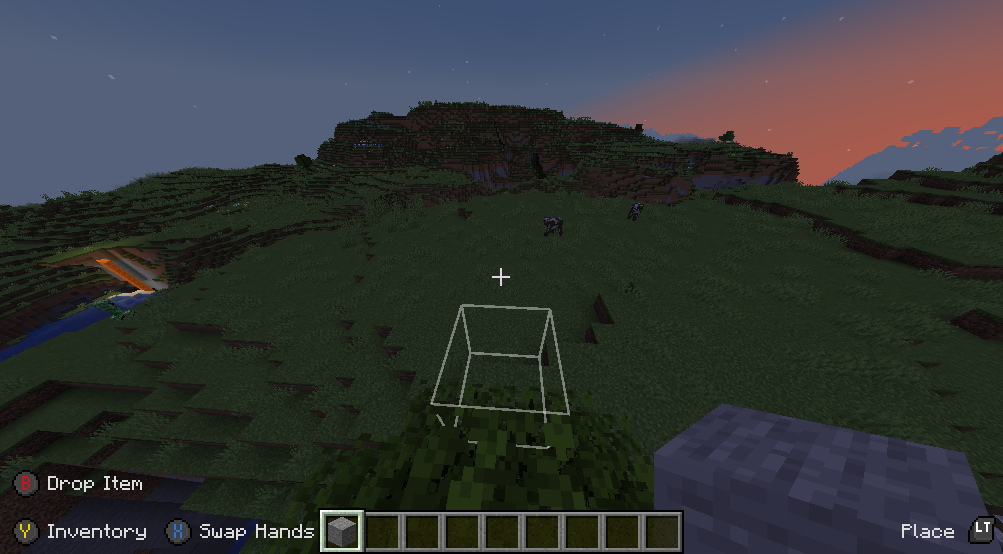
  • Toggleable on screen button indicator (like in Bedrock Edition).

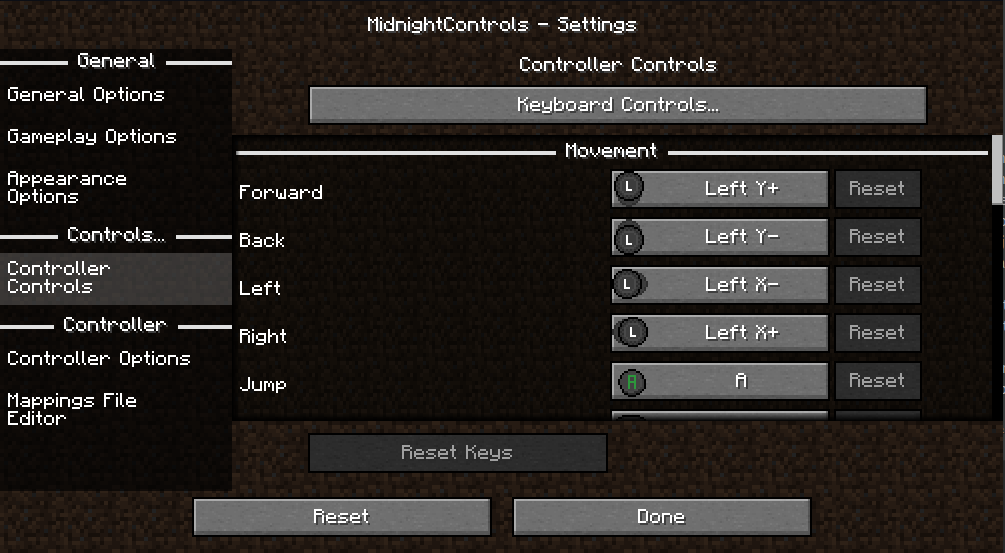
  • New controls settings!

  • Many options in config to change to your liking.

  • Many controllers supported and in a simply way your own controller mappings.

  • Automatic support for modded keybinds

  • An easy API for developers to add their own button bindings.

Install MidnightControlsExtra for extra features that might be considered as cheats

🎮 Supported Controllers:

  • Dualshock controllers
  • Dualsense controllers
  • Xbox controllers
  • Switch Pro controllers
  • Joycons
  • Steam controller and Steam Deck
  • And many more!

Trailer

(click on the image)
MidnightControls Trailer

Screenshots

controller_ingame
controller_controls

FAQ:

The controller does not work, and its name appears in orange, what can I do?

Orange controller names indicate a missing controller mapping.
Download GamepadTool, create and copy a mapping, go to MidnightControls' Mappings File Editor and paste the string.
Alternatively, you can use AntiMicroX to create the mappings, in case the Gamepad Tool is not working for you.
If that works, you might as well consider submitting the mapping by opening a PR in this repo: https://github.com/gabomdq/SDL_GameControllerDB
That will make sure other people using the same controller as you don't have to use gamepad-tool anymore.

👥 Team & Contributors

LambdAurora
LambdAurora
Original Creator
Motschen
MotschenOwner

⚙️ Compatibility

Environment
💻 Client-side
Loaders
fabricneoforgequilt
Minecraft Versions
1.21.11

🔗 Links

Modrinth Page