MINECRAFTBIBLE
Loading...


Use bundles like never before with many intuitive interactions. And there's more bundles, much larger!







Metal Bundles adds new types of bundles with bigger storage space. Very original, isn't it? Not like there's already half a dozen mods doing the exact same thing out there... haha
But wait, that's not even close to all of it! Metal Bundles also completely overhauls how you use bundles by adding many intuitive interactions, check them out further below!

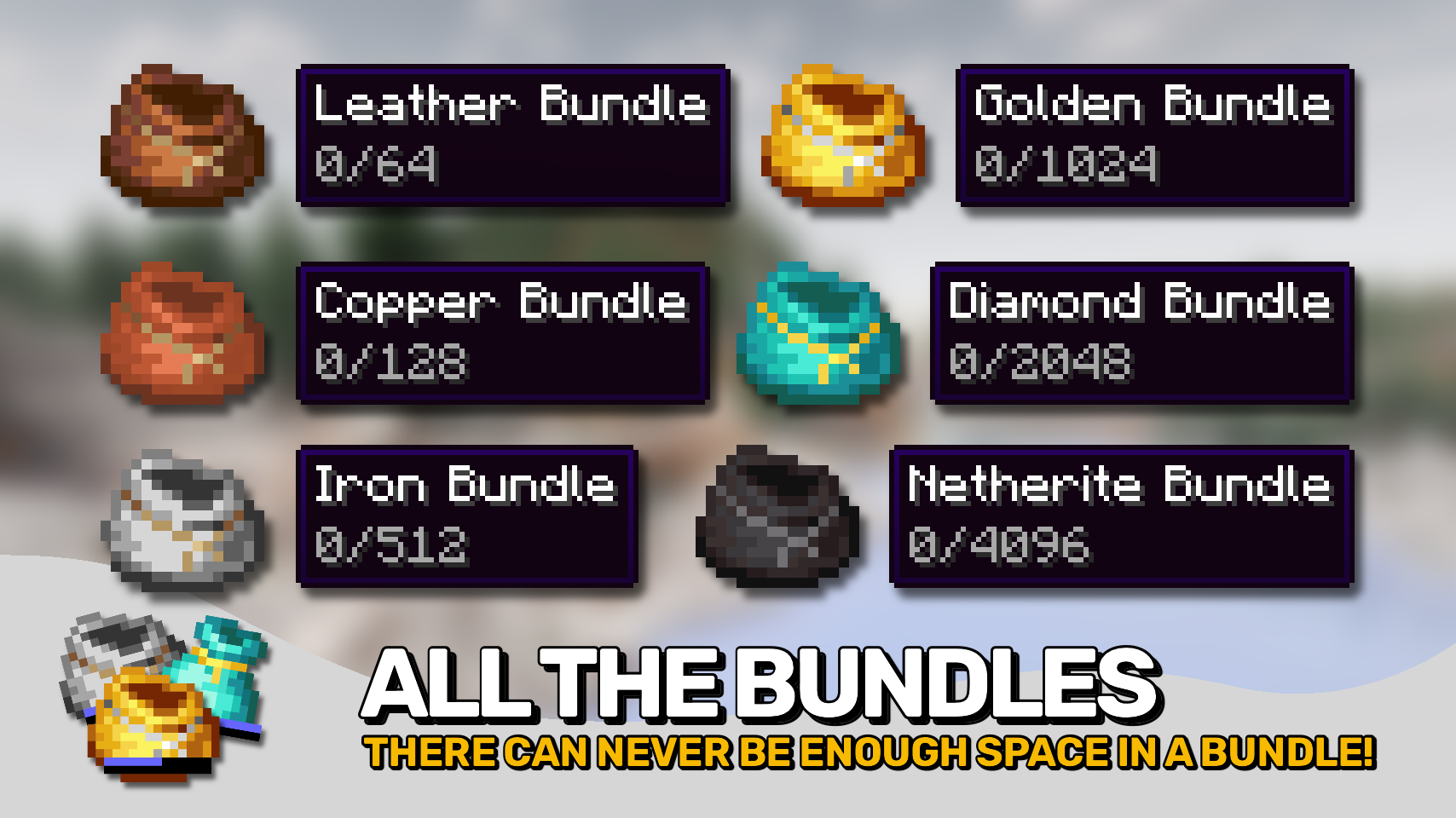
▶️ Adds new tiers of bundles: Leather, Copper, Iron, Gold, Diamond, Netherite with a much improved way to use all of them!
▶️ Upgrade your old bundle to the next tier in a smithing table, no smithing template required!
▶️ And now the juicy stuff, the new ways of using your bundles!
▶️ Like with the original bundles, click other items on the bundle item in your inventory or the other way around to insert and extract contents to / from the bundle.
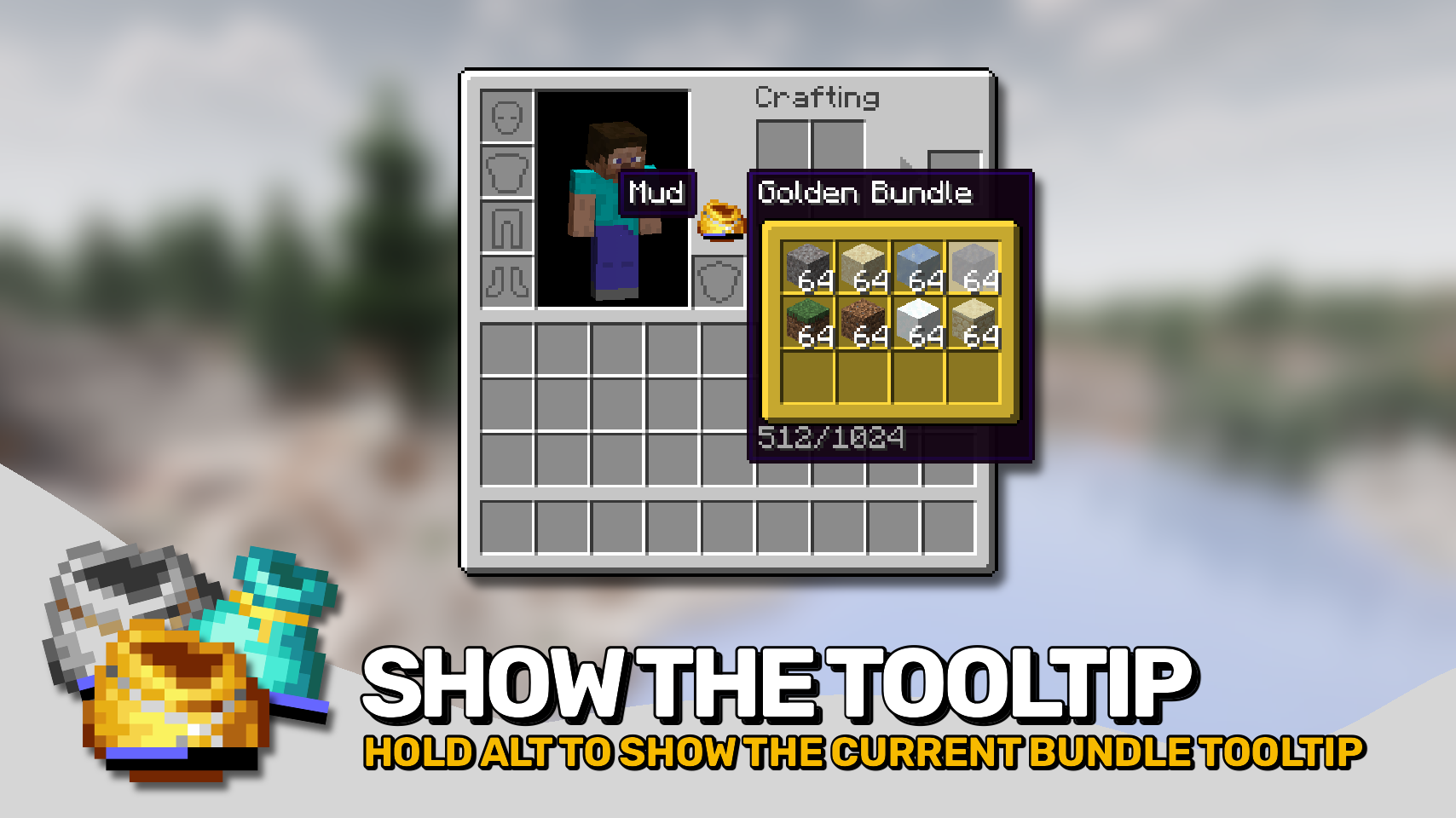
▶️ Nicely see what's inside a bundle item on the tooltip. Hold the Alt key to force the bundle tooltip to render, even when your cursor is carrying another item or the bundle itself. Great when interacting to keep track of the bundle contents you are inserting into / extracting from.
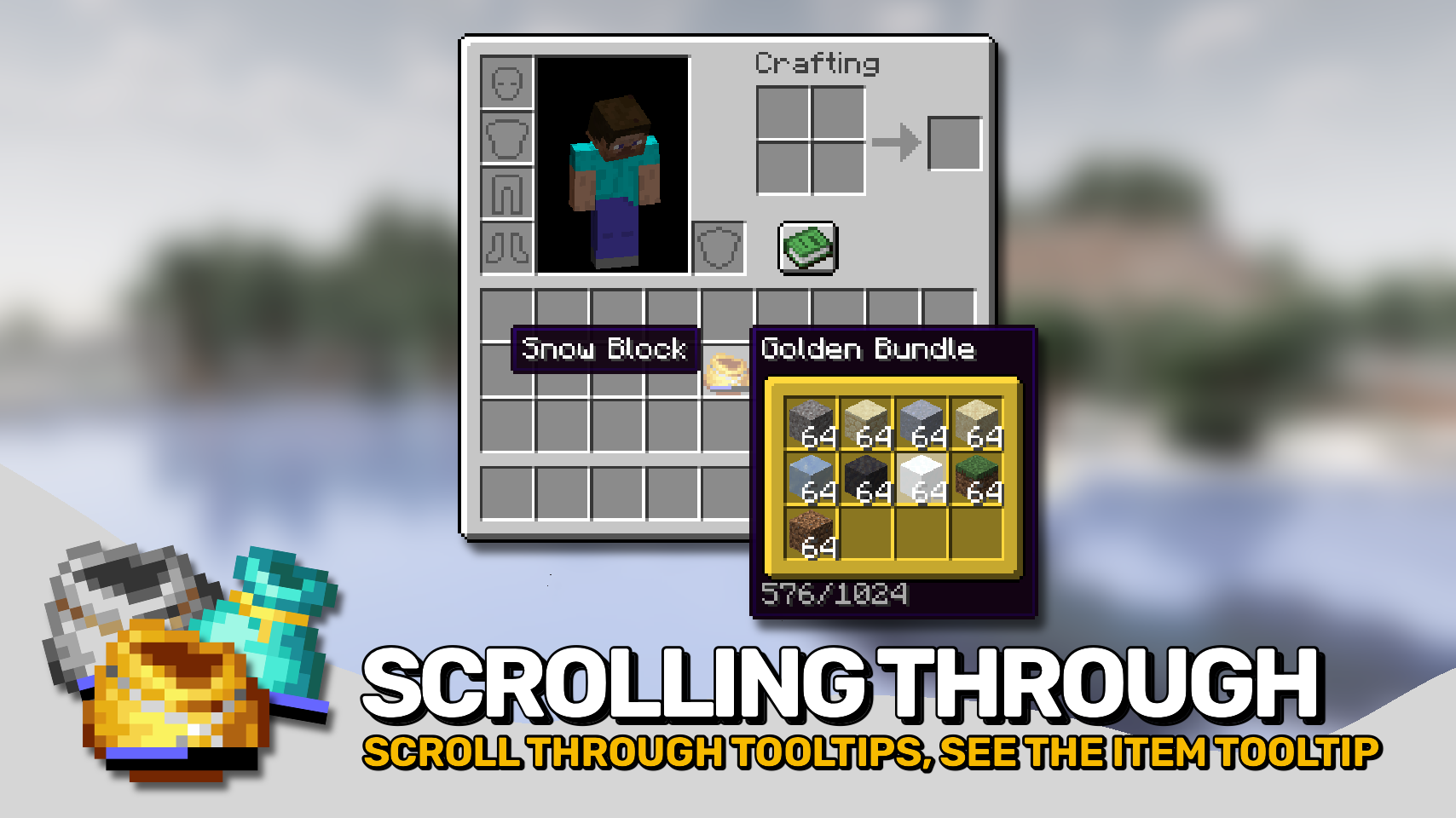
▶️ While hovering over a bundle item, use your scroll wheel to select to slot you want to interact with. You are no longer bound to extracting the last item first.
▶️ When scrolling through the bundle tooltip like that, a second tooltip will appear to the left side of the bundle item for the slot in the bundle tooltip you have currently selected. Great for e.g. distinguishing enchanted tools from each other!
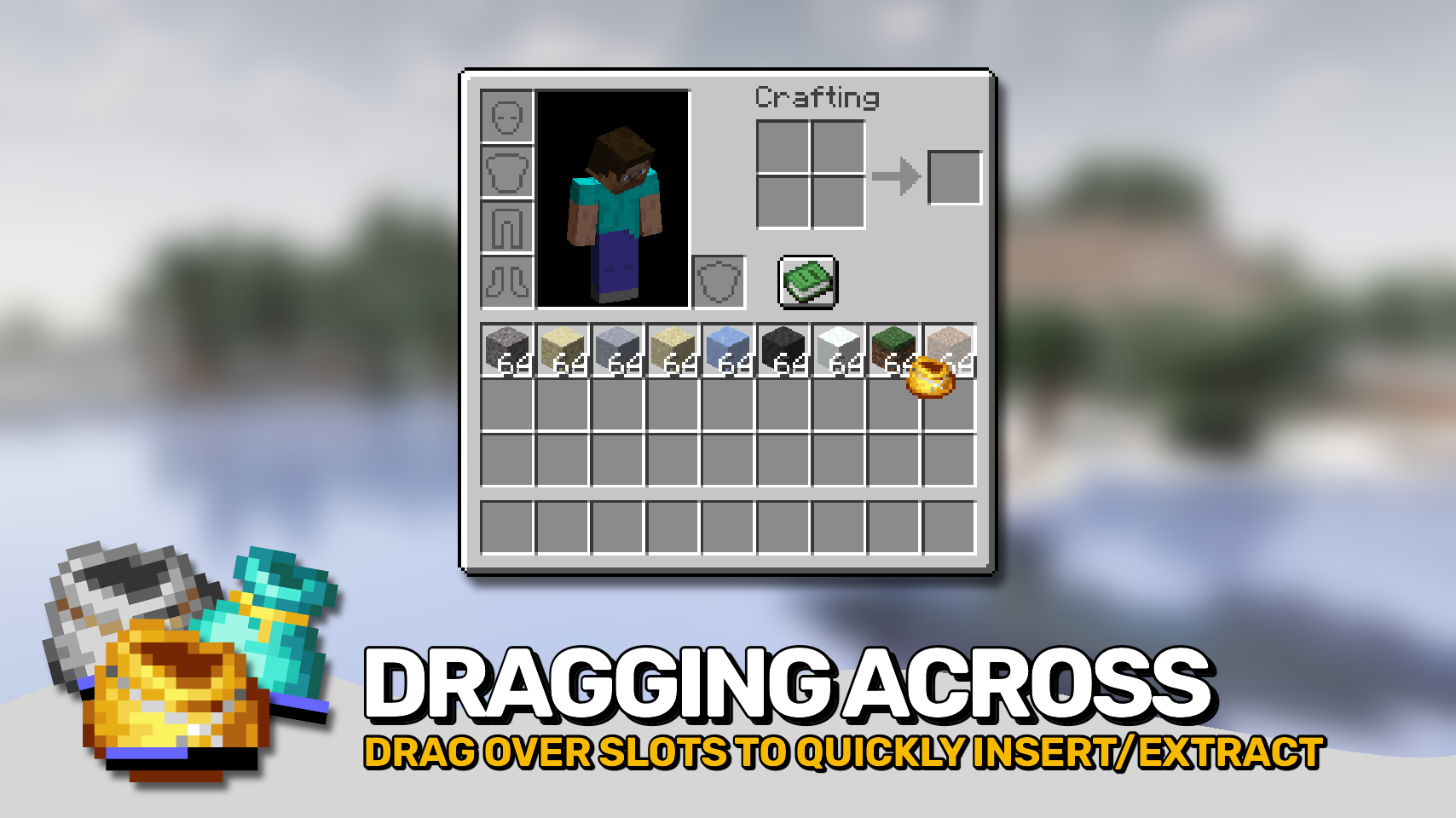
▶️ While carrying a bundle item with your cursor, right-click + drag across multiple slots to insert items into the bundle or extract items from it when the dragged across slots are empty.
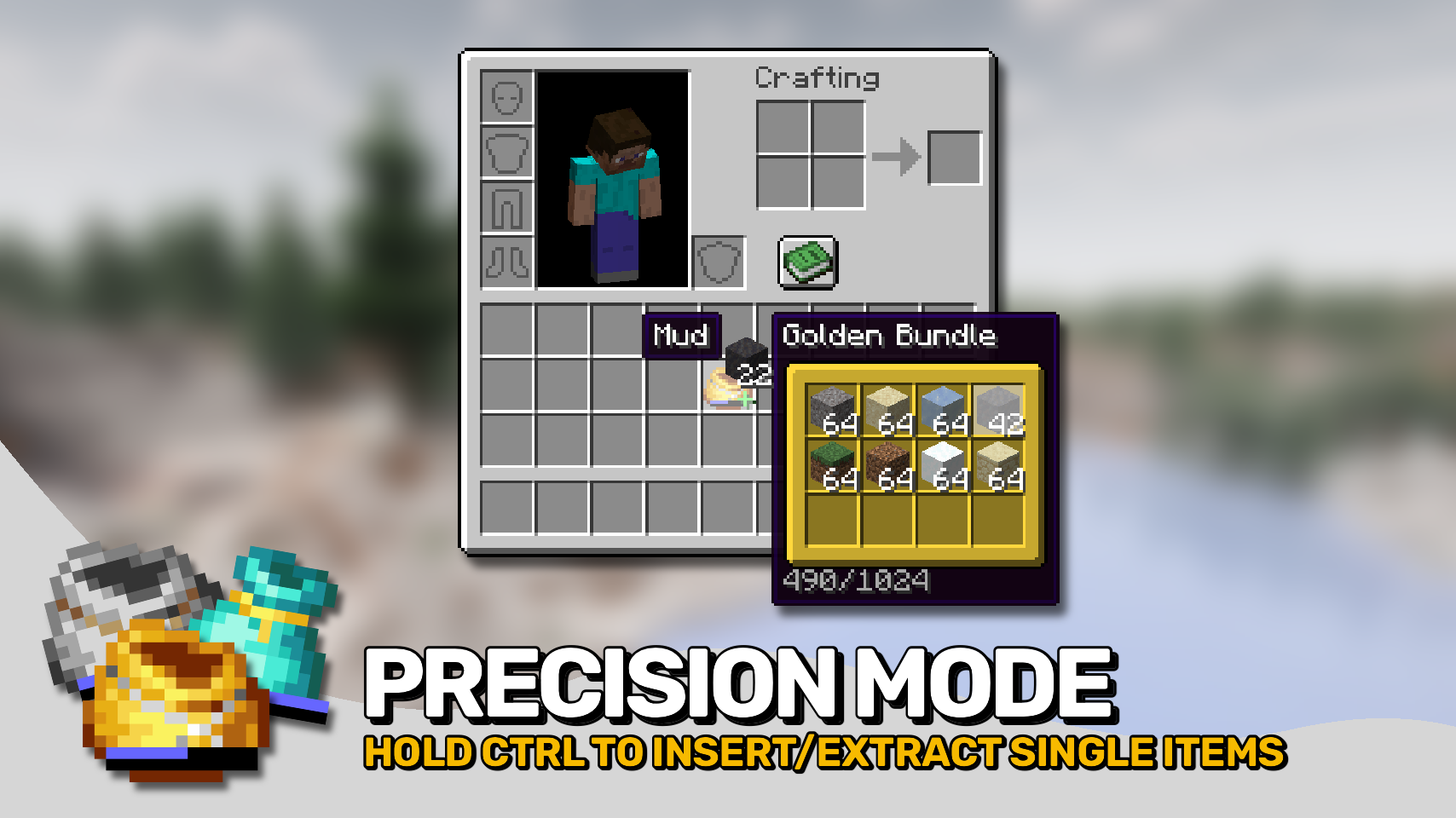
▶️ Hold the Ctrl key (Cmd on Mac) to enter precision mode; instead of inserting / extracting whole stacks only a single item will be moved. Use the scroll wheel to quickly get to a specific amount.
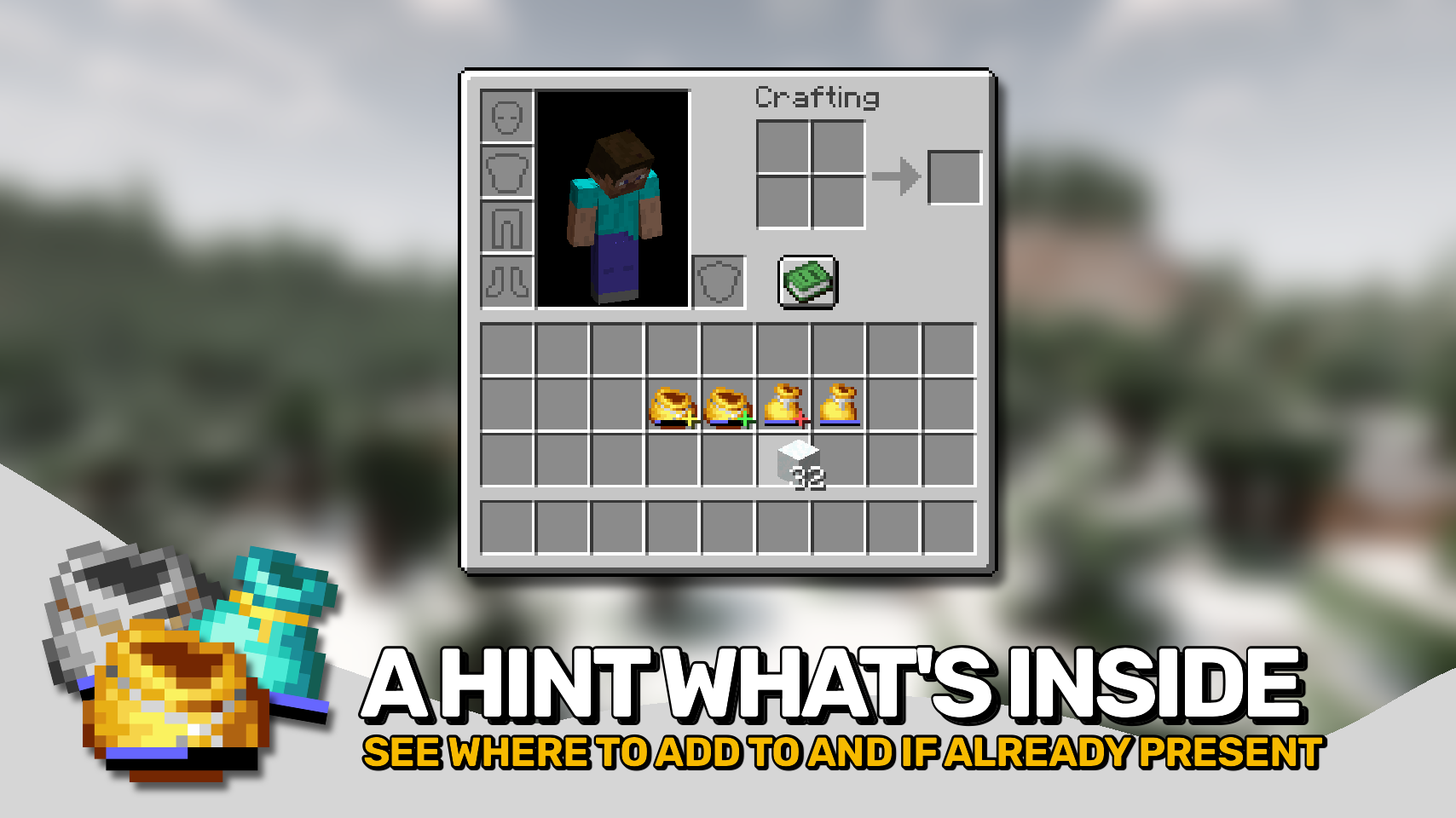
▶️ Observe a tiny indicator on bundle items when your cursor is holding an item, telling you if the item can be added and if the bundle already contains items of that type.


⏩ INSTALLATION REQUIRED ON CLIENT & REQUIRED ON SERVER
⏩ REQUIRES PUZZLES LIB TO BE INSTALLED (FABRIC & NEOFORGE)
⏩ REQUIRES FABRIC API TO BE INSTALLED (FABRIC)
⏩ REQUIRES FORGE CONFIG API PORT TO BE INSTALLED (FABRIC)

If available for a mod, configuration is possible directly from in-game using the mod menu (requires Mod Menu by Prospector to be installed on Fabric). Please note that on older Minecraft versions installing Forge Config Screens is also a requirement.
For manual configuration using an external text editor all files are found at .minecraft/config, named as MOD_ID-client.toml, MOD_ID-common.toml, or MOD_ID-server.toml, depending on the type of config. Not all types might exist for a mod, if any at all.

🌟 Thanks a lot to Release for providing bundle textures.