


ModMIT
MaidUseHandCrank
Allows Touhou Little Maid to use Create's Hand Crank
42.6K
Downloads
6
Followers
6 months ago
Updated
📦
23
Versions
📖About MaidUseHandCrank
MaidUseHandCrank
Allows Touhou Little Maid to use Create's Hand Crank.
Summary
This mod is an addon for Touhou Little Maid and Create. It allows maids to use Create's hand cranks, and their working capacity increases with favorability.
Train your maid from a rookie operating a single crank into an Ace Mechanist capable of simultaneously operating multiple cranks and outputting powerful rotational force!
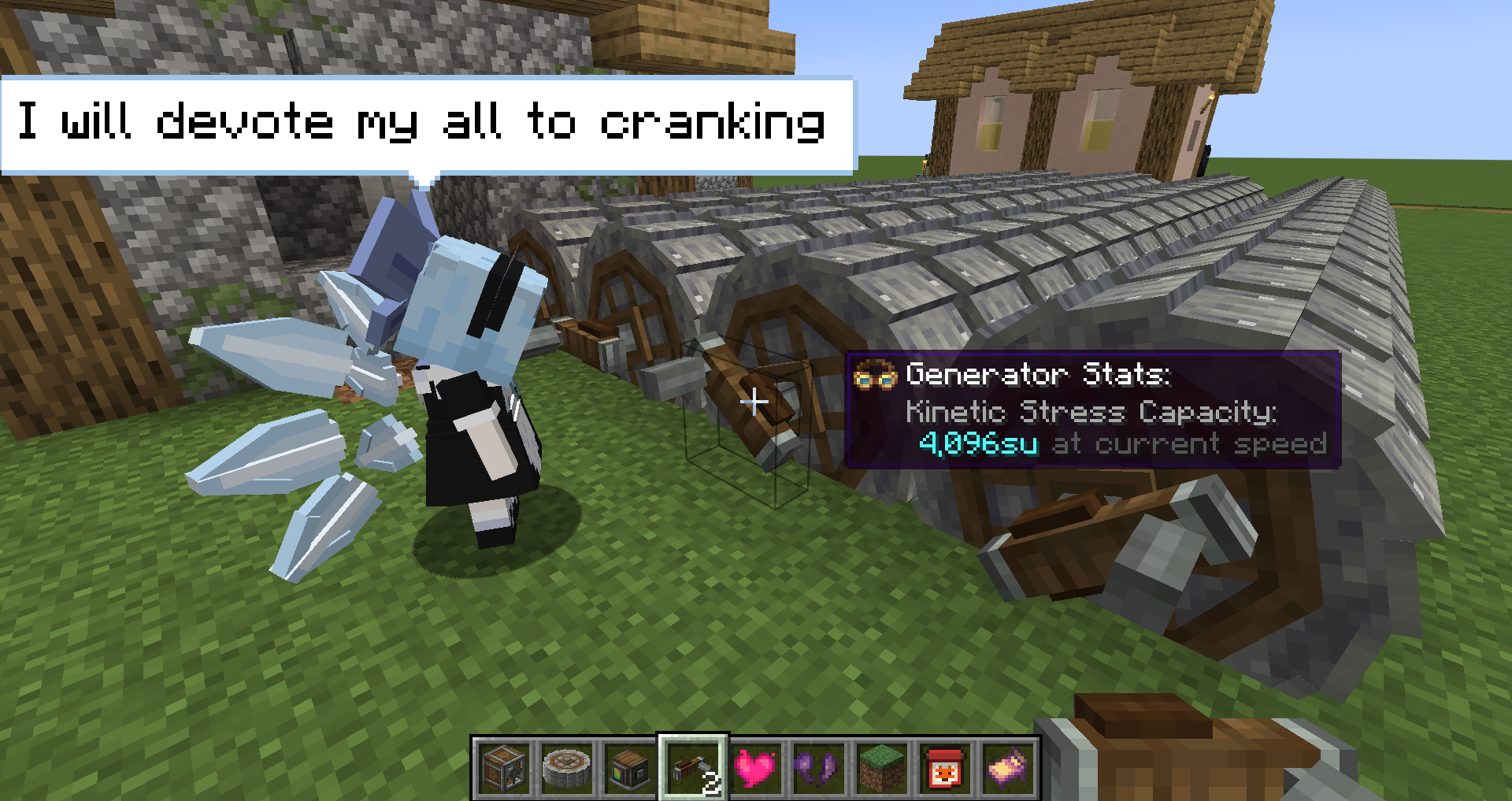
From Rookie to Ace: The Maid's Promotion Path
Step One: Onboarding Training (Basic Operation)
- Assign Task: In the maid's GUI, switch to the newly added "Hand Crank" task.
- Start Working: She will automatically find and move to the best position near a hand crank to begin working. Congratulations, your first employee is on duty!
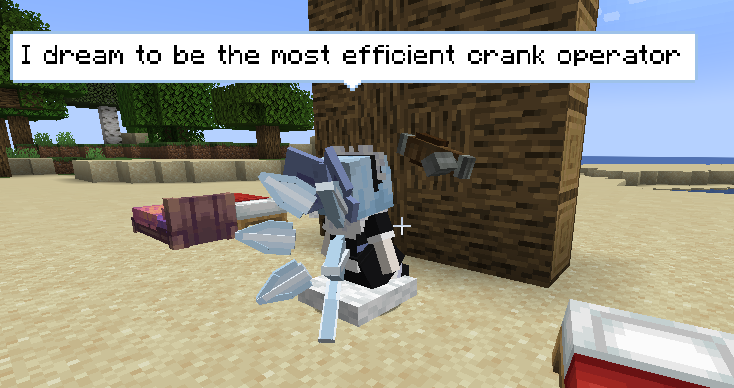
Step Two: Path to Promotion (Increasing Favorability)
Employee capabilities will enhance synchronously with increased favorability!
- Power Boost: The maid's base Stress Unit (SU) and the Stress Increment gained with each favorability level increase are configurable. Higher favorability means stronger power!
- Skilled Worker (Favorability > Half): Unlocks [Endurance Operation], doubling the duration of each crank interaction. This allows her to free her hands and simultaneously operate twice the number of cranks!
- Ace Mechanist (Max Favorability): Unlocks [Ambidextrous Operation], again doubling the number of cranks she can operate simultaneously (four times the efficiency overall)!
Step Three: Production Line Optimization (Advanced Techniques)
- Multitasking: When the maid has a surplus of interaction speed, she will automatically seek out nearby additional cranks to operate, never wasting a single bit of energy!
- Fixed Workstation: Want her to focus on work? Have her start working, then make her sit down. This will stop her from wandering and cause her to start spouting insightful "worker quotes".
- Please note: With the standardization of factory management, maids will now voluntarily go off duty during non-working hours, even if they are fixed at a workstation.
- Known Issue: Maids that are sitting down are not resistant to unloading. They will not automatically resume work upon reloading. A fixed workstation can be achieved by setting their home and disabling random walking.
- Change Direction: Place an item frame at the hand crank's position, and the maid will crank in the reverse direction.
🔧 Click to Expand: Factory Owner's Configuration Manual (Detailed Settings)
Now, all configuration items are clearly divided into three categories in-game, allowing for precise management.
General
| Config Item | Default | Description |
|---|---|---|
| Task Priority | 5 |
The priority of hand crank tasks. The task needs to be reset to take effect after modification. |
Behavior
| Config Item | Default | Description |
|---|---|---|
| Center Search Radius(block) | 0 (auto) |
Search radius for hand cranks centered around the work center (player/home). Meeting either radius is sufficient. 0 is auto. |
| Maid Search Radius(block) | 0 (auto) |
Search radius for hand cranks centered around the maid herself. Meeting either radius is sufficient. 0 is auto. |
| Reach Radius(block) | 4 |
Maximum interaction distance between the maid and the crank. |
| Smarter Maid | true |
The maid will lock on to the target crank before she gets to it to prevent a scramble. |
| Random Walk | true |
Allow maids to "fish with pay". Turning off stabilizes the production line, but increases "work pressure" on employees (trigger bubbles). |
| ItemFrame Interaction | true |
Allow using the Item Frame to reverse the direction of the maid's operation. |
Work
| Config Item | Default | Description |
|---|---|---|
| Chat Bubble Interval(tick) | 600 |
Average interval for "worker quotes" to appear. |
| Operation Interval(tick) | 8 |
Determine the frequency of cranking. Needs to be 1~2 ticks less than the duration to maintain continuous rotation. |
| Operation Duration(ticks) | 10 |
The amount of time the crank can continue to rotate with each interaction. |
| Base Stress(su) | 256 |
Base stress generated when shaking the handle with a maid at zero favorability. |
| Stress Increment(su) | 10 |
Additional stress gained per favorability level increase for the maid. |
| Extended Operation | true |
When maid's favorability reaches half level, doubled the duration of crank operation per interaction. |
| Two-Handed Operation | true |
When maid's favorability reaches maximum level, the maid can operate with both hands. |
Thanks
- Touhou Little Maid Mod: TartaricAcid and others
- Create Mod: Simibuli and others
- MaidAddition: Cirmuller
- Inspiration source (x)
- Referenced the message bubble content from this mod
License
- Code: MIT
- Assets: CC BY-NC-SA 4.0