Logo
MINECRAFTBIBLE
Items
Items

All game items

Blocks
Blocks

Building blocks

Mobs
Mobs

Creatures & monsters

Biomes
Biomes

World biomes

Structures
Structures

Generated structures

Recipes
Recipes

Crafting guides

Advancements
Advancements

Achievements

Loot Tables
Loot Tables

Drop rates

Tags
Tags

Item groupings

All Versions
View all data →
Capes
Cape ArchiveNEW

Browse rare Minecon capes, OptiFine capes, and custom capes from players worldwide

Browse

Player Database
Player DatabasePopular

Search any player

Skin Browser
Skin Browser

Browse & download skins

Cape Gallery
Cape GalleryNEW

Minecon & OptiFine capes

Seed Vault
Seed Vault

Curated seeds

Learn

Guides
GuidesNew

Tutorials & tips

Blog
Blog

News & updates

Community

Community Hub
Community HubHub

Posts, discussions & more

All Versions
View community →
Seed Analyzer
Seed Analyzer

World seed analysis

Loot Explorer
Loot Explorer

Drop rates

Crafting Calculator
Crafting Calculator

Material planning

Enchant Calculator
Enchant Calculator

Probability math

Redstone Lab
Redstone Lab

Signal timing

Trading Profit
Trading Profit

Villager ROI

All Versions
View all tools →
Mods
Mods

Browse all mods

Plugins
Plugins

Server plugins

Resource Packs
Resource Packs

Textures & sounds

Shaders
Shaders

Visual enhancements

Datapacks
Datapacks

World logic

Scanner
Mod Intelligence

Scan & analyze any mod

All Versions
View all mods →
Loading...
IntroductionIntroductionVersion HistoryVersion HistoryGuidesGuidesBlog & NewsBlog & News
ItemsItemsBlocksBlocksMobsMobsRecipesRecipesBiomesBiomesStructuresStructuresAdvancementsAdvancementsLoot TablesLoot TablesTagsTags
ModsModsPluginsPluginsResource PacksResource PacksShadersShadersDatapacksDatapacks

MinecraftBible

The Ultimate Wiki

Logo
MINECRAFTBIBLE

The ultimate Minecraft reference. Every item, block, mob, and recipe documented with precision.

Community

  • Skin Browser
  • Cape Gallery
  • Seed Vault
  • Blog
  • Guides

Database

  • Items
  • Blocks
  • Mobs
  • Recipes
  • Biomes
  • Structures

Tools

  • Seed Analyzer
  • Mod Intelligence
  • Crafting Calculator
  • Enchant Calculator

Mods & Packs

  • Mods
  • Plugins
  • Resource Packs
  • Shaders
  • Datapacks

Site & Legal

  • About
  • Authors
  • Editorial Policy
  • Corrections
  • Contact
  • Privacy Policy
  • Terms of Service
  • DMCA
  • Sitemap

© 2026 MinecraftBible. Not affiliated with Mojang or Microsoft.

PrivacyTermsContact
Magnum Torch
ModMPL-2.0

Magnum Torch

Powerful torches to prevent mob spawns around your home in a large area.

5.4M
Downloads
351
Followers
4 months ago
Updated
📦
30
Versions
utilityfabricforgeneoforge
Download Latestv21.11.0View on Modrinth

📖About Magnum Torch


📖 About:

Magnum Torch adds three kinds of very powerful torches that prevent mobs from spawning in a huge area. Only natural spawns will be prevented, so e.g. spawners and raids still work as they should.

📚 Contents:

The type of magnum torch you craft defines what kind of mobs will be prevented from spawning. Only new mobs are prevented from spawning, mobs already in the world will not instantly vanish upon placing a magnum torch!

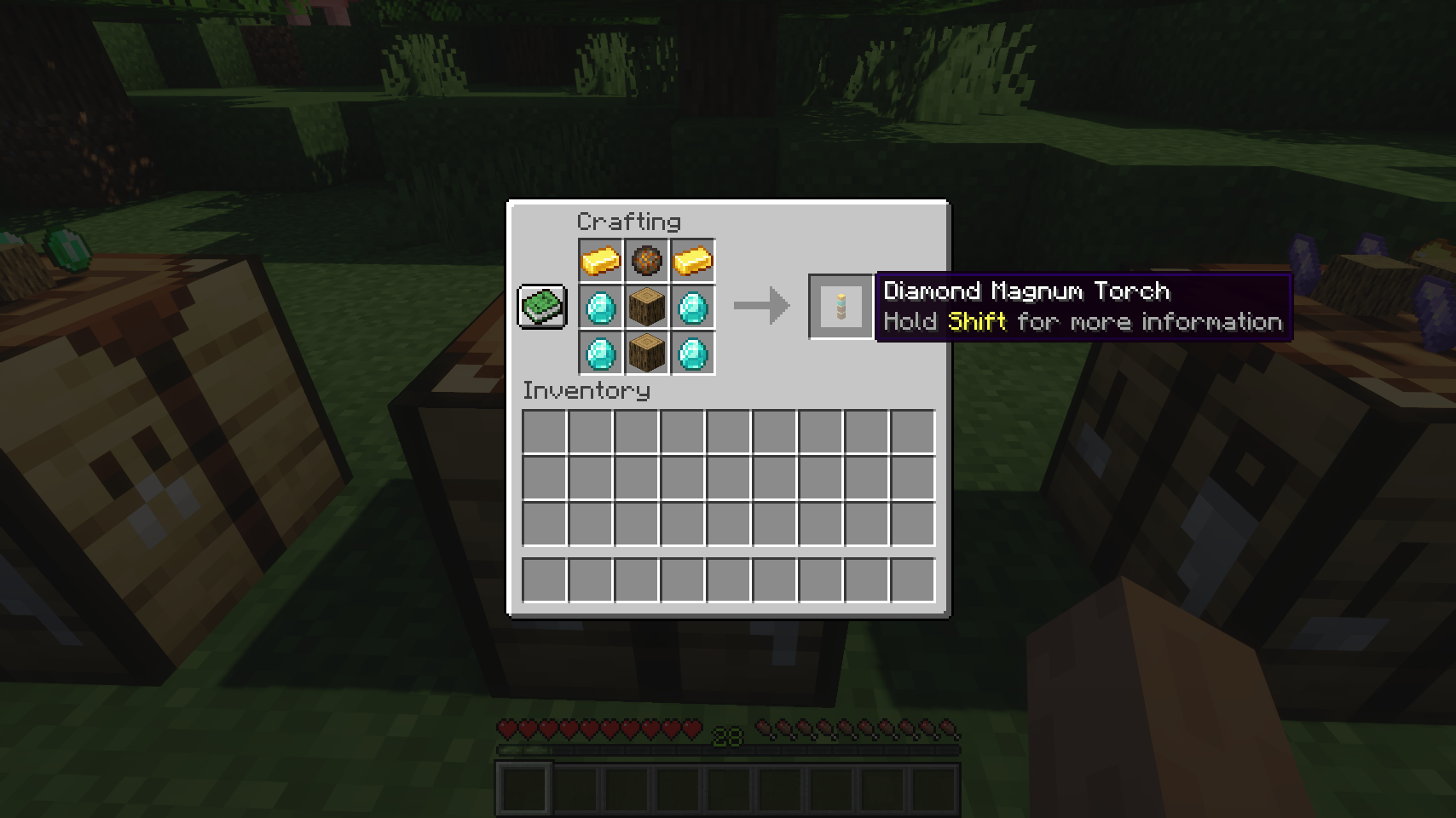
  • Diamond: All monsters, such as zombies, skeletons, creepers, spiders, phantoms and so on.
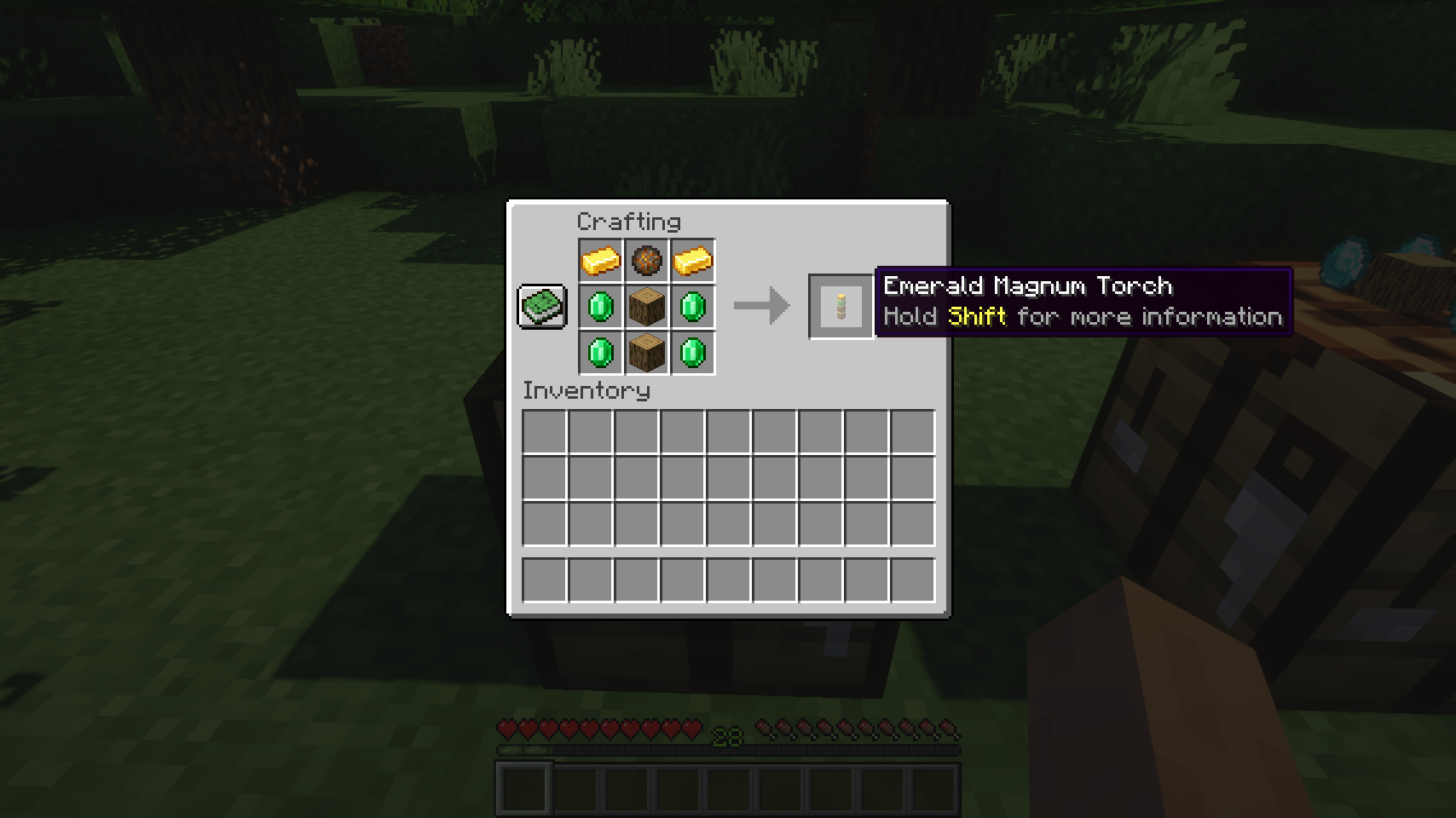
  • Emerald: Passive mobs such as wandering traders and trader llamas (animals are technically affected, but not really, since they only spawn during world gen or from breeding, which are both unaffected by magnum torches)
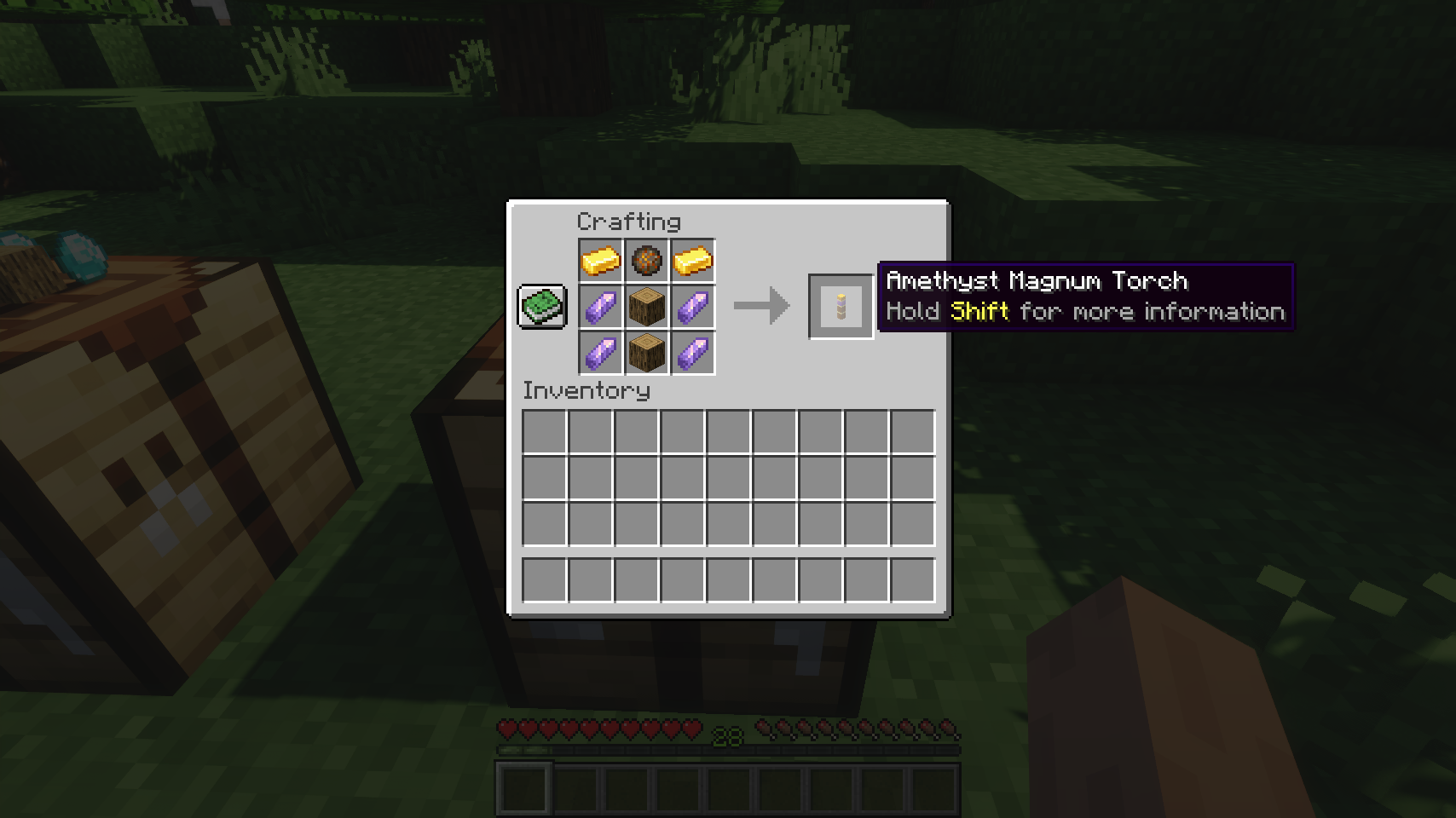
  • Amethyst: Cave and water mobs, such as bats, all squids, axolotls, and all fish

Even better: Every kind of magnum torch is fully customizable, including effective range, shape to prevent mob spawns in (cuboid, cylinder, ellipsoid), white-/blacklist for individual mobs, type of blocked mobs (monster/water/cave/passive). So if you want you can completely change what the different types do, e.g. have one type only prevent phantom spawns and another solely deal with wandering traders, while the third one disables all kinds of fish. Its completely up to you!

📷 Media:
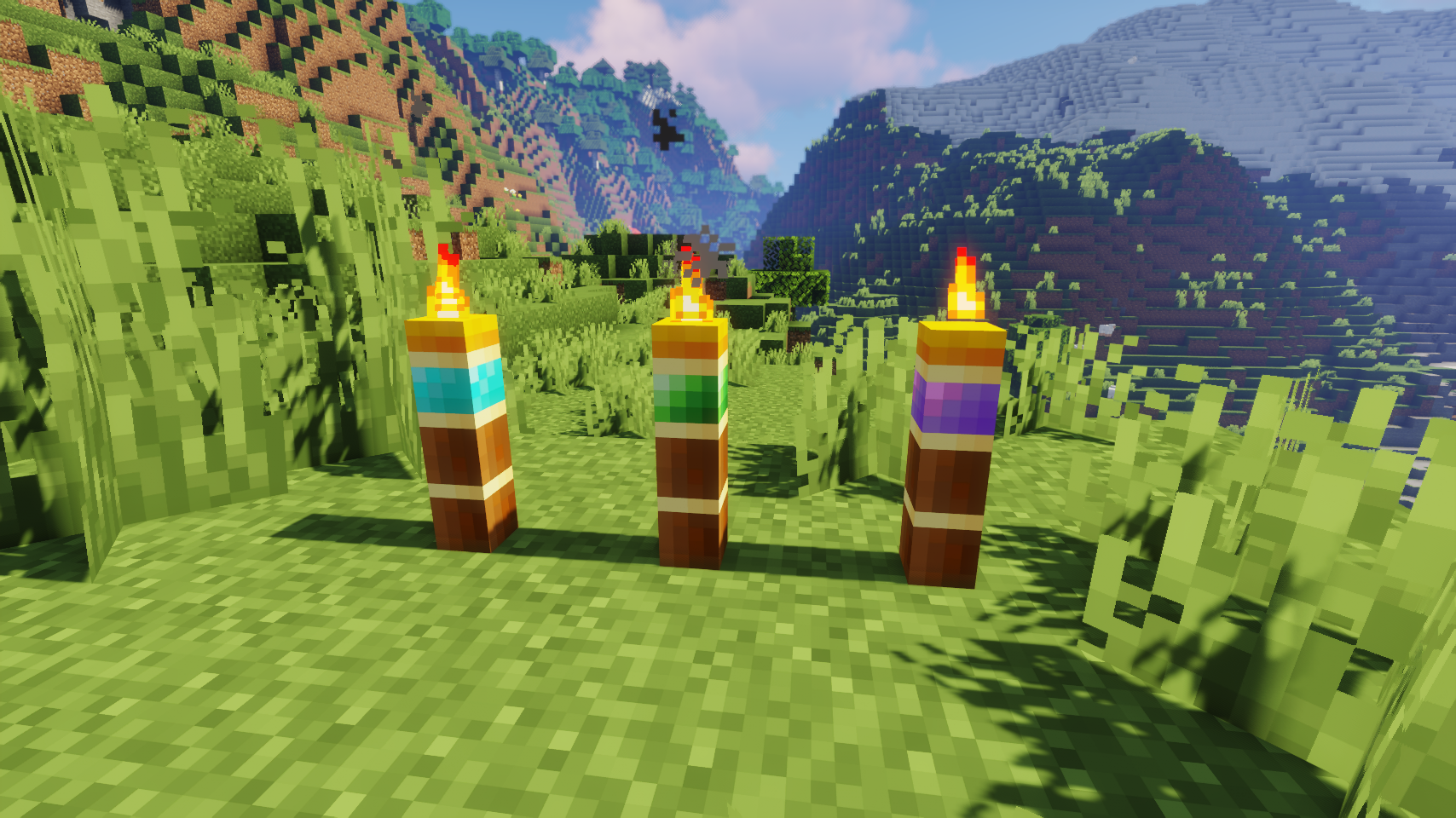
  
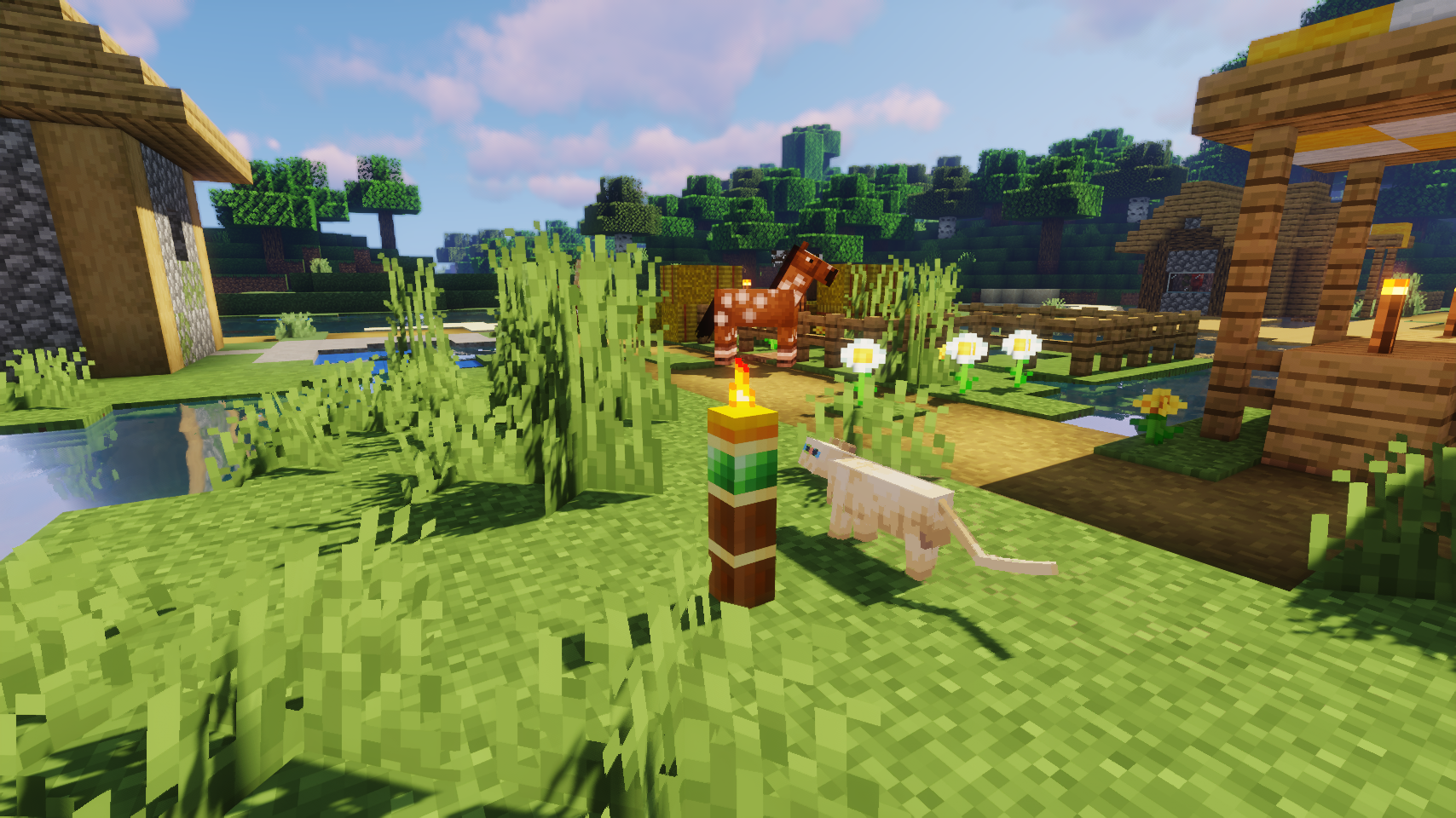
Three kinds of magnum torches, all prevent different mob spawns    Emerald magnum torch in a village
 
  
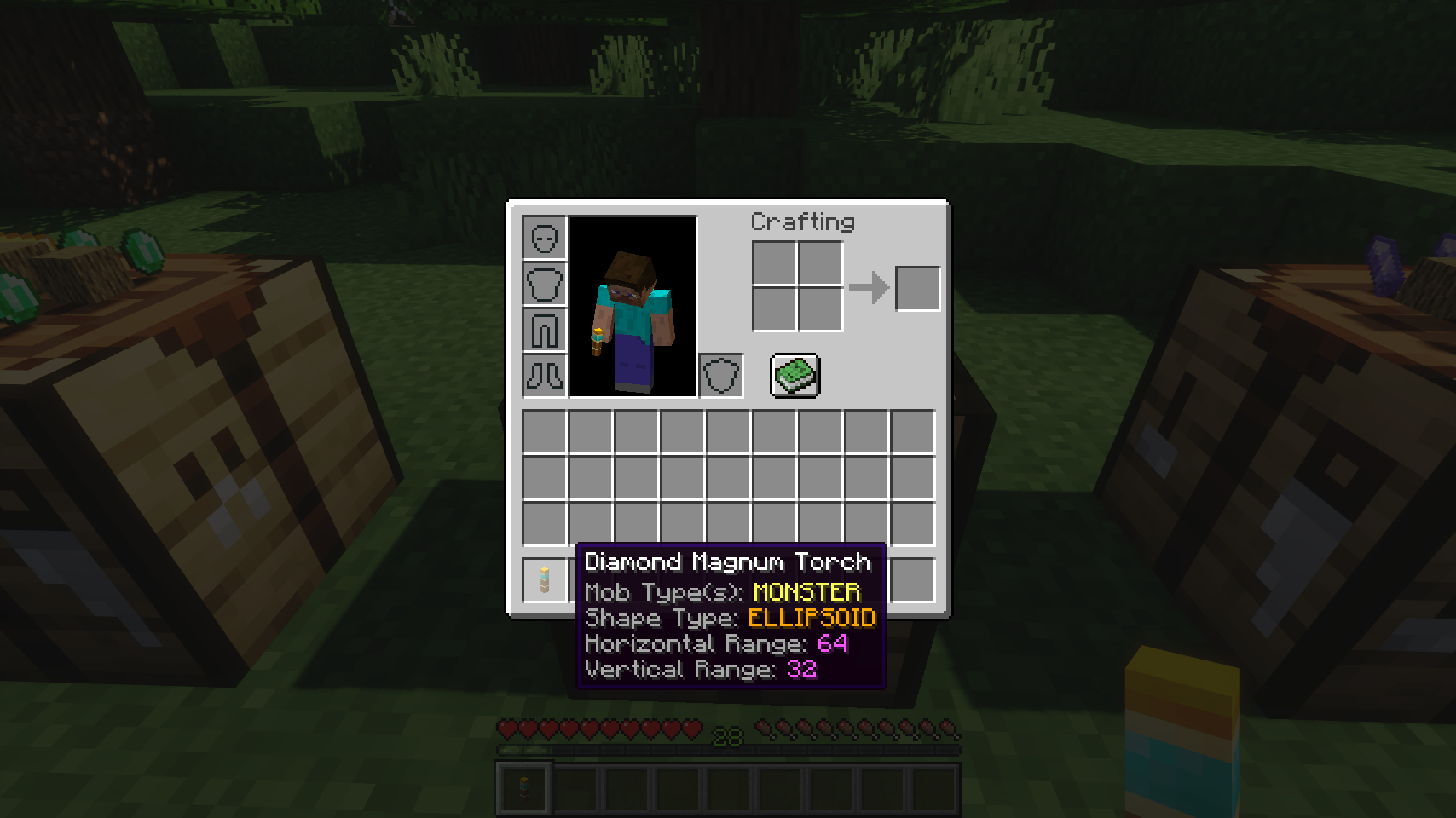
The item tooltip tells you all important variables you need to know    Crafting a diamond magnum torch
 
  
Crafting an emerald magnum torch    Crafting an amethyst magnum torch
 

💡 FAQ:

Q: How do I configure this mod on Forge?
A: Install my Config Menus for Forge mod and do it directly in-game!

Q: How do I configure this mod on Fabric?
A: Editing configs directly in-game has not yet been implemented. Instead when in a world run the /config showfile <modid> command by choosing either CLIENT or SERVER (depending on the mod), then click the file name (ending with .toml) that appears in chat to be able to manually edit the config file in a separate editor. After saving the file, the config will automatically reload in-game after a couple of seconds, so no game restart required.

Q: Where can I download this mod for Fabric on versions of Minecraft before 1.19?
A: Older downloads are found on the old project page.

🏆 Credits:

Developing Magnum Torch was helped and inspired by:

  • RWTema for inspiring this mod from the magnum torch block found in old versions of their Extra Utilities mod
  • Nyffuuuh23 for creating those dandy textures


    Reddit 


👥 Team & Contributors

LunaPixelStudios
LunaPixelStudios
Studio
Fuzs
FuzsOwner

⚙️ Compatibility

Environment
✅ Client & Server
Loaders
fabricforgeneoforge
Minecraft Versions
1.21.11

🔗 Links

Modrinth Page