Logo
MINECRAFTBIBLE
Items
Items

All game items

Blocks
Blocks

Building blocks

Mobs
Mobs

Creatures & monsters

Biomes
Biomes

World biomes

Structures
Structures

Generated structures

Recipes
Recipes

Crafting guides

Advancements
Advancements

Achievements

Loot Tables
Loot Tables

Drop rates

Tags
Tags

Item groupings

All Versions
View all data →
Capes
Cape ArchiveNEW

Browse rare Minecon capes, OptiFine capes, and custom capes from players worldwide

Browse

Player Database
Player DatabasePopular

Search any player

Skin Browser
Skin Browser

Browse & download skins

Cape Gallery
Cape GalleryNEW

Minecon & OptiFine capes

Seed Vault
Seed Vault

Curated seeds

Learn

Guides
GuidesNew

Tutorials & tips

Blog
Blog

News & updates

Community

Community Hub
Community HubHub

Posts, discussions & more

All Versions
View community →
Seed Analyzer
Seed Analyzer

World seed analysis

Loot Explorer
Loot Explorer

Drop rates

Crafting Calculator
Crafting Calculator

Material planning

Enchant Calculator
Enchant Calculator

Probability math

Redstone Lab
Redstone Lab

Signal timing

Trading Profit
Trading Profit

Villager ROI

All Versions
View all tools →
Mods
Mods

Browse all mods

Plugins
Plugins

Server plugins

Resource Packs
Resource Packs

Textures & sounds

Shaders
Shaders

Visual enhancements

Datapacks
Datapacks

World logic

Scanner
Mod Intelligence

Scan & analyze any mod

All Versions
View all mods →
Loading...
IntroductionIntroductionVersion HistoryVersion HistoryGuidesGuidesBlog & NewsBlog & News
ItemsItemsBlocksBlocksMobsMobsRecipesRecipesBiomesBiomesStructuresStructuresAdvancementsAdvancementsLoot TablesLoot TablesTagsTags
ModsModsPluginsPluginsResource PacksResource PacksShadersShadersDatapacksDatapacks

MinecraftBible

The Ultimate Wiki

Logo
MINECRAFTBIBLE

The ultimate Minecraft reference. Every item, block, mob, and recipe documented with precision.

Community

  • Skin Browser
  • Cape Gallery
  • Seed Vault
  • Blog
  • Guides

Database

  • Items
  • Blocks
  • Mobs
  • Recipes
  • Biomes
  • Structures

Tools

  • Seed Analyzer
  • Mod Intelligence
  • Crafting Calculator
  • Enchant Calculator

Mods & Packs

  • Mods
  • Plugins
  • Resource Packs
  • Shaders
  • Datapacks

Site & Legal

  • About
  • Authors
  • Editorial Policy
  • Corrections
  • Contact
  • Privacy Policy
  • Terms of Service
  • DMCA
  • Sitemap

© 2026 MinecraftBible. Not affiliated with Mojang or Microsoft.

PrivacyTermsContact
Little Big Redstone
ModMIT

Little Big Redstone

Compact your big redstone into a little block!

39.4K
Downloads
27
Followers
3 months ago
Updated
📦
30
Versions
neoforge
Download Latestv1.5.0-beta-1.21.1View on Modrinth

📖About Little Big Redstone

Little Big Redstone

This mod adds a new block called the Microchip that allows you to put together complex logic that interfaces with
redstone and item/fluid/energy storages!

For any questions, please ask in the #little-big-redstone channel on my discord.


All items come in all dye colors to allow for personalization, expression, and organization!
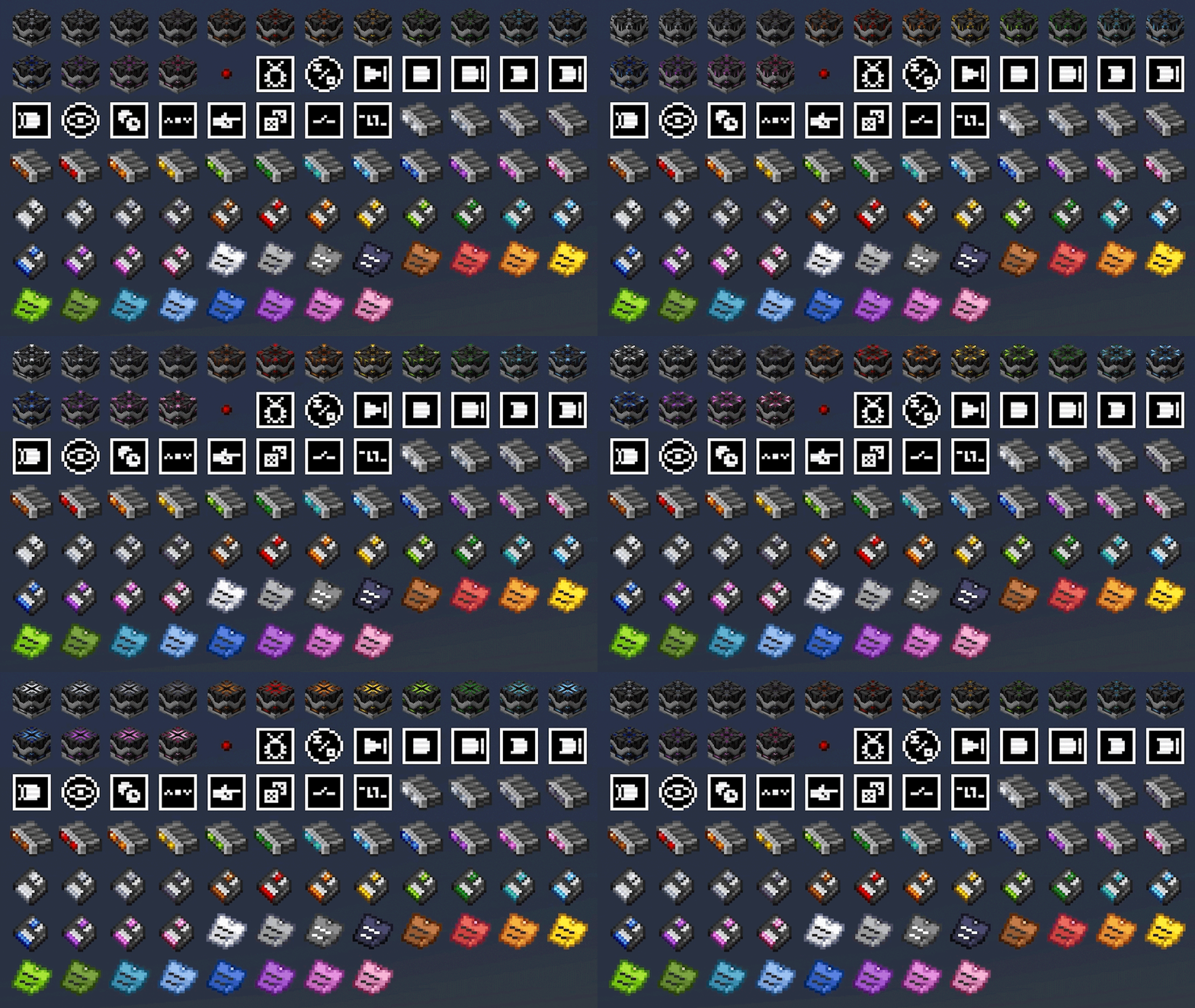
All of the blocks and items in the mod

Microchips

Mirochips are blocks that can have logic placed in their GUI in many different arrangements. Redstone bits are used
to create connections between logic components in the GUI. All logic components have tooltips that describe what
their functions are.

Below is a demonstration of how complex logic can get inside of the microchip GUI. This is a seven segment display
created by bigfoott. While this microchip does not have a designated output, you can place any number of inputs and
outputs as you may need.
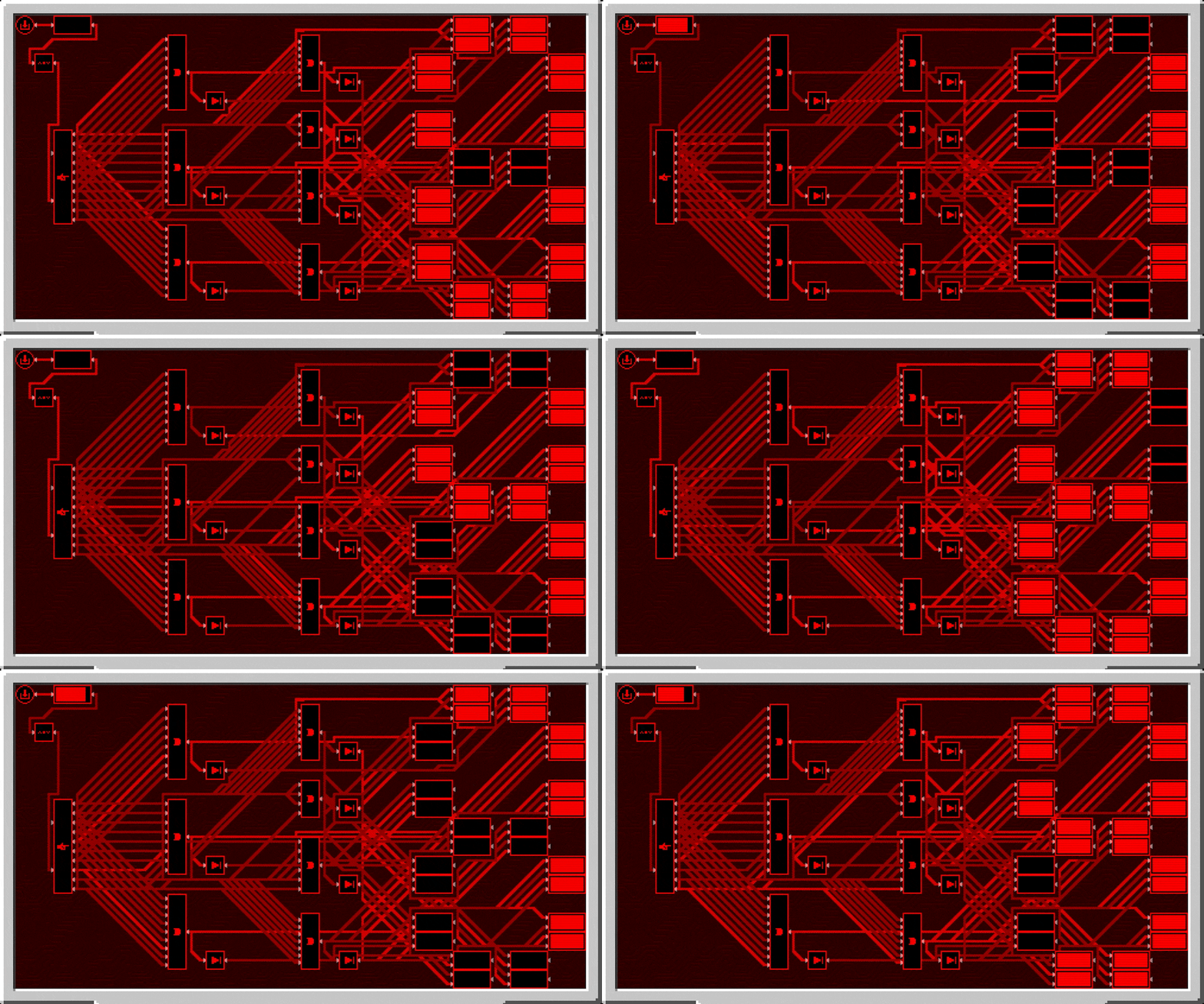
7 segment display demonstration using the microchip

Logic can be colored separately from the color of the microchip by interacting with it in the gui with dye. You can
remove the color from components with either snowballs (consumed) or a water bucket (not consumed).

Logic Arrays

Logic arrays are items that can store redstone bits and logic components. The contents can be opened both while in
hand, or while in the GUI of a Microchip for ease of access.

Floppy Disks

Floppy disks are items that allow you to copy and store logic arrangements (and wire connections) from microchips.
You then can take the stored circuit and install it into another microchip, however it does require that the items
be present in your inventory for you to do so.

Sticky Notes

Sticky notes are items that you can place into the world similar to item frames. On each face of a block, you can
place 4 sticky notes with any combination of colors and rotations. The text on sticky notes can also be colored by
interacting with dye on a sticky note. Sticky notes retain their contents and colors when broken and placed.

Sticky notes placed on a wall

When placed, you can interact with a sticky note to view what is written on it, or write your own text. Sticky
notes support very rudimentary markdown formatting.

Sticky note gui

Sticky notes may also be placed inside of microchips to allow you to put notes in your logic.

Sticky note placed in a microchip


All art (with exception of the logic components, wires, and redstone bit) are made by Facu.

👥 Team & Contributors

Swedz
SwedzOwner

⚙️ Compatibility

Environment
✅ Client & Server
Loaders
neoforge
Minecraft Versions
1.21.1

🔗 Links

Modrinth Page