Logo
MINECRAFTBIBLE
Items
Items

All game items

Blocks
Blocks

Building blocks

Mobs
Mobs

Creatures & monsters

Biomes
Biomes

World biomes

Structures
Structures

Generated structures

Recipes
Recipes

Crafting guides

Advancements
Advancements

Achievements

Loot Tables
Loot Tables

Drop rates

Tags
Tags

Item groupings

All Versions
View all data →
Capes
Cape ArchiveNEW

Browse rare Minecon capes, OptiFine capes, and custom capes from players worldwide

Browse

Player Database
Player DatabasePopular

Search any player

Skin Browser
Skin Browser

Browse & download skins

Cape Gallery
Cape GalleryNEW

Minecon & OptiFine capes

Seed Vault
Seed Vault

Curated seeds

Learn

Guides
GuidesNew

Tutorials & tips

Blog
Blog

News & updates

Community

Community Hub
Community HubHub

Posts, discussions & more

All Versions
View community →
Seed Analyzer
Seed Analyzer

World seed analysis

Loot Explorer
Loot Explorer

Drop rates

Crafting Calculator
Crafting Calculator

Material planning

Enchant Calculator
Enchant Calculator

Probability math

Redstone Lab
Redstone Lab

Signal timing

Trading Profit
Trading Profit

Villager ROI

All Versions
View all tools →
Mods
Mods

Browse all mods

Plugins
Plugins

Server plugins

Resource Packs
Resource Packs

Textures & sounds

Shaders
Shaders

Visual enhancements

Datapacks
Datapacks

World logic

Scanner
Mod Intelligence

Scan & analyze any mod

All Versions
View all mods →
Loading...
IntroductionIntroductionVersion HistoryVersion HistoryGuidesGuidesBlog & NewsBlog & News
ItemsItemsBlocksBlocksMobsMobsRecipesRecipesBiomesBiomesStructuresStructuresAdvancementsAdvancementsLoot TablesLoot TablesTagsTags
ModsModsPluginsPluginsResource PacksResource PacksShadersShadersDatapacksDatapacks

MinecraftBible

The Ultimate Wiki

Logo
MINECRAFTBIBLE

The ultimate Minecraft reference. Every item, block, mob, and recipe documented with precision.

Community

  • Player Database
  • Skin Browser
  • Cape Gallery
  • Community Hub
  • Seed Vault

Database

  • Items
  • Blocks
  • Mobs
  • Recipes
  • Biomes
  • Structures

Tools

  • Seed Analyzer
  • Mod Intelligence
  • Crafting Calculator
  • Enchant Calculator

Mods & Packs

  • Mods
  • Plugins
  • Resource Packs
  • Shaders
  • Datapacks

© 2026 MinecraftBible. Not affiliated with Mojang or Microsoft.

PrivacyTermsContact
Kinetic Minecart
ModGPL-3.0-only

Kinetic Minecart

This mod increases damage to moving minecarts; the faster they move, the higher the damage, with virtually no damage limit!


2.3K
Downloads
16
Followers
6 months ago
Updated
📦
30
Versions
game-mechanicstransportationfabricforgeneoforge
Download Latestv2.3.0-alpha.2+1.21.11View on Modrinth

📖About Kinetic Minecart

Kinetic Minecart

This mod increases damage to moving minecarts; the faster they move, the higher the damage, with virtually no damage limit!

Loader

Fabric NeoForge Forge

Environment

Client only

Compatibility

  • Fabric

    • Fabric API (Required)
    • Cloth Config API (Recommended) (Custom configuration features)
    • Mod Menu (Recommended) (Mod configuration page)
  • NeoForge

    • Cloth Config API (Recommended) (Custom configuration features)
  • Forge

    • Cloth Config API (Recommended) (Custom configuration features)

Progress

Check out the latest development progress here. Development Progress
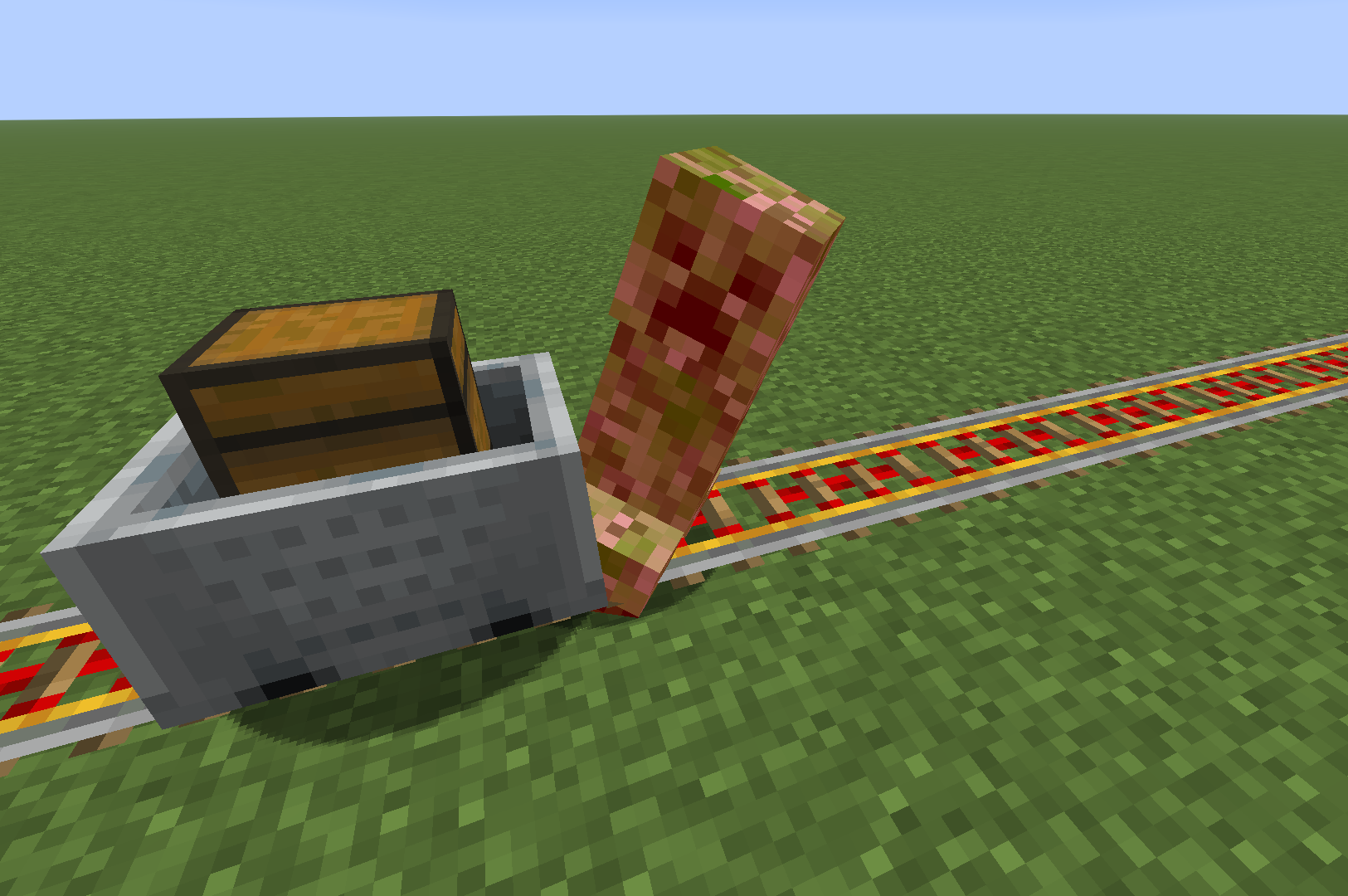
Main Gallery

A Creeper that was hit

Features

  • The damage dealt by minecarts is related to their speed:
Speed >= 6    -> Damage = Speed cubed;

Speed > 2 and < 6    -> Damage = Speed squared;

Target has Vehicle  -> Damage = Speed;

Speed <= 2    -> Damage = 0;

Note: Theoretically, there is No Damage Limit.

  • After being hit by a minecart, the entity is propelled approximately the same distance as its speed.

  • Minecarts do not stop after hitting an entity.

  • It offers custom configuration options, including customizing the collision effects of the minecart.

Configuration

Configuration1
Configuration2
Configuration3

  • You can edit the exclusion list, click on an item to name or delete it, and the inspection tool will attempt to proofread your input. (Sometimes, when you create a new item, the new text box may not appear; you may see an empty one, but this does not affect selection or input.)

ExclusionList

  • In multiplayer mode, you cannot change the configuration via the menu; instead, the server administrator needs to modify the 'kinetic-minecart.json' file. Below is an example:

ConfigFile

  • selectedApplicaionMode -> Radius / Collide
  • intRadius -> 3 ~ 10 (5 -> 0.5 block)

👥 Team & Contributors

KSSJW
KSSJWOwner

⚙️ Compatibility

Environment
✅ Client & Server
Loaders
fabricforgeneoforge
Minecraft Versions
1.21.11

🔗 Links

Modrinth Page

