Logo
MINECRAFTBIBLE
Items
Items

All game items

Blocks
Blocks

Building blocks

Mobs
Mobs

Creatures & monsters

Biomes
Biomes

World biomes

Structures
Structures

Generated structures

Recipes
Recipes

Crafting guides

Advancements
Advancements

Achievements

Loot Tables
Loot Tables

Drop rates

Tags
Tags

Item groupings

All Versions
View all data →
Capes
Cape ArchiveNEW

Browse rare Minecon capes, OptiFine capes, and custom capes from players worldwide

Browse

Player Database
Player DatabasePopular

Search any player

Skin Browser
Skin Browser

Browse & download skins

Cape Gallery
Cape GalleryNEW

Minecon & OptiFine capes

Seed Vault
Seed Vault

Curated seeds

Learn

Guides
GuidesNew

Tutorials & tips

Blog
Blog

News & updates

Community

Community Hub
Community HubHub

Posts, discussions & more

All Versions
View community →
Seed Analyzer
Seed Analyzer

World seed analysis

Loot Explorer
Loot Explorer

Drop rates

Crafting Calculator
Crafting Calculator

Material planning

Enchant Calculator
Enchant Calculator

Probability math

Redstone Lab
Redstone Lab

Signal timing

Trading Profit
Trading Profit

Villager ROI

All Versions
View all tools →
Mods
Mods

Browse all mods

Plugins
Plugins

Server plugins

Resource Packs
Resource Packs

Textures & sounds

Shaders
Shaders

Visual enhancements

Datapacks
Datapacks

World logic

Scanner
Mod Intelligence

Scan & analyze any mod

All Versions
View all mods →
Loading...
IntroductionIntroductionVersion HistoryVersion HistoryGuidesGuidesBlog & NewsBlog & News
ItemsItemsBlocksBlocksMobsMobsRecipesRecipesBiomesBiomesStructuresStructuresAdvancementsAdvancementsLoot TablesLoot TablesTagsTags
ModsModsPluginsPluginsResource PacksResource PacksShadersShadersDatapacksDatapacks

MinecraftBible

The Ultimate Wiki

Logo
MINECRAFTBIBLE

The ultimate Minecraft reference. Every item, block, mob, and recipe documented with precision.

Community

  • Player Database
  • Skin Browser
  • Cape Gallery
  • Community Hub
  • Seed Vault

Database

  • Items
  • Blocks
  • Mobs
  • Recipes
  • Biomes
  • Structures

Tools

  • Seed Analyzer
  • Mod Intelligence
  • Crafting Calculator
  • Enchant Calculator

Mods & Packs

  • Mods
  • Plugins
  • Resource Packs
  • Shaders
  • Datapacks

© 2026 MinecraftBible. Not affiliated with Mojang or Microsoft.

PrivacyTermsContact
Iris & Oculus Flywheel Compat
ModCC0-1.0

Iris & Oculus Flywheel Compat

Enable Flywheel's optimizations when using shaderpacks.

3.0M
Downloads
271
Followers
2 months ago
Updated
📦
30
Versions
optimizationfabricforgeneoforge
Download Latestv2.1.2View on Modrinth

📖About Iris & Oculus Flywheel Compat

Version Compatibility:

Create Version NeoForge/Forge Fabric
6.0.9 2.1.0 ❌
6.0.0 - 6.0.9 2.0.5 ❌
5.0 1.X 1.X

Features:

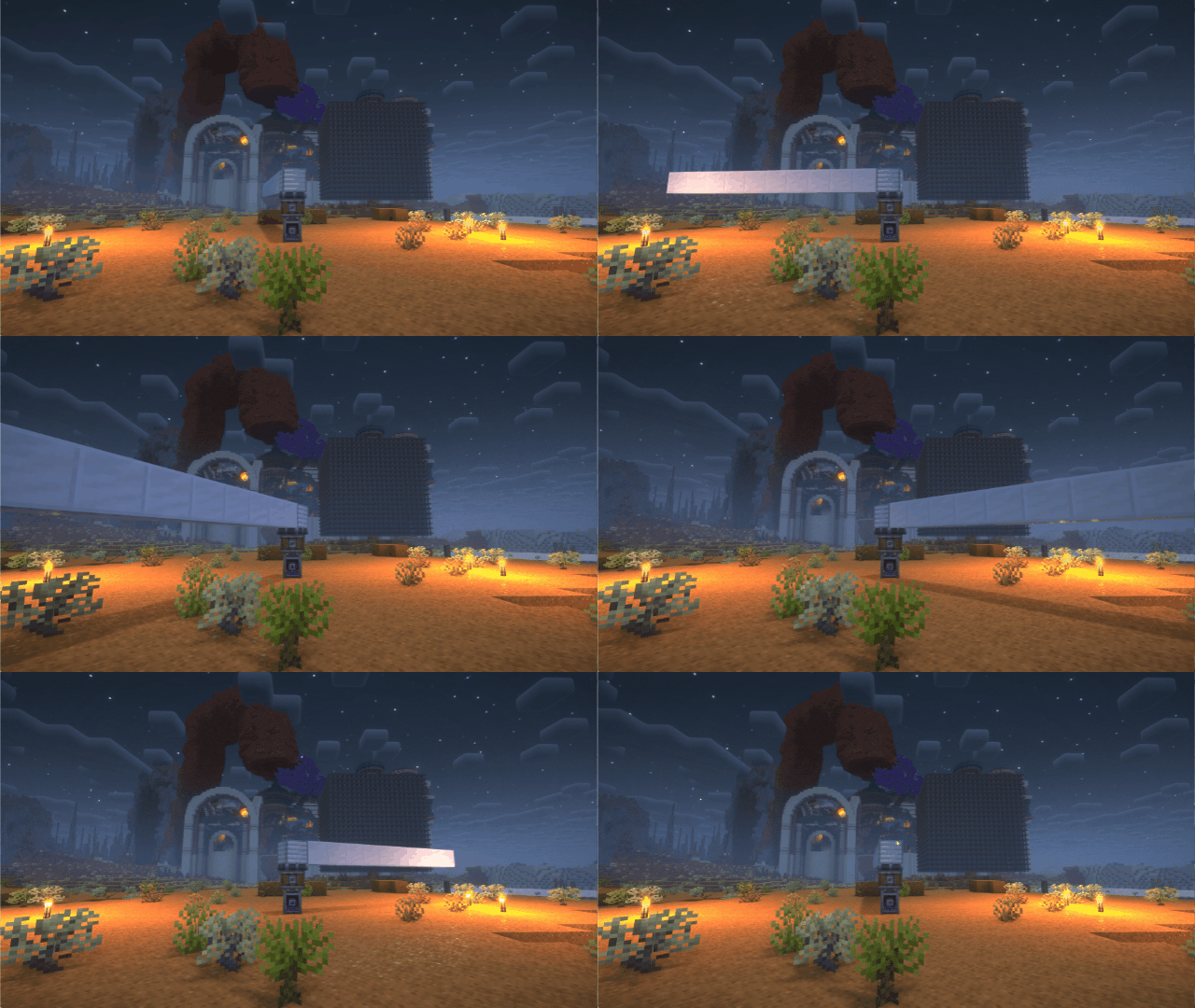
  1. Render Create's entities using Flywheel Instancing with shaderpack enabled.
  2. Supports most shaderpacks without patching.
  3. Supports PBR.

Version 2.0.3

If you have any suggestions or issues, please raise them on the GitHub issue page.

What's this?

Flywheel will disable its optimizations when you are using shaderpacks.

This mod forces Flywheel's optimizations to be enabled.

For those using shaderpack and mods depend on Flywheel, this mod can significantly improve fps.

If you don't use shaderpack, this mod has no effect. Because Flywheel's optimizations are enabled by default.

Compatibility

The shaders that have been tested are:

  • BSL
  • Complementary
  • Complementary Reimagined 
  • SEUS renewed
  • Sildurs Vibrant Shaders
  • AstraLex
  • Photon
  • Kapa
  • Nostalgia
  • Rethinking Voxels
  • SEUS PTGI HRR

There are some shaderpacks that are also supported, but not listed above, so you can test them by yourself.

This mod only supports some specific versions of Iris or Oculus !!!

Create Version NeoForge/Forge Fabric
6.0.9 2.1.0 ❌
6.0.0 - 6.0.9 2.0.5 ❌
5.0 1.X 1.X
Iris or Oculus This Mod
>= 1.8.1 2.0.0
>= 1.6.13 0.2.2
>= 1.6.5 0.2.1
>= 1.6.2 0.2.0
>= 1.5 and <= 1.6.1 0.1.9
>= 1.4 and < 1.5 0.1.7~0.1.8
<1.4 0.1.6 below

Principle

Flywheel uses a method called GPU Instancing to render entities. It is very efficient when rendering a large number of repeating entities (e.g. gears in Create mod). But when you use iris and enable shaderpack, this optimization is disabled. Because flywheel needs to use its own shader to render these entities and flywheel's shader will no longer work when you enable shaderpack.

This mod will automatically merge flywheel's shader with the shader in shaderpack when shaderpack is enabled to be able to render entities using Instancing.

When you have a large number of entities to render, there is a huge CPU bottleneck with the original rendering method. This means that the better your GPU is, the bigger the FPS improvement from Flywheel.

How to use it?

  1. Install Flywheel(Create has embedded flywheel so you don't need to install it separately now) and Iris (Oculus if you use forge).

  2. Install this mod.

👥 Team & Contributors

leon-o
leon-oOwner

⚙️ Compatibility

Environment
💻 Client-side
Loaders
fabricforgeneoforge
Minecraft Versions
1.21.1

🔗 Links

Modrinth Page