Logo
MINECRAFTBIBLE
Items
Items

All game items

Blocks
Blocks

Building blocks

Mobs
Mobs

Creatures & monsters

Biomes
Biomes

World biomes

Structures
Structures

Generated structures

Recipes
Recipes

Crafting guides

Advancements
Advancements

Achievements

Loot Tables
Loot Tables

Drop rates

Tags
Tags

Item groupings

All Versions
View all data →
Capes
Cape ArchiveNEW

Browse rare Minecon capes, OptiFine capes, and custom capes from players worldwide

Browse

Player Database
Player DatabasePopular

Search any player

Skin Browser
Skin Browser

Browse & download skins

Cape Gallery
Cape GalleryNEW

Minecon & OptiFine capes

Seed Vault
Seed Vault

Curated seeds

Learn

Guides
GuidesNew

Tutorials & tips

Blog
Blog

News & updates

Community

Community Hub
Community HubHub

Posts, discussions & more

All Versions
View community →
Seed Analyzer
Seed Analyzer

World seed analysis

Loot Explorer
Loot Explorer

Drop rates

Crafting Calculator
Crafting Calculator

Material planning

Enchant Calculator
Enchant Calculator

Probability math

Redstone Lab
Redstone Lab

Signal timing

Trading Profit
Trading Profit

Villager ROI

All Versions
View all tools →
Mods
Mods

Browse all mods

Plugins
Plugins

Server plugins

Resource Packs
Resource Packs

Textures & sounds

Shaders
Shaders

Visual enhancements

Datapacks
Datapacks

World logic

Scanner
Mod Intelligence

Scan & analyze any mod

All Versions
View all mods →
Loading...
IntroductionIntroductionVersion HistoryVersion HistoryGuidesGuidesBlog & NewsBlog & News
ItemsItemsBlocksBlocksMobsMobsRecipesRecipesBiomesBiomesStructuresStructuresAdvancementsAdvancementsLoot TablesLoot TablesTagsTags
ModsModsPluginsPluginsResource PacksResource PacksShadersShadersDatapacksDatapacks

MinecraftBible

The Ultimate Wiki

Logo
MINECRAFTBIBLE

The ultimate Minecraft reference. Every item, block, mob, and recipe documented with precision.

Community

  • Player Database
  • Skin Browser
  • Cape Gallery
  • Community Hub
  • Seed Vault

Database

  • Items
  • Blocks
  • Mobs
  • Recipes
  • Biomes
  • Structures

Tools

  • Seed Analyzer
  • Mod Intelligence
  • Crafting Calculator
  • Enchant Calculator

Mods & Packs

  • Mods
  • Plugins
  • Resource Packs
  • Shaders
  • Datapacks

© 2026 MinecraftBible. Not affiliated with Mojang or Microsoft.

PrivacyTermsContact
Hopper Gadgetry
ModMPL-2.0

Hopper Gadgetry

Ready to build smarter, and cheaper contraptions? New hoppers are here to complement your lineup.

600.2K
Downloads
121
Followers
4 months ago
Updated
📦
30
Versions
storagetransportationfabricforgeneoforge
Download Latestv21.11.0View on Modrinth

📖About Hopper Gadgetry


Hopper Gadgetry adds clever new ways to move items around—with filters, pipes, and wooden tech magic. Time to upgrade your item transport system—on a budget! No PhD required.

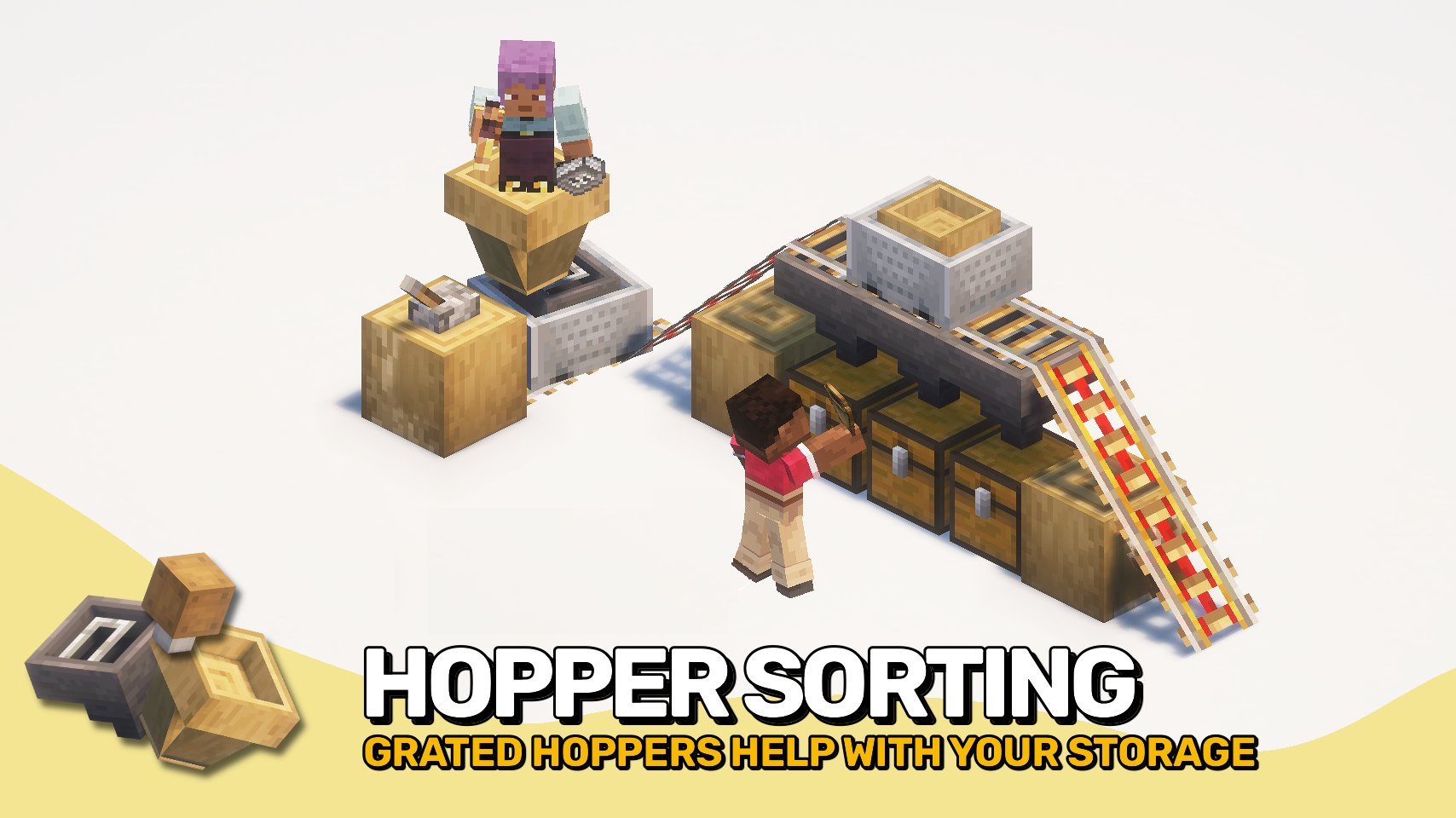
⛓️ Grated Hopper

  • Like a hopper, but way smarter!
  • Lets you filter what goes in using up to 5 slots.
  • No filters? No problem—it works like a regular hopper.
  • Also shows off some stylish iron bars on top—function and fashion in one.

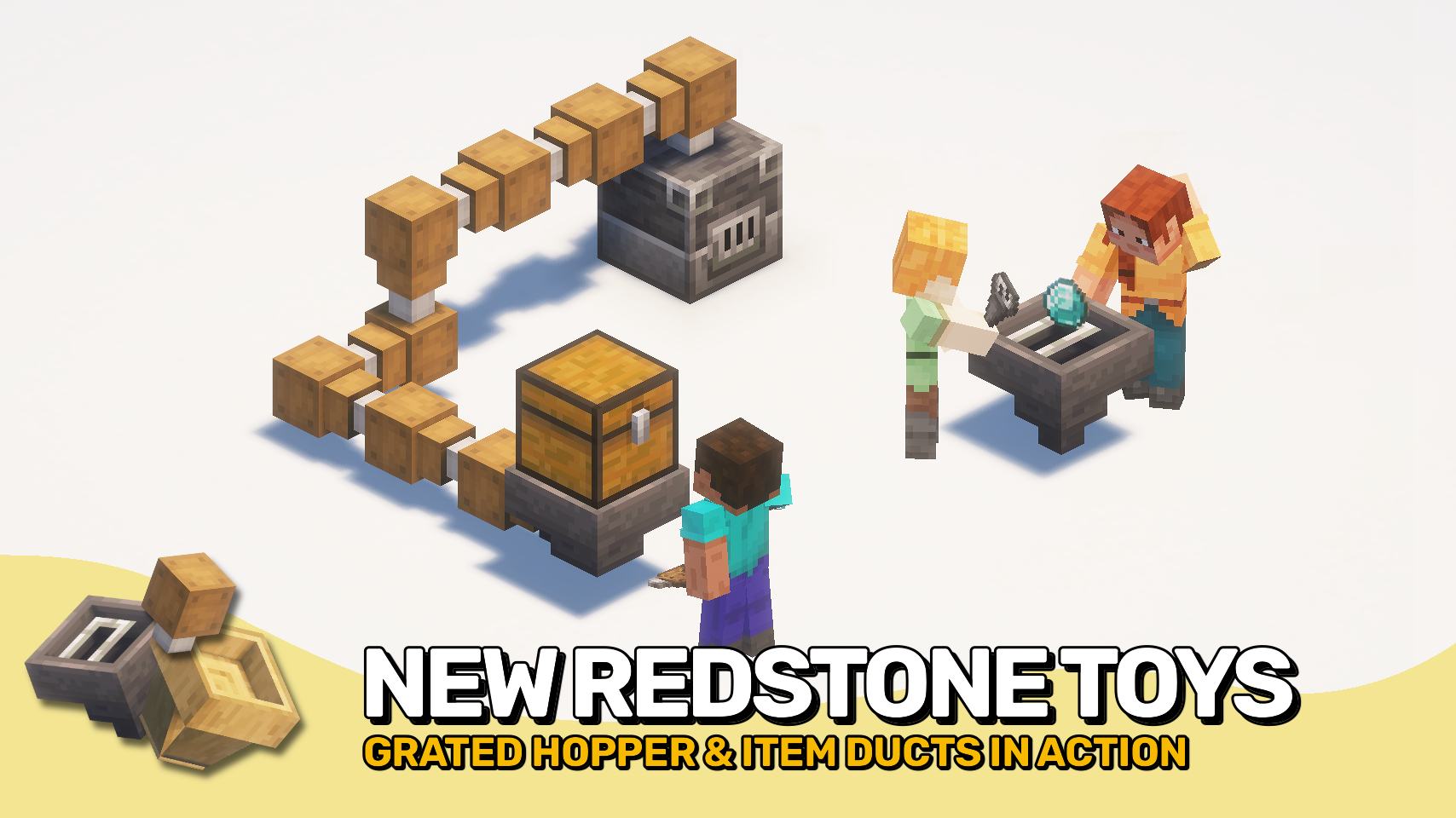
📦 Duct

  • It's a wooden pipe for your items!
  • Sends items into connected containers, but won’t pull from them.
  • Ignores dropped items on the ground.
  • Connects in chains and works in any direction, even upwards!

👇 Chute

  • A super basic hopper variant made from wood!
  • Grabs items from the ground only.
  • Doesn't store anything—instantly passes items down to a container.
  • Direction? Just down. That’s all it knows.

🚂 Hopper Minecarts

  • Grated Hopper Minecart: All the filtering power of the Grated Hopper, now on wheels.
  • Chute Minecart: Rolls around transferring picked-up items directly to containers below. Great for cleanup duty!

⏩ INSTALLATION REQUIRED ON CLIENT & REQUIRED ON SERVER

⏩ REQUIRES PUZZLES LIB TO BE INSTALLED (FABRIC & NEOFORGE)

⏩ REQUIRES FABRIC API TO BE INSTALLED (FABRIC)

⏩ REQUIRES FORGE CONFIG API PORT TO BE INSTALLED (FABRIC)

If available for a mod, configuration is possible directly from in-game using the mod menu (requires Mod Menu by Prospector to be installed on Fabric). Please note that on older Minecraft versions installing Forge Config Screens is also a requirement.

For manual configuration using an external text editor all files are found at .minecraft/config, named as MOD_ID-client.toml, MOD_ID-common.toml, or MOD_ID-server.toml, depending on the type of config. Not all types might exist for a mod, if any at all.

🌟 Thanks to the incredibly talended Mim1q for creating all those amazing textures.

🌟 Thanks to FyberOptic for inspiring this project with their Hopper Ducts mod.

🌟 Thanks to Sargunv for inspiring this project with their Composable Automation mod.
👥 Team & Contributors

Fuzs
FuzsOwner

⚙️ Compatibility

Environment
✅ Client & Server
Loaders
fabricforgeneoforge
Minecraft Versions
1.21.11

🔗 Links

Modrinth Page