


Geodesy
Amethyst Farm Design Tool
📖About Geodesy
Geodesy



Small Fabric mod for calculating amethyst farm flying machine layout. Inspired by
the original ilmango's video and
the flying machine based farm made by neffty87.
Usage
You should only run this in disposable worlds, either in single player or on servers
where you have op. Command blocks must also be enabled.
The mod will destroy the immediate surroundings of the geode!
Video Tutorial by ilmango
Step 1: Geode
Run /geodesy without any arguments to acquire The Unholy Book of Geodesy,
as well as the set of blocks you will need to build the farm.
Scout out a nice geode. For our tutorial this small one will do.
Note: this method of amethyst farming tends to struggle with very large geodes,
because of how many collisions they usually cause. Small to medium sized ones
work best.
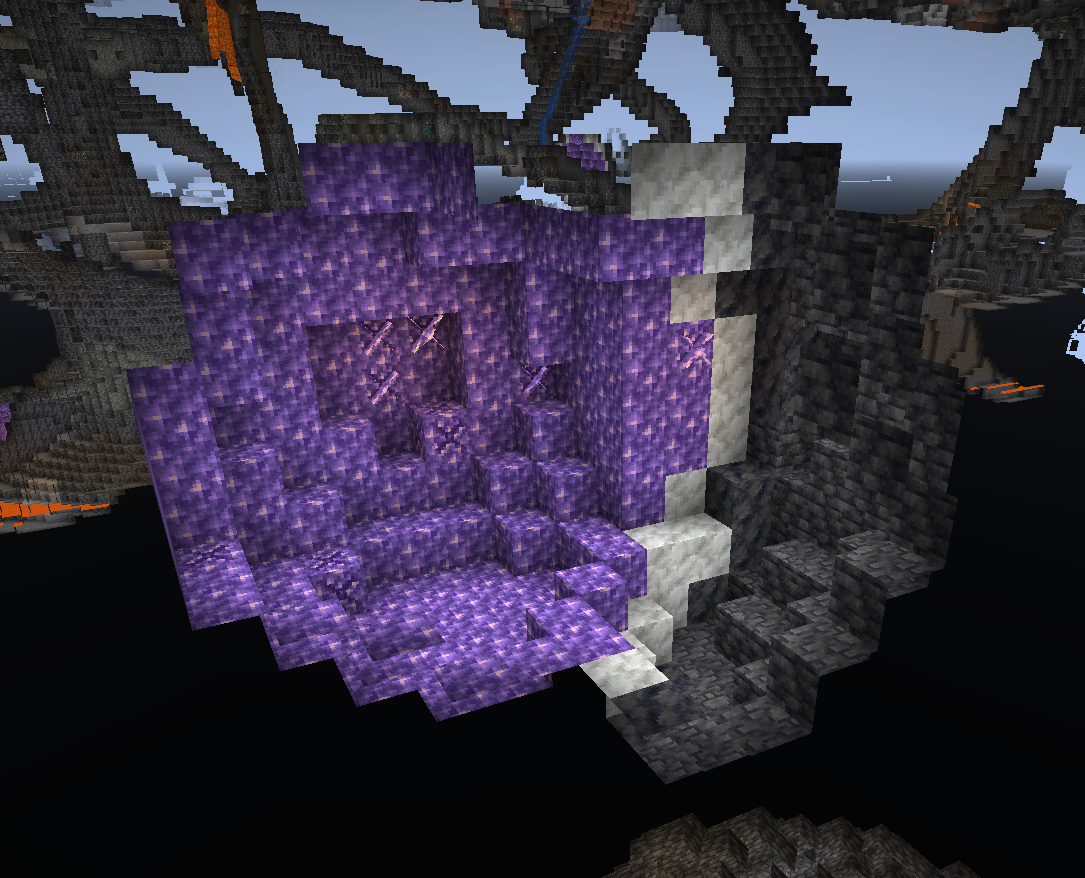
Step 2: Area
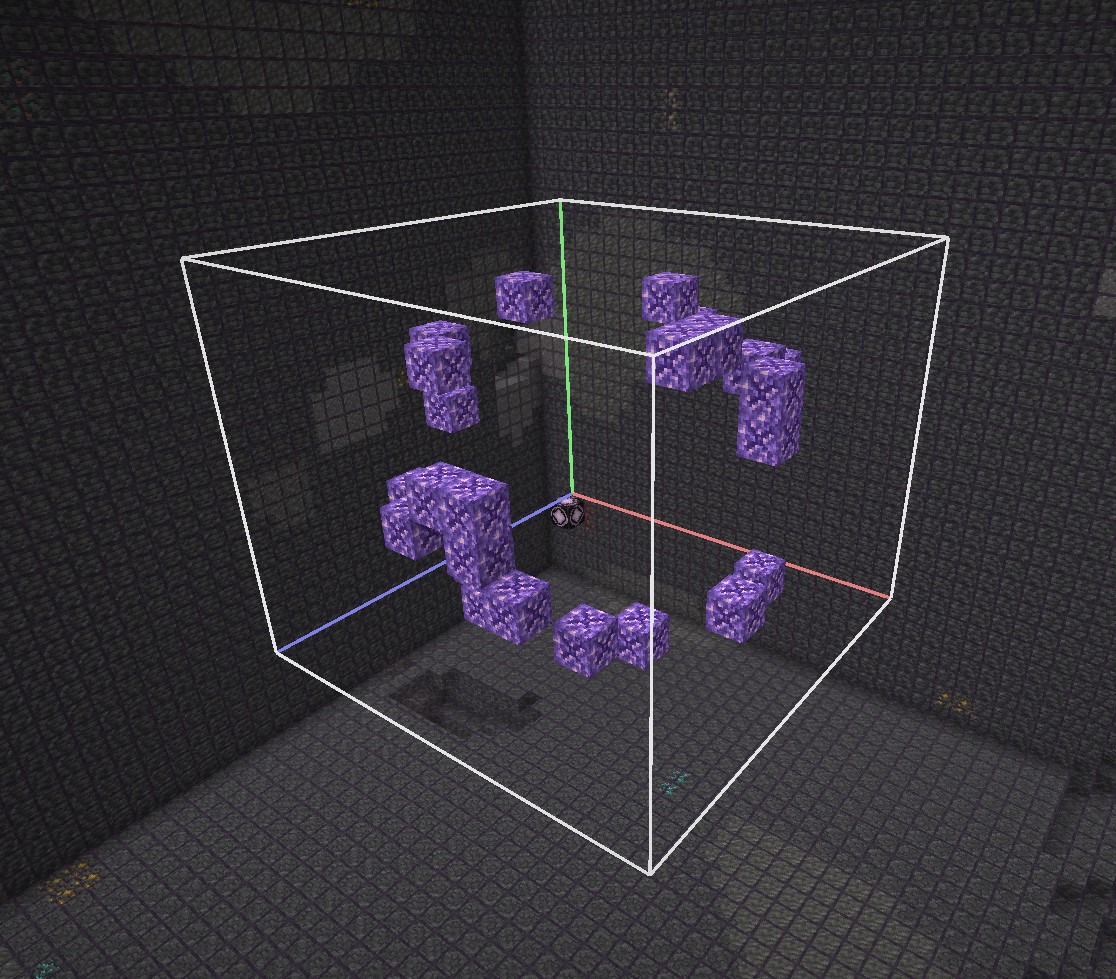
Run /geodesy area (first corner) (second corner) to clear out the surrounding
area of any junk and calculate the geode area. The geode will be highlighted for you
to verify you've entered correct coordinates.
You don't have to be exact with the corner coordinates - you can select a larger
volume and the mod will find the geode anyway. The only time you have to be careful
is when you have two geodes very close to each other (this is also the reason we don't
have autodetection - it easily got confused with multiple geodes nearby).
Here I run /geodesy area 701 -24 -945 712 -15 -934:
Step 3: Analyze
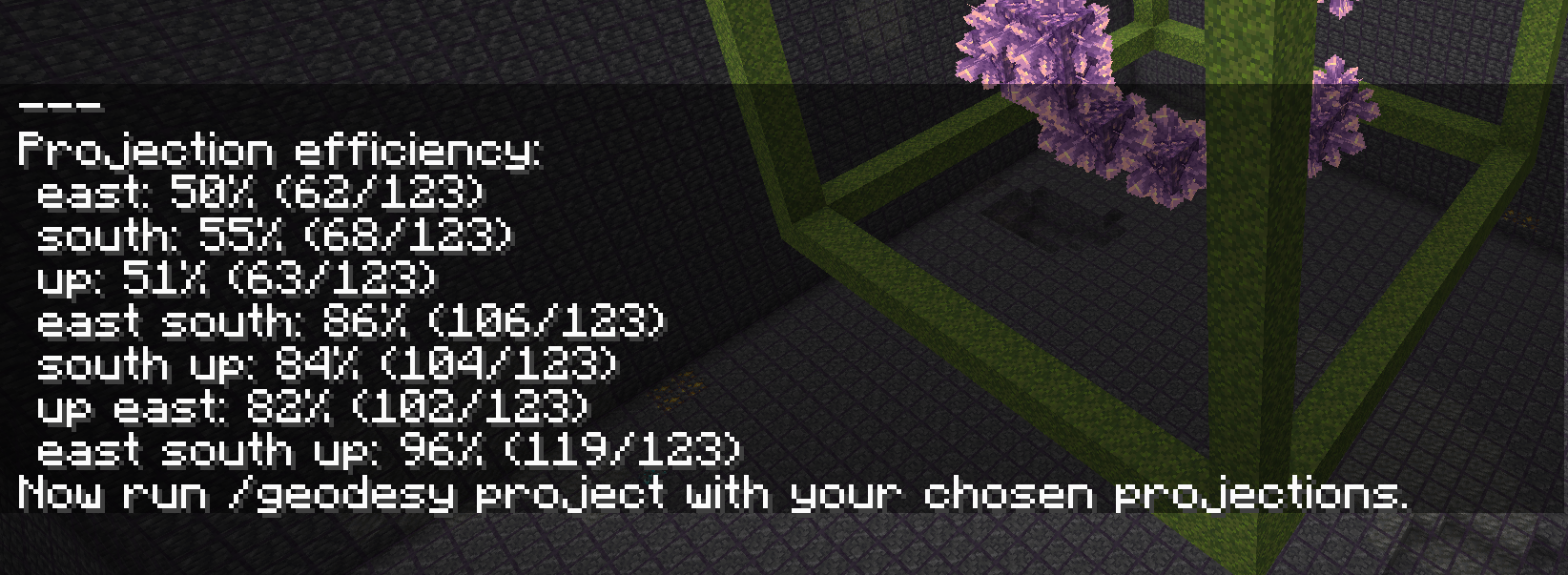
Run /geodesy analyze to perform combinations of projections on all axes and calculate
their efficiency. While the best possible efficiency is achieved by running the flying
machines on all three axes, sometimes just two are good enough. The exact numbers vary
depending on the specific geode layout.
Here I run /geodesy analyze:
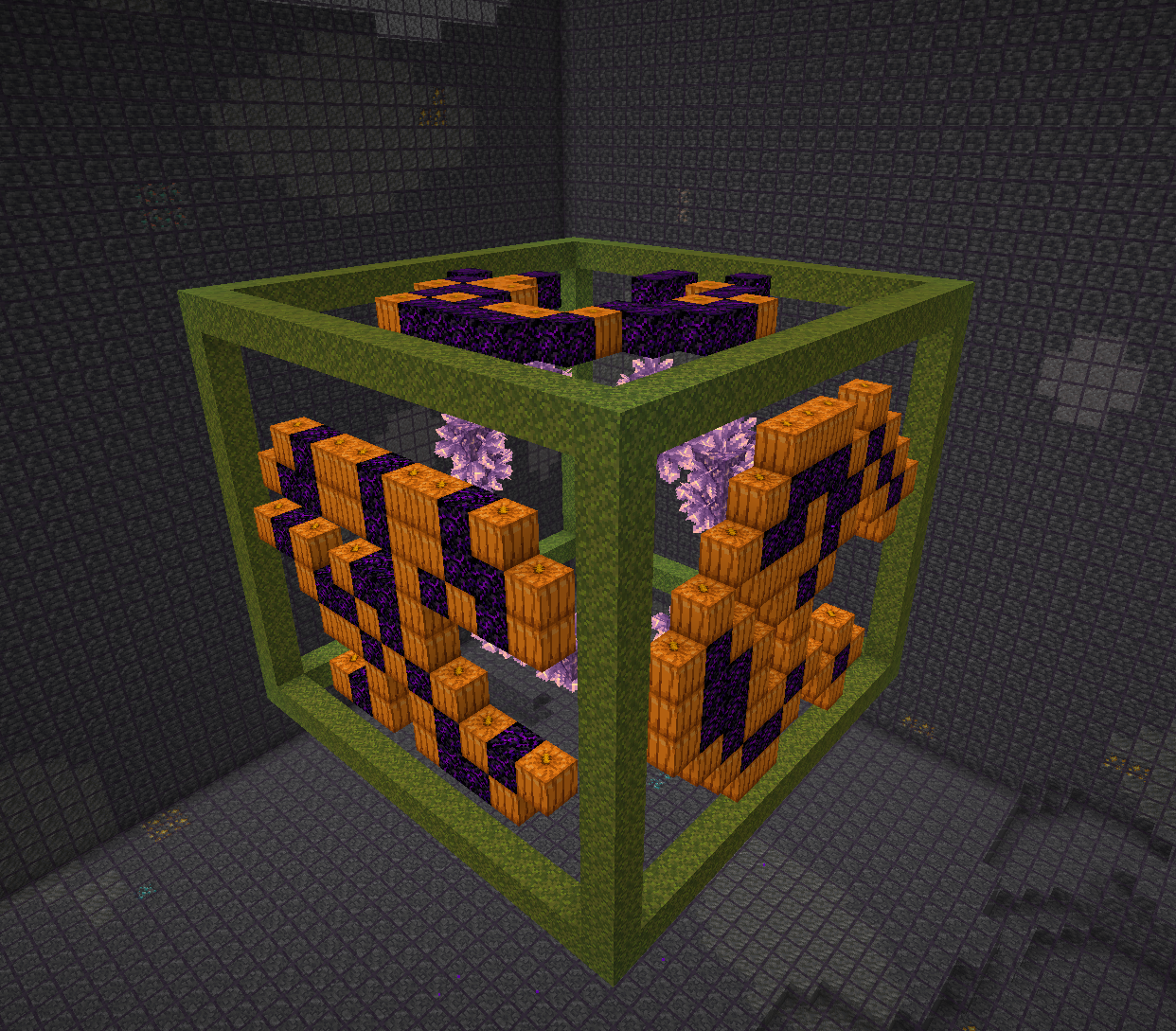
Step 4: Project
Run /geodesy project (directions) to project the geode onto three planes and create
the farm structure:
- Pumpkin means this location contains amethyst clusters to be pushed and destroyed.
- Crying obsidian block means this location contains budding amethyst blocks, so
the flying machine must not fly through that location. - Moss marks the outer frame of the machine.
- Buttons inside the farm mark spots that can't be harvested; you should have those
buttons in the farm to prevent items from landing on unharvested amethyst clusters.
You can change the directions in three different aspects, without influencing the
efficiency of the farm:
- You can change east/west and north/south to change the direction - this is useful
when you have other geodes nearby and you don't want to collide with them. Technically
you can also change up/down but that will make item collection pretty weird. - You can choose to only include one or two directions instead of the usual three.
This will lower the farm's efficiency but can also mean much less work to do. - You can change the order of the directions to influence the shapes of the pumpkin formations.
Some formations are easier to cover with sticky blocks than other. Experiment to find out.
Here I run /geodesy project east south up:
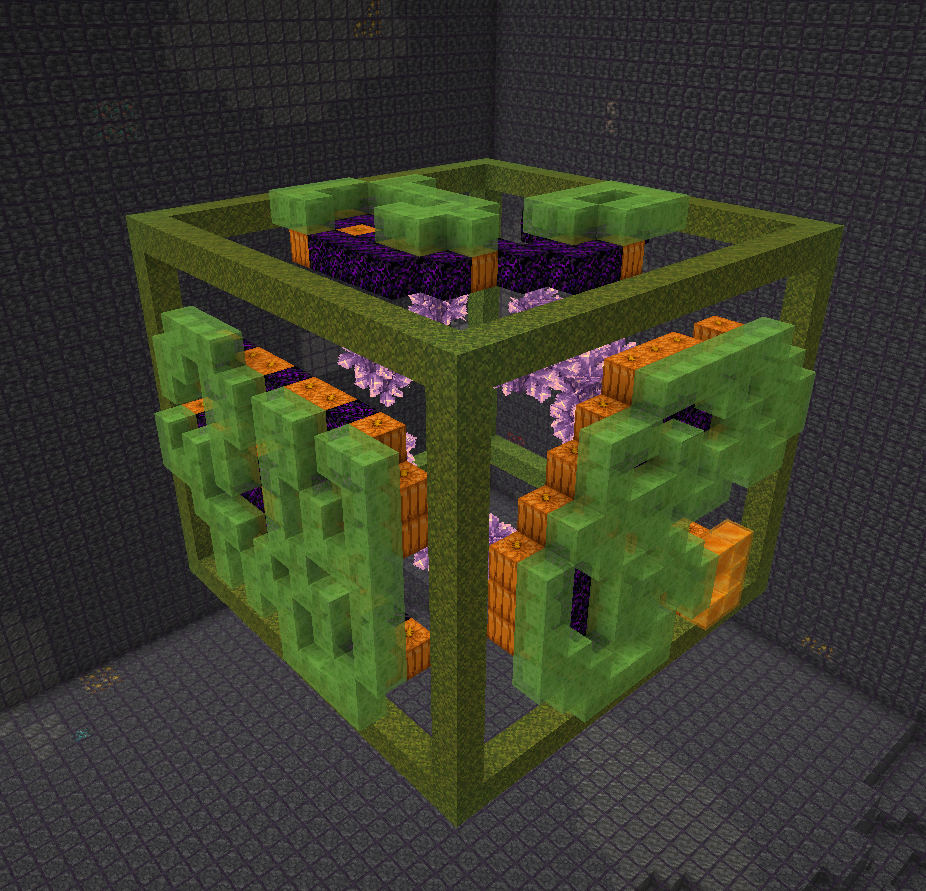
Step 5: Sticky blocks
Place the slime and honey blocks outside the structure, as shown by ilmango in the video.
All pumpkin blocks should be covered; no crying obsidian blocks should be covered. If you
can't cover all pumpkin blocks, the efficiency of the farm will be slightly reduced.
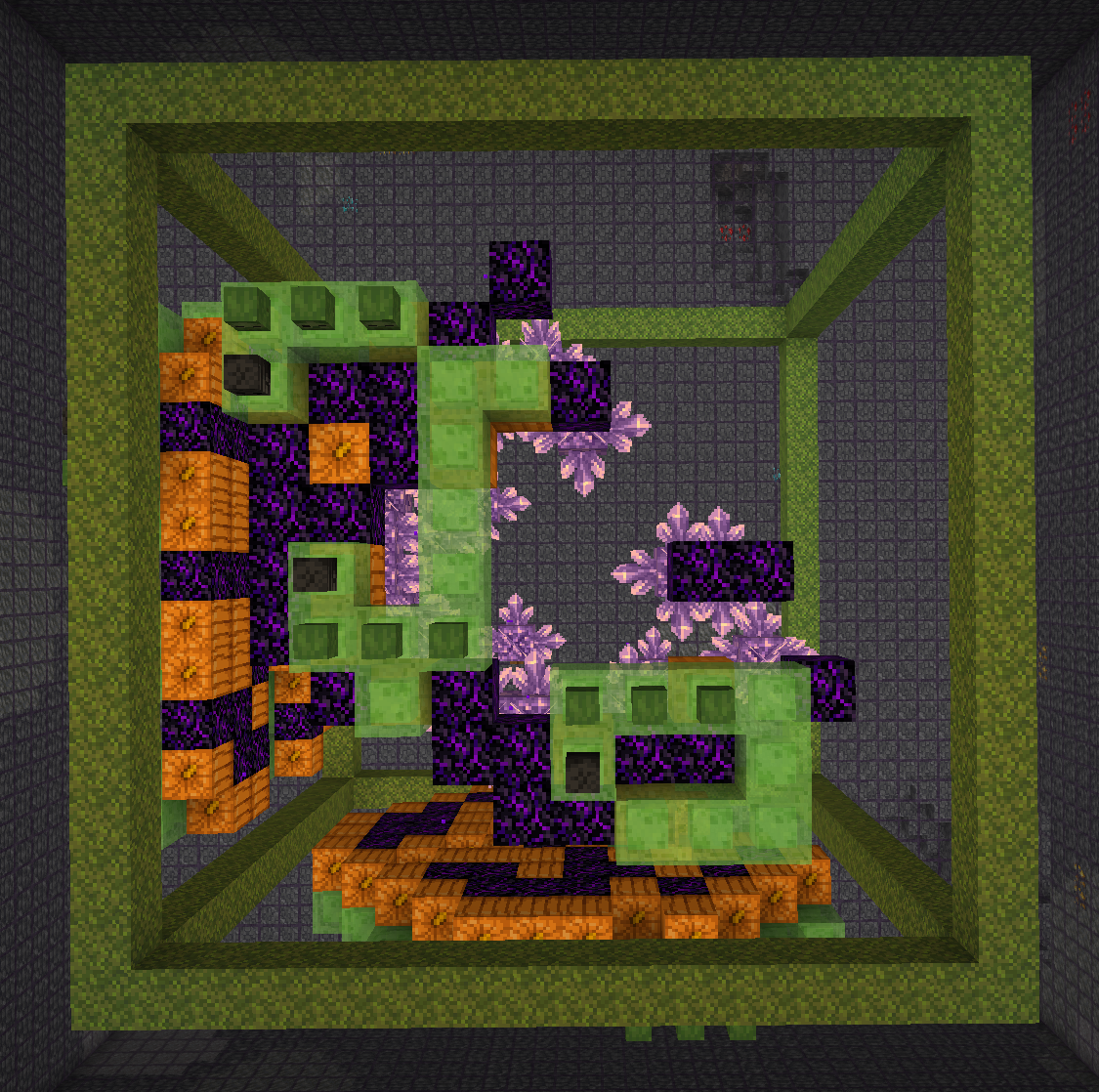
Step 6: Marker blocks
Using the supplied mob heads, place markers to indicate where the flying machines
should go. Black mob head markes a blocker obsidian block, three green mob heads
indicate a flying machine.
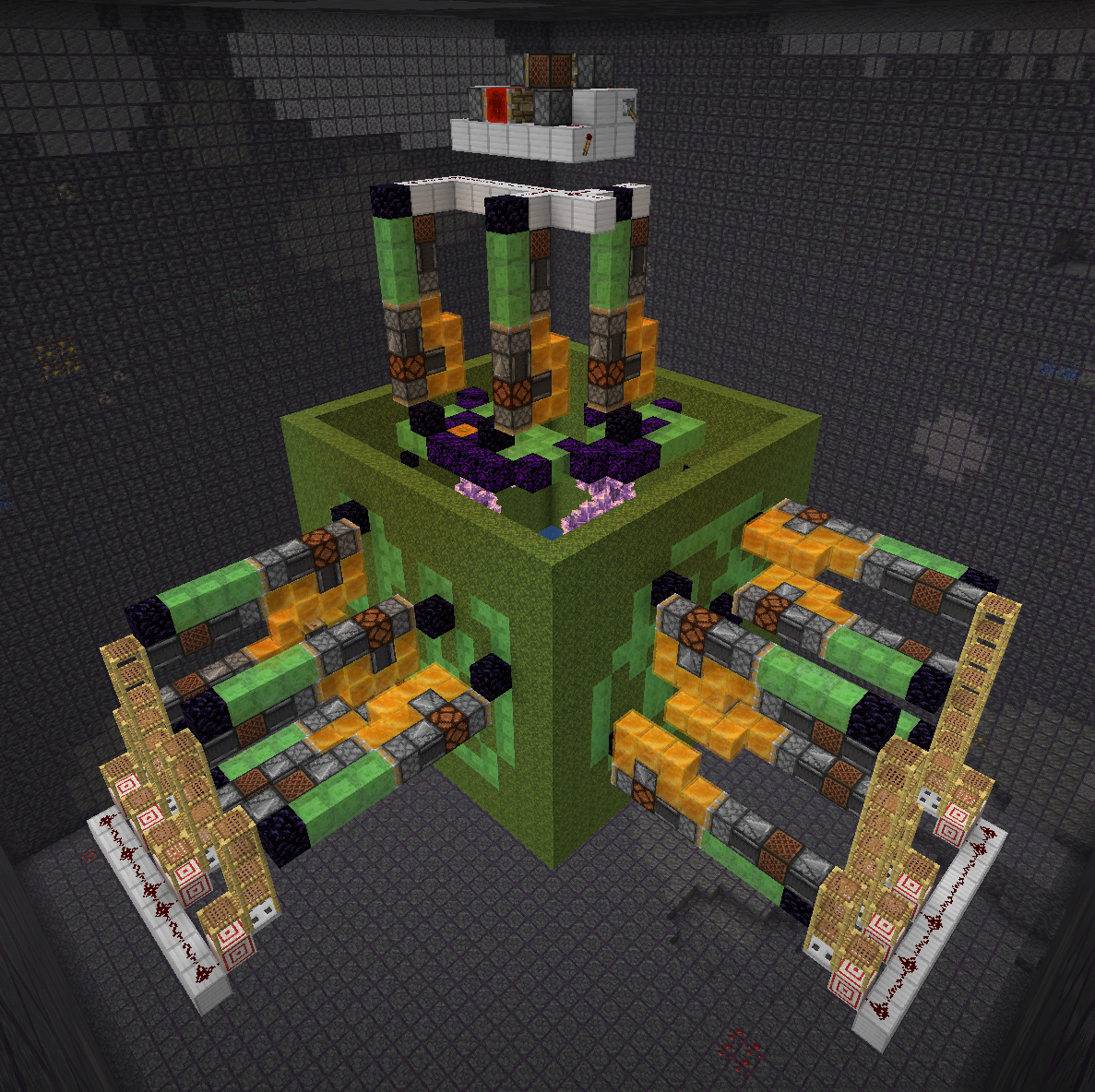
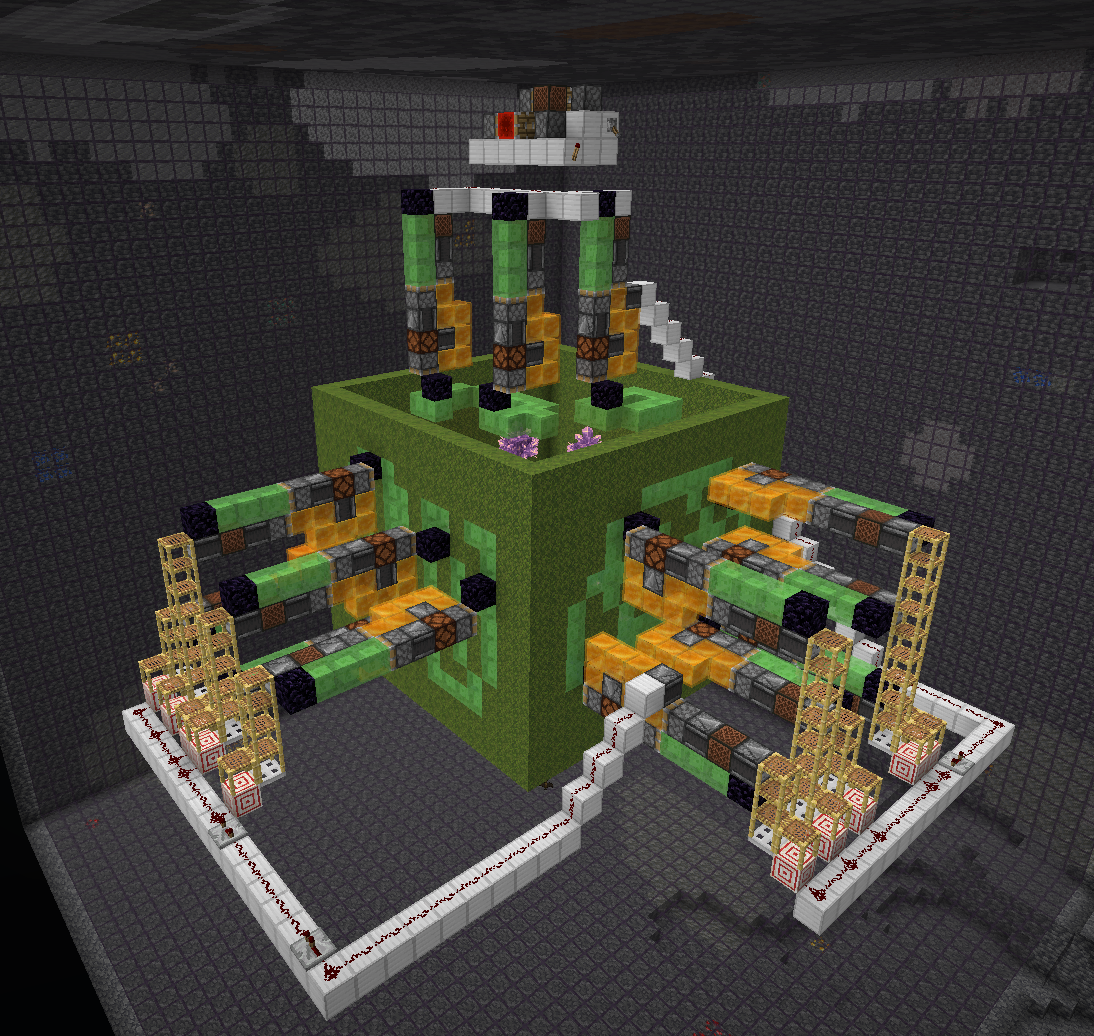
Step 7: Assemble
Run /geodesy assemble to "push" the sticky block structures inside the obsidian frame
and generate flying machines at locations that you marked. The redstone clock is also
generated for your convenience - just connect it.
Step 8: Wiring
The rest is up to you! Add trigger wiring and collection system. When adding repeaters to the trigger
wiring, make sure to set them to maximum delay. Again, watch ilmango's video for more information.
Credits
- Kosma Moczek - mod concept + code
- ilmango - farm design + two great videos
- neffty87 - farm concept
Possible improvements?
For a list of things to do, see TODO.md.