Logo
MINECRAFTBIBLE
Items
Items

All game items

Blocks
Blocks

Building blocks

Mobs
Mobs

Creatures & monsters

Biomes
Biomes

World biomes

Structures
Structures

Generated structures

Recipes
Recipes

Crafting guides

Advancements
Advancements

Achievements

Loot Tables
Loot Tables

Drop rates

Tags
Tags

Item groupings

All Versions
View all data →
Capes
Cape ArchiveNEW

Browse rare Minecon capes, OptiFine capes, and custom capes from players worldwide

Browse

Player Database
Player DatabasePopular

Search any player

Skin Browser
Skin Browser

Browse & download skins

Cape Gallery
Cape GalleryNEW

Minecon & OptiFine capes

Seed Vault
Seed Vault

Curated seeds

Learn

Guides
GuidesNew

Tutorials & tips

Blog
Blog

News & updates

Community

Community Hub
Community HubHub

Posts, discussions & more

All Versions
View community →
Seed Analyzer
Seed Analyzer

World seed analysis

Loot Explorer
Loot Explorer

Drop rates

Crafting Calculator
Crafting Calculator

Material planning

Enchant Calculator
Enchant Calculator

Probability math

Redstone Lab
Redstone Lab

Signal timing

Trading Profit
Trading Profit

Villager ROI

All Versions
View all tools →
Mods
Mods

Browse all mods

Plugins
Plugins

Server plugins

Resource Packs
Resource Packs

Textures & sounds

Shaders
Shaders

Visual enhancements

Datapacks
Datapacks

World logic

Scanner
Mod Intelligence

Scan & analyze any mod

All Versions
View all mods →
Loading...
IntroductionIntroductionVersion HistoryVersion HistoryGuidesGuidesBlog & NewsBlog & News
ItemsItemsBlocksBlocksMobsMobsRecipesRecipesBiomesBiomesStructuresStructuresAdvancementsAdvancementsLoot TablesLoot TablesTagsTags
ModsModsPluginsPluginsResource PacksResource PacksShadersShadersDatapacksDatapacks

MinecraftBible

The Ultimate Wiki

Logo
MINECRAFTBIBLE

The ultimate Minecraft reference. Every item, block, mob, and recipe documented with precision.

Community

  • Skin Browser
  • Cape Gallery
  • Seed Vault
  • Blog
  • Guides

Database

  • Items
  • Blocks
  • Mobs
  • Recipes
  • Biomes
  • Structures

Tools

  • Seed Analyzer
  • Mod Intelligence
  • Crafting Calculator
  • Enchant Calculator

Mods & Packs

  • Mods
  • Plugins
  • Resource Packs
  • Shaders
  • Datapacks

Site & Legal

  • About
  • Authors
  • Editorial Policy
  • Corrections
  • Contact
  • Privacy Policy
  • Terms of Service
  • DMCA
  • Sitemap

© 2026 MinecraftBible. Not affiliated with Mojang or Microsoft.

PrivacyTermsContact
Flopper
ModMIT

Flopper

A hopper for transferring fluids

10.0K
Downloads
19
Followers
4 months ago
Updated
📦
30
Versions
utilityfabricforgeneoforgequilt
Download Latestv1.21.1-1.1.8-211View on Modrinth

📖About Flopper

This mod requires the Cyclops Core library! Come talk to us in #flopper on the Cyclops Discord server!


We've had to suffer long enough in our early-game fluid transfer endeavours...
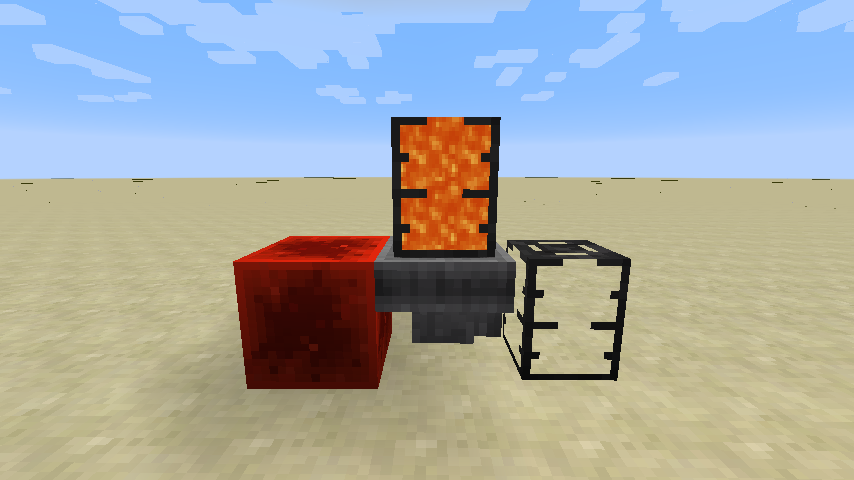
Here's the Flopper, a Fluid Hopper!


The Flopper is an early-game block to move around fluids, just like the Hopper does for items.
It is able to take in fluids from the top (either from a tank, or from the world), and push it to the target side (either to a tank, or to the world).
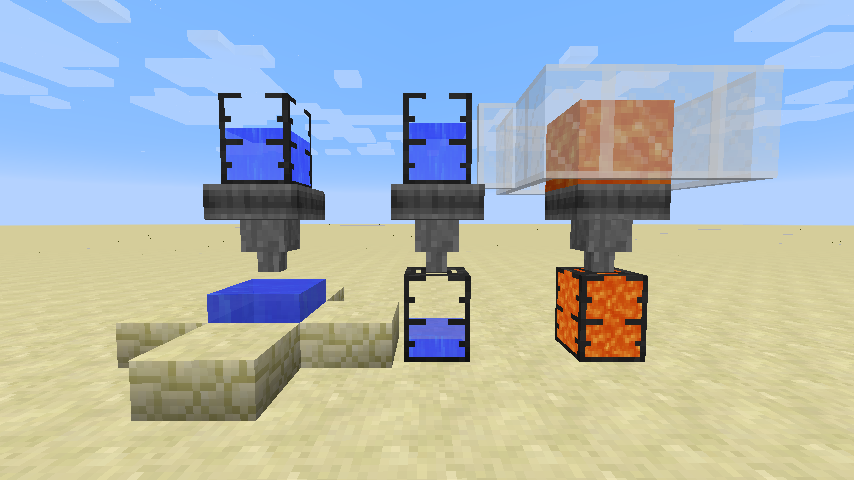
Tanks will always have a preference over world-interaction.


Note: Tanks are not included in this mod, those are Dark Tanks from EvilCraft.


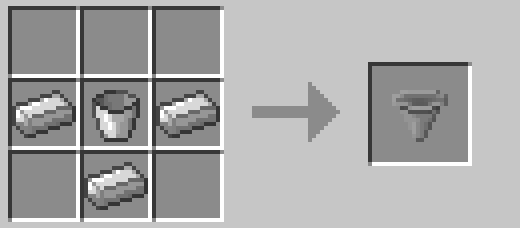
 A simple, early-game recipe.
 

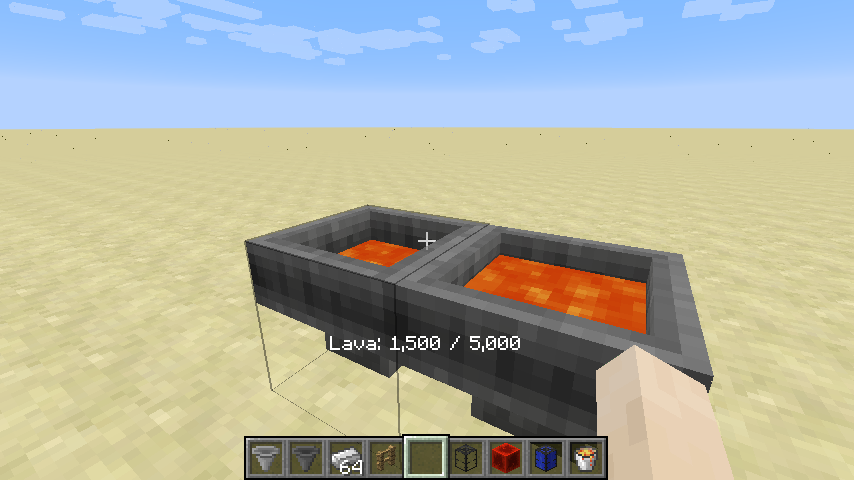
This block has no GUI, because who needs GUIs anyways? Instead, you can right click on the block to display contents. The contained fluid will also be rendered dynamically (can be disabled).
You can also right-click to insert fluids from any fluid tank item, or extract by shift+right-clicking.
 

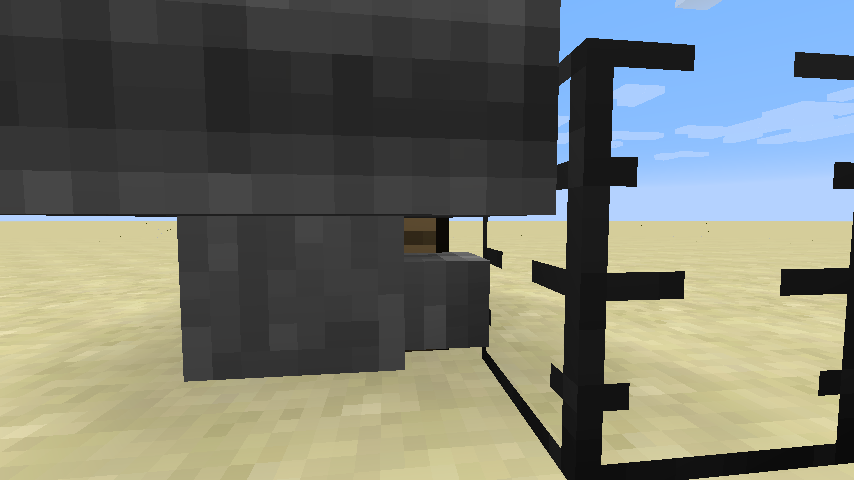
And yes, the Flopper has proper bounding boxes that allow you to click on blocks behind it.
 

Just like the regular Hopper, you can disable it using a redstone signal.
 

Everything ranging from the input fluid rate to the cooldown duration for world-interaction can be configured in this mod! Here's an excerpt from the config file:

machine {
    # The maximum capacity in mB.
    I:flopper.capacityMb=5000

# If the collision boxes should be made smaller to allow clicking behind the flopper.
B:flopper.narrowCollision=true

# The rate at which fluids can be pulled from other tanks.
I:flopper.pullFluidRate=100

# If fluids should be pulled from the world.
B:flopper.pullFluidsWorld=true

# The rate at which fluids can be pushed to other tanks.
I:flopper.pushFluidRate=100

# If fluids should be pushed into the world.
B:flopper.pushFluidsWorld=true

# If the contained fluid should be rendered.
B:flopper.renderFluid=true

# The number of ticks each flopper should sleep after interacting with tanks
I:flopper.workCooldown=8

# The number of ticks each flopper should sleep after picking up or placing fluids.
I:flopper.workWorldCooldown=20

# If neighbour-change events should be triggered when placing or picking up fluids to/from the world.
B:flopper.worldPullPushNeighbourEvents=true

# If sounds should be placed when placing or picking up fluids to/from the world.
B:flopper.worldPullPushSounds=true

}

This mod was inspired by the pre-1.12 Funnels mod.


This mod collects anonymized startup data, this can be disabled in the config file and adheres to Minecraft's snooper settings.

 

Bisect Hosting
Support us via the referral code cyclops when renting a Bisect Hosting server, and get 25% off!
If you like this mod, consider supporting me on Patreon!

👥 Team & Contributors

rubensworks
rubensworksOwner

⚙️ Compatibility

Environment
✅ Client & Server
Loaders
fabricforgeneoforgequilt
Minecraft Versions
1.21.1

🔗 Links

Modrinth Page