ModMIT
Exposure
Camera mod with focus on process and aesthetics
8.6M
Downloads
2,049
Followers
5 months ago
Updated
📦
30
Versions
📖About Exposure
Film photography mod






Description in text form
Camera
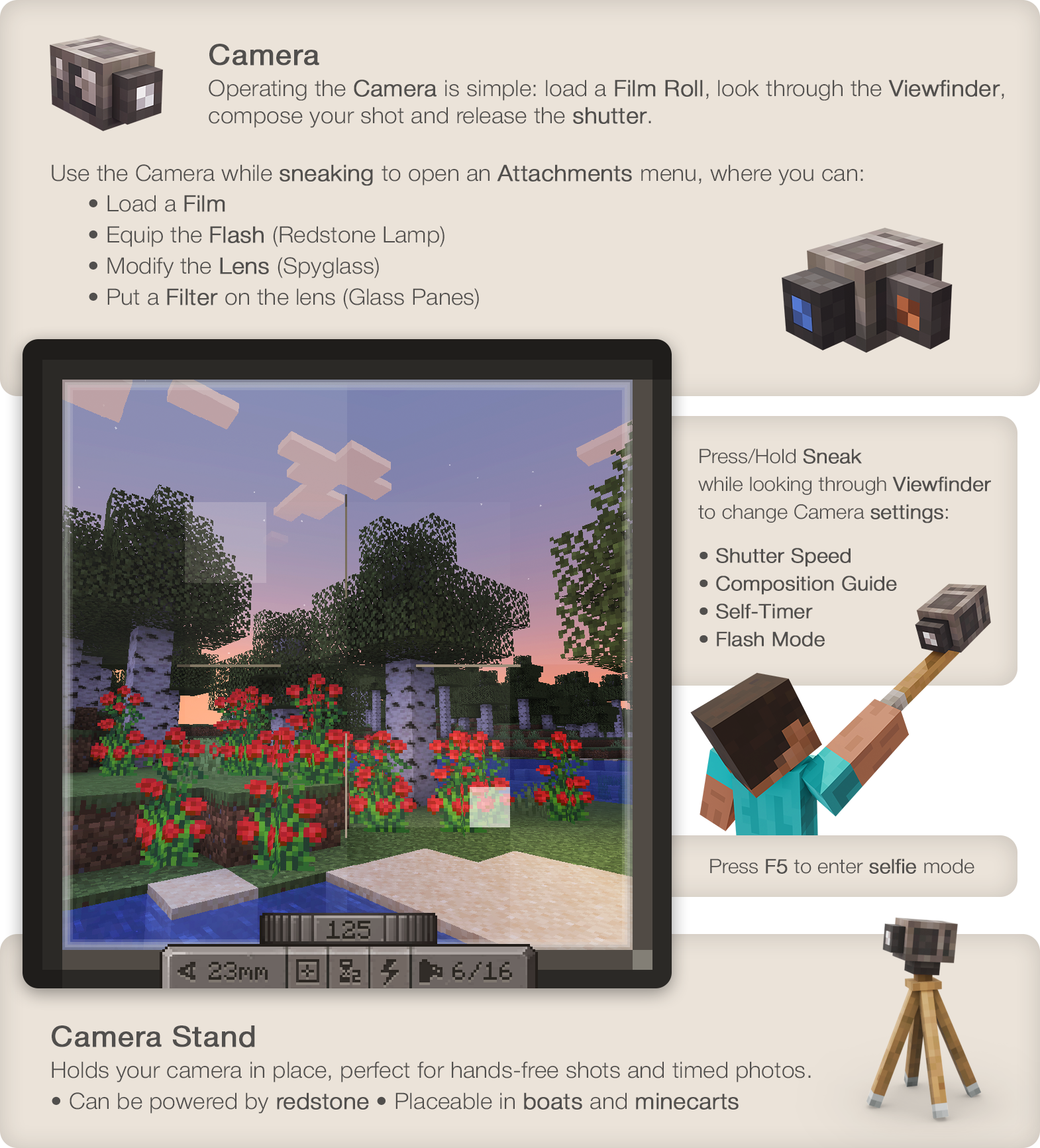
- Operating the Camera is simple: load a Film Roll, open the Viewfinder,
compose your shot and release the shutter. - Press/Hold Sneak when looking through Viewfinder to control Camera
settings: Focal Length, Shutter Speed, Flash mode, Composition Guides. - Use the Camera while sneaking to open the Attachments window,
where you'd be able to:- Load a Film
- Equip the Flash (Redstone Lamp)
- Modify the Lens (Spyglass)
- Put a Filter on the lens (Glass Panes)
Film
- To capture an image you'll need to expose light-sensitive film.
- You can use simpler black and white film or, more sophisticated
and harder to make and process, color film. - Single film roll can fit 16 frames on it.
- Developing is required to prepare film for printing.
Lightroom
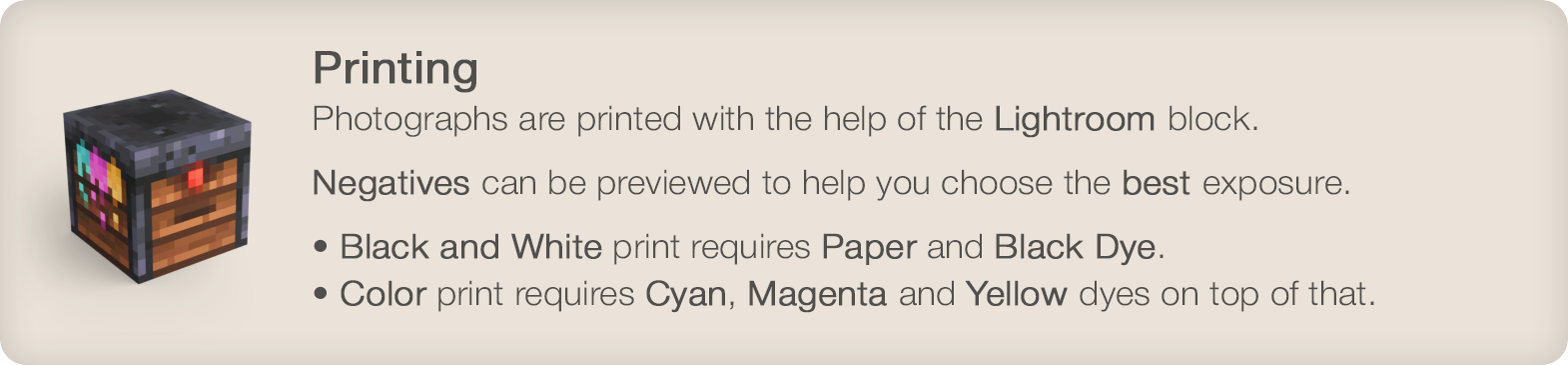
- Photographs are printed with the help of a Lightroom block.
- Negatives can be previewed before printing to help you choose the
best exposure. - Black and white print requires Paper and Black Dye.
Color print will require Cyan, Magenta and Yellow dyes on top of that.
Photograph
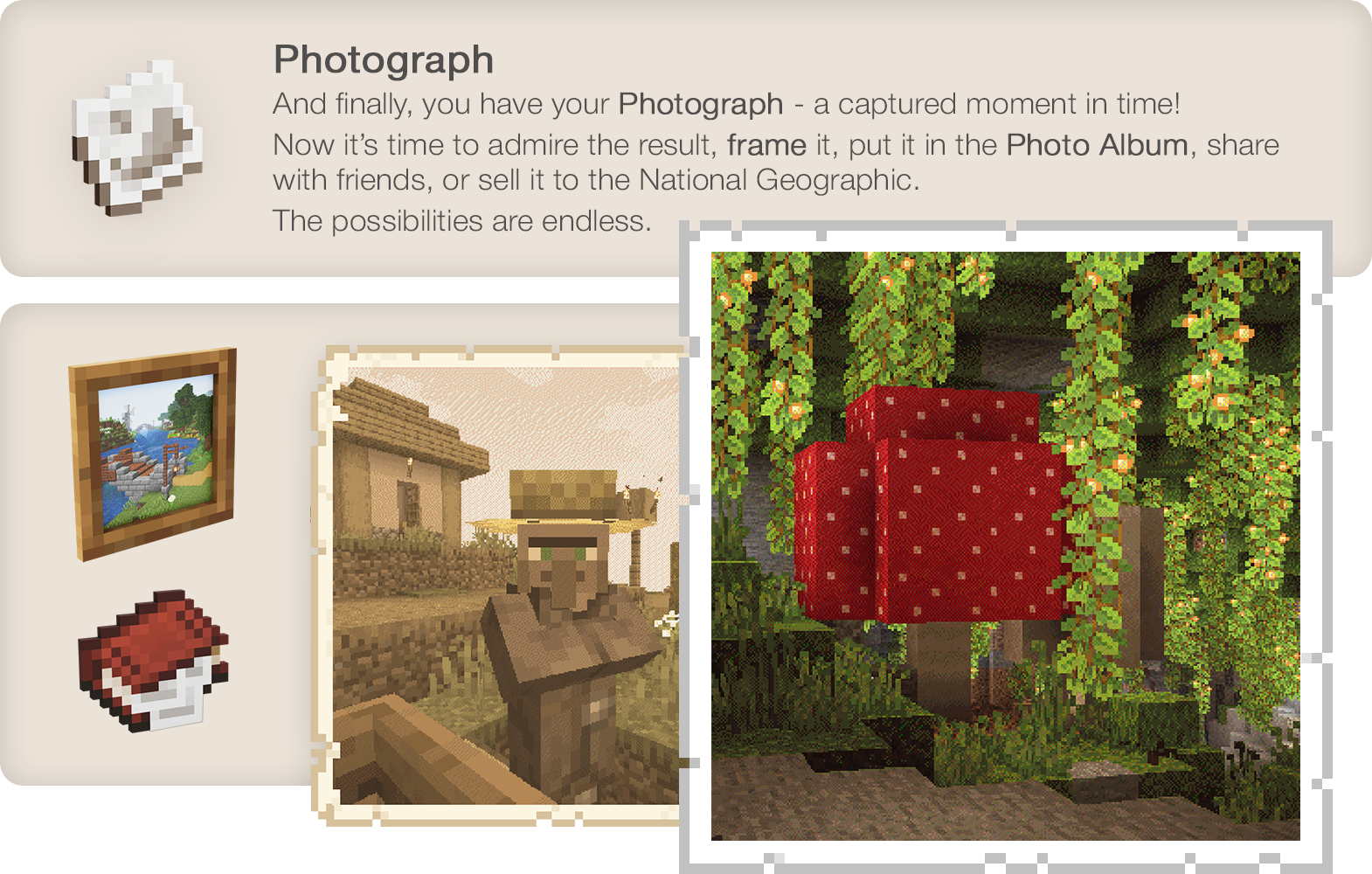
And finally, you have your Photograph - a captured moment in time!
Now it's time to admire the result, hang it on the wall, share with
friends, sell it to the National Geographic. The possibilities are endless.
Wiki
Known incompatibilities:
- Optifine - known for causing problems with other mods. Use Sodium/Embeddium instead.
- Visual Overhaul - crashes when opening camera controls - GitHub Issue
- Exordium - causes issues and flickering when looking through viewfinder.
- FastAnim (Fabric) - breaks player model animations with camera. Github Issue

Enjoying the mod? Your support would allow me to continue working on it and on other mods!