Logo
MINECRAFTBIBLE
Items
Items

All game items

Blocks
Blocks

Building blocks

Mobs
Mobs

Creatures & monsters

Biomes
Biomes

World biomes

Structures
Structures

Generated structures

Recipes
Recipes

Crafting guides

Advancements
Advancements

Achievements

Loot Tables
Loot Tables

Drop rates

Tags
Tags

Item groupings

All Versions
View all data →
Capes
Cape ArchiveNEW

Browse rare Minecon capes, OptiFine capes, and custom capes from players worldwide

Browse

Player Database
Player DatabasePopular

Search any player

Skin Browser
Skin Browser

Browse & download skins

Cape Gallery
Cape GalleryNEW

Minecon & OptiFine capes

Seed Vault
Seed Vault

Curated seeds

Learn

Guides
GuidesNew

Tutorials & tips

Blog
Blog

News & updates

Community

Community Hub
Community HubHub

Posts, discussions & more

All Versions
View community →
Seed Analyzer
Seed Analyzer

World seed analysis

Loot Explorer
Loot Explorer

Drop rates

Crafting Calculator
Crafting Calculator

Material planning

Enchant Calculator
Enchant Calculator

Probability math

Redstone Lab
Redstone Lab

Signal timing

Trading Profit
Trading Profit

Villager ROI

All Versions
View all tools →
Mods
Mods

Browse all mods

Plugins
Plugins

Server plugins

Resource Packs
Resource Packs

Textures & sounds

Shaders
Shaders

Visual enhancements

Datapacks
Datapacks

World logic

Scanner
Mod Intelligence

Scan & analyze any mod

All Versions
View all mods →
Loading...
IntroductionIntroductionVersion HistoryVersion HistoryGuidesGuidesBlog & NewsBlog & News
ItemsItemsBlocksBlocksMobsMobsRecipesRecipesBiomesBiomesStructuresStructuresAdvancementsAdvancementsLoot TablesLoot TablesTagsTags
ModsModsPluginsPluginsResource PacksResource PacksShadersShadersDatapacksDatapacks

MinecraftBible

The Ultimate Wiki

Logo
MINECRAFTBIBLE

The ultimate Minecraft reference. Every item, block, mob, and recipe documented with precision.

Community

  • Skin Browser
  • Cape Gallery
  • Seed Vault
  • Blog
  • Guides

Database

  • Items
  • Blocks
  • Mobs
  • Recipes
  • Biomes
  • Structures

Tools

  • Seed Analyzer
  • Mod Intelligence
  • Crafting Calculator
  • Enchant Calculator

Mods & Packs

  • Mods
  • Plugins
  • Resource Packs
  • Shaders
  • Datapacks

Site & Legal

  • About
  • Authors
  • Editorial Policy
  • Corrections
  • Contact
  • Privacy Policy
  • Terms of Service
  • DMCA
  • Sitemap

© 2026 MinecraftBible. Not affiliated with Mojang or Microsoft.

PrivacyTermsContact
Epic Knights: Shields Armor and Weapons
ModLicenseRef-All-Rights-Reserved

Epic Knights: Shields Armor and Weapons

Adds medieval armor and weapons

959.4K
Downloads
589
Followers
3 months ago
Updated
📦
30
Versions
equipmentfabricforgeneoforge
Download Latestv10.6View on Modrinth

📖About Epic Knights: Shields Armor and Weapons

top_image
bh_description
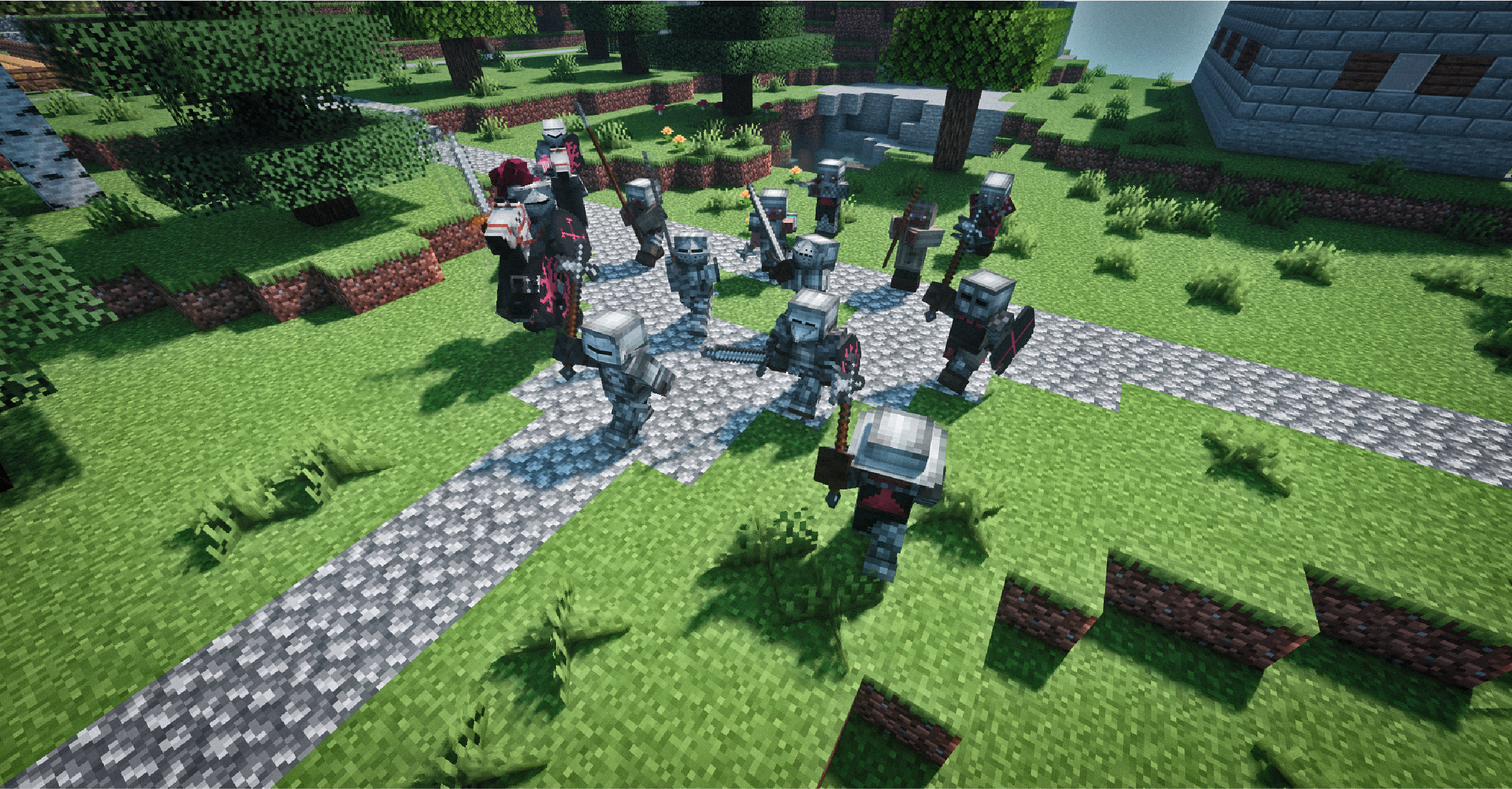
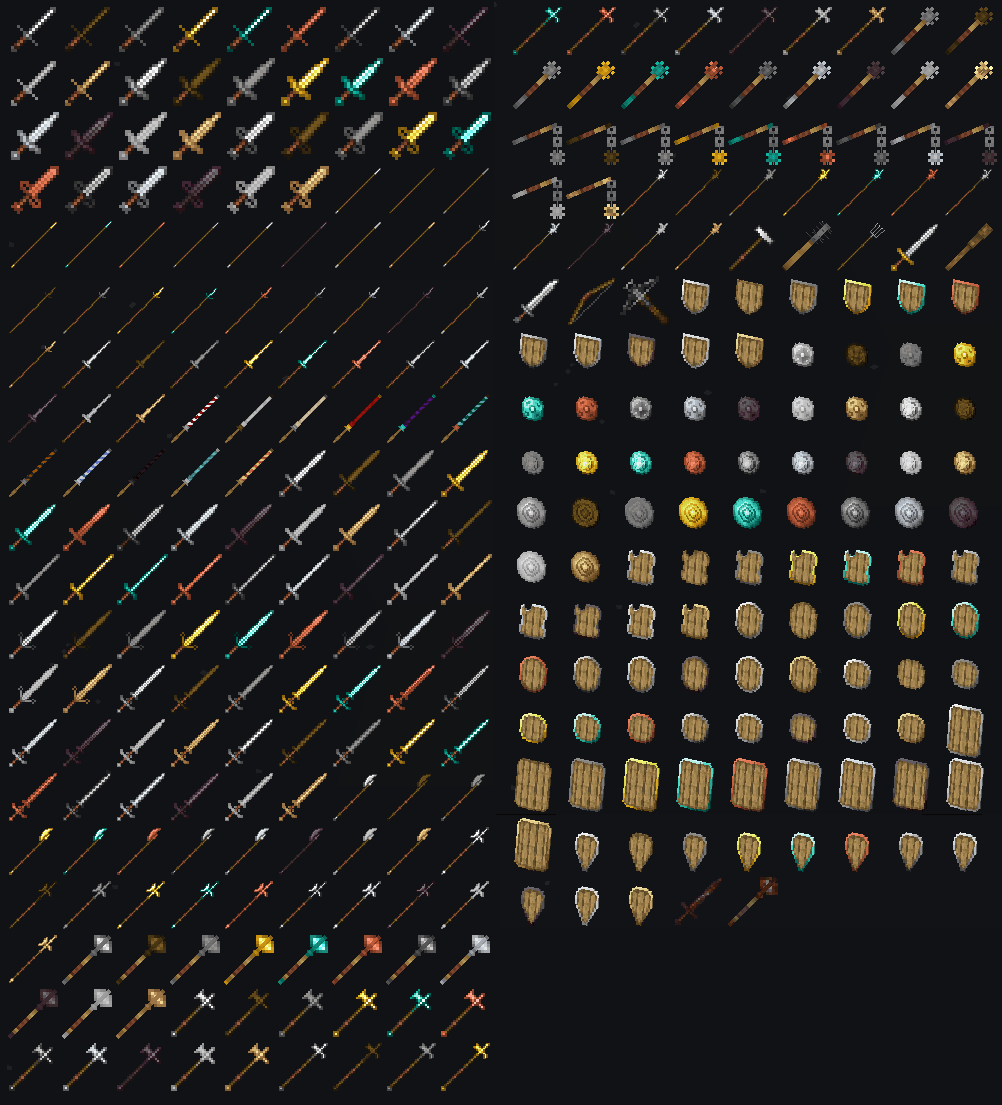
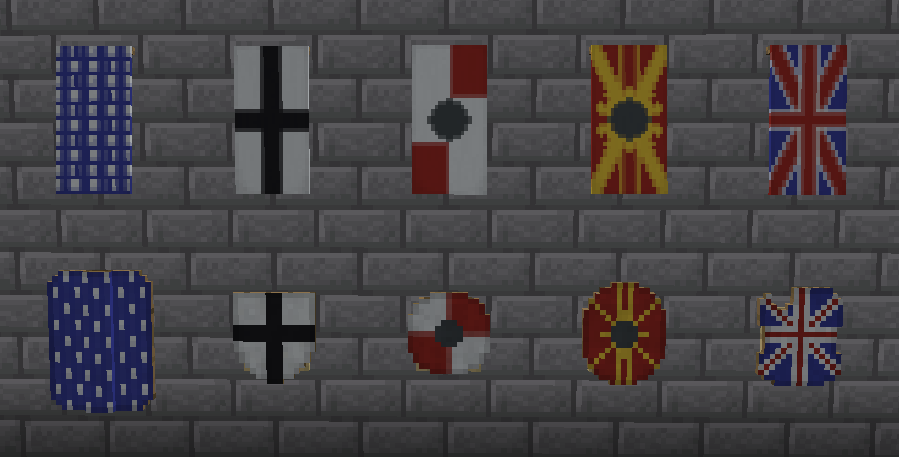
This mod aims to make the player feel like a medieval knight. At the moment, the modification contains a lot of new banner patterns, 16 sets of armor, 8 types of shields and 26 types of weapons, most of which can be made from 11 available materials: wood, stone, iron, gold, diamond, netherite, steel (new), copper, silver, tin, bronze.These weapons have special features like increased range and armor piercing. Also this mod adds steel to the game, which will not conflict with steel from other modifications. To craft steel, put an iron ingot in a blast furnace. On the latest version you can apply a banner on armor and horse armor (just like on a shield) and dye some types of armor. Configs are in the config/epicknights folder.

More historical stuff:

  • Epic Knights: Addon
  • Epic Knights: Slavic Armory
  • Epic Knights: Antique Legacy
  • Epic Knights: Ores and Alloys
  • Epic Knights: Artillery Addon
  • Ranged Knights Medieval Boomsticks and Sharpsticks
  • Epic Knights: Open Helms

IMPORTANT: Optifine 1.20.x is not supported! Since 7.0 version the mod requires Architectury and Cloth Config to be installed.Discord Button

bh_compatibilities
Better Combat:1.18.2+: Preset support.

Epic Fight:
1.20.1: Preset support

To combine Epic Knights with Epic Fight on older versions do the following:

1.12.2: Download epicfight.cfg from Discord server and put it into the configs folder.

1.16.5, 1.18.2, 1.19.2: Download datapack from Discord server, unzip it and follow this tutorial: https://minecraft.fandom.com/wiki/Tutorials/Installing_a_data_pack.

32x32 Resources There is a 32x resource pack made with the outstanding attention to details by Reymecos: https://www.curseforge.com/minecraft/texture-packs/knightarmory


Discord Button

bh_armor
armor

bh_weapons
weapons

bh_custom_designs
shields

👥 Team & Contributors

Magistu
MagistuOwner

⚙️ Compatibility

Environment
✅ Client & Server
Loaders
fabricforgeneoforge
Minecraft Versions
1.201.20.1

🔗 Links

Modrinth Page