Logo
MINECRAFTBIBLE
Items
Items

All game items

Blocks
Blocks

Building blocks

Mobs
Mobs

Creatures & monsters

Biomes
Biomes

World biomes

Structures
Structures

Generated structures

Recipes
Recipes

Crafting guides

Advancements
Advancements

Achievements

Loot Tables
Loot Tables

Drop rates

Tags
Tags

Item groupings

All Versions
View all data →
Capes
Cape ArchiveNEW

Browse rare Minecon capes, OptiFine capes, and custom capes from players worldwide

Browse

Player Database
Player DatabasePopular

Search any player

Skin Browser
Skin Browser

Browse & download skins

Cape Gallery
Cape GalleryNEW

Minecon & OptiFine capes

Seed Vault
Seed Vault

Curated seeds

Learn

Guides
GuidesNew

Tutorials & tips

Blog
Blog

News & updates

Community

Community Hub
Community HubHub

Posts, discussions & more

All Versions
View community →
Seed Analyzer
Seed Analyzer

World seed analysis

Loot Explorer
Loot Explorer

Drop rates

Crafting Calculator
Crafting Calculator

Material planning

Enchant Calculator
Enchant Calculator

Probability math

Redstone Lab
Redstone Lab

Signal timing

Trading Profit
Trading Profit

Villager ROI

All Versions
View all tools →
Mods
Mods

Browse all mods

Plugins
Plugins

Server plugins

Resource Packs
Resource Packs

Textures & sounds

Shaders
Shaders

Visual enhancements

Datapacks
Datapacks

World logic

Scanner
Mod Intelligence

Scan & analyze any mod

All Versions
View all mods →
Loading...
IntroductionIntroductionVersion HistoryVersion HistoryGuidesGuidesBlog & NewsBlog & News
ItemsItemsBlocksBlocksMobsMobsRecipesRecipesBiomesBiomesStructuresStructuresAdvancementsAdvancementsLoot TablesLoot TablesTagsTags
ModsModsPluginsPluginsResource PacksResource PacksShadersShadersDatapacksDatapacks

MinecraftBible

The Ultimate Wiki

Logo
MINECRAFTBIBLE

The ultimate Minecraft reference. Every item, block, mob, and recipe documented with precision.

Community

  • Player Database
  • Skin Browser
  • Cape Gallery
  • Community Hub
  • Seed Vault

Database

  • Items
  • Blocks
  • Mobs
  • Recipes
  • Biomes
  • Structures

Tools

  • Seed Analyzer
  • Mod Intelligence
  • Crafting Calculator
  • Enchant Calculator

Mods & Packs

  • Mods
  • Plugins
  • Resource Packs
  • Shaders
  • Datapacks

© 2026 MinecraftBible. Not affiliated with Mojang or Microsoft.

PrivacyTermsContact
Entity Render Disabler
ModLicenseRef-All-Rights-Reserved

Entity Render Disabler

A minecraft mod to disable selected Entity Render

8.9K
Downloads
34
Followers
3 months ago
Updated
📦
30
Versions
mobsoptimizationutilityfabricneoforge
Download Latestv1.3View on Modrinth

📖About Entity Render Disabler

✨ Entity Render Disabler ✨

Are too many mobs ruining your FPS? Say goodbye to lag spikes with Entity Render Disabler!

This mod gives you the power to enable or disable the rendering of specific entities directly through a user-friendly configuration menu. By customizing which entities are rendered, you can significantly reduce FPS lag and improve performance without compromising gameplay.

🎯 Key Features:

  • Multi-Mod Support: Automatically detects and organizes entities from all installed mods
  • Organized by Mod: Entities are neatly categorized by their source mod for easy navigation
  • Configurable Entity Rendering: Choose which entities you want to hide or show
  • Global Toggle: Quickly enable or disable the entire mod with a single keystroke
  • Convenient Keybindings: Open config menu (O key) and toggle mod state (G key) easily
  • FPS Optimization: Reduce visual clutter and boost your game's performance
  • Easy to Use: Accessible and intuitive configuration powered by YACL

Whether you're on a low-end system or just looking to fine-tune your game, Entity Render Disabler helps you create a smoother Minecraft experience.

🛠 Built for Fabric & NeoForge


🖼 Configuration Examples

Easily customize which entities are rendered! Here is a screenshot of the mod's configuration menu showing how entities are now organized by mod:

  • Example: Toggle entities on/off using the organized selection list
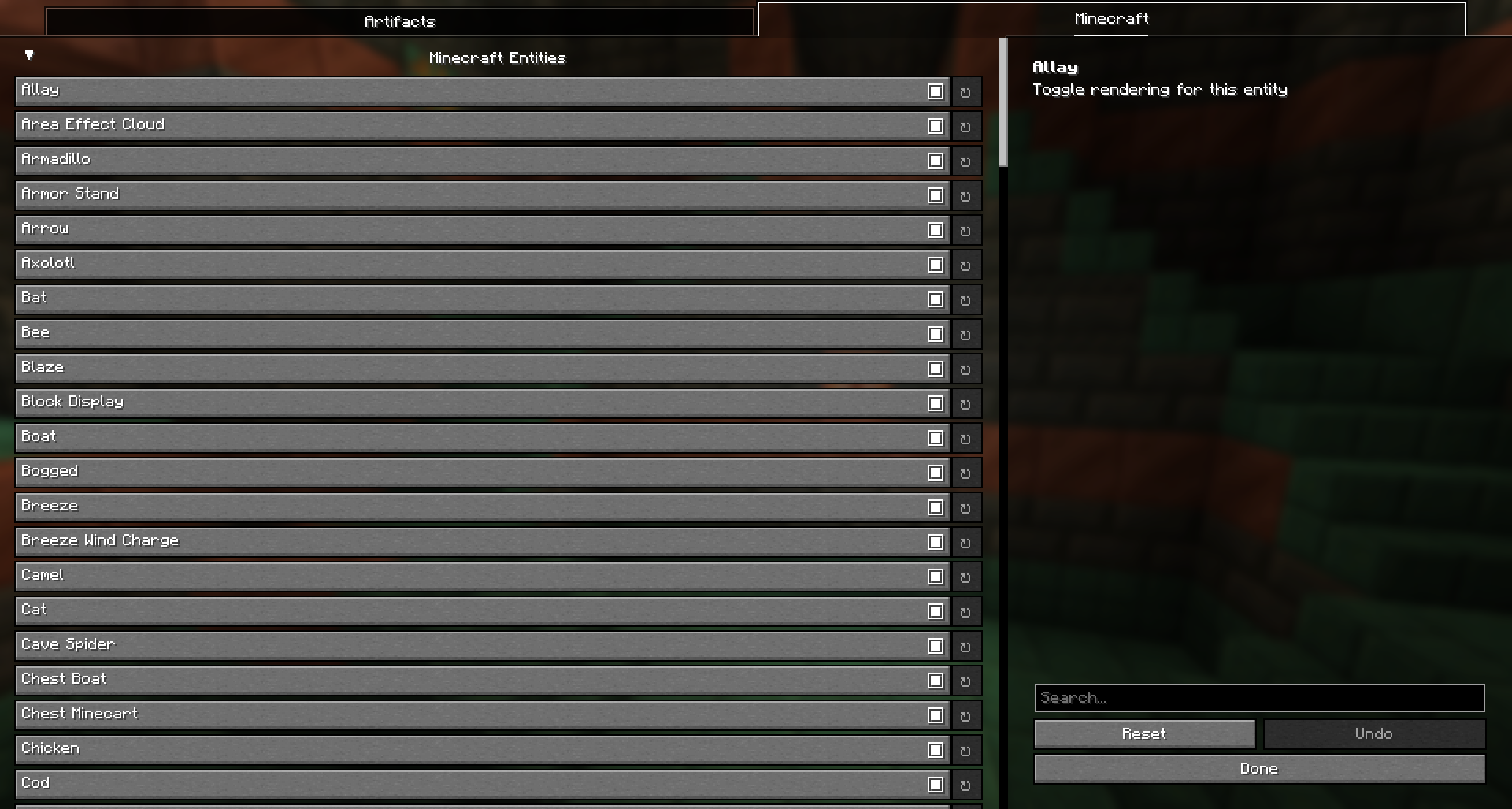
Config Entity Selector


🔄 Before vs After – Performance Comparison

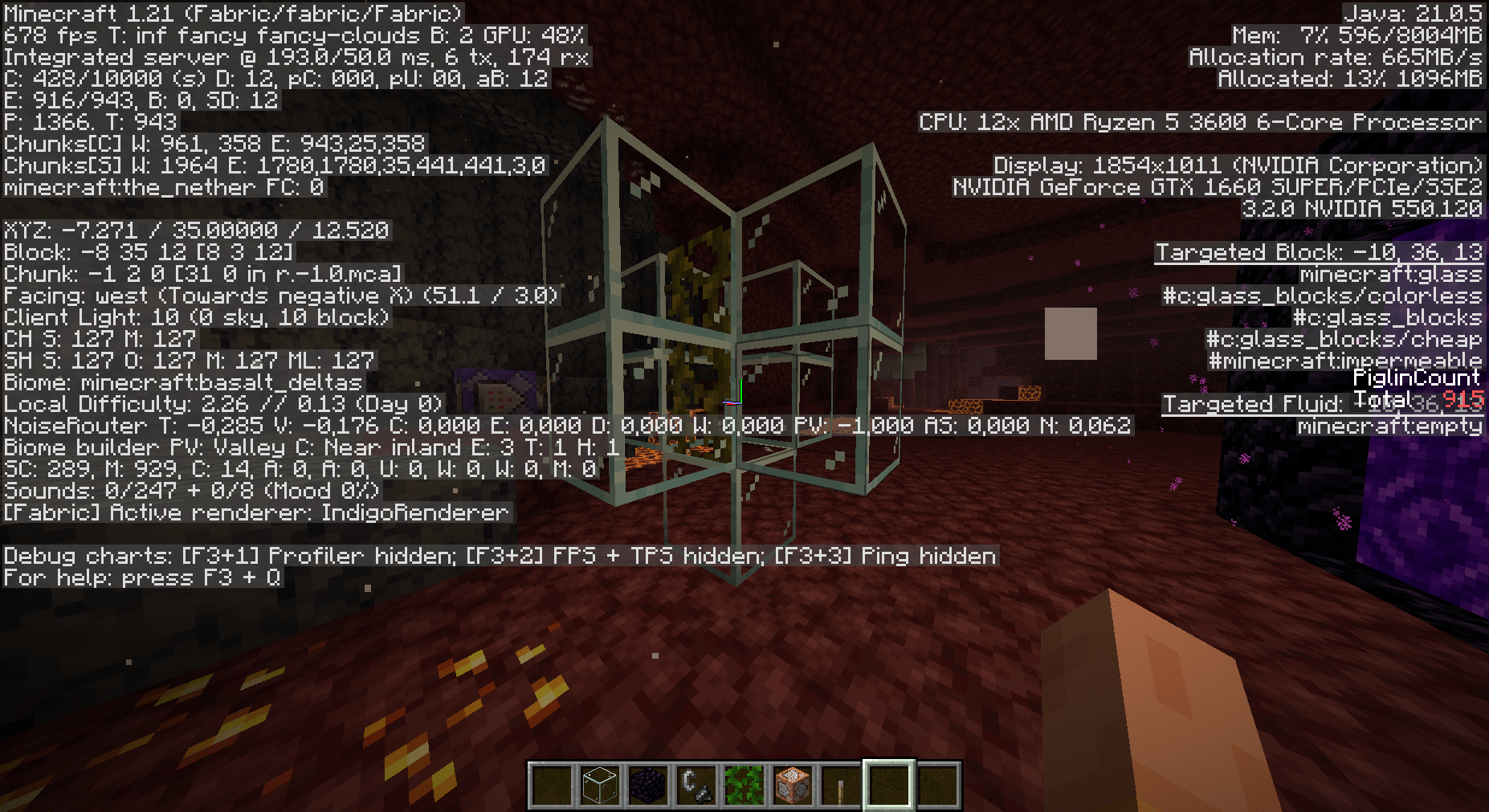
See the difference for yourself! Below are two comparison images:

  1. With Entities Rendered: Full mob rendering causing lower FPS
  2. Without Entities Rendered: Selected entities hidden, boosting performance and FPS
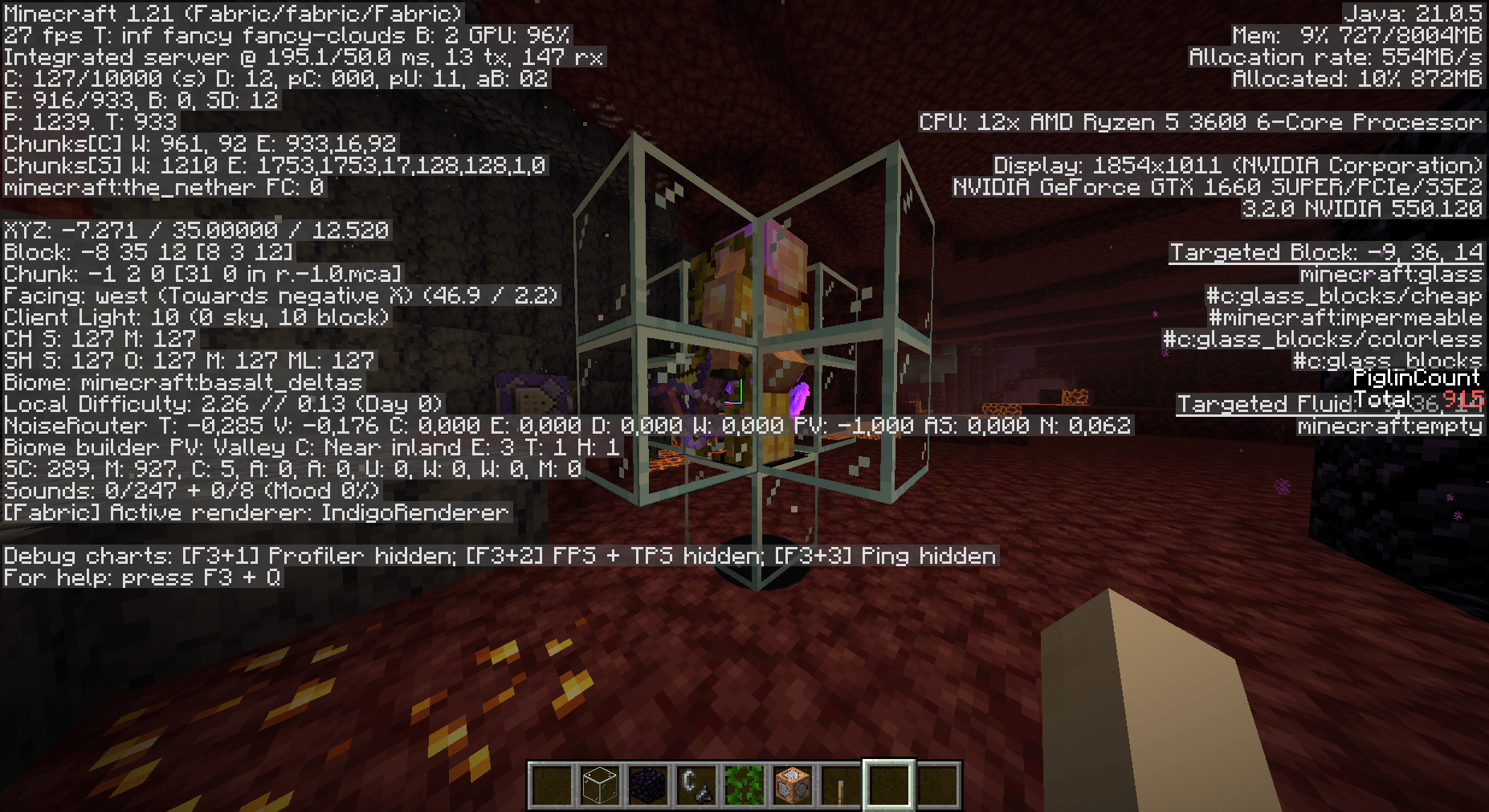
Image 1, Full mob rendering

Image 2, Selected entities hidden

⌨️ Controls

  • Press O to open the configuration screen
  • Press G to quickly toggle the mod on/off

Boost your game's performance and eliminate unnecessary rendering – Entity Render Disabler is here to make your Minecraft experience smoother than ever!

👥 Team & Contributors

PonchisaoHosting
PonchisaoHostingOwner

⚙️ Compatibility

Environment
💻 Client-side
Loaders
fabricneoforge
Minecraft Versions
1.21.11

🔗 Links

Modrinth Page