Logo
MINECRAFTBIBLE
Items
Items

All game items

Blocks
Blocks

Building blocks

Mobs
Mobs

Creatures & monsters

Biomes
Biomes

World biomes

Structures
Structures

Generated structures

Recipes
Recipes

Crafting guides

Advancements
Advancements

Achievements

Loot Tables
Loot Tables

Drop rates

Tags
Tags

Item groupings

All Versions
View all data →
Capes
Cape ArchiveNEW

Browse rare Minecon capes, OptiFine capes, and custom capes from players worldwide

Browse

Player Database
Player DatabasePopular

Search any player

Skin Browser
Skin Browser

Browse & download skins

Cape Gallery
Cape GalleryNEW

Minecon & OptiFine capes

Seed Vault
Seed Vault

Curated seeds

Learn

Guides
GuidesNew

Tutorials & tips

Blog
Blog

News & updates

Community

Community Hub
Community HubHub

Posts, discussions & more

All Versions
View community →
Seed Analyzer
Seed Analyzer

World seed analysis

Loot Explorer
Loot Explorer

Drop rates

Crafting Calculator
Crafting Calculator

Material planning

Enchant Calculator
Enchant Calculator

Probability math

Redstone Lab
Redstone Lab

Signal timing

Trading Profit
Trading Profit

Villager ROI

All Versions
View all tools →
Mods
Mods

Browse all mods

Plugins
Plugins

Server plugins

Resource Packs
Resource Packs

Textures & sounds

Shaders
Shaders

Visual enhancements

Datapacks
Datapacks

World logic

Scanner
Mod Intelligence

Scan & analyze any mod

All Versions
View all mods →
Loading...
IntroductionIntroductionVersion HistoryVersion HistoryGuidesGuidesBlog & NewsBlog & News
ItemsItemsBlocksBlocksMobsMobsRecipesRecipesBiomesBiomesStructuresStructuresAdvancementsAdvancementsLoot TablesLoot TablesTagsTags
ModsModsPluginsPluginsResource PacksResource PacksShadersShadersDatapacksDatapacks

MinecraftBible

The Ultimate Wiki

Logo
MINECRAFTBIBLE

The ultimate Minecraft reference. Every item, block, mob, and recipe documented with precision.

Community

  • Skin Browser
  • Cape Gallery
  • Seed Vault
  • Blog
  • Guides

Database

  • Items
  • Blocks
  • Mobs
  • Recipes
  • Biomes
  • Structures

Tools

  • Seed Analyzer
  • Mod Intelligence
  • Crafting Calculator
  • Enchant Calculator

Mods & Packs

  • Mods
  • Plugins
  • Resource Packs
  • Shaders
  • Datapacks

Site & Legal

  • About
  • Authors
  • Editorial Policy
  • Corrections
  • Contact
  • Privacy Policy
  • Terms of Service
  • DMCA
  • Sitemap

© 2026 MinecraftBible. Not affiliated with Mojang or Microsoft.

PrivacyTermsContact
Effect Insights
ModMPL-2.0

Effect Insights

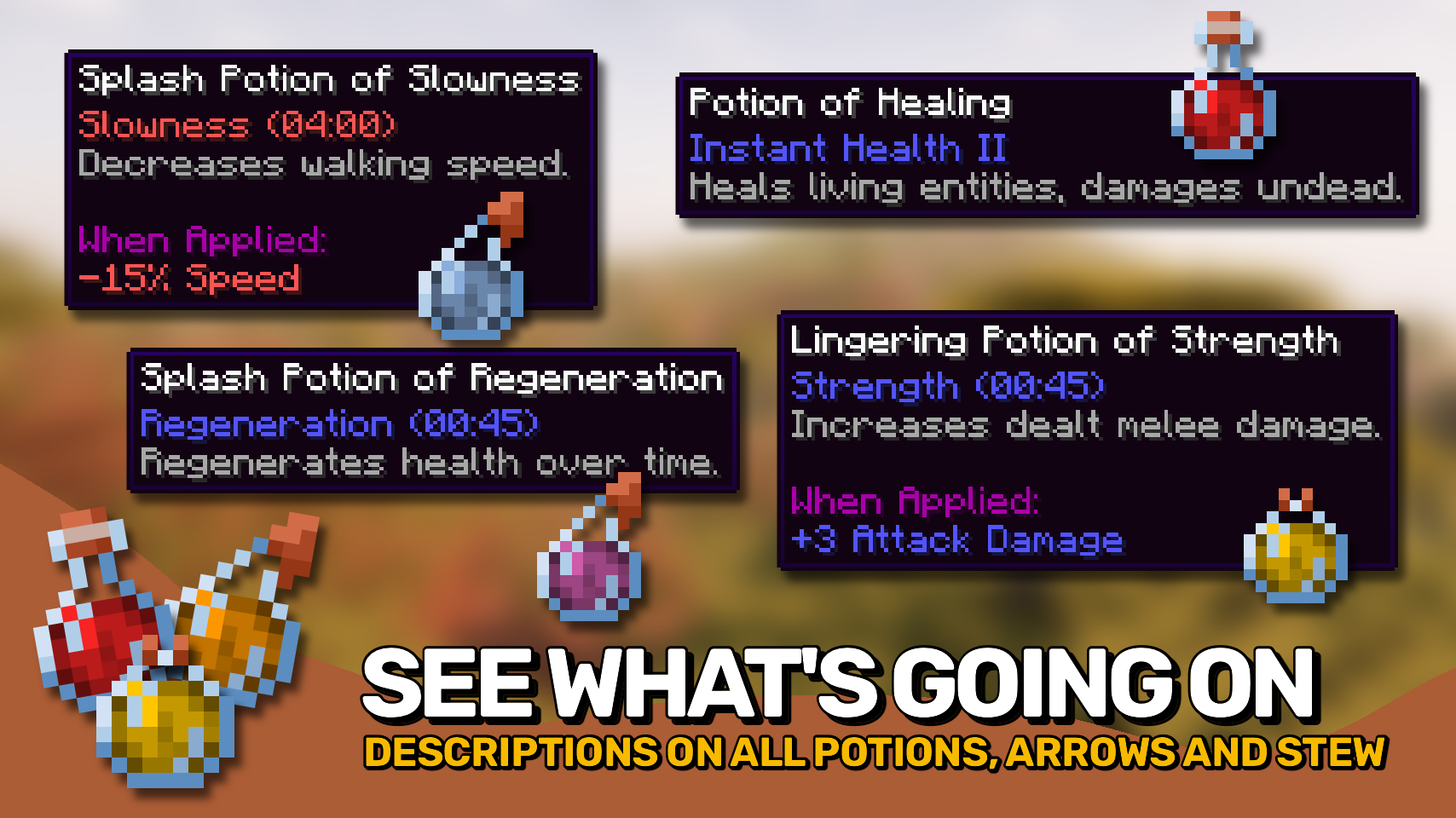
Adds potion and food effect descriptions directly to tooltips. Know effects without the wiki.

644.1K
Downloads
343
Followers
5 months ago
Updated
📦
30
Versions
utilityfabricforgeneoforge
Download Latestv21.11.4View on Modrinth

📖About Effect Insights


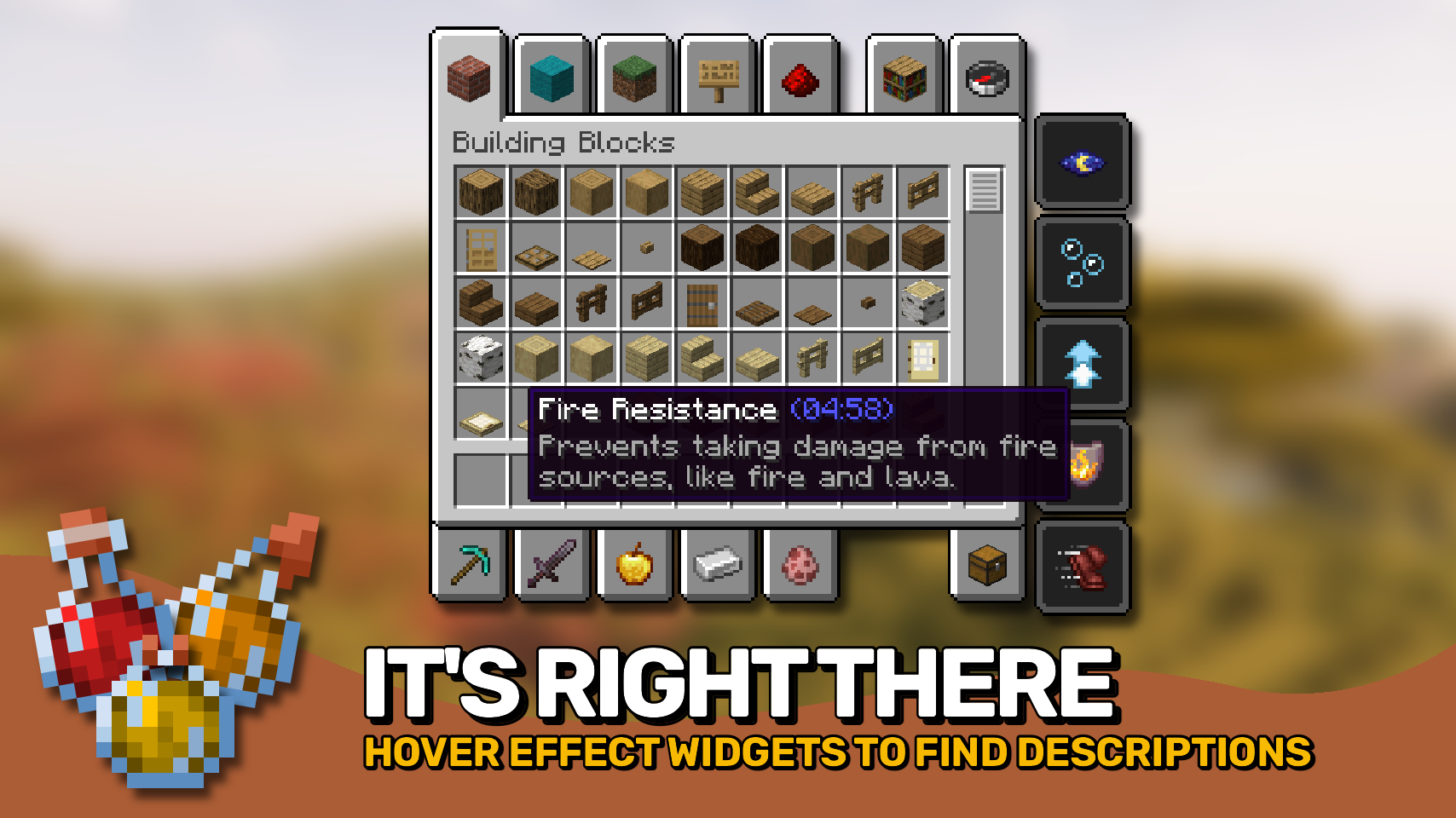
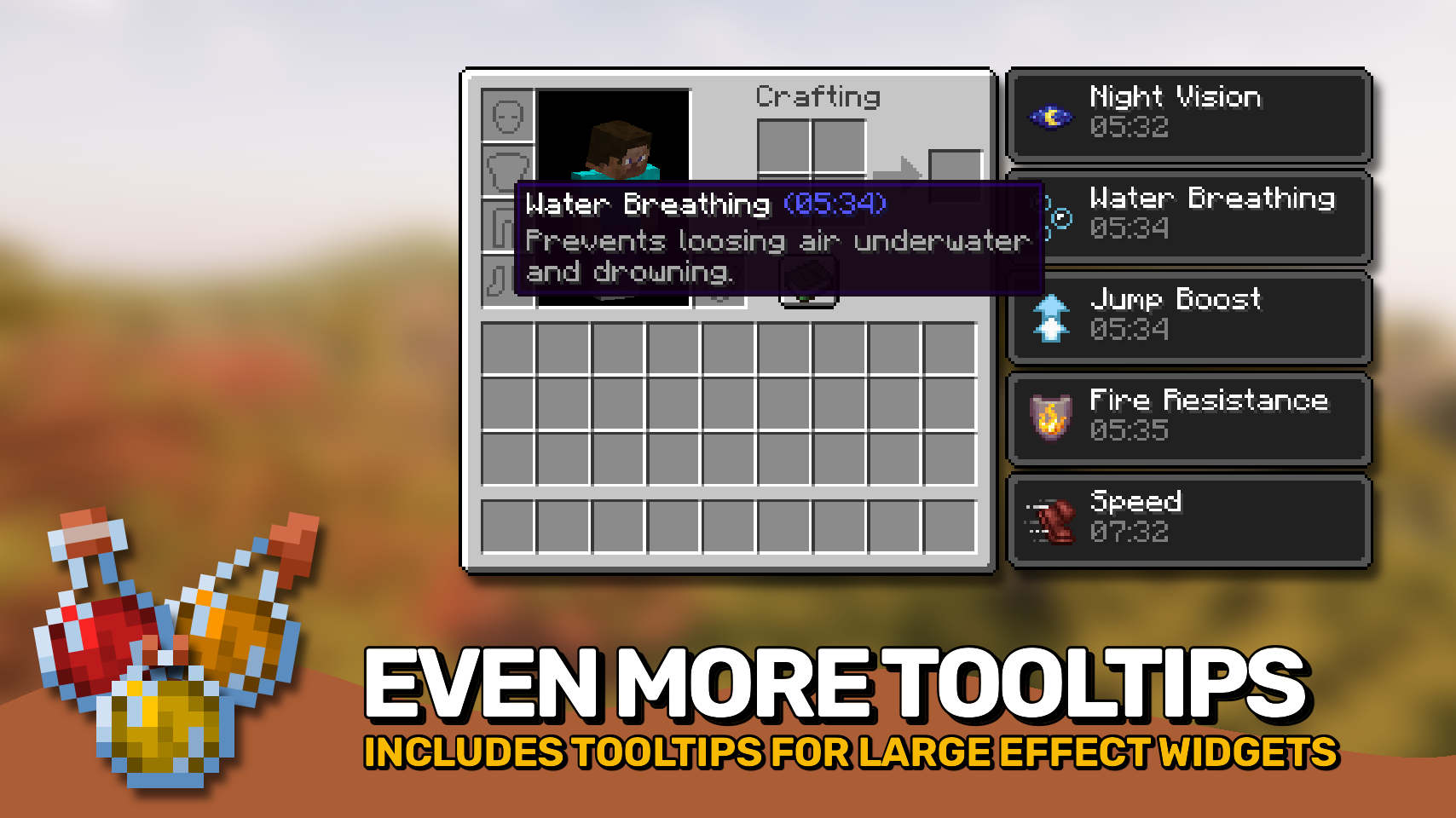
Effect Insights adds simple explanations to status effects from potions and food items, so you always know exactly what each one does. Effects on items show their descriptions directly in the tooltip, and the active effects on your player? Just hover over them in your inventory to see what they do. Everything looks neat and consistent, with clean formatting for quick understanding.

Looking for enchantment descriptions too? Check out the wonderful Enchantment Insights mod!

  • ✨ Effect Explanations: Every potion and food effect includes a simple, readable explanation.
  • 👁️ Hover Details: Hover over effect icons in your inventory to instantly see their details.
  • 📝 Additional Info: Optionally show the effect’s source mod and effect ID for more context.
  • 🎨 Styled Tooltips: Clean layout and styling make descriptions fit naturally into tooltips.
  • ⚙️ Flexible Settings: Choose when and where descriptions appear, and customize formatting to your liking.

⏩ INSTALLATION REQUIRED ON CLIENT

⏩ REQUIRES PUZZLES LIB TO BE INSTALLED (FABRIC & NEOFORGE)

⏩ REQUIRES FABRIC API TO BE INSTALLED (FABRIC)

⏩ REQUIRES FORGE CONFIG API PORT TO BE INSTALLED (FABRIC)

If available for a mod, configuration is possible directly from in-game using the mod menu (requires Mod Menu by Prospector to be installed on Fabric). Please note that on older Minecraft versions installing Forge Config Screens is also a requirement.

For manual configuration using an external text editor all files are found at .minecraft/config, named as MOD_ID-client.toml, MOD_ID-common.toml, or MOD_ID-server.toml, depending on the type of config. Not all types might exist for a mod, if any at all.

🌟 Thanks to azmalent and their old Potion Descriptions mod for being the main inspiration for this project.

🌟 Thanks a lot to Darkhax and their Enchantment Descriptions mod for inspiring some parts of this project, especially when it comes to config options.

👥 Team & Contributors

LunaPixelStudios
LunaPixelStudios
Studio
Fuzs
FuzsOwner

⚙️ Compatibility

Environment
💻 Client-side
Loaders
fabricforgeneoforge
Minecraft Versions
1.21.11

🔗 Links

Modrinth Page