Logo
MINECRAFTBIBLE
Items
Items

All game items

Blocks
Blocks

Building blocks

Mobs
Mobs

Creatures & monsters

Biomes
Biomes

World biomes

Structures
Structures

Generated structures

Recipes
Recipes

Crafting guides

Advancements
Advancements

Achievements

Loot Tables
Loot Tables

Drop rates

Tags
Tags

Item groupings

All Versions
View all data →
Capes
Cape ArchiveNEW

Browse rare Minecon capes, OptiFine capes, and custom capes from players worldwide

Browse

Player Database
Player DatabasePopular

Search any player

Skin Browser
Skin Browser

Browse & download skins

Cape Gallery
Cape GalleryNEW

Minecon & OptiFine capes

Seed Vault
Seed Vault

Curated seeds

Learn

Guides
GuidesNew

Tutorials & tips

Blog
Blog

News & updates

Community

Community Hub
Community HubHub

Posts, discussions & more

All Versions
View community →
Seed Analyzer
Seed Analyzer

World seed analysis

Loot Explorer
Loot Explorer

Drop rates

Crafting Calculator
Crafting Calculator

Material planning

Enchant Calculator
Enchant Calculator

Probability math

Redstone Lab
Redstone Lab

Signal timing

Trading Profit
Trading Profit

Villager ROI

All Versions
View all tools →
Mods
Mods

Browse all mods

Plugins
Plugins

Server plugins

Resource Packs
Resource Packs

Textures & sounds

Shaders
Shaders

Visual enhancements

Datapacks
Datapacks

World logic

Scanner
Mod Intelligence

Scan & analyze any mod

All Versions
View all mods →
Loading...
IntroductionIntroductionVersion HistoryVersion HistoryGuidesGuidesBlog & NewsBlog & News
ItemsItemsBlocksBlocksMobsMobsRecipesRecipesBiomesBiomesStructuresStructuresAdvancementsAdvancementsLoot TablesLoot TablesTagsTags
ModsModsPluginsPluginsResource PacksResource PacksShadersShadersDatapacksDatapacks

MinecraftBible

The Ultimate Wiki

Logo
MINECRAFTBIBLE

The ultimate Minecraft reference. Every item, block, mob, and recipe documented with precision.

Community

  • Skin Browser
  • Cape Gallery
  • Seed Vault
  • Blog
  • Guides

Database

  • Items
  • Blocks
  • Mobs
  • Recipes
  • Biomes
  • Structures

Tools

  • Seed Analyzer
  • Mod Intelligence
  • Crafting Calculator
  • Enchant Calculator

Mods & Packs

  • Mods
  • Plugins
  • Resource Packs
  • Shaders
  • Datapacks

Site & Legal

  • About
  • Authors
  • Editorial Policy
  • Corrections
  • Contact
  • Privacy Policy
  • Terms of Service
  • DMCA
  • Sitemap

© 2026 MinecraftBible. Not affiliated with Mojang or Microsoft.

PrivacyTermsContact
Easy Magic
ModMPL-2.0

Easy Magic

Enchanting tables as they always should have been! Items stay after closing, and easy re-rolls.

9.1M
Downloads
2,086
Followers
4 months ago
Updated
📦
30
Versions
utilityfabricforgeneoforge
Download Latestv21.11.0View on Modrinth

📖About Easy Magic


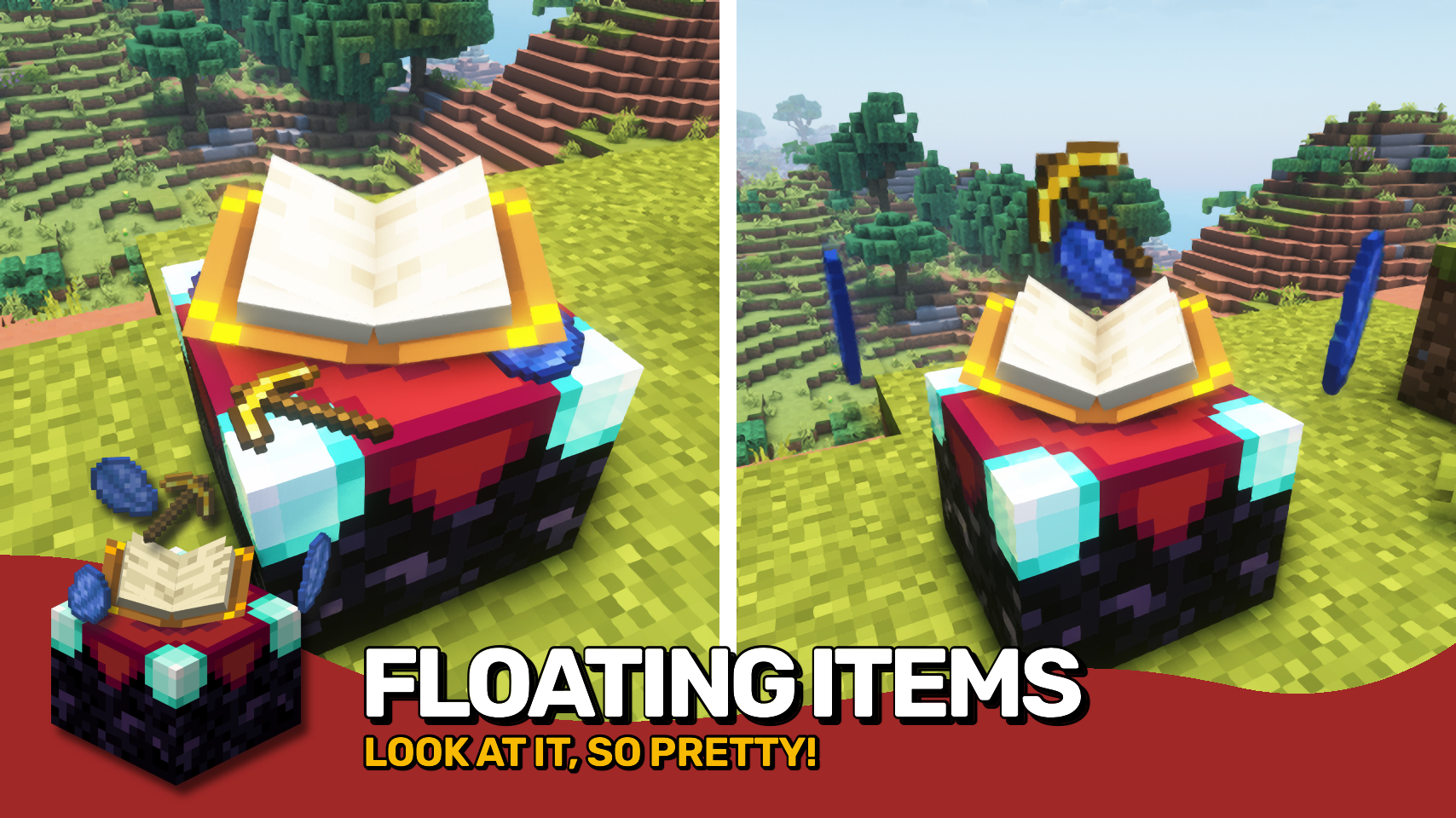
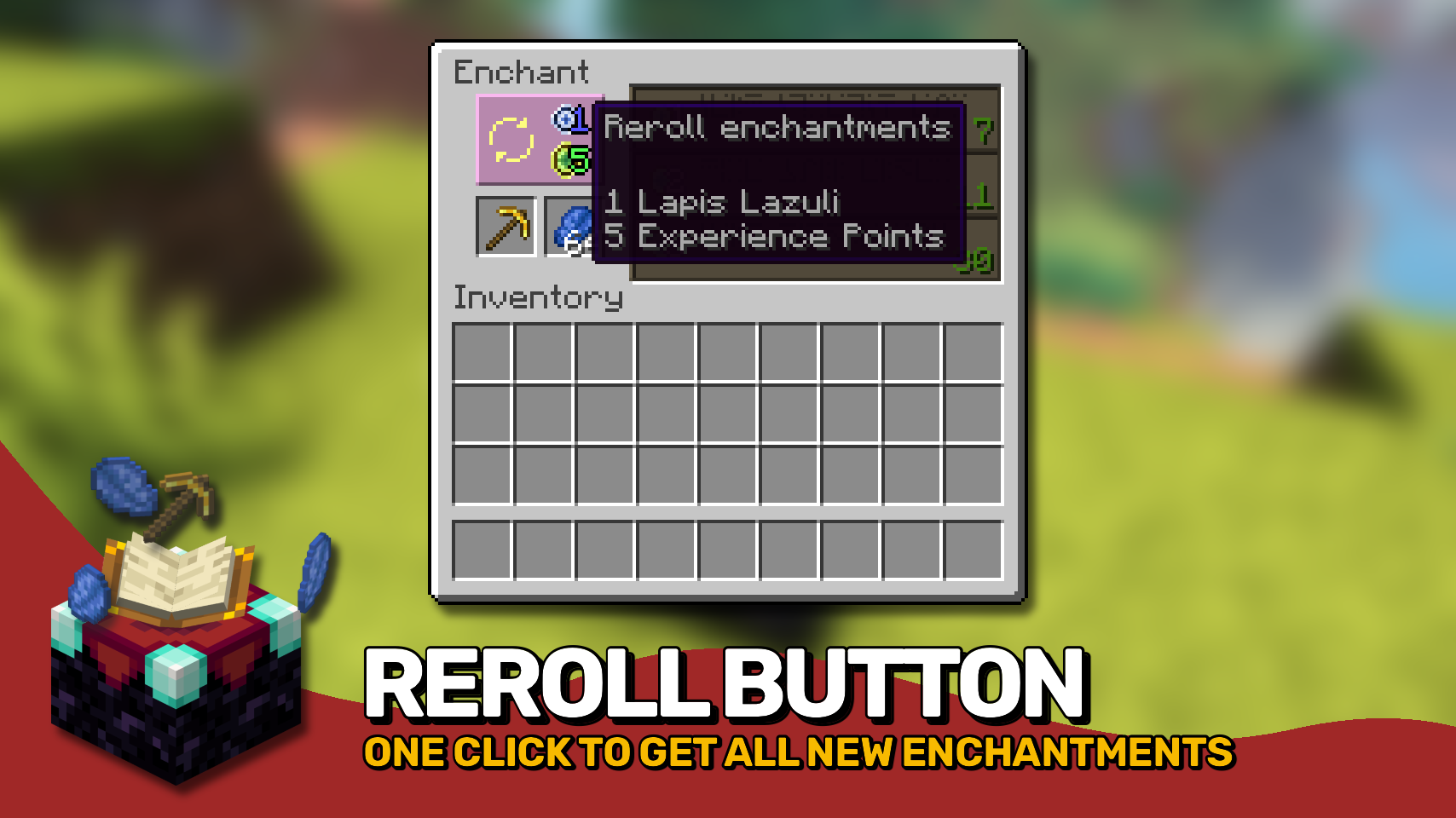
Easy Magic makes it so that items stay in an enchanting table after you close the interface. The items are also rendered floating around the table block. Additionally the enchanting interface includes a button for rerolling the currently offered enchantments for a very low cost.

▶️ Leave both lapis and your to-be-enchanted item simply in the enchanting interface: It'll be beautifully rendered floating around the block!

▶️ Reroll currently offered enchantments for the cost of just a bit of lapis and a few experience points (not levels!).

▶️ Choose how many enchantments you will receive on an item should be preview in the enchanting interface. By default this remains at one.

▶️ Blocks between a bookshelf and an enchanting table are no longer forced to be air, anything without a collision box will work now such a torches or tall grass.

▶️ The number of bookshelves required for a maximum level enchantments is configurable down from 15.

▶️ Simply break and replace your enchanting table after adding this mod to an existing world!

▶️ Disable the reroll button in the config if it conflicts with your resource pack. All functionality will remain regardless!

▶️ Not compatible with Apotheosis and the matrix enchanter from Quark.

⏩ INSTALLATION REQUIRED ON CLIENT & REQUIRED ON SERVER

⏩ REQUIRES PUZZLES LIB TO BE INSTALLED (FABRIC & NEOFORGE)

⏩ REQUIRES FABRIC API TO BE INSTALLED (FABRIC)

⏩ REQUIRES FORGE CONFIG API PORT TO BE INSTALLED (FABRIC)

If available for a mod, configuration is possible directly from in-game using the mod menu (requires Mod Menu by Prospector to be installed on Fabric). Please note that on older Minecraft versions installing Forge Config Screens is also a requirement.

For manual configuration using an external text editor all files are found at .minecraft/config, named as MOD_ID-client.toml, MOD_ID-common.toml, or MOD_ID-server.toml, depending on the type of config. Not all types might exist for a mod, if any at all.

🌟 Thanks to csb987 for the idea of storing items in the enchantment table from their Lapis Stays in the Enchanting Table mod.

🌟 Thanks to Vazkii for the floating inventory contents rendering code taken from the runic alter renderer in their Botania mod.

🌟 Thanks to Draylar for the idea of locking enchantment rerolls behind a certain cost from their Reroll mod.

🌟 Thanks to JohnSmith_474 for inspiring the design of the reroll button from their awesome Enchanting Overhauled mod.

👥 Team & Contributors

LunaPixelStudios
LunaPixelStudios
Studio
Fuzs
FuzsOwner

⚙️ Compatibility

Environment
✅ Client & Server
Loaders
fabricforgeneoforge
Minecraft Versions
1.21.11

🔗 Links

Modrinth Page