


Dynamic Lights
An OPTIMIZED server-side datapack/mod that brings dynamic lights to your world!
📖About Dynamic Lights

Dynamic Lights By CreepermeYT
An OPTIMIZED server-side datapack/mod that brings dynamic lights to your world!
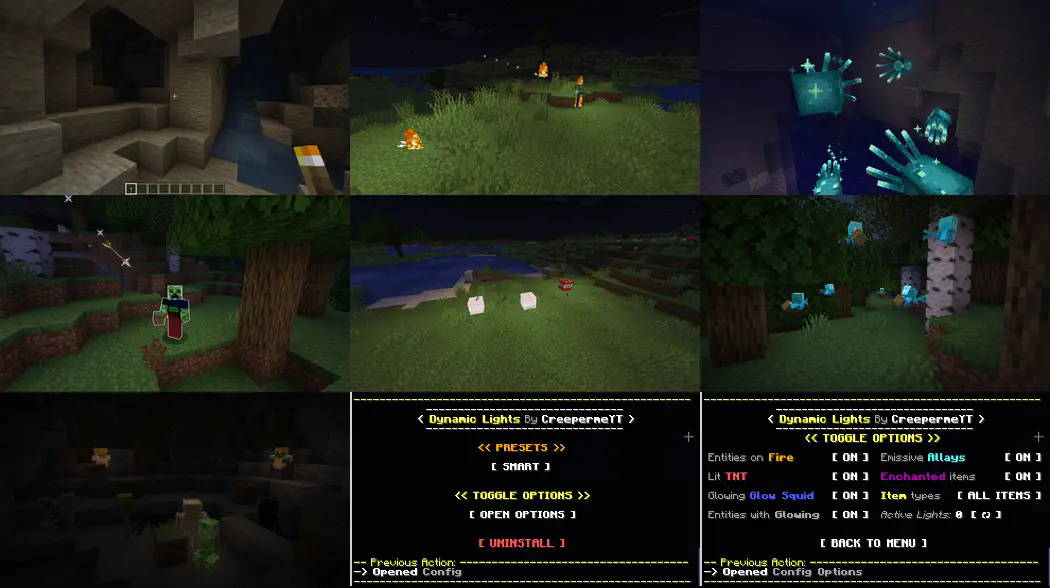
Glowing Features
- All Items
- Entities on Fire
- Lit TNT
- Glow Squids
- Entities with Glowing effect
- All Allays
- Enchanted Items & Armor
Server-side Advantages
This native datapack (packaged as a mod by modrinth) is fully server-side which brings the following advantages:
- Install it once, works for everyone on the server!
- Specifically optimized for servers, with minimal impact on performance!
(Up to 50% faster than similar datapacks)
Warning: This datapack/mod will not work in multiplayer unless it is installed server-side.
Config Menu
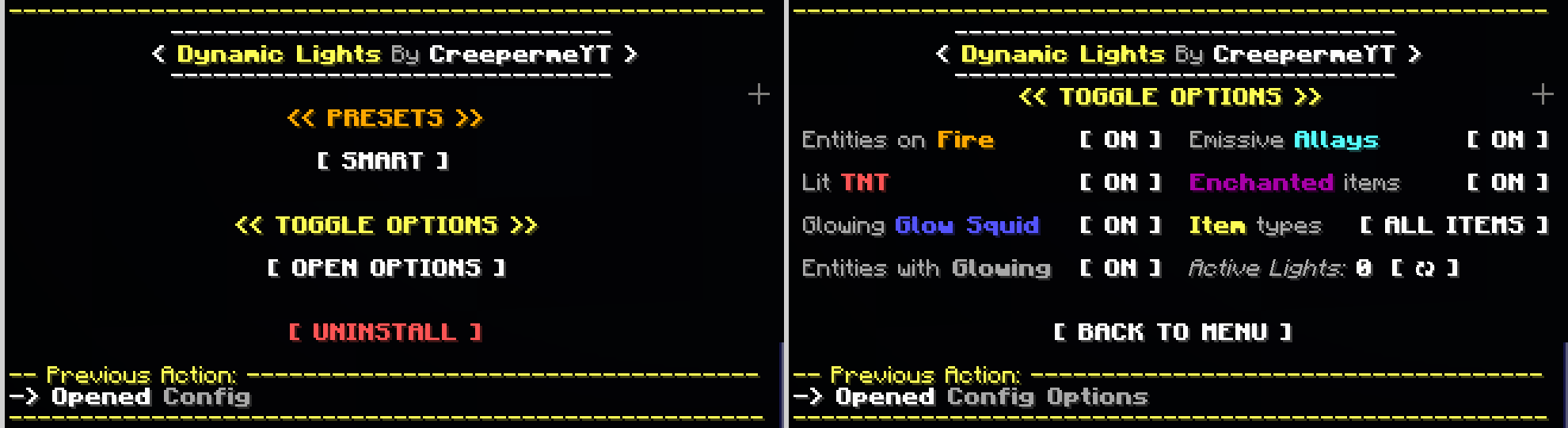
There is a built-in chat config menu. You can open it by running the following command: (you need to be OP)
/function #dynamic_lights_by_creepermeyt:config
In the menu, you can:
- Set any of the following PRESETS:
- 'FASTEST' Only torches have dynamic lights
- 'OPTIMIZED' All features enabled, optimized
- 'SMART' (Default & Recommended) All features enabled, fixes lighting bugs
- Open the Toggle Options Menu where you can:
- Toggle [ ON / OFF ] the glowing features individually
- See how many Active Lights there are
- 'Uninstall' to disable all dynamic lights before you remove the datapack from the datapacks folder
Keep in mind
Four clarifications about this datapack:
- Enchanted Items & Armor will only glow if they are less than 24 blocks away from a player to prevent negative effects on mob farms.
- Lit TNT, Entities with Glowing Effect or on Fire, Glow Squids, and Allays will only glow if they are less than 48 blocks away from a player, for optimization purposes.
- Lit TNT will generate a maximum of 48 dynamic lights (even if there is more TNT), for optimization purposes.
- All items should glow with the exception of non-important ones like those with light levels of 1 or 3.
All dynamic lights datapacks using 'light blocks' face these same limitations:
- The datapack/mod will not work in multiplayer unless it is installed server-side
- Light blocks / Dynamic lights cannot be placed inside no-collision blocks or flowing water.
- Light blocks / Dynamic lights might interfere with the normal flow of water or lava.
- Light blocks / Dynamic lights will clog piston movements and might break TNT dupers.
- Light blocks from map makers will get erased if a player with dynamic lights passes by.
- Dynamic lights will look blocky and not fluid in motion because of the nature of light blocks.
Customizability
(This part is intended to be for other datapack creators/developers)
The following feature was made to allow the open customizability of this datapack. Feel free to utilize it for your own projects under the MIT Licensing conditions.
This datapack has a '/function/compatibility' folder with a compatibility.mcfunction file you can modify at will and use it to generate your own custom dynamic lights using this datapack. You are able to set your own conditions, locations, light levels, and even add other datapack compatibility. Some examples showing how to do this are provided inside the compatibility.mcfunction itself.