

Better Cutter
Cut glass, stone, wood, copper and more easily with the cutter - Get heads from any blocks or items
📖About Better Cutter
Cutter (Tweaks & Heads)


Tweaks
Amethyst
Amethyst block --> Amethyst bud and cluster
Cobblestone
Cobblestone --> Stone brick (chiseled, slabs, stairs, walls)
Copper
Copper block --> 4 Copper doors, 3 Lightning rods, 2 trapdoors, 24 Copper bars, 8 Copper chain
Remove wax from waxed copper items
Turn copper items one stage back (e.g. oxidized --> weathered)
Deepslate
Deepslate --> Any deepslate related block
Glass
Any glass --> 3 Glass pane
Wood
Log --> 2 doors | 1 stripped log | 4 planks
Plank --> 4 buttons | 1 fence gate | 2 fence | 2 pressure plates | 1 sign | 2 slabs | 1 stairs | 1 trapdoor
Stripped Log --> 1 hanging sign | 2 doors | 4 planks | 1 shelf
Heads
Heads for every block in the game and for a lot of items
--> if i missed a block or if you want me to add a head, tell me on my discord server
Guides

If something doesn't work, feel free to join the discord server
How to Install a Datapack in Singleplayer At the Creation of a WorldHow to install a datapack in singleplayer
Open Minecraft
Launch the game.Create a New World
Navigate to "More" and click on "Data Packs".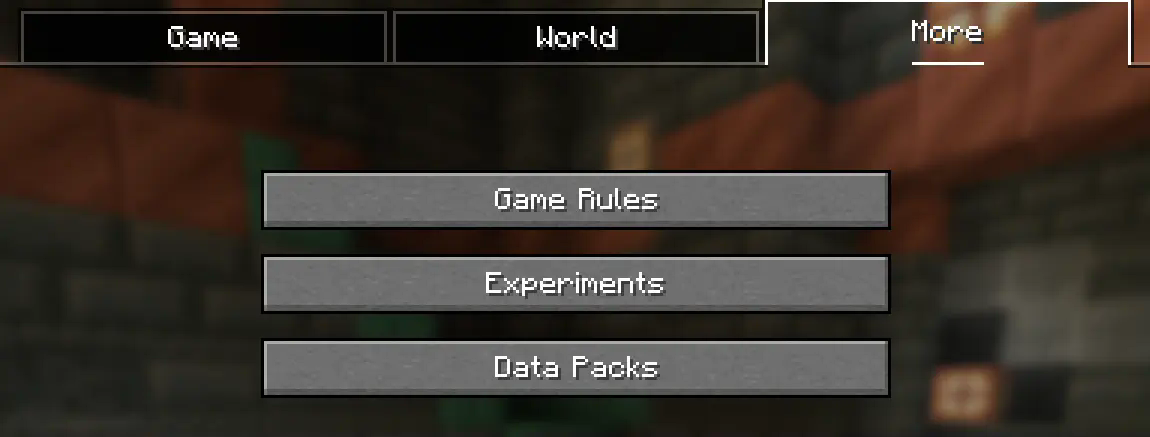
Add the Datapack
Drag the datapack (a.zipfile or directory) into the Minecraft window.- A confirmation screen will appear. Click "Yes".
Activate the Datapack
Move the datapack to the right-hand side of the screen by clicking the triangle on its icon (visible when hovering over it).
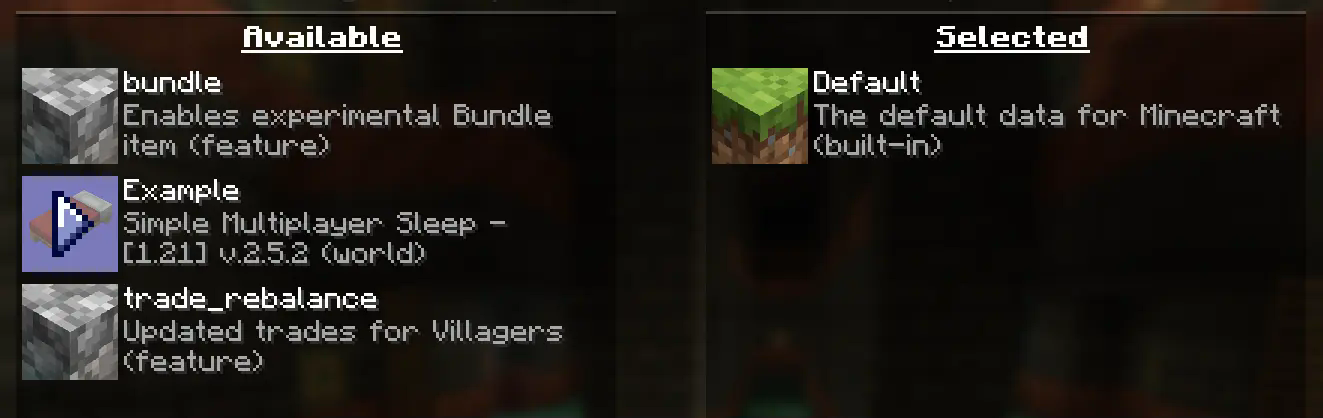
- Complete World Creation
- Click "Done" at the bottom of the screen.
- Continue creating your world and click "Create New World".
⚠️ IMPORTANT ⚠️
The datapack only works if cheats are enabled.
You can verify the datapack is active by typing:/datapack list enabled
This command should list an entry named [file/<your datapack file/directory name>].
How to Install a Datapack in an Existing Singleplayer World
Open Minecraft
Launch the game.Select Your World
- Choose the world you want to install the datapack for.
- Click "Edit", then "Open World Folder".
Add the Datapack
- Open the folder named
datapacks. - Place the datapack into this folder. It should be a
.zipfile or a directory.
- Open the folder named
Reload the World
- If you are in the world during installation, type
/reloadin the chat or press F3 + T to reload resources.
(Make sure cheats are enabled.)
- If you are in the world during installation, type
⚠️ IMPORTANT ⚠️
The datapack only works if cheats are enabled.
You can verify the datapack is active by typing:/datapack list enabled
If you encounter this issue, here is a step by step guide on how to enable Cheats/Admincommands permanently after you have already created a Minecraft world.
⚠️ Before you begin, you should save and backup your world in case something goes wrong.
(I will not take any responsibility for any corrupt worlds. Do this at your own risk!)
But don't worry this works without any problems.
If you don't want to change this permanently check out this guide.
1. You need NBTExplorer
NBTExplorer is an open-source NBT editor for all common sources of NBT data. It's mainly intended for editing Minecraft game data.
2. Open NBTExplorer and open your Minecraft world, where you want to enable Cheats/Admincommands.

3. Navigate to:
<Your Minecraft World>level.datDataallowCommands

4. Click on "Edit Tag Value"

5. Change the Value from 0 to 1 and click "OK"

6. Now click on "Save All Modified Tags"

That's it. You are done. You can now join your world and check if you have permission to change your gamemode, for example.
Enabling Cheats Temporarily After World Creation
If you encounter this issue, here is a step-by-step guide on how to enable Cheats/Admin commands temporarily after you have already created a Minecraft world.
Join Your World
Open your single-player world and press "Escape".Open to LAN
Click on "Open to LAN".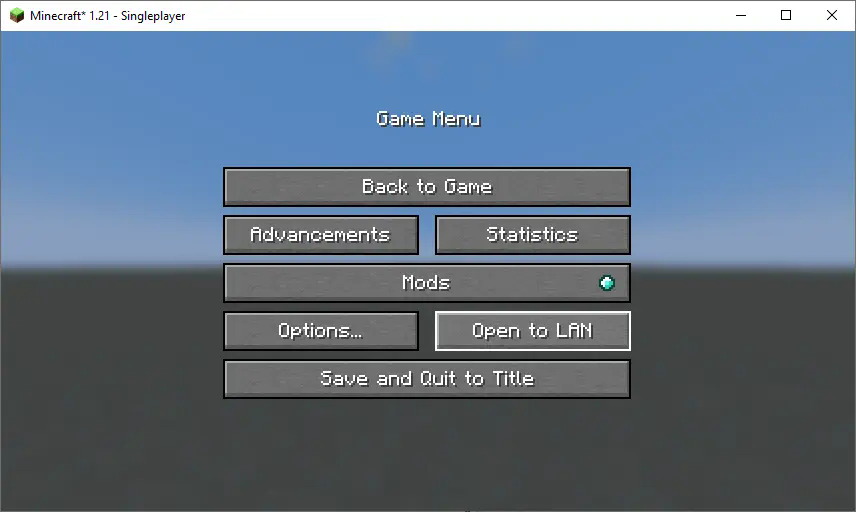
Allow Commands
Set "Allow Commands" to ON.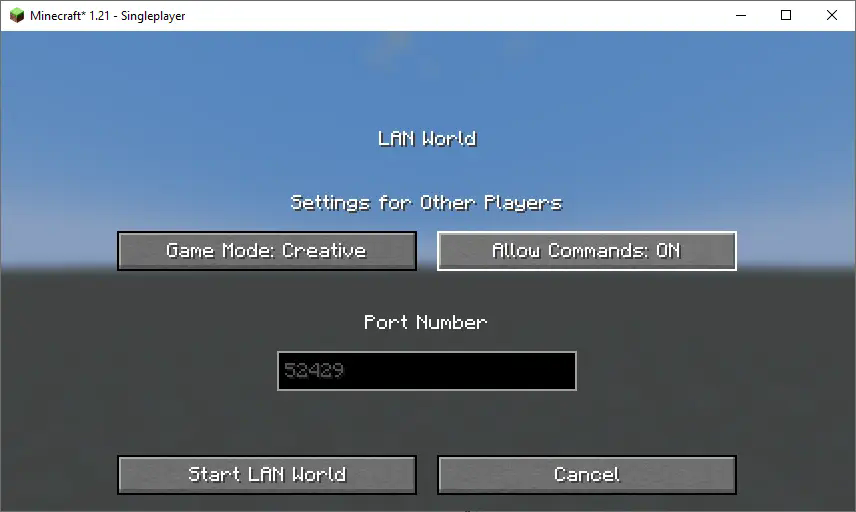
Start LAN World
Click "Start LAN World" to apply the changes.
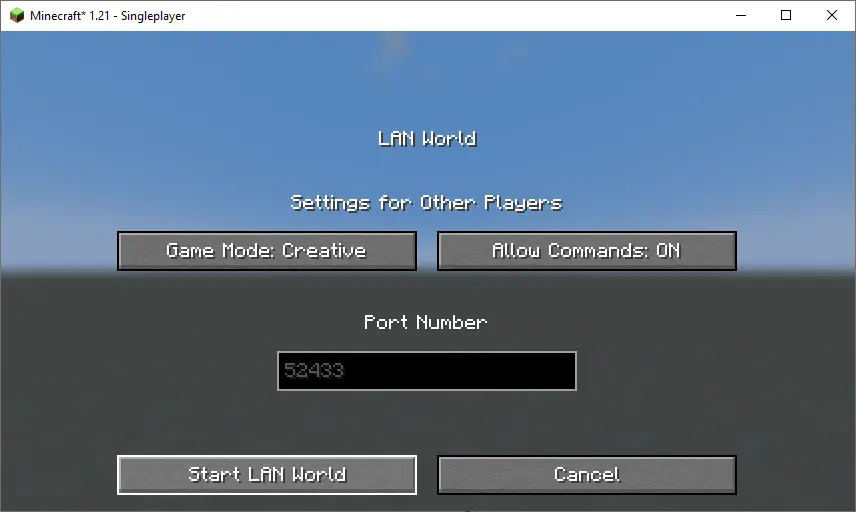
Now, you should be able to use commands like changing your gamemode. Keep in mind that this is only temporary and will need to be done every time you join the world.
How to Install a Datapack in MultiplayerHow to Install a Datapack in Multiplayer
Open Your Server Folder
Navigate to your server folder, then open the folder for the world you wish to install the datapack in (default:world).Add the Datapack
- The datapack should be a
.zipfile. - Place the datapack into a folder named
datapacksinside the world folder.
- The datapack should be a
Reload the Server
- Type
/reloadfrom the console or as a level 3 operator if the server was running during the installation.
- Type
How to Uninstall a Datapack from Your Singleplayer World or Server
Run the Uninstall Command
For my datapacks, run the command:/function datapack_name:uninstallDelete the Datapack
- Delete the datapack from the folder you placed it in.
- Alternatively, you can run:
/datapack disable [file/your data pack file/directory name]
Reload the World or Server
After deleting or disabling the datapack, run:/reload
Step-by-Step Guide to Installing a Mod on a Minecraft Server
Download the Mod
- Make sure to download the correct version of the Mod that matches your server's Minecraft version.
- Important: The mod file should be a
.jarfile.
Ensure No Datapacks or Other Mods Conflict
- Do not have both a datapack and a mod installed at the same time, as they may conflict.
- Only install one or the other, depending on your server's setup.
Locate the Mods Folder
- Open your server's root directory.
- Inside this directory, find the folder named
mods. - If the
modsfolder doesn't exist, create one.
Install the Mod
- Paste the downloaded
.jarfile for the Mod into themodsfolder.
- Paste the downloaded
Restart the Server
- After adding the Mod to the
modsfolder, restart your Minecraft server for the mod to be activated.
- After adding the Mod to the
Verify Mod Installation
- Once the server has restarted, join the server and check if the Mod is working.
- You can use
/modsor a similar command (depending on the mod) to see if the Mod has been successfully loaded.
Additional Tips
- Backup Your Server: Always create a backup before installing the Mod to avoid data loss in case something goes wrong.
- Ensure Mod Compatibility: Check that the Mod is compatible with your Minecraft server version and any other mods you have installed.