Logo
MINECRAFTBIBLE
Items
Items

All game items

Blocks
Blocks

Building blocks

Mobs
Mobs

Creatures & monsters

Biomes
Biomes

World biomes

Structures
Structures

Generated structures

Recipes
Recipes

Crafting guides

Advancements
Advancements

Achievements

Loot Tables
Loot Tables

Drop rates

Tags
Tags

Item groupings

All Versions
View all data →
Capes
Cape ArchiveNEW

Browse rare Minecon capes, OptiFine capes, and custom capes from players worldwide

Browse

Player Database
Player DatabasePopular

Search any player

Skin Browser
Skin Browser

Browse & download skins

Cape Gallery
Cape GalleryNEW

Minecon & OptiFine capes

Seed Vault
Seed Vault

Curated seeds

Learn

Guides
GuidesNew

Tutorials & tips

Blog
Blog

News & updates

Community

Community Hub
Community HubHub

Posts, discussions & more

All Versions
View community →
Seed Analyzer
Seed Analyzer

World seed analysis

Loot Explorer
Loot Explorer

Drop rates

Crafting Calculator
Crafting Calculator

Material planning

Enchant Calculator
Enchant Calculator

Probability math

Redstone Lab
Redstone Lab

Signal timing

Trading Profit
Trading Profit

Villager ROI

All Versions
View all tools →
Mods
Mods

Browse all mods

Plugins
Plugins

Server plugins

Resource Packs
Resource Packs

Textures & sounds

Shaders
Shaders

Visual enhancements

Datapacks
Datapacks

World logic

Scanner
Mod Intelligence

Scan & analyze any mod

All Versions
View all mods →
Loading...
IntroductionIntroductionVersion HistoryVersion HistoryGuidesGuidesBlog & NewsBlog & News
ItemsItemsBlocksBlocksMobsMobsRecipesRecipesBiomesBiomesStructuresStructuresAdvancementsAdvancementsLoot TablesLoot TablesTagsTags
ModsModsPluginsPluginsResource PacksResource PacksShadersShadersDatapacksDatapacks

MinecraftBible

The Ultimate Wiki

Logo
MINECRAFTBIBLE

The ultimate Minecraft reference. Every item, block, mob, and recipe documented with precision.

Community

  • Player Database
  • Skin Browser
  • Cape Gallery
  • Community Hub
  • Seed Vault

Database

  • Items
  • Blocks
  • Mobs
  • Recipes
  • Biomes
  • Structures

Tools

  • Seed Analyzer
  • Mod Intelligence
  • Crafting Calculator
  • Enchant Calculator

Mods & Packs

  • Mods
  • Plugins
  • Resource Packs
  • Shaders
  • Datapacks

© 2026 MinecraftBible. Not affiliated with Mojang or Microsoft.

PrivacyTermsContact
Cubium
ModLGPL-3.0-or-later

Cubium

A client-side Minecraft mod that integrates a Chromium-based browser directly into the game, allowing you to access websites without tabbing out.

3.3K
Downloads
56
Followers
9 months ago
Updated
📦
8
Versions
utilityfabric
Download Latestv1.1.3View on Modrinth

📖About Cubium

🌐 Cubium – The In-Game Minecraft Browser

Cubium is a client-side Minecraft mod that integrates a Chromium-based browser directly into the game. With Cubium, you can browse the web seamlessly without ever needing to tab out. The browser can be opened at any time using the B key (default, customizable in settings).

🚨 Important

Cubium uses the MCEF library. Make sure to install it together with the mod.

You will also need the Fabric API and the Fabric Language Kotlin for the mod to work.

If you want to use Quilt, you'll need to use the Quilted Fabric API instead of the Fabric API, and the Quilt Kotlin Libraries instead of the Fabric Language Kotlin.

🛠️ Features

  • Fully Integrated Browser: Surf the web while staying in Minecraft.
  • Customizable Search Engines: Choose your preferred search engine for a optimized browsing experience.
  • Picture-in-Picture Mode: Use a floating, movable window to browse while playing.
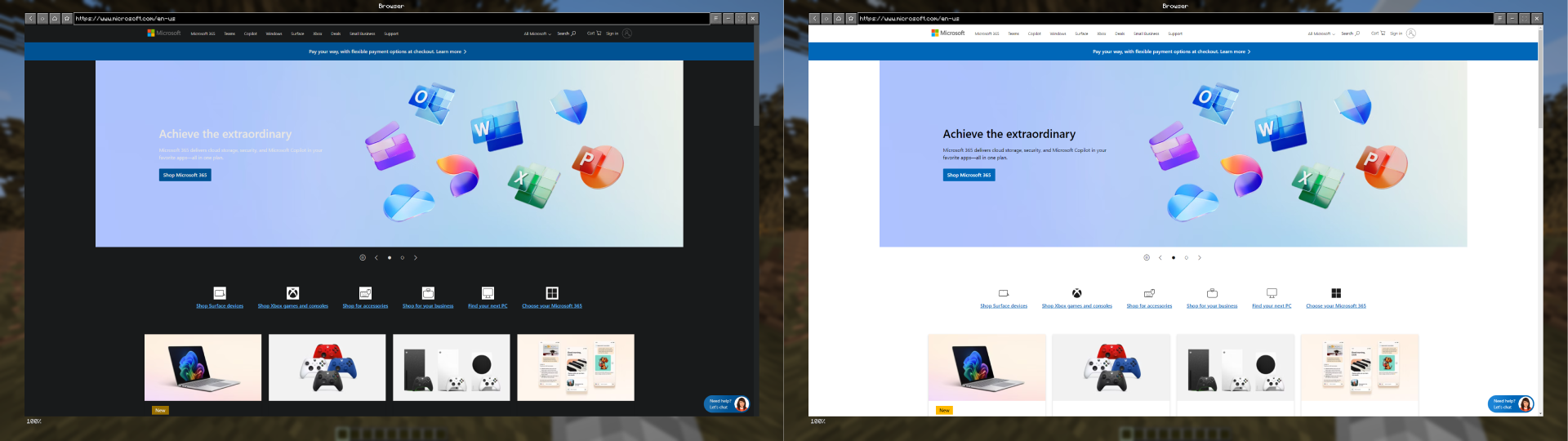
  • Dark Mode: Experience every website in a dark style using Dark Reader scripts.
  • Minimizable Window: Minimize the browser while keeping audio and processes active.
  • File Downloads: Download files directly through the browser without leaving Minecraft.
  • Client-Side Only: No server-side dependencies; works in any singleplayer or multiplayer environment.
  • User-Friendly Interface: Designed for ease of use, just like a regular browser.

🚀 How to Use

  1. Press B (default) to open the browser in-game.
  2. First Time Setup: Select your preferred search engine; the browser will open once you've made your selection.
  3. After selection, pressing B will open the browser directly with your chosen search engine.
  4. If you have the history enabled, Cubium will remember your last visited page instead.
  5. To reset your search engine (if you want to change it), use the command:
    /cubium reset_default_se

🧩 Works Great with TMYK

Cubium works seamlessly with the TMYK mod by fingerguns83. TMYK allows you to easily access wiki links by typing /wiki [search term], or simply /wiki to look up information about blocks, entities, or fluids you're currently looking at.

📖 Wiki

If you need help, you can check the wiki for additional information and guides, join our Discord server here, or open an issue on GitHub here.

🖼️ Preview

Search Engine Selection (Order randomized):
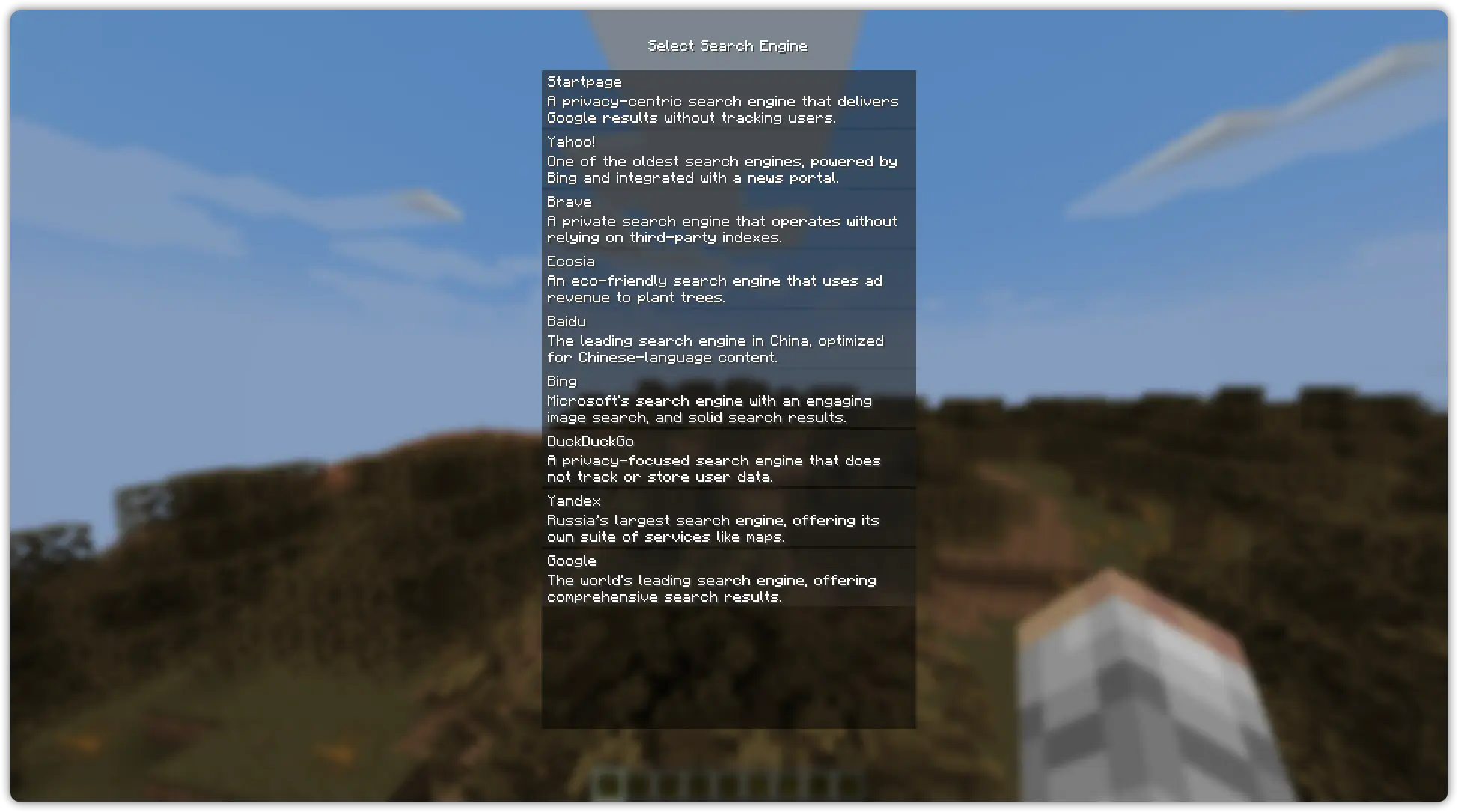
Search Engine Selection

Browser Example (On the Wikipedia Main Page):
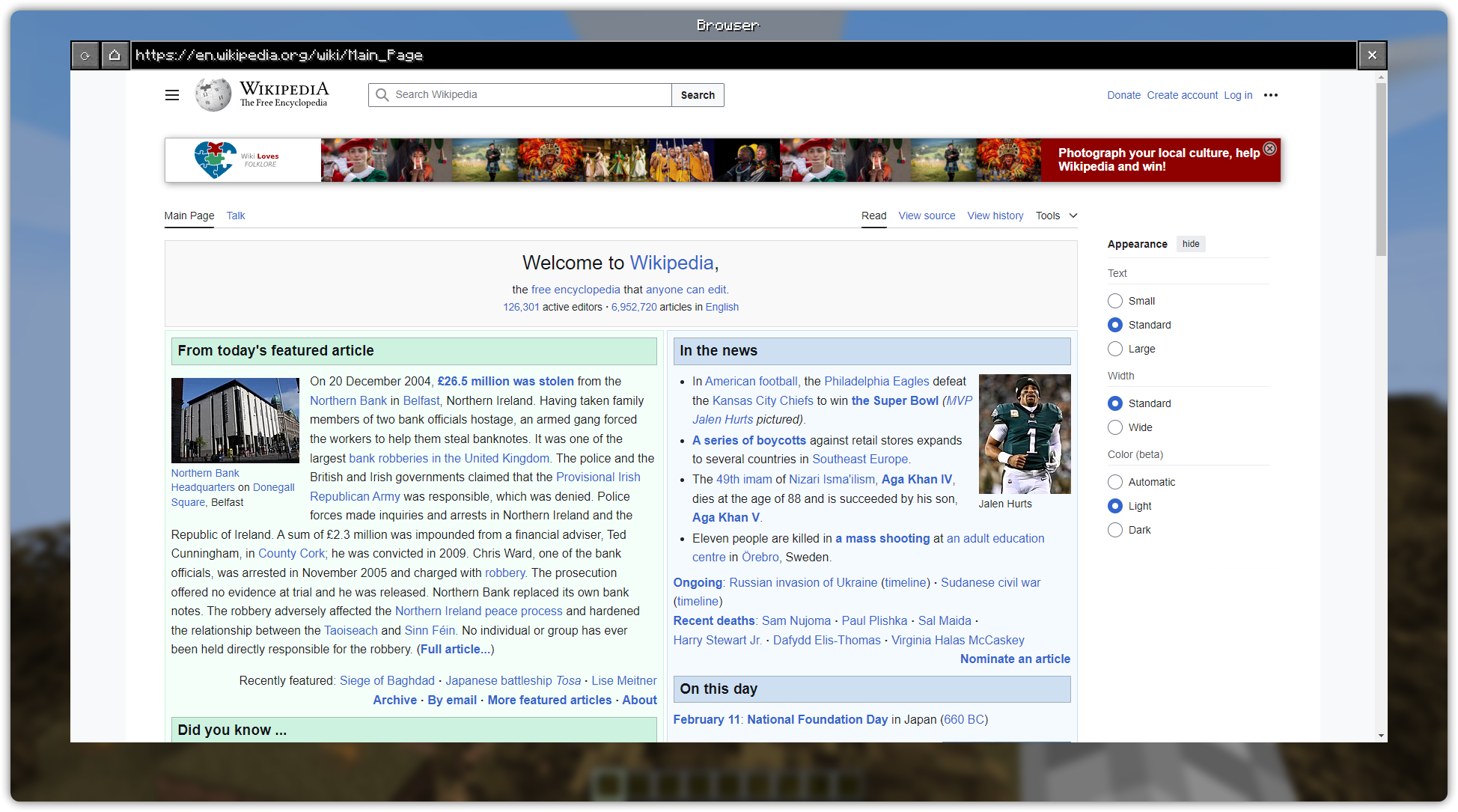
Browser Example

Picture in Picture Example (On YouTube):

PiP

Dark Mode (On Microsoft Website):
Dark Mode Comparison

👥 Team & Contributors

HenriTom
HenriTomOwner

⚙️ Compatibility

Environment
💻 Client-side
Loaders
fabric
Minecraft Versions
1.21.1

🔗 Links

Modrinth Page