


Cubes Without Borders
Allows you to play Minecraft in a borderless fullscreen window.
📖About Cubes Without Borders
Cubes Without Borders





A mod that allows you to play Minecraft in a borderless fullscreen window. This means you can keep the game open while interacting with other applications on a different monitor, or even directly on top of Minecraft itself, without the game minimizing.
What sets Cubes Without Borders apart from other "borderless fullscreen" mods on the market is its explicit support for all major platforms: Linux, macOS, and even Windows. Instead of focusing on just one platform and leaving the mod broken for users of other operating systems, this project strives to provide the best possible experience for everyone, right out of the box. No screen flickering, no strange compositing glitches, no need to sacrifice the ability to change your game's resolution - just smooth, borderless fullscreen gameplay, as it was meant to be.
Usage
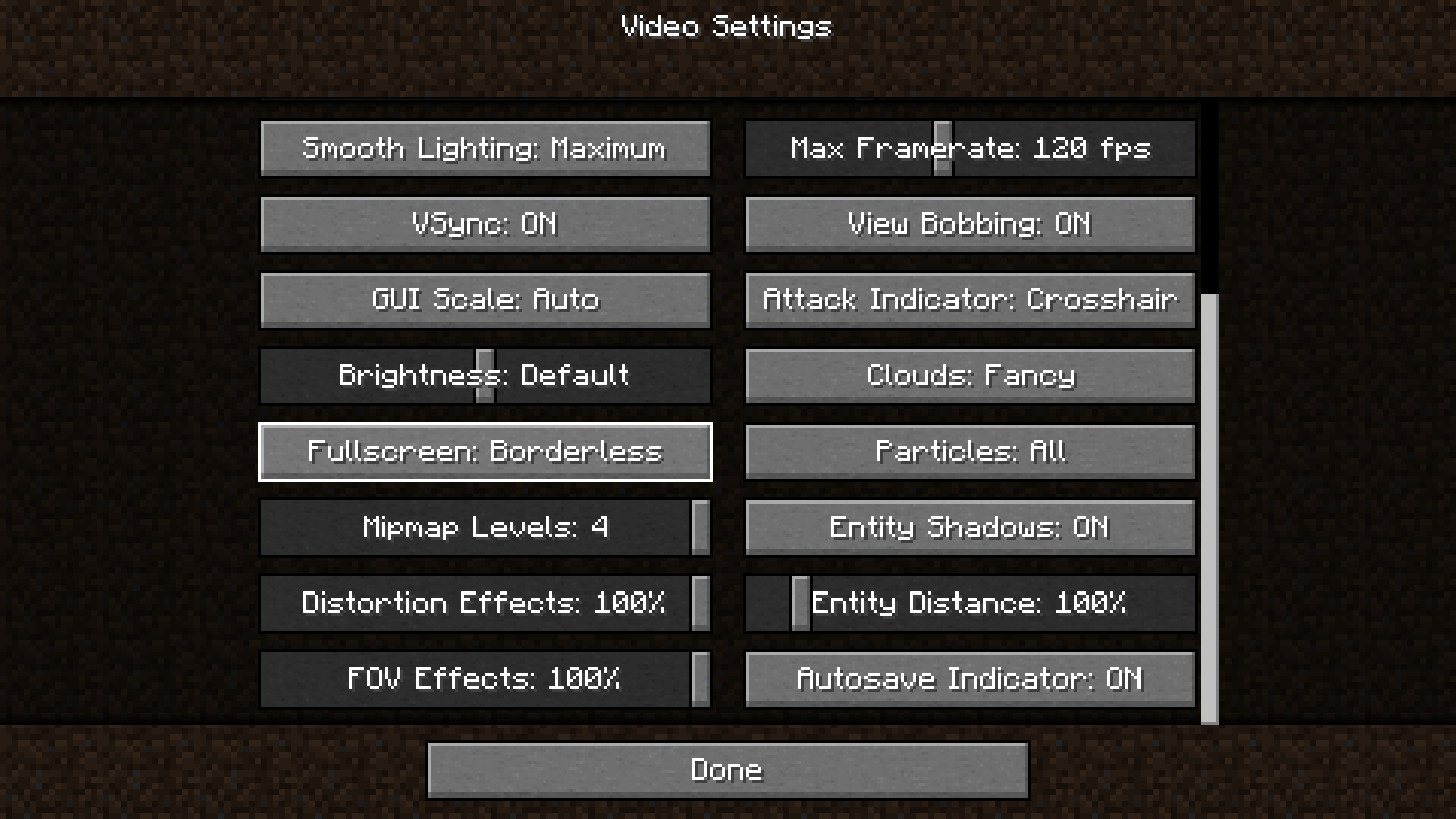
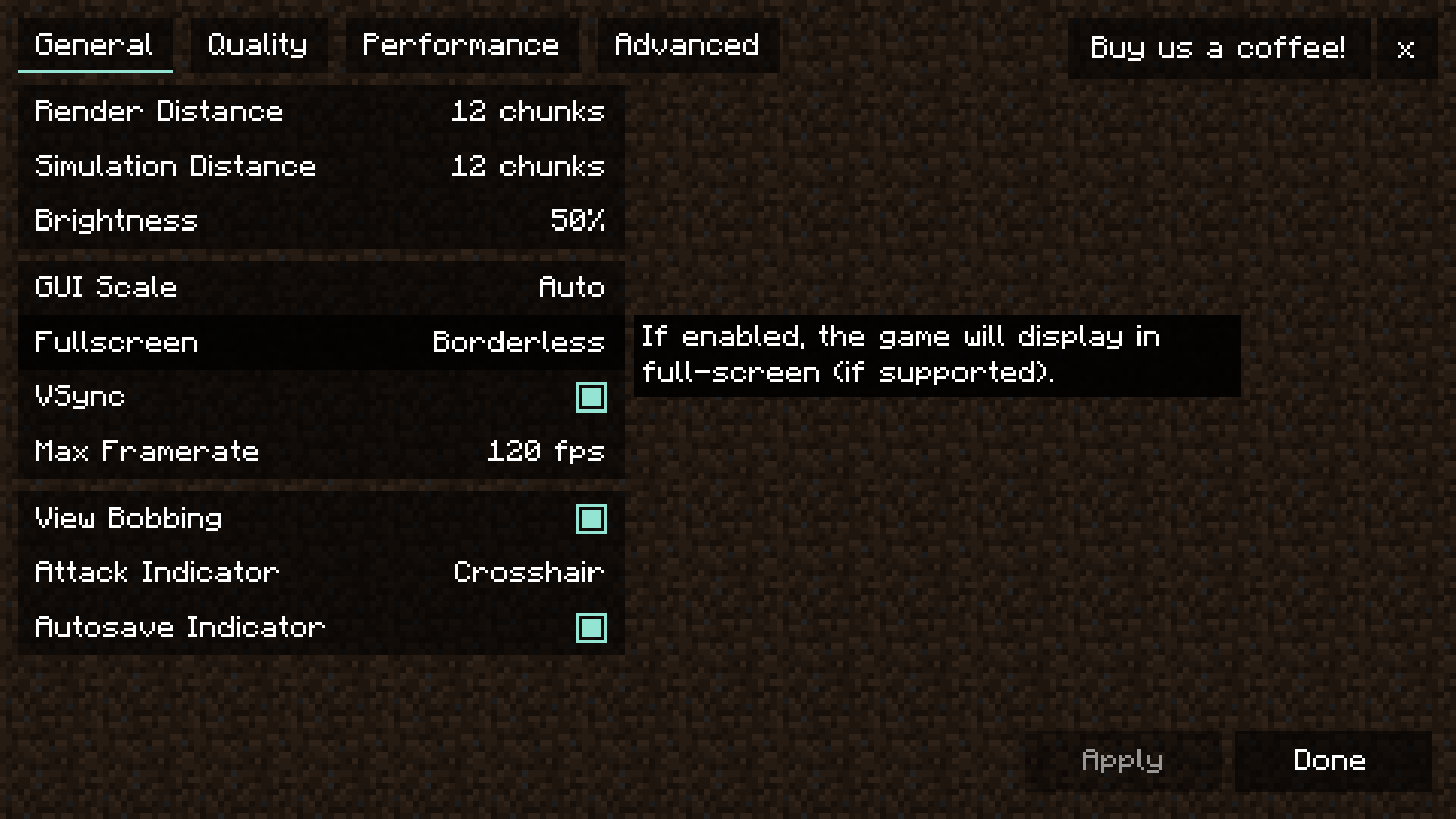
To enable borderless fullscreen, go to the Video Settings tab where you'd typically find the Fullscreen setting, and switch it to the newly added third option: Borderless.
Depending on whether you have Sodium installed, you may find the option in question here:
 |
 |
|---|
Additionally, the mod introduces a --borderless startup flag for those interested. This flag works the same way as the existing --fullscreen one, but forces the game to start in borderless fullscreen mode instead.
Config
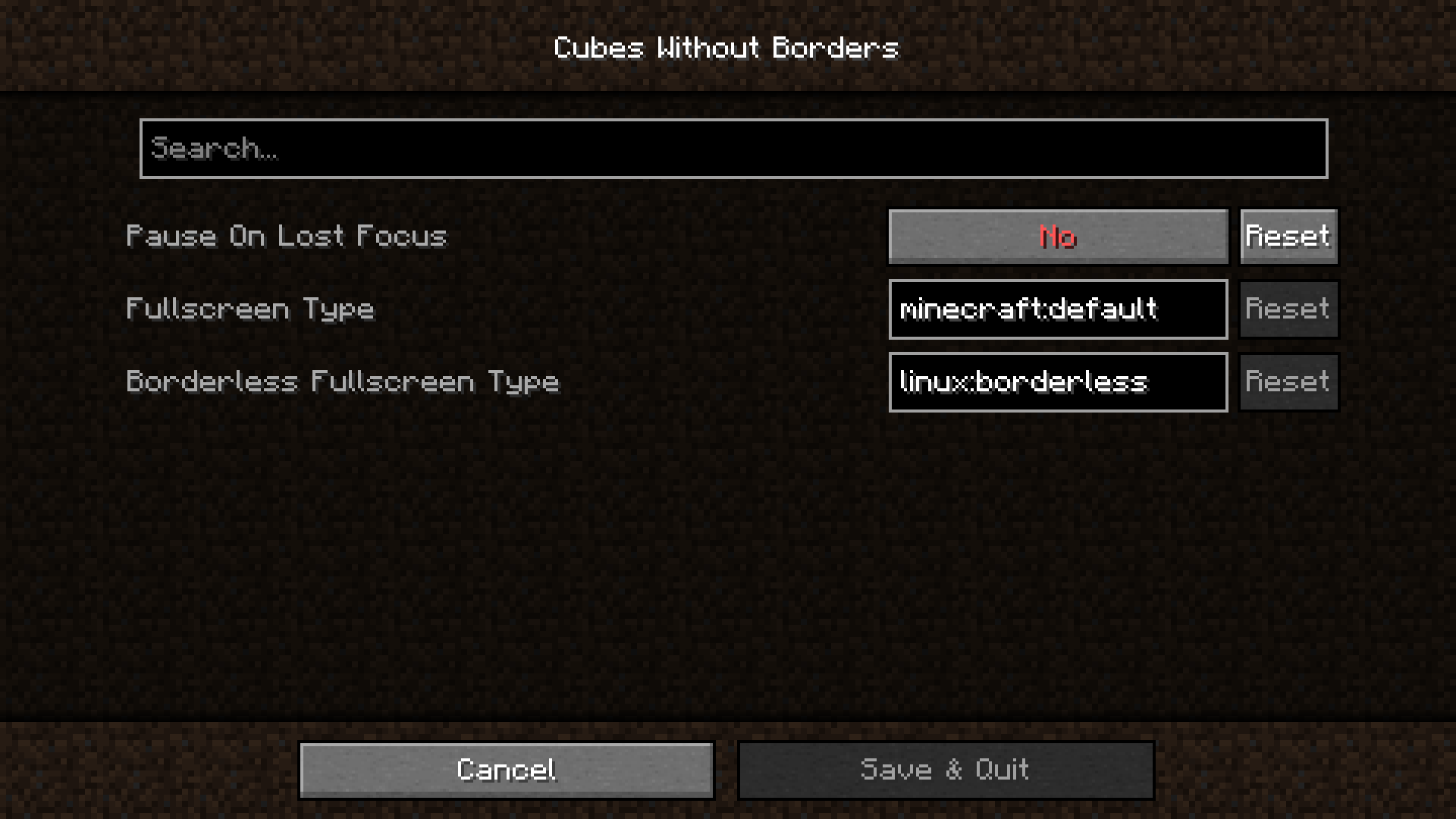
The mod provides a simple configuration screen, which can be accessed if you have Cloth Config API installed:
| Name | Description |
|---|---|
| Pause On Lost Focus | If set to Yes, Minecraft will automatically pause whenever its window loses focus |
| Fullscreen Type | Allows you to override the default fullscreen type used by Minecraft when the Fullscreen setting is set to ON |
| Borderless Fullscreen Type | Allows you to override the borderless fullscreen type used when the Fullscreen setting is set to Borderless |
Fullscreen Types
| Name | Description |
|---|---|
minecraft:default |
Default fullscreen mode used by Minecraft |
minecraft:windowed |
OS-agnostic windowed fullscreen mode This implementation is not tied to a specific OS, making it susceptible to quirks across different platforms. While it generally shouldn't be preferred over other fullscreen types, it might work well in certain contexts. |
linux:borderless |
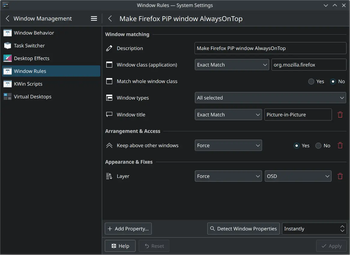
Borderless fullscreen mode for Linux systems It works well in most cases; however, due to the FreeDesktop spec, you may notice that conforming desktops (like KDE Plasma) don't place PiP windows (e.g., media players) above fullscreen windows. To fix this, change the layer of the window in question to OSD or Overlay (here's an example for Firefox).If you use KDE Plasma with an auto-hiding/dodging taskbar, you might want to try minecraft:windowed, as it functions pretty nicely in this scenario. |
macos:borderless |
Borderless fullscreen mode for macOS systems |
windows:borderless |
Borderless fullscreen mode for Windows systems This implementation has a few quirks and doesn't always work well with overlays (like the one from Discord). If possible, it is generally recommended to use windows:windowed instead. |
windows:windowed |
Windowed fullscreen mode for Windows systems This provides the best experience for Windows users overall. The only known issue is that OBS Game Capture doesn't automatically detect Minecraft's window when using this mode. This is a bug with OBS, and I submitted a pull request to address it. If it hasn't been merged yet, and this feature is important to you, consider using other fullscreen types as a temporary workaround. |
windows:exclusive |
Exclusive fullscreen mode for Windows systems that mimics some qualities of borderless fullscreen You might be familiar with this if you're coming from mods like CW/B or Borderless MiningHowever, it generally shouldn't be used, as it causes notorious screen flickering whenever the game window loses or regains focus, and it doesn't cooperate well with compositing. Unless you're specifically aiming to minimize input lag in the game about blocks, which is the main and only benefit of this mode, it's best to consider other options. |
Build
Requirements:
- JDK
17
git clone https://github.com/Kir-Antipov/cubes-without-borders
cd cubes-without-borders
./gradlew build
License
Licensed under the terms of the MIT License.