


Create: Improved Display Link Experience
Sprucing up the functionality of Display Links from Create mod
📖About Create: Improved Display Link Experience

Create: Improved Display Link Experience





Create: Improved Display Link Experience (C: IDLX) is a little Quality-of-Life add-on for Create mod aimed at sprucing up some of Display Link features, mainly the underrated Attached Label option.
Features
Placeholders for the Attached Label
The way Create mod currently handles displaying information (aka data) with the attached label is by simply concatenating them with a space:
It's a simple way, but thus a severely limiting one in terms of customization.
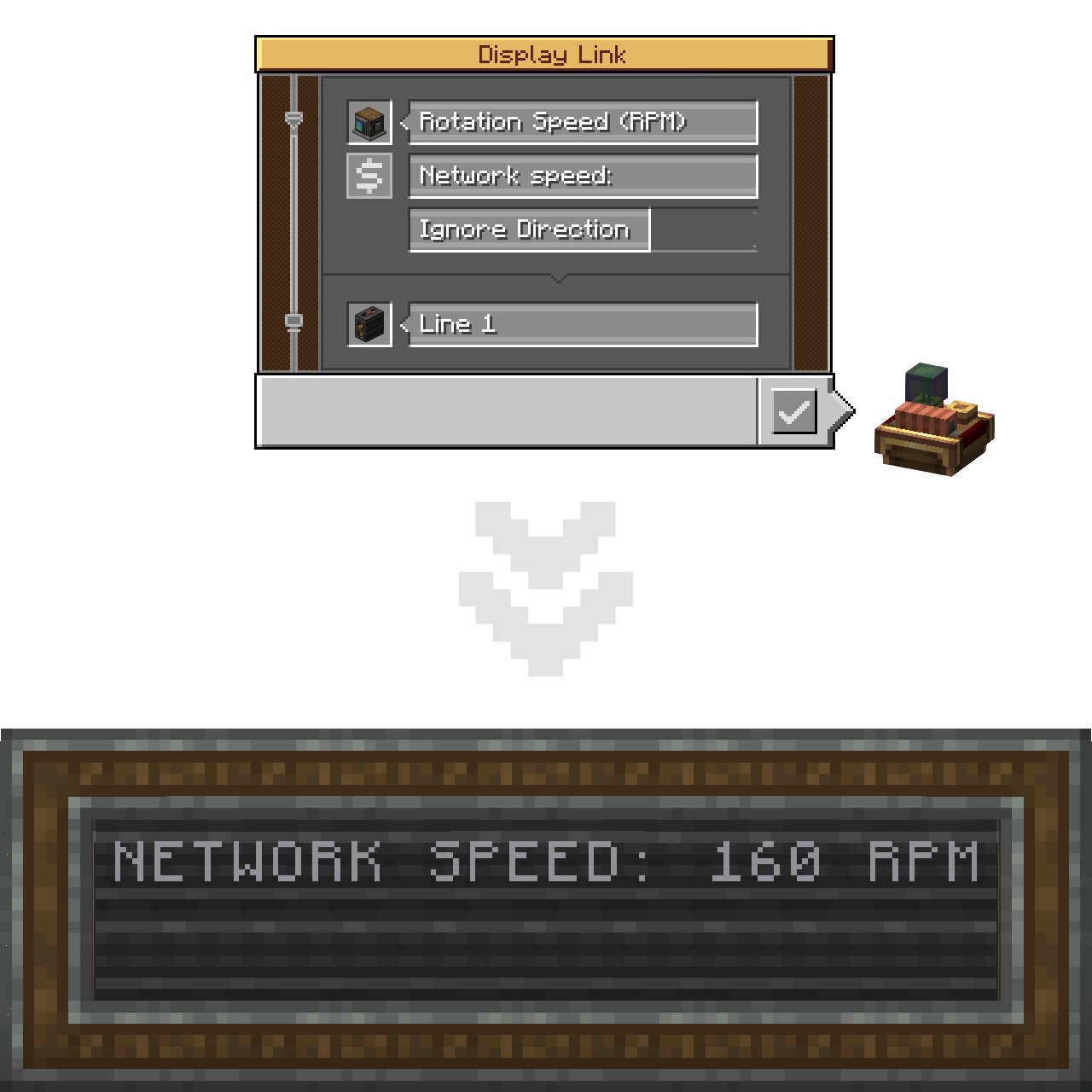
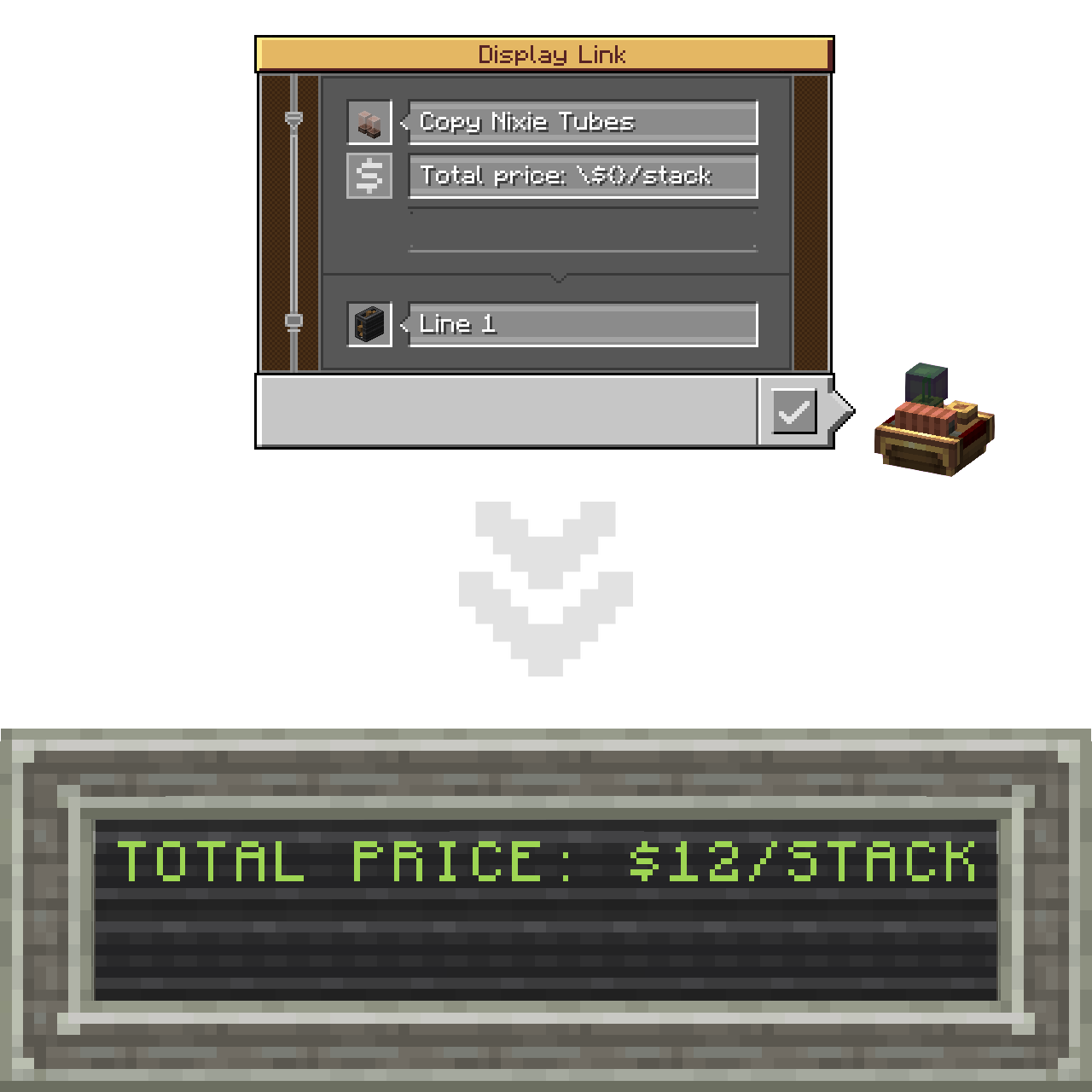
This add-on pushes the boundaries apart by introducing the $ and {} placeholders (aka specifiers).
Placing one (or more) marks the place where the information string should be inserted.
In short, the Attached Label can now act like a formatted string!
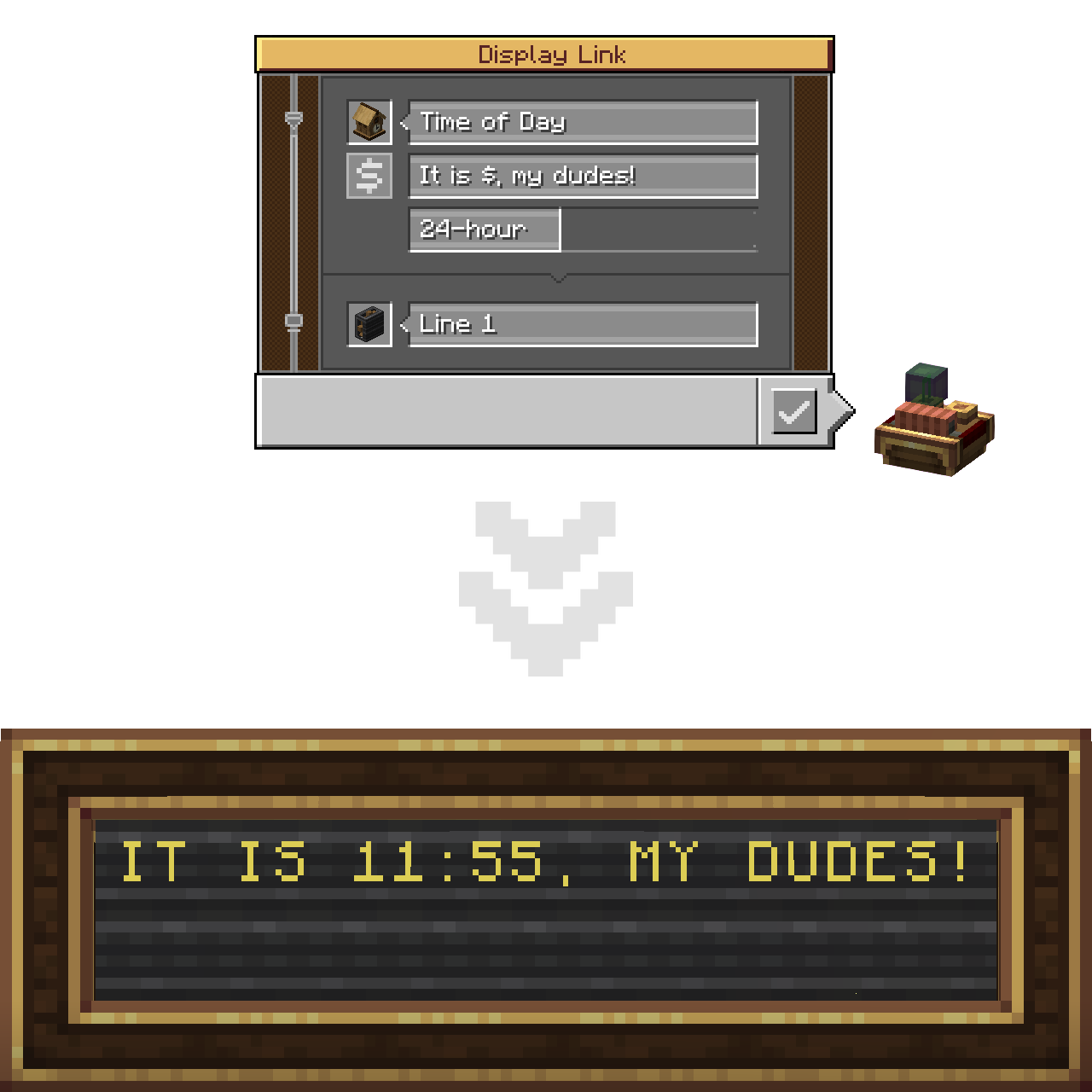
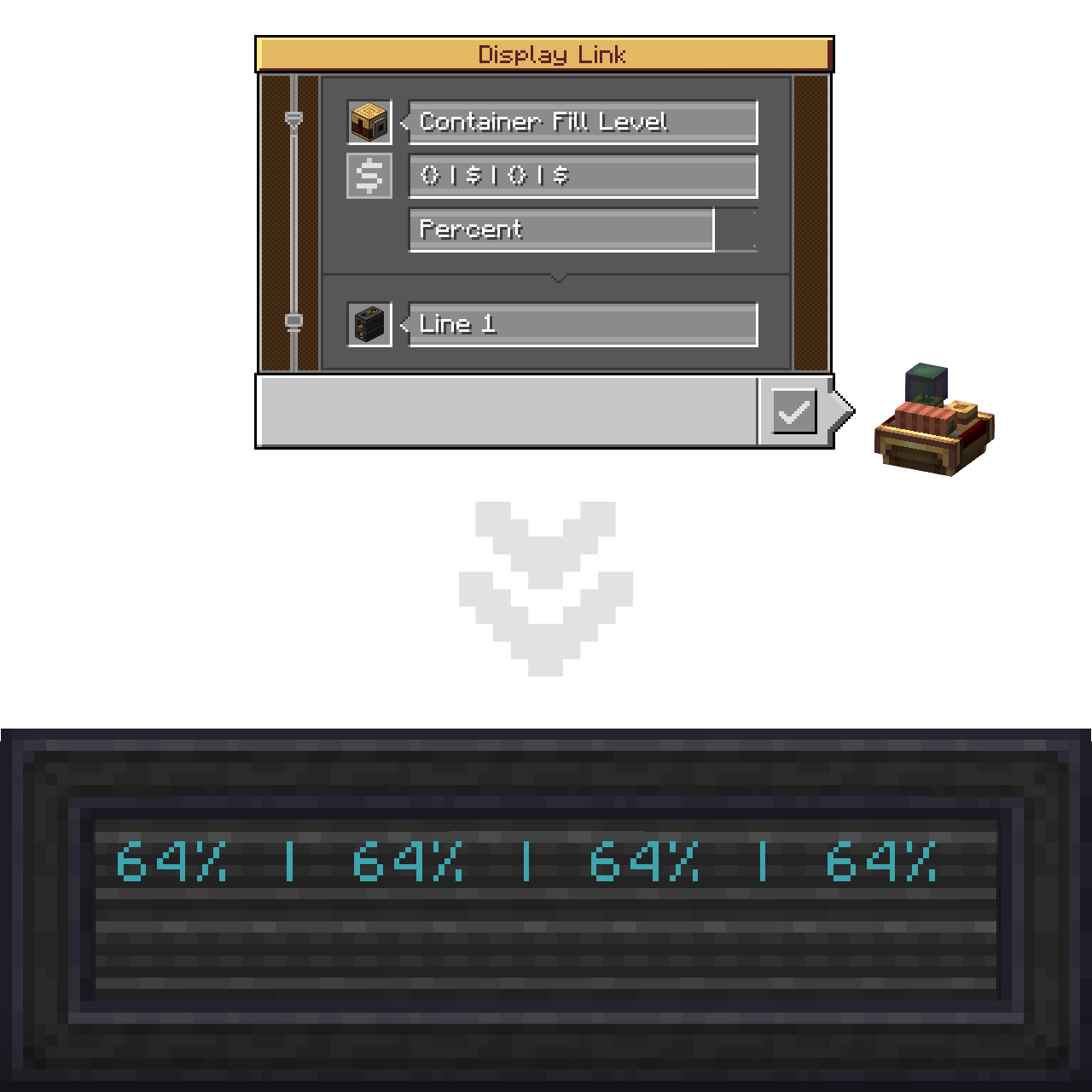
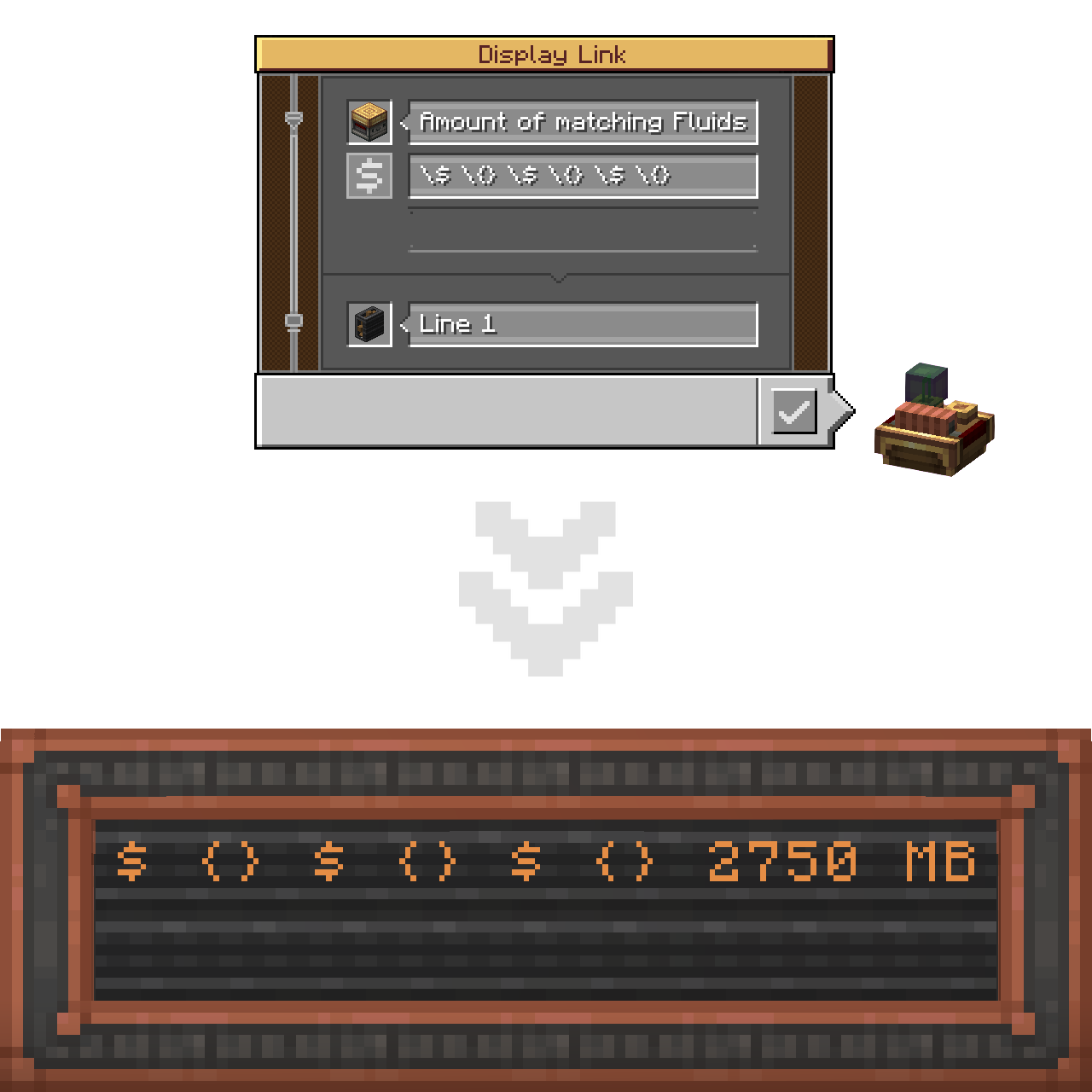
You can utilize as many placeholders as you want in one string. Mixing both types of them doesn't cause any issues as well!
If you need to insert a $ character literally (same applies to {}), without it turning into a placeholder, use backslash-escaping on it.
In case of no unescaped placeholders present in the label altogether, default (base Create's) concatenation will be applied.


Lastly, there's a new hover-on button that displays a Placeholders Usage Guide tooltip containing all the abovementioned.
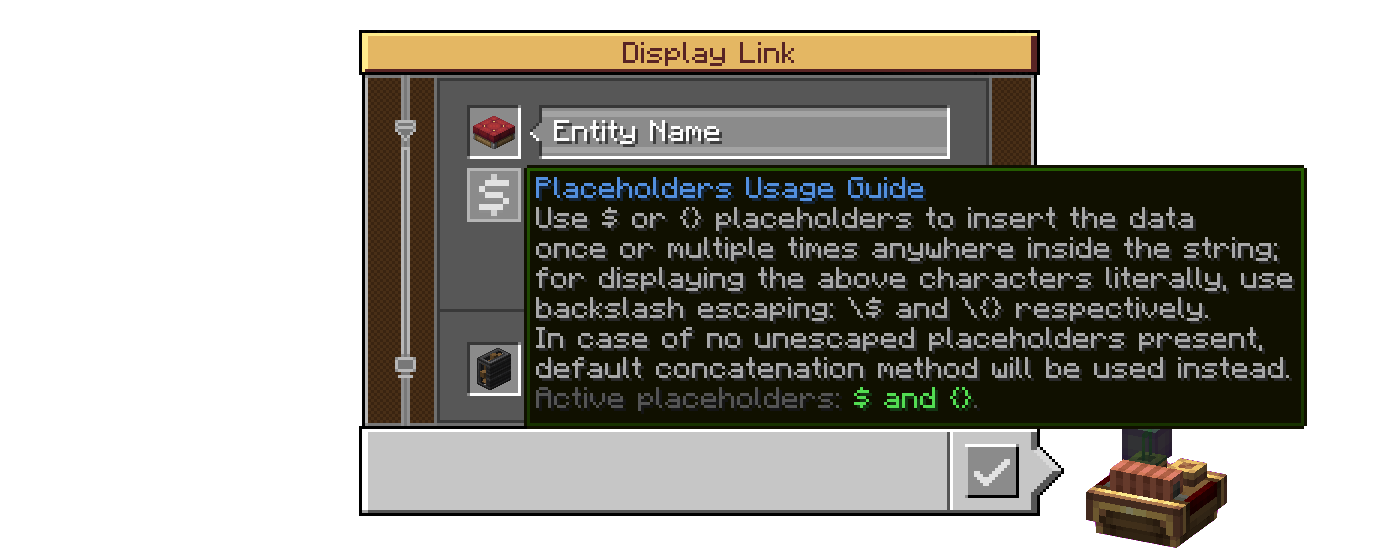
Its last string displays which placeholders are active (available to use in this world/server, which is specified by the server config of the mod).
Config
C: IDLX has a proper Create-styled config for both the client (visuals) and the server (per-world).
Client settings
Enable Guide Buttons: toggling that off will hide the abovementioned hover-on button in the Display Link interface.- Tooltip Customization:
Enable (Active Placeholders / Progress Bar Support) Tooltip: those two add their additional strings into the Placeholders Usage Guide tooltip, that change the text, reflecting the states of their respective config options in Server settings.
Server settings
Hide Escaping Of Disabled Placeholders: by default, when a disabled placeholder is escaped, the backslash stays visible as if placed before a regular character; enable to make it get hidden like if it did its job;Enable Crude Progress Bar Support: currently the progress bar characters are being rendered incorrectly (appear squashed together) if used with placeholders, so the support for this display format is disabled altogether by default (see Known Issues).- Placeholders Availability:
Enable (Dollar Sign / Curly Brackets) Placeholder: with those two it is possible to limit the placeholder functionality to only one option - the Dollar Sign or the Curly Brackets respectively - or disable the feature altogether by ticking both as off (affects the last string of the Placeholders Usage Guide tooltip);
Known Issues
Essentially C: IDLX provides a single flap display section with default formatting options,
unlike Create that makes two for the label (default formatting) and the value (formatting specific to its display format) respectively.
The consequence of the first method is that the progress bar characters are being rendered as literal characters (non-wide), and thus appear squashed together.
Fixing that would involve rewriting the code to instead generate an array of sections. I started working on it but didn't have time to finish after running into numerous issues,
and decided to postpone it for when I get more time on my hands. Currently, placeholders support for the progress bar is put behind config (off by default).
If anybody has the will to help me with this issue, I would appreciate the contribution very much.
Porting Plans
C: IDLX is planned to be backported to Forge 1.20.1. However I currently can not say exactly when that will happen.
Credits
Mod Development
- @LIUKRAST and @serverside-swzo for valuable Mixin advices at the early stage of C: IDLX development;
- GG_Gnom (
gg_gnomon Discord) for testing the mod (literally the only case of testing this mod I know).
Mod Page Decoration
- Devin's Badges for most badges used in this README;
- @flikrheist for the NeoForge badge specifically;
- FOR THE BADGE for the "Available For: 1.21.1" and "License: MIT" badges.
Translation
- @KEricMinecraft for Chinese Simplified (
zh_cn).
My first Minecraft mod, by the way!