Logo
MINECRAFTBIBLE
Items
Items

All game items

Blocks
Blocks

Building blocks

Mobs
Mobs

Creatures & monsters

Biomes
Biomes

World biomes

Structures
Structures

Generated structures

Recipes
Recipes

Crafting guides

Advancements
Advancements

Achievements

Loot Tables
Loot Tables

Drop rates

Tags
Tags

Item groupings

All Versions
View all data →
Capes
Cape ArchiveNEW

Browse rare Minecon capes, OptiFine capes, and custom capes from players worldwide

Browse

Player Database
Player DatabasePopular

Search any player

Skin Browser
Skin Browser

Browse & download skins

Cape Gallery
Cape GalleryNEW

Minecon & OptiFine capes

Seed Vault
Seed Vault

Curated seeds

Learn

Guides
GuidesNew

Tutorials & tips

Blog
Blog

News & updates

Community

Community Hub
Community HubHub

Posts, discussions & more

All Versions
View community →
Seed Analyzer
Seed Analyzer

World seed analysis

Loot Explorer
Loot Explorer

Drop rates

Crafting Calculator
Crafting Calculator

Material planning

Enchant Calculator
Enchant Calculator

Probability math

Redstone Lab
Redstone Lab

Signal timing

Trading Profit
Trading Profit

Villager ROI

All Versions
View all tools →
Mods
Mods

Browse all mods

Plugins
Plugins

Server plugins

Resource Packs
Resource Packs

Textures & sounds

Shaders
Shaders

Visual enhancements

Datapacks
Datapacks

World logic

Scanner
Mod Intelligence

Scan & analyze any mod

All Versions
View all mods →
Loading...
IntroductionIntroductionVersion HistoryVersion HistoryGuidesGuidesBlog & NewsBlog & News
ItemsItemsBlocksBlocksMobsMobsRecipesRecipesBiomesBiomesStructuresStructuresAdvancementsAdvancementsLoot TablesLoot TablesTagsTags
ModsModsPluginsPluginsResource PacksResource PacksShadersShadersDatapacksDatapacks

MinecraftBible

The Ultimate Wiki

Logo
MINECRAFTBIBLE

The ultimate Minecraft reference. Every item, block, mob, and recipe documented with precision.

Community

  • Player Database
  • Skin Browser
  • Cape Gallery
  • Community Hub
  • Seed Vault

Database

  • Items
  • Blocks
  • Mobs
  • Recipes
  • Biomes
  • Structures

Tools

  • Seed Analyzer
  • Mod Intelligence
  • Crafting Calculator
  • Enchant Calculator

Mods & Packs

  • Mods
  • Plugins
  • Resource Packs
  • Shaders
  • Datapacks

© 2026 MinecraftBible. Not affiliated with Mojang or Microsoft.

PrivacyTermsContact
Cobblemon: Fight Them All
ModCC-BY-NC-SA-4.0

Cobblemon: Fight Them All

Mod which extends Cobblemon to allow Pokemon-style fight with mobs

60.0K
Downloads
108
Followers
1 years ago
Updated
📦
5
Versions
game-mechanicsmobsutilityfabric
Download Latestv1.0.3+cobblemon-1.6.1View on Modrinth

📖About Cobblemon: Fight Them All

🔍 What is this mod?

Ever wondered what Pokémon really are? Some say aliens, others say animals. But if you think about it, aren't Minecraft mobs just as mysterious? If Pokémon can battle, why can't mobs? This mod makes that possible!

What mobs can i battle?

Every single one! From pigs and skeletons to the Ender Dragon and the Warden - any mob can be battled. However, only configured mobs will have proper stats, moves, and abilities.
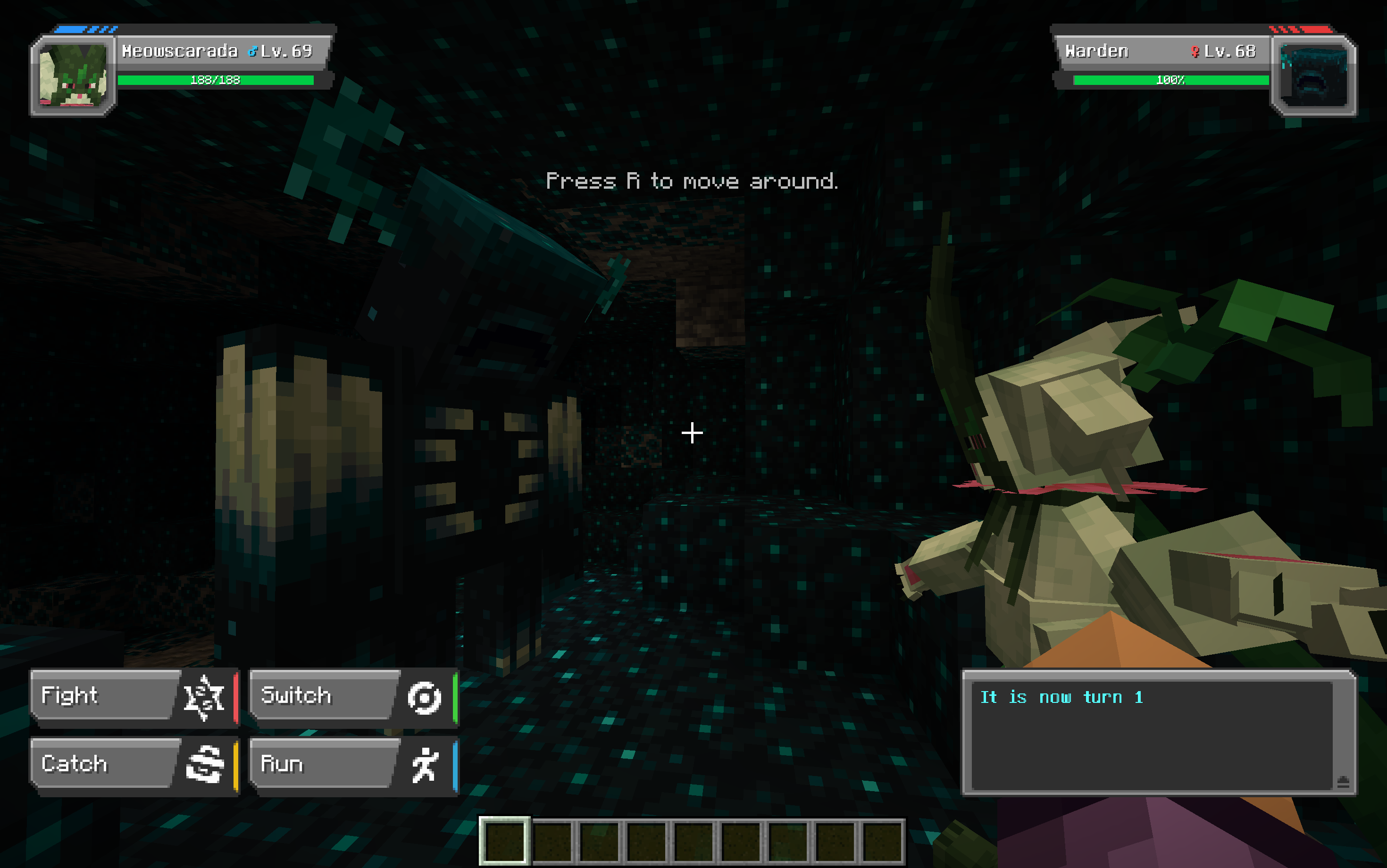
Cobblemon battle screen with  Meowscarada and Warden in place of enemy-pokemon in deep-dark biom

Are modded mobs supported?

Yes! In theory, you can battle any mobs from any mod. However, some exceptions might exist due to mod-specific mechanics
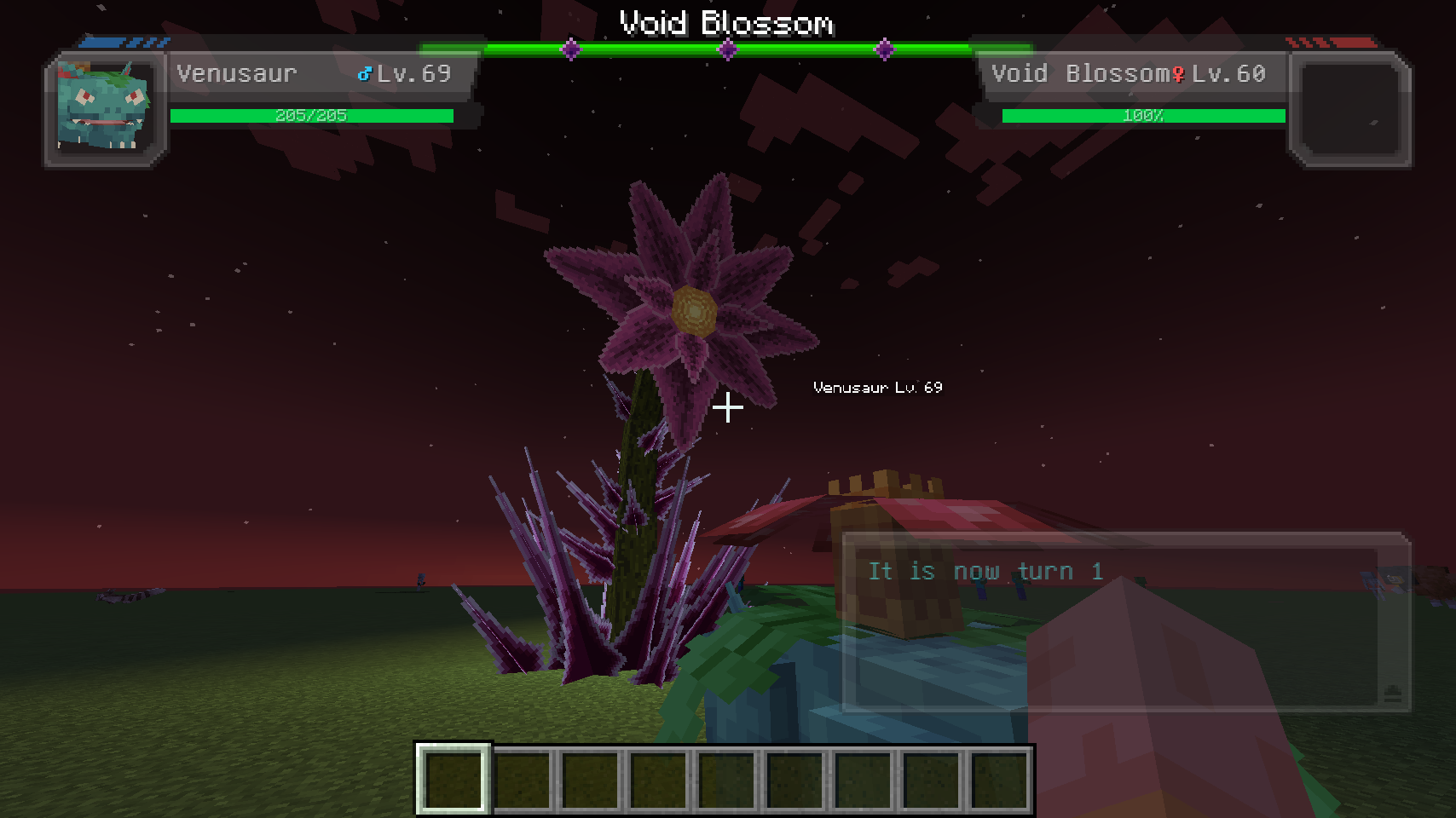
Cobblemon battle screen with Venusaur and Void Blossom (from Bosses of Mass Destruction mod) in place of enemy-pokemon in superflat world, plains biom

Planned Features

  • Support for Cobblemon 1.6.1
  • Automatic stat generation for unspecified mobs based on entity attributes
  • A condition system to determine battle eligibility (e.g., isSwimming, isAngered)
  • More features as development progresses!

Know Issues

  • Occasionally, a PokeMob’s HP is not full at the start of battle
  • Modded mobs using custom rendering libraries (e.g., GeckoLib) may not display in battle portraits
  • Tinsy-tiny model jittering inside battle portraits

Config

Config settings may change over time. Current version is far from complete. You can find two config files in your minecraft/config folder:

Client Config (cobblemon_fight_them_all_client.json5)

Controls client-side settings, such as:

  • Mob battle labels (show_poke_mob_label): Displays, for example, "Zombie Lv.10 - Press R to battle" above mobs
  • Battle portraits (default_poke_mob_portrait): Replaces Pokémon portraits with mob models
  • Customization options for mob portrait scaling, flipping, rotation, and translation

Example portrait config for the Warden:

"minecraft:warden": {  
    use_scale_as_override: true,  
    scale: 20.0,  
    is_flipped_x: false,  
    is_flipped_y: true,  
    is_flipped_z: false,  
    use_rotate_as_override: false,  
    rotate_x: 0.0,  
    rotate_y: 0.0,  
    rotate_z: 0.0,  
    use_translate_as_override: false,  
    translate_x: -0.15,  
    translate_y: 0.1,  
    translate_z: 0.0  
}

Server Config (cobblemon_fight_them_all_server.json5)

Manages battle-related settings and PokeMob parameters. Changes take effect after restarting the server or game.

  • generate_unspecified_poke_mobs: Allows battling any mob, even if not preconfigured
  • default_poke_mob_stats: Defines default stats for unspecified mobs
  • poke_mob_entries: Custom stats, abilities, types, and move sets for specific mobs.
    Example ability configuration:
"abilities": [{
    "name": "furcoat",  
    "priority": "normal"  // (Options: highest, high, normal, low, lowest)
}]

Example moveset:

"moves": ["tackle", "growl", "splash"]

👥 Team & Contributors

ZeroDelusions
ZeroDelusionsOwner

⚙️ Compatibility

Environment
✅ Client & Server
Loaders
fabric
Minecraft Versions
1.21.1

🔗 Links

Modrinth Page