Logo
MINECRAFTBIBLE
Items
Items

All game items

Blocks
Blocks

Building blocks

Mobs
Mobs

Creatures & monsters

Biomes
Biomes

World biomes

Structures
Structures

Generated structures

Recipes
Recipes

Crafting guides

Advancements
Advancements

Achievements

Loot Tables
Loot Tables

Drop rates

Tags
Tags

Item groupings

All Versions
View all data →
Capes
Cape ArchiveNEW

Browse rare Minecon capes, OptiFine capes, and custom capes from players worldwide

Browse

Player Database
Player DatabasePopular

Search any player

Skin Browser
Skin Browser

Browse & download skins

Cape Gallery
Cape GalleryNEW

Minecon & OptiFine capes

Seed Vault
Seed Vault

Curated seeds

Learn

Guides
GuidesNew

Tutorials & tips

Blog
Blog

News & updates

Community

Community Hub
Community HubHub

Posts, discussions & more

All Versions
View community →
Seed Analyzer
Seed Analyzer

World seed analysis

Loot Explorer
Loot Explorer

Drop rates

Crafting Calculator
Crafting Calculator

Material planning

Enchant Calculator
Enchant Calculator

Probability math

Redstone Lab
Redstone Lab

Signal timing

Trading Profit
Trading Profit

Villager ROI

All Versions
View all tools →
Mods
Mods

Browse all mods

Plugins
Plugins

Server plugins

Resource Packs
Resource Packs

Textures & sounds

Shaders
Shaders

Visual enhancements

Datapacks
Datapacks

World logic

Scanner
Mod Intelligence

Scan & analyze any mod

All Versions
View all mods →
Loading...
IntroductionIntroductionVersion HistoryVersion HistoryGuidesGuidesBlog & NewsBlog & News
ItemsItemsBlocksBlocksMobsMobsRecipesRecipesBiomesBiomesStructuresStructuresAdvancementsAdvancementsLoot TablesLoot TablesTagsTags
ModsModsPluginsPluginsResource PacksResource PacksShadersShadersDatapacksDatapacks

MinecraftBible

The Ultimate Wiki

Logo
MINECRAFTBIBLE

The ultimate Minecraft reference. Every item, block, mob, and recipe documented with precision.

Community

  • Player Database
  • Skin Browser
  • Cape Gallery
  • Community Hub
  • Seed Vault

Database

  • Items
  • Blocks
  • Mobs
  • Recipes
  • Biomes
  • Structures

Tools

  • Seed Analyzer
  • Mod Intelligence
  • Crafting Calculator
  • Enchant Calculator

Mods & Packs

  • Mods
  • Plugins
  • Resource Packs
  • Shaders
  • Datapacks

© 2026 MinecraftBible. Not affiliated with Mojang or Microsoft.

PrivacyTermsContact
Civilians
ModMIT

Civilians

A mod that brings active, customizable NPCs to your world in a fun way!

9.0K
Downloads
65
Followers
6 months ago
Updated
📦
20
Versions
adventuremanagementmobsfabric
Download Latestvv1.4.2View on Modrinth

📖About Civilians

CiviliansMod banner

Fabric API

🧍‍♂️ WHAT IS THE CIVILIANS MOD?

Civilians brings life and realism to your Minecraft world!
Whether you’re building a city, town, or village, Civilians fills your creations with interactive NPCs that look and act like real players.

Just like villagers in Minecraft villages — but far more customizable — Civilians walk around, go in and out of buildings, chat with you, and make your world feel alive.
Perfect for builders, roleplayers, and survival players who want to make their worlds feel populated and immersive!
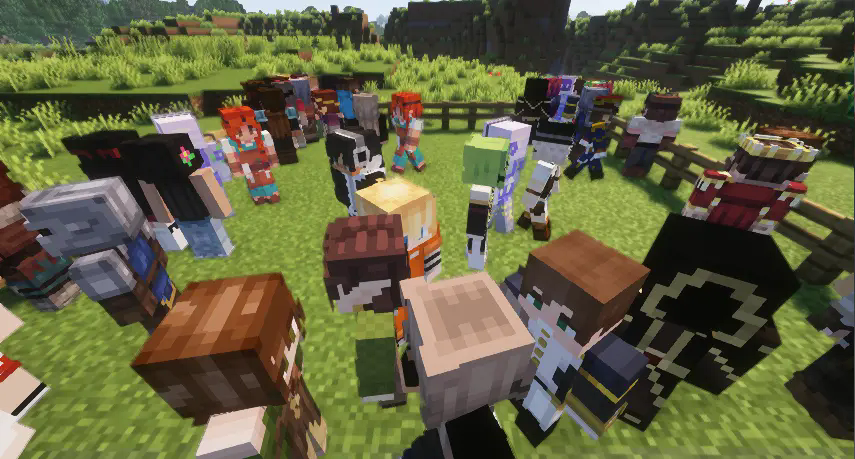


showcase


⚙️ How It Works

Everything starts with the ‘NPC Totem’.
Craft the Totem and use it on an unassigned villager to convert them into a Civilian NPC.
If you don’t like their default look, sneak + right-click the NPC to open a customization GUI, where you can rename them and browse through a wide range of skin variations — or even upload your own!


🧩 WHAT CAN THE NPC DO?

Right now, Civilians are designed to add life and atmosphere — not to trade or farm like villagers. (Though this is an upcoming feature!)
Their main purpose is to make your creations feel lived-in and alive!

Here’s what they can do:

-🚶 Walk around your world

-🏠 Enter and exit buildings

-💬 Talk to you when right-clicked

-💢 Say different dialogue when hurt

-🎭 Be renamed and reskinned for your theme

-🧶 Be attached to a lead for moving them around

-📍 Stay in place or follow you

-🗨️ Have custom dialogue unique to each NPC


🎨 HOW TO UPLOAD CUSTOM SKINS FOR YOUR NPC

  1. Open the Customization GUI and click on the ‘Custom’ tab.

  2. Two buttons will appear: ↑Wide and ↑Slim

  3. ↑Wide → for skins with 4px arms (standard)

  4. ↑Slim → for skins with 3px arms (Alex-style)

  5. Drop your .png skin files into the correct folder.

  6. Click the refresh button in the top-right corner of the GUI.

  7. Your custom skins will now appear in the GUI, ready to apply to any NPC!
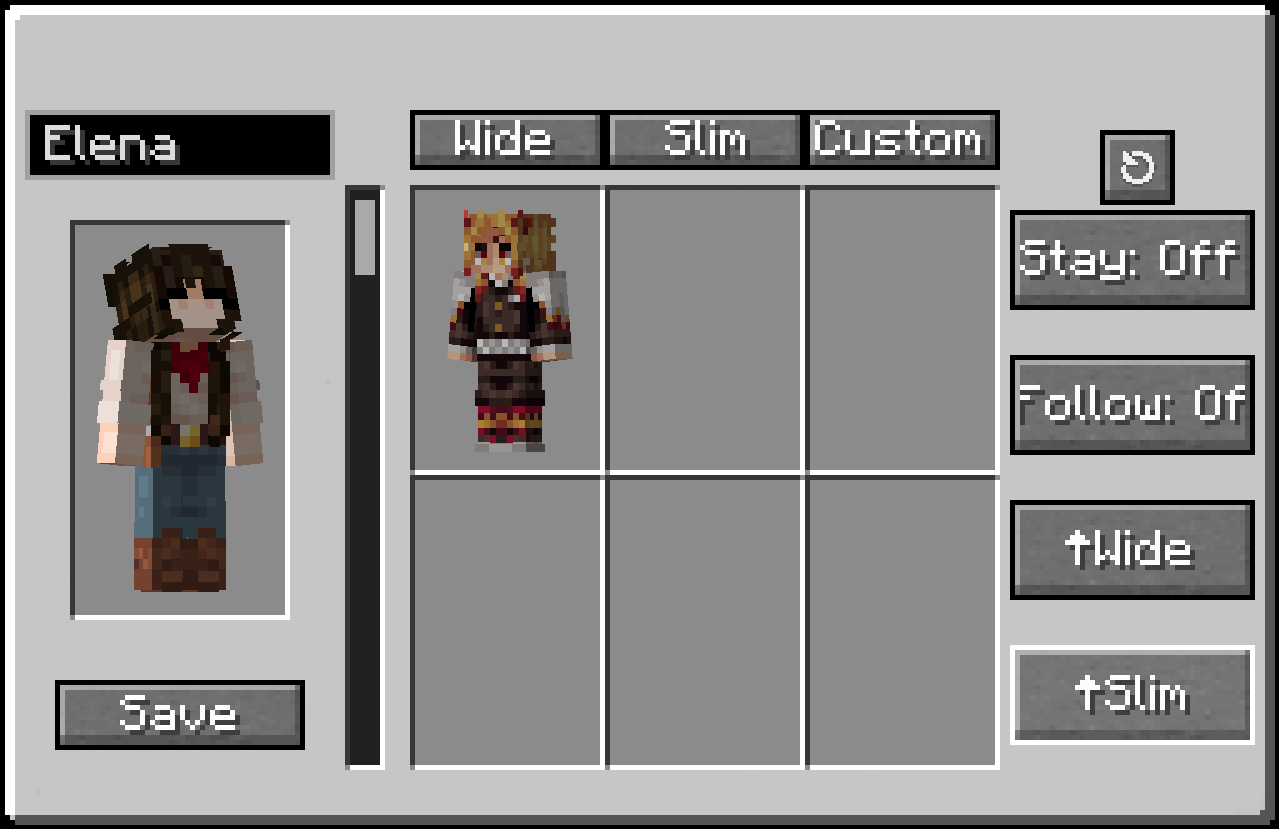
CustomTab


This example was uploaded in the ↑Wide folder because it has 4px arms.
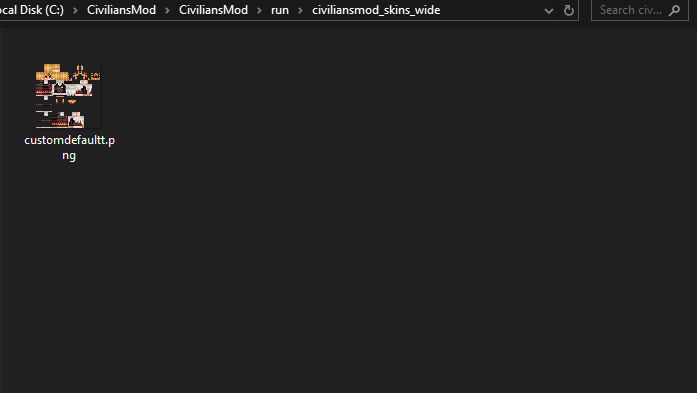
Folder


🪄 HOW TO BRING A CIVILIAN INTO YOUR WORLD

  1. Craft an NPC Totem
  • You’ll need 8 Redstone Dust and 1 Amethyst Shard

  • Place the Amethyst in the center and Redstone all around in a crafting table

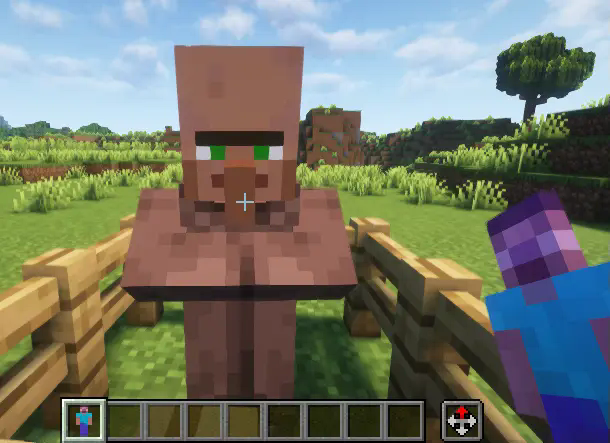
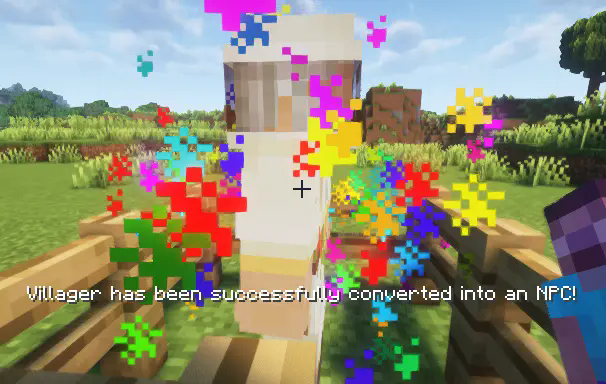
  1. Right-click an unassigned villager with the Totem

  2. The villager will instantly transform into a Civilian NPC — it’s that easy!
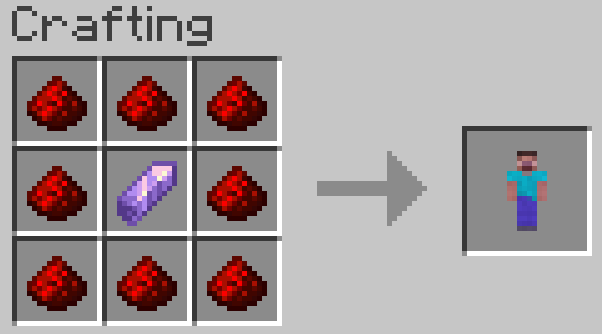


Step 1


step 2


final!


Sneak + Right Click on Civilian to open
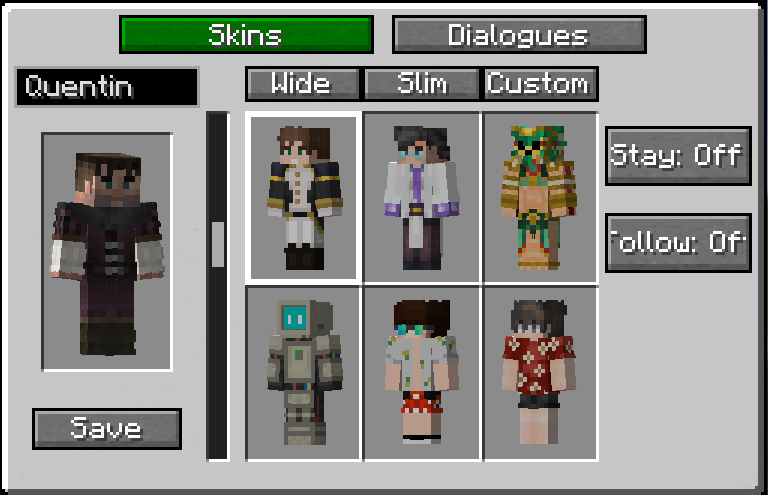
Customizer


🌆 WHY USE CIVILIANS?

If your world feels empty, Civilians Mod fills it with life.
It’s perfect for:

-Builders creating cities and towns

-Roleplay or adventure maps

-Immersive survival bases

Your creations deserve to feel alive — and Civilians make that possible.

💡 FUTURE PLANS

✅ Fighting Companion
✅ Improved AI pathfinding
✅ Preset Trades
✅ ...And more!

👥 Team & Contributors

AsianSandwiich
AsianSandwiichOwner
suerion
suerion
Contributor/Dev
RodoFire
RodoFire
Contributor/Dev

⚙️ Compatibility

Environment
✅ Client & Server
Loaders
fabric
Minecraft Versions
1.21.5

🔗 Links

Modrinth Page