Logo
MINECRAFTBIBLE
Items
Items

All game items

Blocks
Blocks

Building blocks

Mobs
Mobs

Creatures & monsters

Biomes
Biomes

World biomes

Structures
Structures

Generated structures

Recipes
Recipes

Crafting guides

Advancements
Advancements

Achievements

Loot Tables
Loot Tables

Drop rates

Tags
Tags

Item groupings

All Versions
View all data →
Capes
Cape ArchiveNEW

Browse rare Minecon capes, OptiFine capes, and custom capes from players worldwide

Browse

Player Database
Player DatabasePopular

Search any player

Skin Browser
Skin Browser

Browse & download skins

Cape Gallery
Cape GalleryNEW

Minecon & OptiFine capes

Seed Vault
Seed Vault

Curated seeds

Learn

Guides
GuidesNew

Tutorials & tips

Blog
Blog

News & updates

Community

Community Hub
Community HubHub

Posts, discussions & more

All Versions
View community →
Seed Analyzer
Seed Analyzer

World seed analysis

Loot Explorer
Loot Explorer

Drop rates

Crafting Calculator
Crafting Calculator

Material planning

Enchant Calculator
Enchant Calculator

Probability math

Redstone Lab
Redstone Lab

Signal timing

Trading Profit
Trading Profit

Villager ROI

All Versions
View all tools →
Mods
Mods

Browse all mods

Plugins
Plugins

Server plugins

Resource Packs
Resource Packs

Textures & sounds

Shaders
Shaders

Visual enhancements

Datapacks
Datapacks

World logic

Scanner
Mod Intelligence

Scan & analyze any mod

All Versions
View all mods →
Loading...
IntroductionIntroductionVersion HistoryVersion HistoryGuidesGuidesBlog & NewsBlog & News
ItemsItemsBlocksBlocksMobsMobsRecipesRecipesBiomesBiomesStructuresStructuresAdvancementsAdvancementsLoot TablesLoot TablesTagsTags
ModsModsPluginsPluginsResource PacksResource PacksShadersShadersDatapacksDatapacks

MinecraftBible

The Ultimate Wiki

Logo
MINECRAFTBIBLE

The ultimate Minecraft reference. Every item, block, mob, and recipe documented with precision.

Community

  • Skin Browser
  • Cape Gallery
  • Seed Vault
  • Blog
  • Guides

Database

  • Items
  • Blocks
  • Mobs
  • Recipes
  • Biomes
  • Structures

Tools

  • Seed Analyzer
  • Mod Intelligence
  • Crafting Calculator
  • Enchant Calculator

Mods & Packs

  • Mods
  • Plugins
  • Resource Packs
  • Shaders
  • Datapacks

Site & Legal

  • About
  • Authors
  • Editorial Policy
  • Corrections
  • Contact
  • Privacy Policy
  • Terms of Service
  • DMCA
  • Sitemap

© 2026 MinecraftBible. Not affiliated with Mojang or Microsoft.

PrivacyTermsContact
Carry On Throw Addon
ModLicenseRef-All-Rights-Reserved

Carry On Throw Addon

Adds a fully-featured Throw mechanic to the Carry On mod - allowing players to throw carried entities with physics-based velocity, charge time, obstacle detection, client-side toggle, configurable cooldown, and more.

4.3K
Downloads
8
Followers
7 months ago
Updated
📦
1
Versions
game-mechanicsstoragetransportationfabric
Download Latestv1.20.1-1.0.2View on Modrinth

📖About Carry On Throw Addon

🌟 Carry On Throw Addon

Expand Carry On with a full physics-based throw mechanic, charging system, HUD indicators, and complete server-side configuration.


Fabric
ModLoader
Minecraft
CarryOn

wakatime
Website
GitHub

✨ Author: @PPekKunGzDev


🧩 Overview

Carry On Throw Addon adds a throwing system to the Carry On mod.
Throw entities with smooth physics, charging, HUD bars, and server-configurable rules.

Perfect for roleplay servers, minigames, and fun multiplayer experiences.


🖼 Screenshots
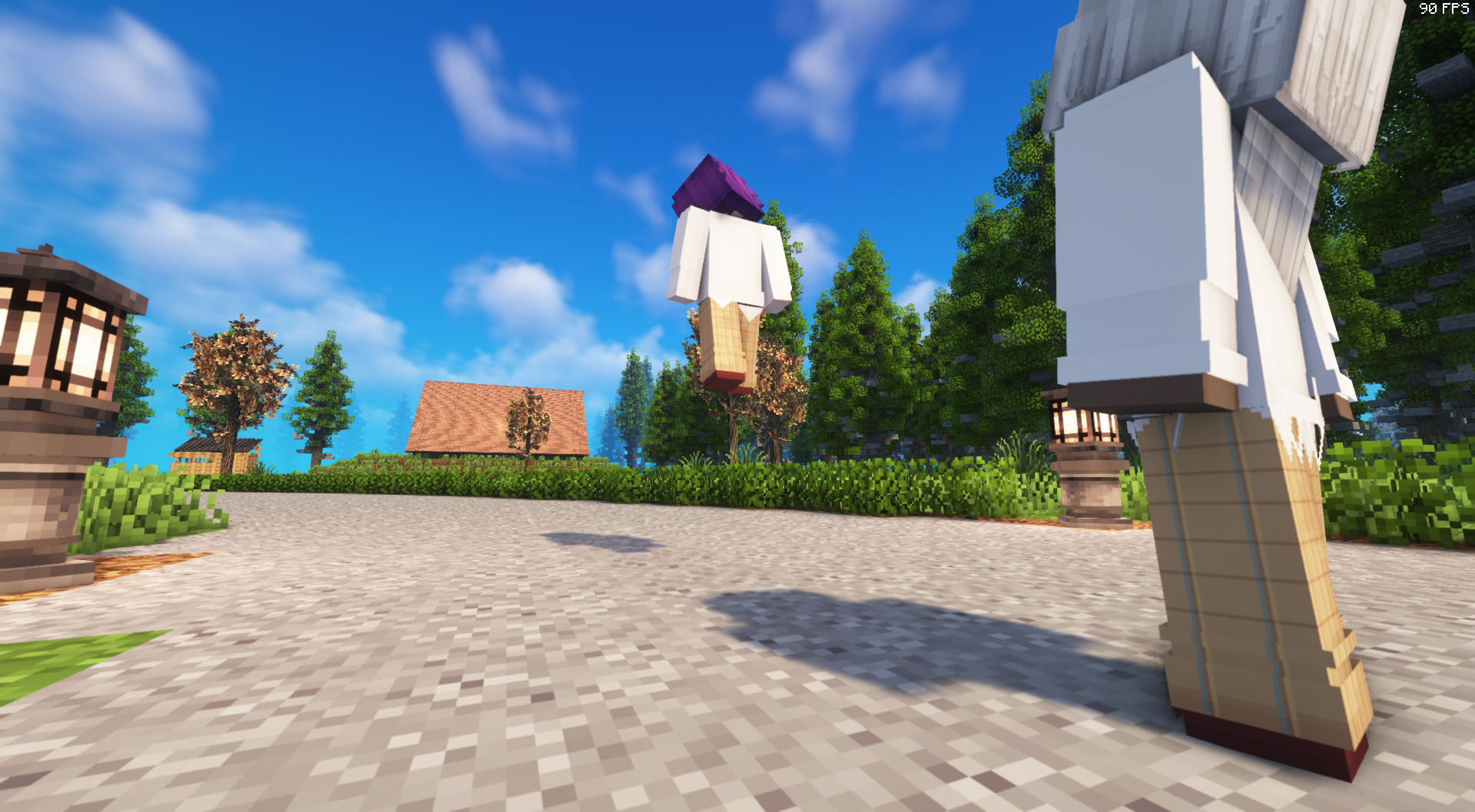
CarryOn Throw Addon Screenshot


✨ Features

🎯 Real Physics Throwing

  • Uses actual velocity, not teleporting
  • Works flawlessly on dedicated servers
  • Smooth, natural projectile arc like vanilla physics

⚡ Throw Mode + Charge Mechanic

  • Hold Shift for 3 seconds → Enter Throw Mode
  • Keep holding to Charge
  • Release to throw with power based on charge
  • Includes a Charge Bar HUD and Pre-Throw Progress HUD

🔊 Audio Feedback

  • Sound when entering Throw Mode
  • Pitch-up ticks when charging
  • Throw release sound

🧱 Obstacle Detection

  • Raycast prevents throwing into walls
  • If blocked → safe drop in front of player
  • Prevents glitching and clipping

🧬 Per-Player Client Toggle

Each player can toggle the system on/off:
Default Key: O
(Only disables for the player using it — others unaffected.)

🖥 HUD Elements Included

  • Warmup Overlay: “Preparing Throw…”
  • Charge Bar: Progress bar near hotbar
  • Position fully configurable via TOML

🔧 Full Server Config (TOML)

  • File: config/carry_on_throw-server.toml
  • Reload live with: /throwreload

Includes:

  • Charge min/max
  • Cooldowns
  • Drop distance
  • Throw offsets
  • Block collision toggle
  • HUD offsets
  • Debug logging
  • Sound enable/disable
  • Server & client anti-spam cooldowns

Config reload shows colored diff on console.


🧠 Server Safe & Optimized

  • No mixins required
  • Extremely low overhead
  • Anti spam protections
  • Physics fully computed server-side
  • 100% deterministic behavior

📦 Installation

  1. Install Fabric Loader
  2. Install Fabric API
  3. Install Carry On (Fabric)
  4. Drop this mod into mods/

Optional: adjust configs in: config/carry_on_throw-server.toml


🔗 Links

🌐 Website: https://ppekkungz.in.th
💻 GitHub: https://github.com/PPekKunGz
✨ Author: @PPekKunGzDev


👥 Team & Contributors

PPekKunGz
PPekKunGzOwner

⚙️ Compatibility

Environment
✅ Client & Server
Loaders
fabric
Minecraft Versions
1.20.1

🔗 Links

Modrinth Page




