Logo
MINECRAFTBIBLE
Items
Items

All game items

Blocks
Blocks

Building blocks

Mobs
Mobs

Creatures & monsters

Biomes
Biomes

World biomes

Structures
Structures

Generated structures

Recipes
Recipes

Crafting guides

Advancements
Advancements

Achievements

Loot Tables
Loot Tables

Drop rates

Tags
Tags

Item groupings

All Versions
View all data →
Capes
Cape ArchiveNEW

Browse rare Minecon capes, OptiFine capes, and custom capes from players worldwide

Browse

Player Database
Player DatabasePopular

Search any player

Skin Browser
Skin Browser

Browse & download skins

Cape Gallery
Cape GalleryNEW

Minecon & OptiFine capes

Seed Vault
Seed Vault

Curated seeds

Learn

Guides
GuidesNew

Tutorials & tips

Blog
Blog

News & updates

Community

Community Hub
Community HubHub

Posts, discussions & more

All Versions
View community →
Seed Analyzer
Seed Analyzer

World seed analysis

Loot Explorer
Loot Explorer

Drop rates

Crafting Calculator
Crafting Calculator

Material planning

Enchant Calculator
Enchant Calculator

Probability math

Redstone Lab
Redstone Lab

Signal timing

Trading Profit
Trading Profit

Villager ROI

All Versions
View all tools →
Mods
Mods

Browse all mods

Plugins
Plugins

Server plugins

Resource Packs
Resource Packs

Textures & sounds

Shaders
Shaders

Visual enhancements

Datapacks
Datapacks

World logic

Scanner
Mod Intelligence

Scan & analyze any mod

All Versions
View all mods →
Loading...
IntroductionIntroductionVersion HistoryVersion HistoryGuidesGuidesBlog & NewsBlog & News
ItemsItemsBlocksBlocksMobsMobsRecipesRecipesBiomesBiomesStructuresStructuresAdvancementsAdvancementsLoot TablesLoot TablesTagsTags
ModsModsPluginsPluginsResource PacksResource PacksShadersShadersDatapacksDatapacks

MinecraftBible

The Ultimate Wiki

Logo
MINECRAFTBIBLE

The ultimate Minecraft reference. Every item, block, mob, and recipe documented with precision.

Community

  • Player Database
  • Skin Browser
  • Cape Gallery
  • Community Hub
  • Seed Vault

Database

  • Items
  • Blocks
  • Mobs
  • Recipes
  • Biomes
  • Structures

Tools

  • Seed Analyzer
  • Mod Intelligence
  • Crafting Calculator
  • Enchant Calculator

Mods & Packs

  • Mods
  • Plugins
  • Resource Packs
  • Shaders
  • Datapacks

© 2026 MinecraftBible. Not affiliated with Mojang or Microsoft.

PrivacyTermsContact
BadOptimizations
ModMIT

BadOptimizations

Optimization mod that focuses on things other than rendering

21.4M
Downloads
2,475
Followers
7 months ago
Updated
📦
30
Versions
optimizationfabricforgeneoforge
Download Latestv2.4.1View on Modrinth

📖About BadOptimizations

BadOptimizations

A collection of mostly micro optimizations that add up to something bigger!

What does it do?

Multiple things:

  • Avoid updating lightmap


    Updating lightmap textures are one of the most expensive parts of the client tick. During each tick, the client will do vector math to calculate lightmaps for blocks and the sky, then upload that new texture to the GPU. However, this can be completely avoided and cached if nothing affecting block brightness has changed. This mod will cancel lightmap updates if nothing that changes block brightness (e.g. gamma slider, potion effects, dimension) has changed.

  • Don't do debug logic if we don't need to


    Minecraft has four debug renderers that can be activated with a debug server: bees, game events, game test and villager AI. Even if there's nothing to process, the logic for these debug renderers are still executed. This mod will only execute them if debug is enabled and there is data from the server to process.

  • Sky color calculation optimizations (1.21.10 and below)


    Minecraft uses a cubic color sampler every frame to calculate the current sky color. This function loops 216 times to factor in surrounding biomes, even if all surrounding biomes are identical or have identical sky colors. This mod makes the color sampler only used if you are between biomes with different sky colors, and caches it for each tick. Otherwise, a shorter, simpler and faster sky color calculation is used.

That's a few of them, at least. You can disable any optimization in the config file if you need to.

How much does it help?

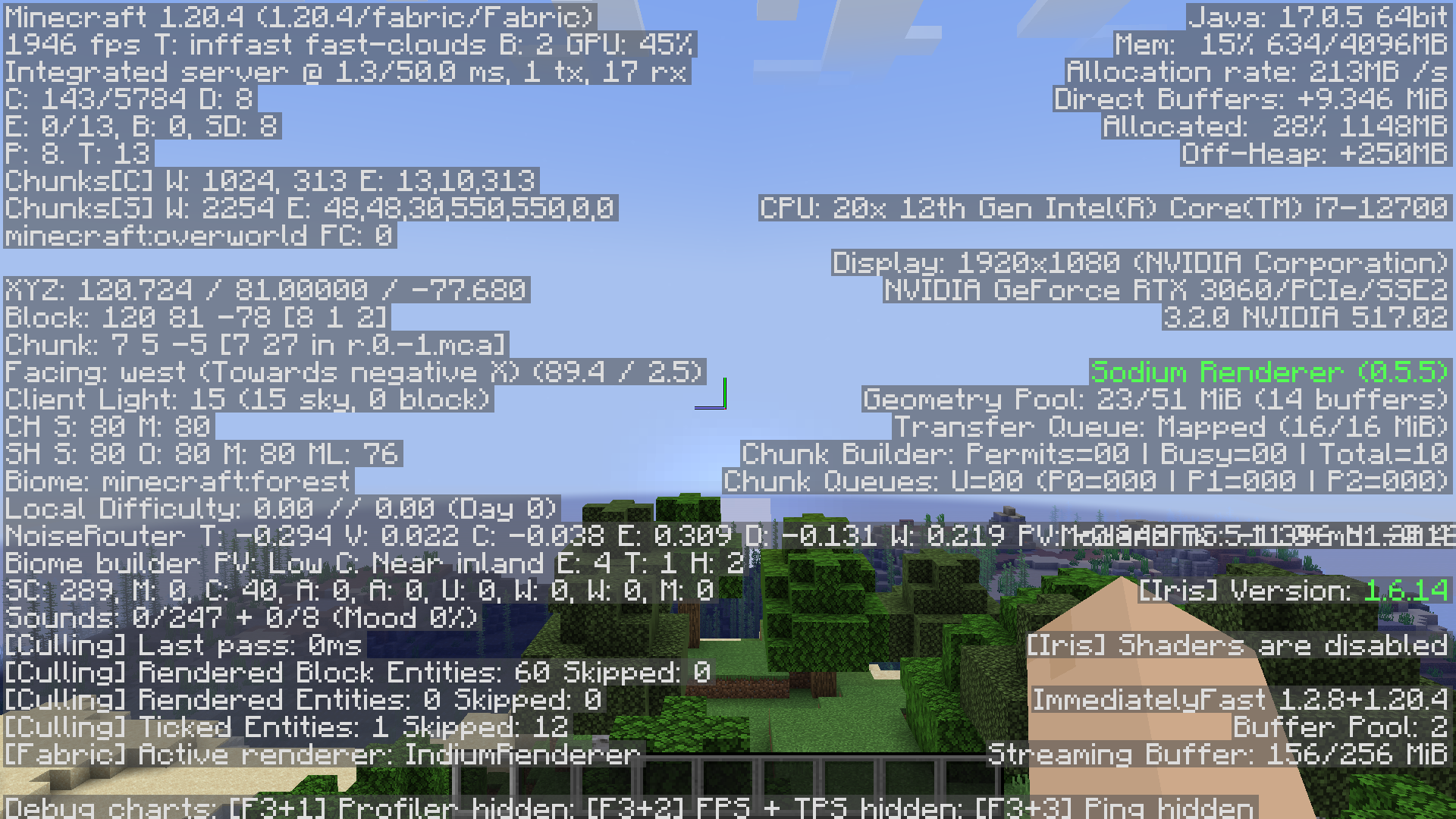
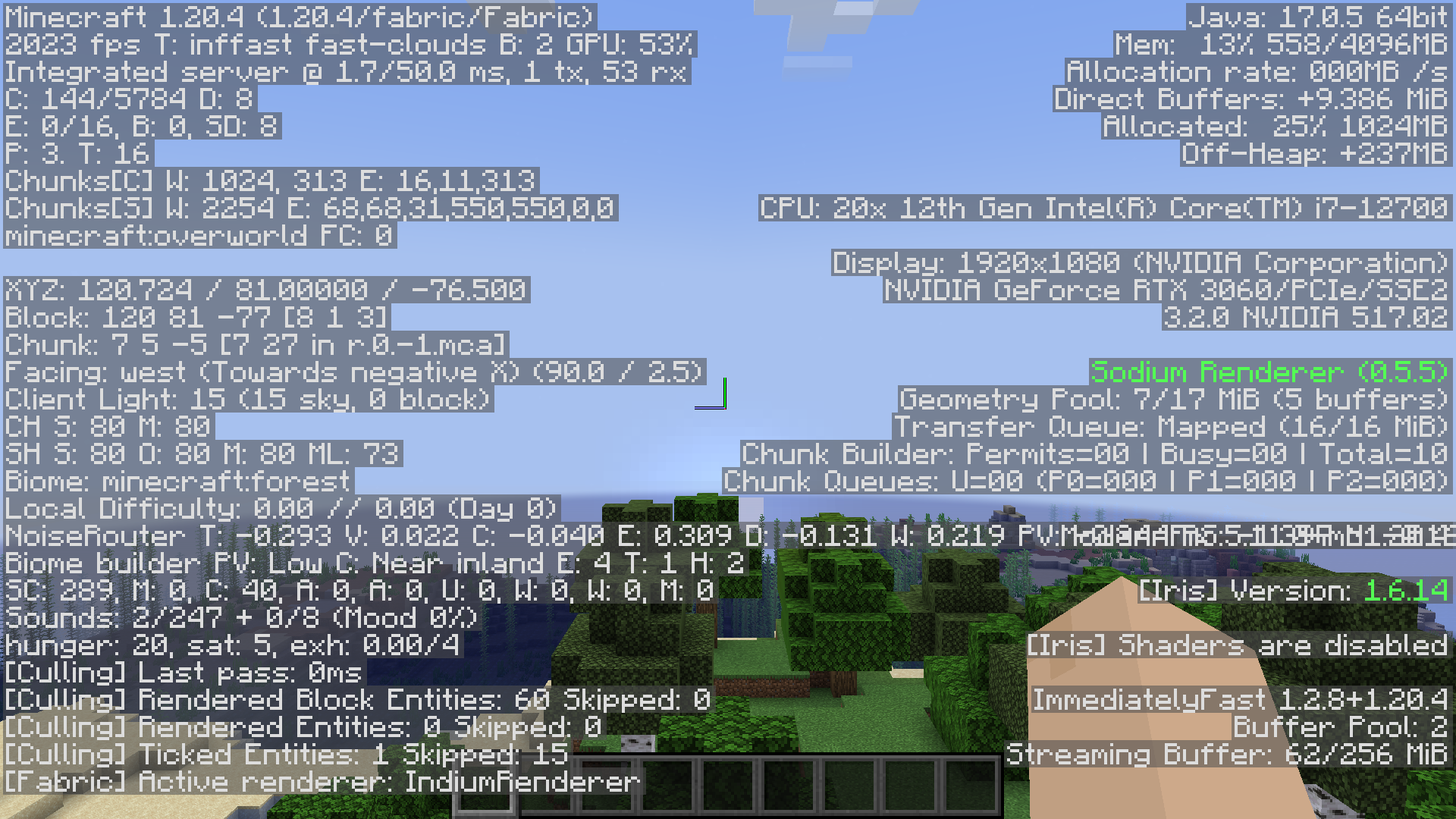
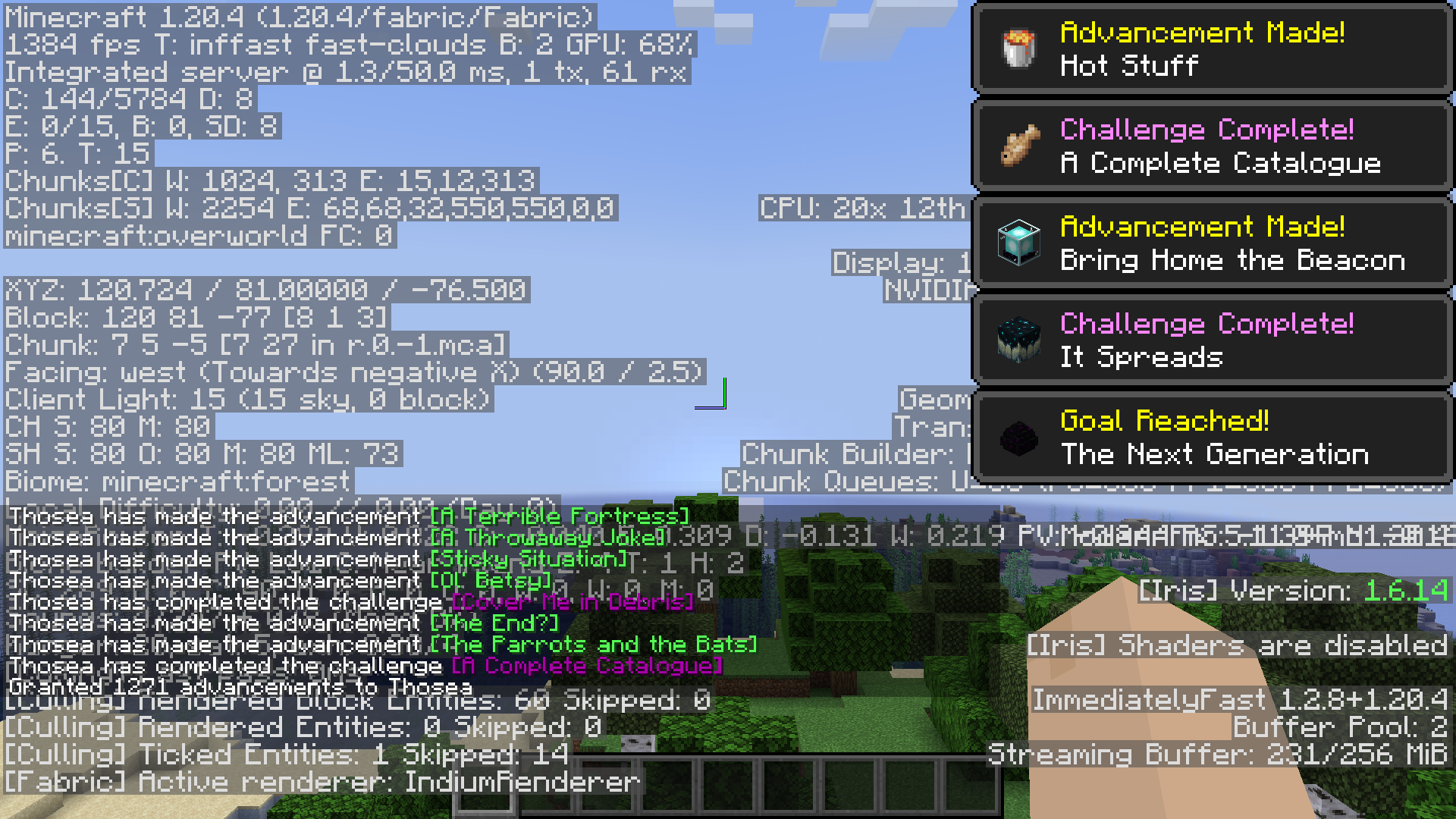
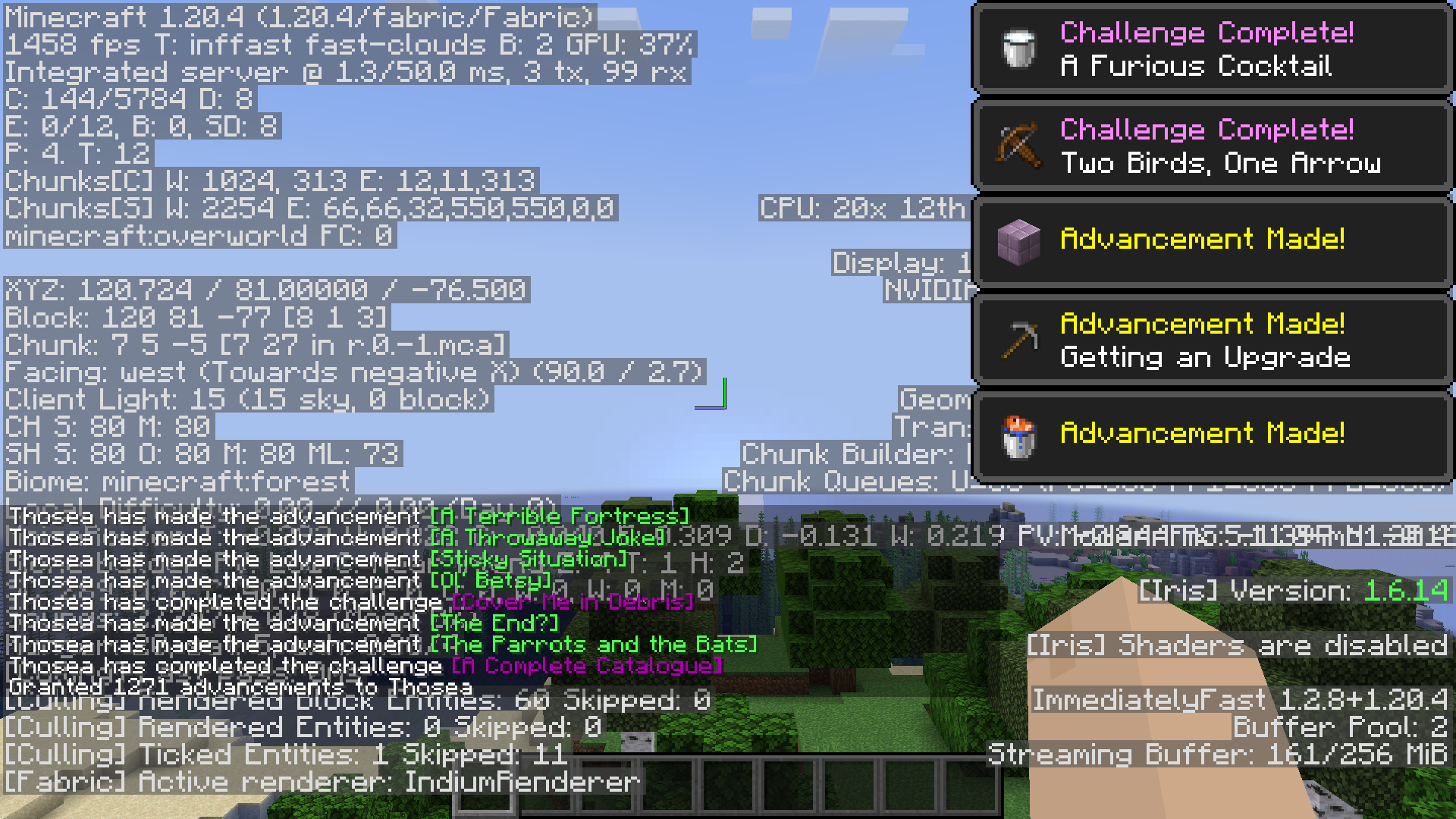
Depends on your system and luck, but on my own PC, an RTX 3060, intel i7 12700 and 4GB of allocated ram on Fabulously Optimized:


Without toasts, it goes from 1926-1955 FPS:


To 2008-2023 FPS:


And with toasts, it goes from 1351-1384 FPS:


To 1414-1458 FPS:

My mod is incompatible!

You can mark your mod as incompatible with specific BadOptimizations options. If your mod is present, BadOptimizations will automatically disable the specific options you specify.
You can also add hooks that tell BadOptimizations when the lightmap or sky color needs to be updated instead of adding a hard incompatibility to the caching optimizations.

Dependencies?

None.

(Also available on CurseForge, if that's your thing.)

👥 Team & Contributors

thosea
thoseaOwner

⚙️ Compatibility

Environment
💻 Client-side
Loaders
fabricforgeneoforge
Minecraft Versions
1.21.11

🔗 Links

Modrinth Page