Logo
MINECRAFTBIBLE
Items
Items

All game items

Blocks
Blocks

Building blocks

Mobs
Mobs

Creatures & monsters

Biomes
Biomes

World biomes

Structures
Structures

Generated structures

Recipes
Recipes

Crafting guides

Advancements
Advancements

Achievements

Loot Tables
Loot Tables

Drop rates

Tags
Tags

Item groupings

All Versions
View all data →
Capes
Cape ArchiveNEW

Browse rare Minecon capes, OptiFine capes, and custom capes from players worldwide

Browse

Player Database
Player DatabasePopular

Search any player

Skin Browser
Skin Browser

Browse & download skins

Cape Gallery
Cape GalleryNEW

Minecon & OptiFine capes

Seed Vault
Seed Vault

Curated seeds

Learn

Guides
GuidesNew

Tutorials & tips

Blog
Blog

News & updates

Community

Community Hub
Community HubHub

Posts, discussions & more

All Versions
View community →
Seed Analyzer
Seed Analyzer

World seed analysis

Loot Explorer
Loot Explorer

Drop rates

Crafting Calculator
Crafting Calculator

Material planning

Enchant Calculator
Enchant Calculator

Probability math

Redstone Lab
Redstone Lab

Signal timing

Trading Profit
Trading Profit

Villager ROI

All Versions
View all tools →
Mods
Mods

Browse all mods

Plugins
Plugins

Server plugins

Resource Packs
Resource Packs

Textures & sounds

Shaders
Shaders

Visual enhancements

Datapacks
Datapacks

World logic

Scanner
Mod Intelligence

Scan & analyze any mod

All Versions
View all mods →
Loading...
IntroductionIntroductionVersion HistoryVersion HistoryGuidesGuidesBlog & NewsBlog & News
ItemsItemsBlocksBlocksMobsMobsRecipesRecipesBiomesBiomesStructuresStructuresAdvancementsAdvancementsLoot TablesLoot TablesTagsTags
ModsModsPluginsPluginsResource PacksResource PacksShadersShadersDatapacksDatapacks

MinecraftBible

The Ultimate Wiki

Logo
MINECRAFTBIBLE

The ultimate Minecraft reference. Every item, block, mob, and recipe documented with precision.

Community

  • Skin Browser
  • Cape Gallery
  • Seed Vault
  • Blog
  • Guides

Database

  • Items
  • Blocks
  • Mobs
  • Recipes
  • Biomes
  • Structures

Tools

  • Seed Analyzer
  • Mod Intelligence
  • Crafting Calculator
  • Enchant Calculator

Mods & Packs

  • Mods
  • Plugins
  • Resource Packs
  • Shaders
  • Datapacks

Site & Legal

  • About
  • Authors
  • Editorial Policy
  • Corrections
  • Contact
  • Privacy Policy
  • Terms of Service
  • DMCA
  • Sitemap

© 2026 MinecraftBible. Not affiliated with Mojang or Microsoft.

PrivacyTermsContact
Auto Torch(er)
ModMIT

Auto Torch(er)

Remove some tasks from your Minecraft adventures by letting AutoTorcher handle torch placement for you in the dark! Just keep stacked is my advice

615
Downloads
1
Followers
4 months ago
Updated
📦
3
Versions
adventuregame-mechanicsutilityfabricquilt
Download Latestv1.2.0+1.21.11View on Modrinth

📖About Auto Torch(er)

AutoTorcher

Do you forget to place torches while exploring caves? Or maybe you just want to make sure you're never in complete darkness? If so, AutoTorcher is the mod for you!

Remove some tasks from your Minecraft adventures by letting AutoTorcher handle torch placement for you. With this mod installed, torches will be automatically placed whenever you find yourself in a light level of 0, ensuring you always have visibility in dark areas, and a mob-free experience.

Let yourself mine, or eat, or just explore without needing torches in your hand. Just make sure you have torches in your inventory though.

A torch a day keeps the mobs away! Or something like that.

A little video demonstration
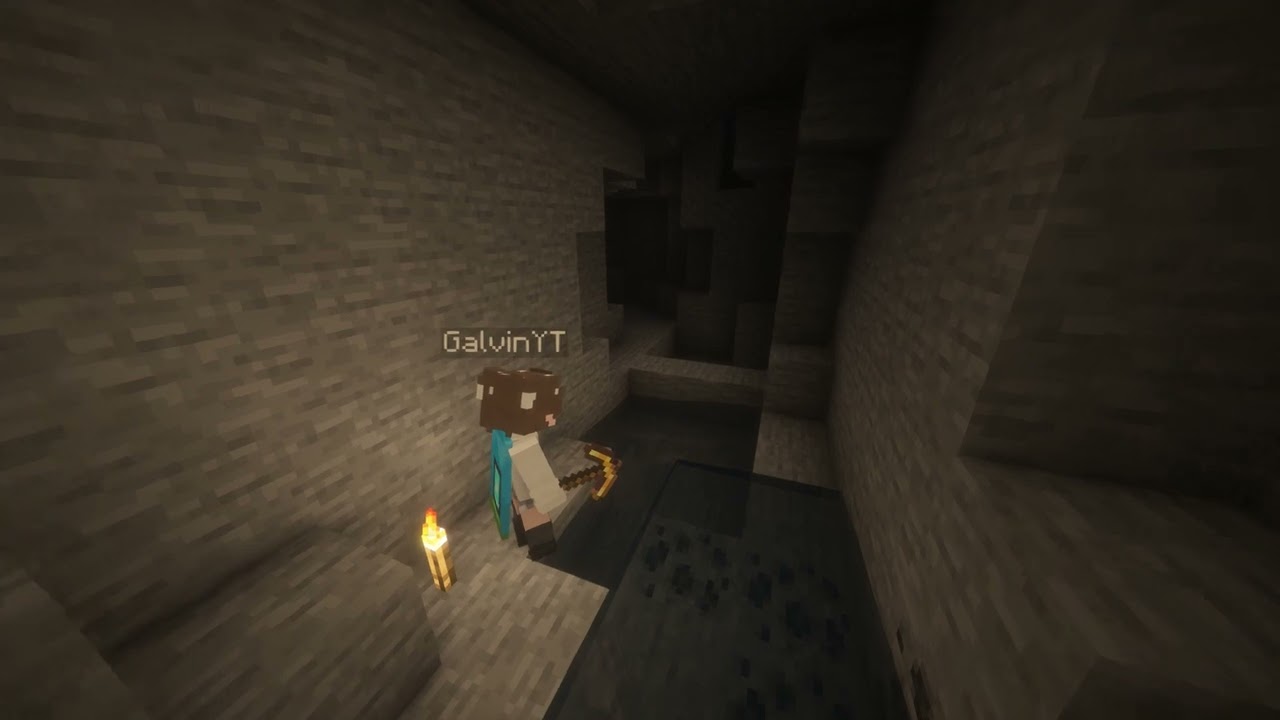
Watch the video

How to use

Just keep torches in your inventory, and you'll find that the surrounding space will be automatically lit up!

Supported versions

Supported versions

AutoTorcher is available for Minecraft versions 1.21.10 and above!

Due to the frequency of Minecraft updates now, each Minecraft version has its own .jar file. This is mainly to prevent crashes from each drop.

Please also keep your loader and Fabric API up to date to ensure the best compatibility!

Changelog

1.2.0 - 30/12/2025

  • Updated for Minecraft 1.21.11
  • Removes torches from being placed when in adventure mode

1.1.0 - 14/12/2025

Closes #2

Gives players the ability to toggle AutoTorch functionality for themselves. New commands for this are

  • /autotorch on - Turns AutoTorch on for the player
  • /autotorch off - Turns AutoTorch off for the player
  • /autotorch toggle - Toggles AutoTorch on or off for the player
  • /autotorch debug - Enable debugging (admins only for servers, singleplayer requires cheats)
image

👥 Team & Contributors

GalvinPython
GalvinPythonOwner

⚙️ Compatibility

Environment
🖥️ Server-side
Loaders
fabricquilt
Minecraft Versions
1.21.11

🔗 Links

Modrinth Page