Logo
MINECRAFTBIBLE
Items
Items

All game items

Blocks
Blocks

Building blocks

Mobs
Mobs

Creatures & monsters

Biomes
Biomes

World biomes

Structures
Structures

Generated structures

Recipes
Recipes

Crafting guides

Advancements
Advancements

Achievements

Loot Tables
Loot Tables

Drop rates

Tags
Tags

Item groupings

All Versions
View all data →
Capes
Cape ArchiveNEW

Browse rare Minecon capes, OptiFine capes, and custom capes from players worldwide

Browse

Player Database
Player DatabasePopular

Search any player

Skin Browser
Skin Browser

Browse & download skins

Cape Gallery
Cape GalleryNEW

Minecon & OptiFine capes

Seed Vault
Seed Vault

Curated seeds

Learn

Guides
GuidesNew

Tutorials & tips

Blog
Blog

News & updates

Community

Community Hub
Community HubHub

Posts, discussions & more

All Versions
View community →
Seed Analyzer
Seed Analyzer

World seed analysis

Loot Explorer
Loot Explorer

Drop rates

Crafting Calculator
Crafting Calculator

Material planning

Enchant Calculator
Enchant Calculator

Probability math

Redstone Lab
Redstone Lab

Signal timing

Trading Profit
Trading Profit

Villager ROI

All Versions
View all tools →
Mods
Mods

Browse all mods

Plugins
Plugins

Server plugins

Resource Packs
Resource Packs

Textures & sounds

Shaders
Shaders

Visual enhancements

Datapacks
Datapacks

World logic

Scanner
Mod Intelligence

Scan & analyze any mod

All Versions
View all mods →
Loading...
IntroductionIntroductionVersion HistoryVersion HistoryGuidesGuidesBlog & NewsBlog & News
ItemsItemsBlocksBlocksMobsMobsRecipesRecipesBiomesBiomesStructuresStructuresAdvancementsAdvancementsLoot TablesLoot TablesTagsTags
ModsModsPluginsPluginsResource PacksResource PacksShadersShadersDatapacksDatapacks

MinecraftBible

The Ultimate Wiki

Logo
MINECRAFTBIBLE

The ultimate Minecraft reference. Every item, block, mob, and recipe documented with precision.

Community

  • Skin Browser
  • Cape Gallery
  • Seed Vault
  • Blog
  • Guides

Database

  • Items
  • Blocks
  • Mobs
  • Recipes
  • Biomes
  • Structures

Tools

  • Seed Analyzer
  • Mod Intelligence
  • Crafting Calculator
  • Enchant Calculator

Mods & Packs

  • Mods
  • Plugins
  • Resource Packs
  • Shaders
  • Datapacks

Site & Legal

  • About
  • Authors
  • Editorial Policy
  • Corrections
  • Contact
  • Privacy Policy
  • Terms of Service
  • DMCA
  • Sitemap

© 2026 MinecraftBible. Not affiliated with Mojang or Microsoft.

PrivacyTermsContact
AutomaticMemories
ModGPL-3.0-only

AutomaticMemories

A simple mod that periodically takes screenshots, capturing memories of your Minecraft experience.

595.2K
Downloads
71
Followers
5 months ago
Updated
📦
9
Versions
socialutilityfabric
Download Latestv1.1.2-1.21View on Modrinth

📖About AutomaticMemories

Automatic Memories

Automatic Memories periodically takes screenshots, capturing memories of your Minecraft experience.
This mod takes screenshots at set intervals, so when you return, you'll find hundreds of unexpected snapshots capturing your time in the game.
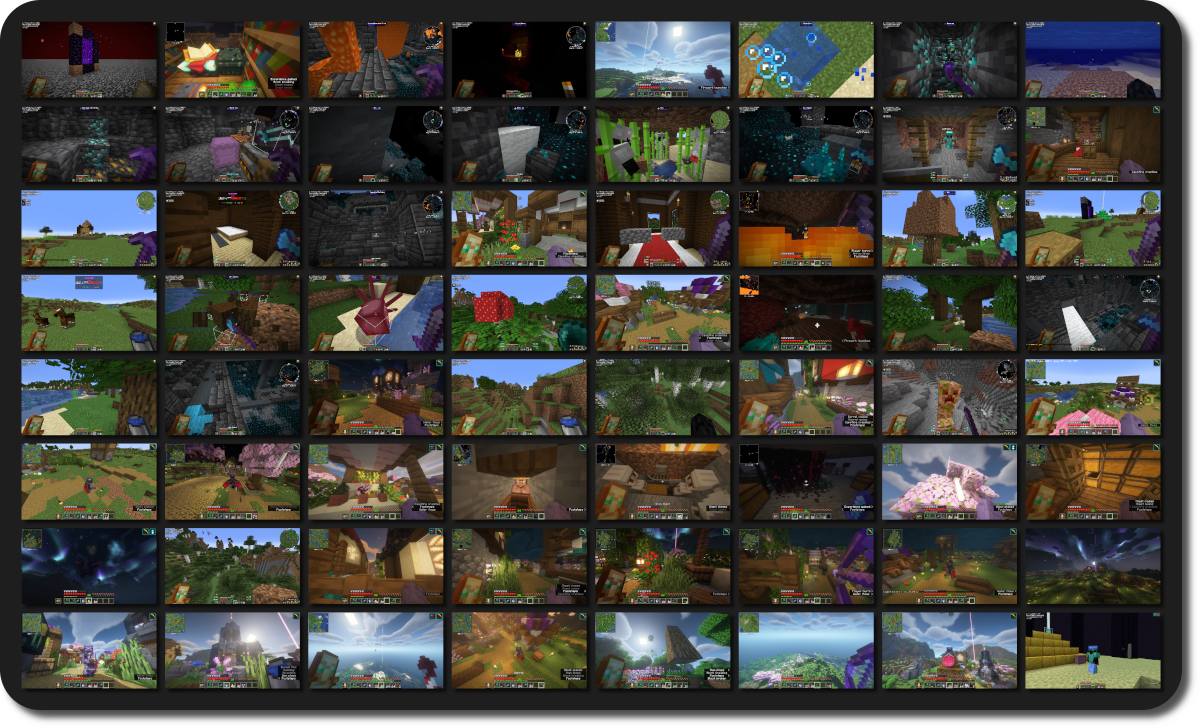
Example Screenshots

Inspiration

There's a few YouTube videos that compile years' worth of accidentally taken screenhots, offering an unexpected glimpse into the players' long-term experience in Minecraft.
Unfortunately, if you rarely mispress keys or have a keyboard without dedicated function keys, you might miss out on this unique perspective of your playtime.
This mod solves this by automatically taking a screenshot every 3 hours by default, over time giving you a catalog of random screenshots!
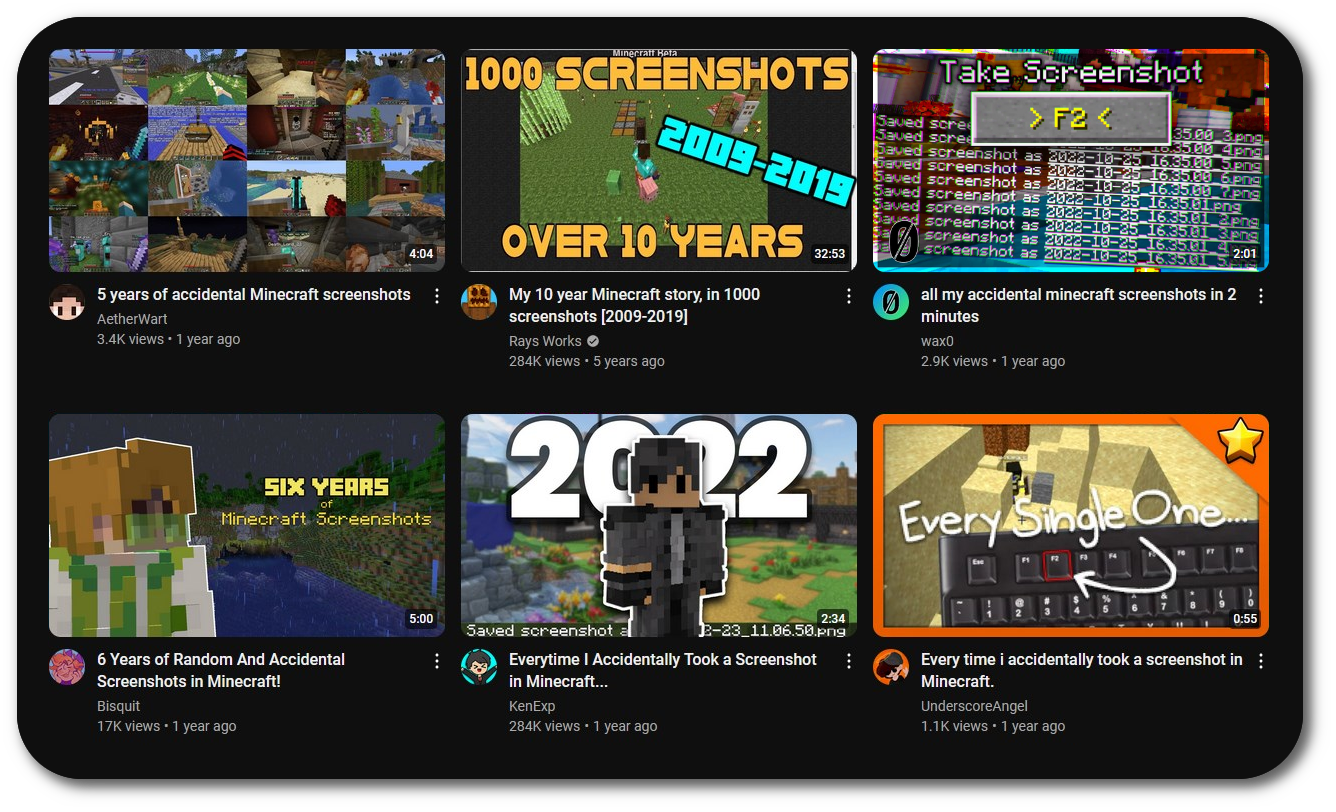
YouTube Inspiration

Configuration

AutomaticMemories is a simple and lightweight mod, but it still offers plenty of configuration options, allowing you to tailor it to your exact preferences.
Cloth Config API and ModMenu are required to configure the mod.
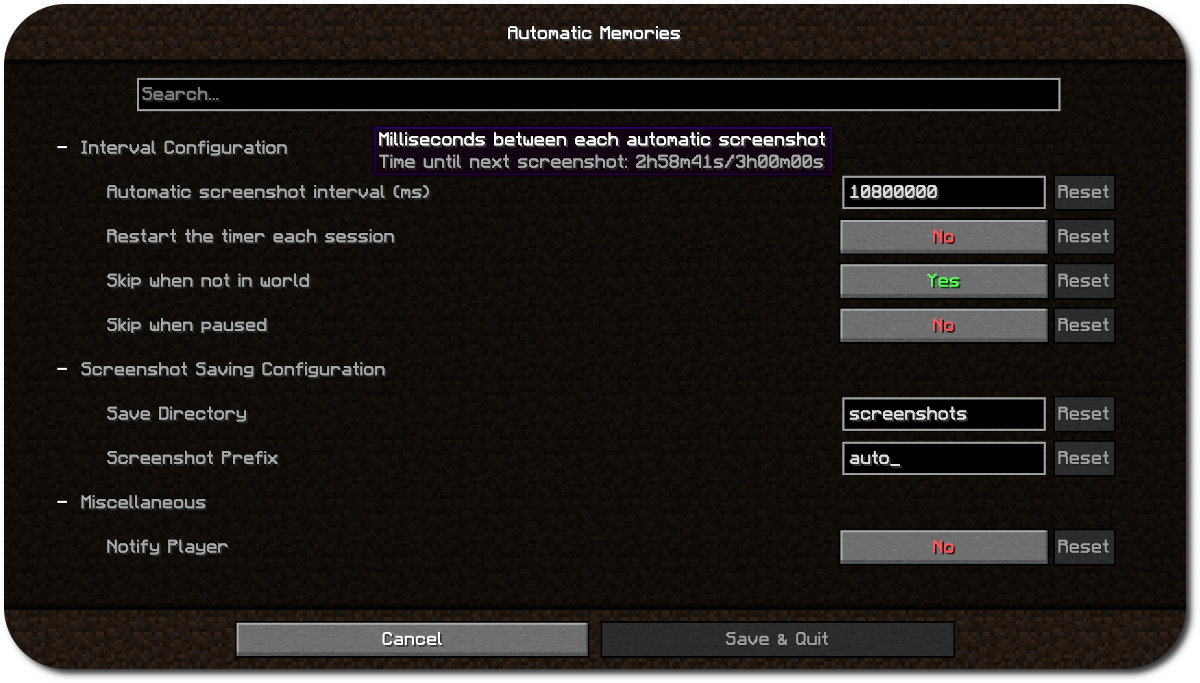
AutomaticMemories Configuration

Using the configuration you can make the screenshots more or less frequent, save them in a different folder, or skip taking a screenshot when you aren't in game.
By default, this mod will carry over the timer between sessions. For exmaple, if you set the interval to every four hours and play for three hours one day, the next time you play it will take a screenshot one hour in.
This is useful since you probably won't often play for as long as your interval is, which would mean the mod wouldn't ever take a screenshot. Leaving "Restart timer each session" disabled solves this.

Support

  • Open an issue on GitHub
  • Ask for help on Discord

Dependencies

  • Fabric API
  • ModMenu (Optional, for configuration)
  • Cloth Config API (Optional, for configuration)

👥 Team & Contributors

abscosmos
abscosmos
Lead Developer
MSKatKing
MSKatKing
Developer

⚙️ Compatibility

Environment
💻 Client-side
Loaders
fabric
Minecraft Versions
1.211.21.11.21.21.21.3

🔗 Links

Modrinth Page