Logo
MINECRAFTBIBLE
Items
Items

All game items

Blocks
Blocks

Building blocks

Mobs
Mobs

Creatures & monsters

Biomes
Biomes

World biomes

Structures
Structures

Generated structures

Recipes
Recipes

Crafting guides

Advancements
Advancements

Achievements

Loot Tables
Loot Tables

Drop rates

Tags
Tags

Item groupings

All Versions
View all data →
Capes
Cape ArchiveNEW

Browse rare Minecon capes, OptiFine capes, and custom capes from players worldwide

Browse

Player Database
Player DatabasePopular

Search any player

Skin Browser
Skin Browser

Browse & download skins

Cape Gallery
Cape GalleryNEW

Minecon & OptiFine capes

Seed Vault
Seed Vault

Curated seeds

Learn

Guides
GuidesNew

Tutorials & tips

Blog
Blog

News & updates

Community

Community Hub
Community HubHub

Posts, discussions & more

All Versions
View community →
Seed Analyzer
Seed Analyzer

World seed analysis

Loot Explorer
Loot Explorer

Drop rates

Crafting Calculator
Crafting Calculator

Material planning

Enchant Calculator
Enchant Calculator

Probability math

Redstone Lab
Redstone Lab

Signal timing

Trading Profit
Trading Profit

Villager ROI

All Versions
View all tools →
Mods
Mods

Browse all mods

Plugins
Plugins

Server plugins

Resource Packs
Resource Packs

Textures & sounds

Shaders
Shaders

Visual enhancements

Datapacks
Datapacks

World logic

Scanner
Mod Intelligence

Scan & analyze any mod

All Versions
View all mods →
Loading...
IntroductionIntroductionVersion HistoryVersion HistoryGuidesGuidesBlog & NewsBlog & News
ItemsItemsBlocksBlocksMobsMobsRecipesRecipesBiomesBiomesStructuresStructuresAdvancementsAdvancementsLoot TablesLoot TablesTagsTags
ModsModsPluginsPluginsResource PacksResource PacksShadersShadersDatapacksDatapacks

MinecraftBible

The Ultimate Wiki

Logo
MINECRAFTBIBLE

The ultimate Minecraft reference. Every item, block, mob, and recipe documented with precision.

Community

  • Player Database
  • Skin Browser
  • Cape Gallery
  • Community Hub
  • Seed Vault

Database

  • Items
  • Blocks
  • Mobs
  • Recipes
  • Biomes
  • Structures

Tools

  • Seed Analyzer
  • Mod Intelligence
  • Crafting Calculator
  • Enchant Calculator

Mods & Packs

  • Mods
  • Plugins
  • Resource Packs
  • Shaders
  • Datapacks

© 2026 MinecraftBible. Not affiliated with Mojang or Microsoft.

PrivacyTermsContact
Auto 1e-7 Stepping
ModMIT

Auto 1e-7 Stepping

Little mod that helps using 1e-7 stepping mechanics!

303
Downloads
5
Followers
4 months ago
Updated
📦
7
Versions
utilityfabric
Download Latestv1.1.0+1.21.11-fabricView on Modrinth

📖About Auto 1e-7 Stepping

Auto 1e-7 Stepping

Little utility mod to make 1e-7 stepping mechanics easier to use

If you don't know what 1e-7 stepping is, here's quick (and not the most accurate) explanation to understand the basic principals of this mechanic:

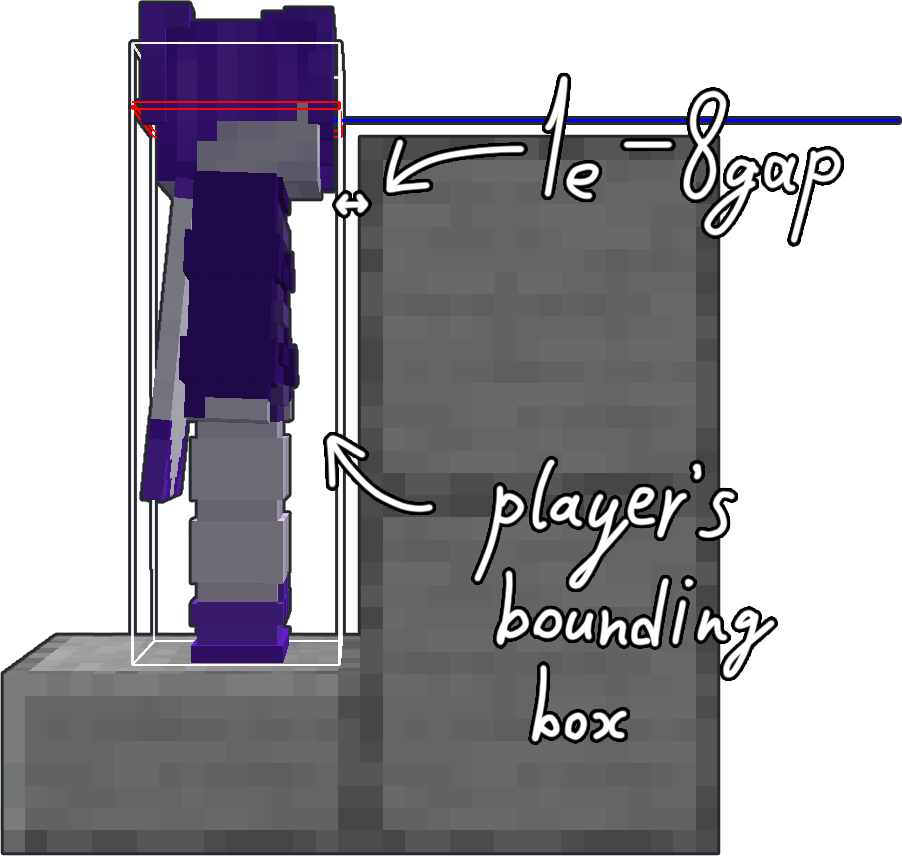
If you move along any axis less than the hardcoded value of 1e-7 (or 0.0000001) — the movement gets canceled. This brings us to the collision checks. When you're about to collide with a block — Minecraft doesn't let you do it and sets your position next to the edge of a block so the distance to it is about 1e-8. Then the game squares the movement vector and if the result is less than 1e-7 — movement gets canceled.
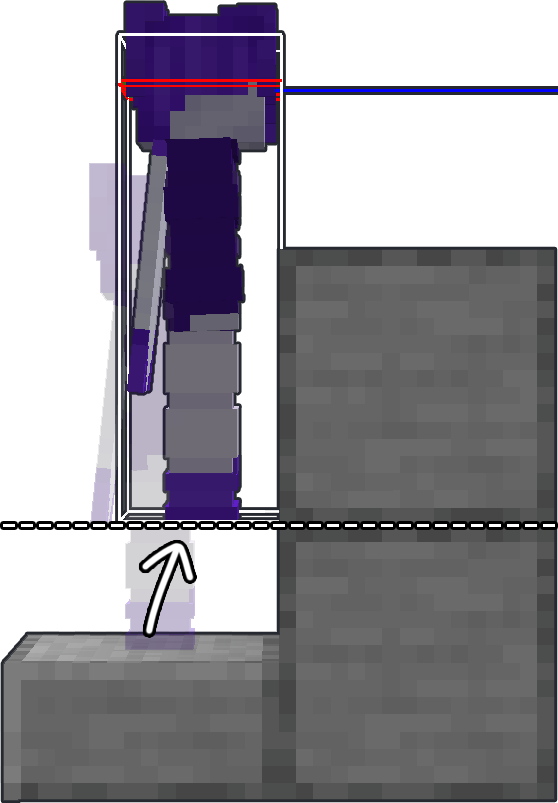
But if you're about to step (for example, from the slab, or to the slab, or otherwise move up half a block or less), the checks will run like that:
First check — sees your movement is greater than 1e-7 -> sees you're about to collide with the block -> sees that you need to make a step -> sets your position to 1e-8 from the block and makes a step (moves you half a block higher).
Second check — sees that your movement vector squared is greater than 1e-7 (since you're also moving upwards) and doesn't do anything.
Then the game checks the collision with the top block. If there's nothing — the game lets you move further. If there's a block, it again sets your position next to the edge, but still thinks that you're standing on the block that gives you a little time gap to make a jump.

Here you can find more detailed explanation of how this mechanics works (*click*).

minecraft movement explanation picture 1 minecraft movement explanation picture 2

ATTENTION

This mod requires Fabric API and Yet Another Config Lib to work correctly!

HOW TO USE

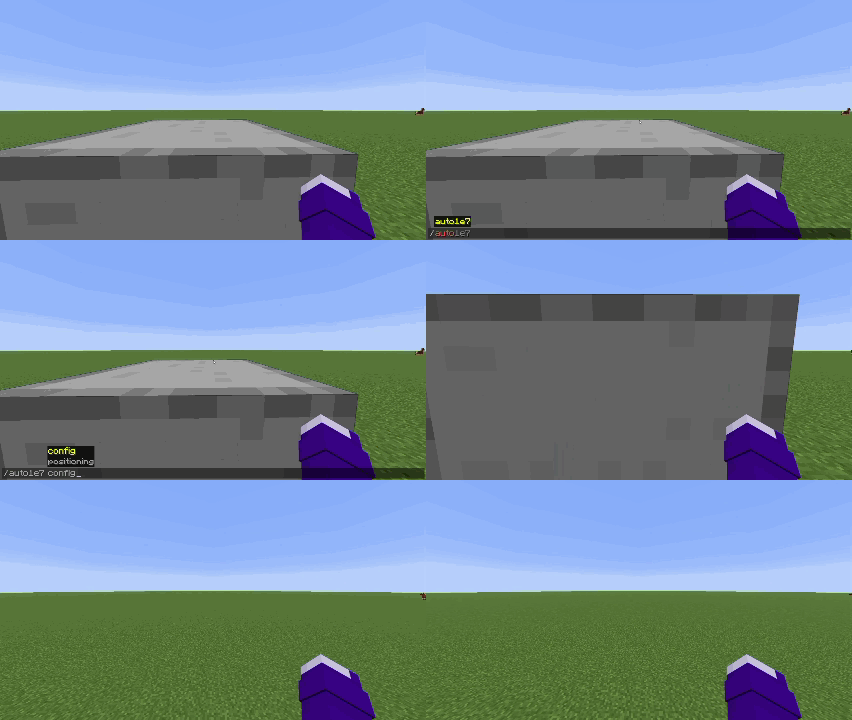
To position yourself you have to hit a wall first.
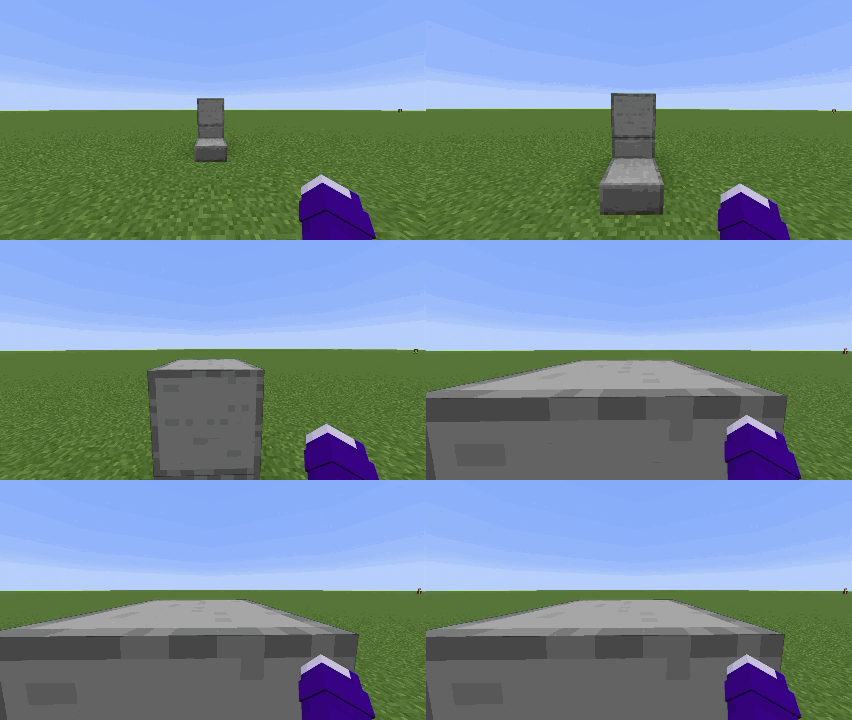
hit the wall demonstration

Then press positioning key

By default keybind is set to "O"

Or run the command

/auto1e7 positioning
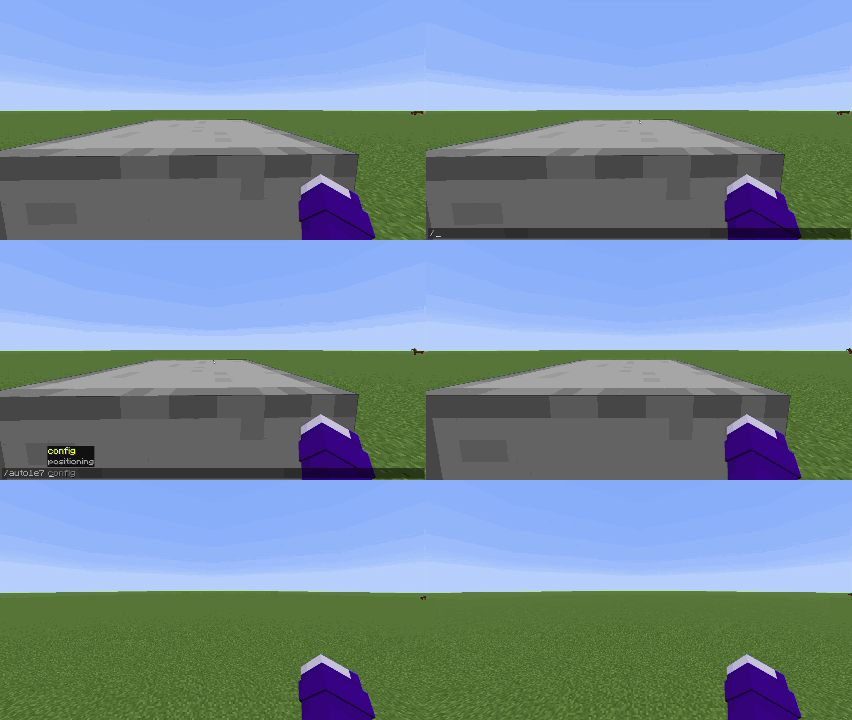
First positioning mode demonstration Second positioning mode demonstration
First positioning mode Second positioning mode

You have two positioning modes:

- Packet (sends packet on server with exact position you need to be moved)
- Script (performs series of actions that player can perform manually, but does it a bit faster)

You can switch between positioning modes by opening the config screen in modmenu tab or by using the command

/auto1e7 config
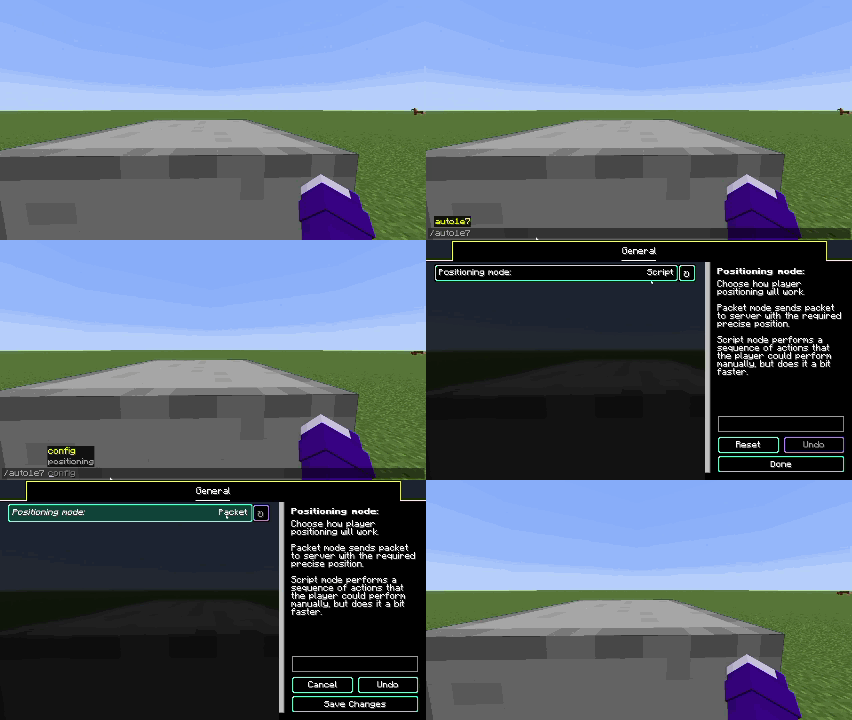
Config UI opening command demonstration

Languages supported

- English
- Russian (may be not 100% accurate)
- Simplified Chinese (may be not 100% accurate)

If you want to help with mod translation — you can contact me on discord scany_alt


If you found a bug — please report it on GitHub's Issues page


👥 Team & Contributors

Scanysses
ScanyssesOwner

⚙️ Compatibility

Environment
💻 Client-side
Loaders
fabric
Minecraft Versions
1.21.11

🔗 Links

Modrinth Page