Logo
MINECRAFTBIBLE
Items
Items

All game items

Blocks
Blocks

Building blocks

Mobs
Mobs

Creatures & monsters

Biomes
Biomes

World biomes

Structures
Structures

Generated structures

Recipes
Recipes

Crafting guides

Advancements
Advancements

Achievements

Loot Tables
Loot Tables

Drop rates

Tags
Tags

Item groupings

All Versions
View all data →
Capes
Cape ArchiveNEW

Browse rare Minecon capes, OptiFine capes, and custom capes from players worldwide

Browse

Player Database
Player DatabasePopular

Search any player

Skin Browser
Skin Browser

Browse & download skins

Cape Gallery
Cape GalleryNEW

Minecon & OptiFine capes

Seed Vault
Seed Vault

Curated seeds

Learn

Guides
GuidesNew

Tutorials & tips

Blog
Blog

News & updates

Community

Community Hub
Community HubHub

Posts, discussions & more

All Versions
View community →
Seed Analyzer
Seed Analyzer

World seed analysis

Loot Explorer
Loot Explorer

Drop rates

Crafting Calculator
Crafting Calculator

Material planning

Enchant Calculator
Enchant Calculator

Probability math

Redstone Lab
Redstone Lab

Signal timing

Trading Profit
Trading Profit

Villager ROI

All Versions
View all tools →
Mods
Mods

Browse all mods

Plugins
Plugins

Server plugins

Resource Packs
Resource Packs

Textures & sounds

Shaders
Shaders

Visual enhancements

Datapacks
Datapacks

World logic

Scanner
Mod Intelligence

Scan & analyze any mod

All Versions
View all mods →
Loading...
IntroductionIntroductionVersion HistoryVersion HistoryGuidesGuidesBlog & NewsBlog & News
ItemsItemsBlocksBlocksMobsMobsRecipesRecipesBiomesBiomesStructuresStructuresAdvancementsAdvancementsLoot TablesLoot TablesTagsTags
ModsModsPluginsPluginsResource PacksResource PacksShadersShadersDatapacksDatapacks

MinecraftBible

The Ultimate Wiki

Logo
MINECRAFTBIBLE

The ultimate Minecraft reference. Every item, block, mob, and recipe documented with precision.

Community

  • Player Database
  • Skin Browser
  • Cape Gallery
  • Community Hub
  • Seed Vault

Database

  • Items
  • Blocks
  • Mobs
  • Recipes
  • Biomes
  • Structures

Tools

  • Seed Analyzer
  • Mod Intelligence
  • Crafting Calculator
  • Enchant Calculator

Mods & Packs

  • Mods
  • Plugins
  • Resource Packs
  • Shaders
  • Datapacks

© 2026 MinecraftBible. Not affiliated with Mojang or Microsoft.

PrivacyTermsContact
Armored Foes
ModMPL-2.0

Armored Foes

Give every mob the gear they deserve, from Drowned to Illagers and beyond.
4.9K
Downloads
36
Followers
4 months ago
Updated
📦
16
Versions
equipmentmobsfabricneoforge
Download Latestv21.11.1View on Modrinth

📖About Armored Foes


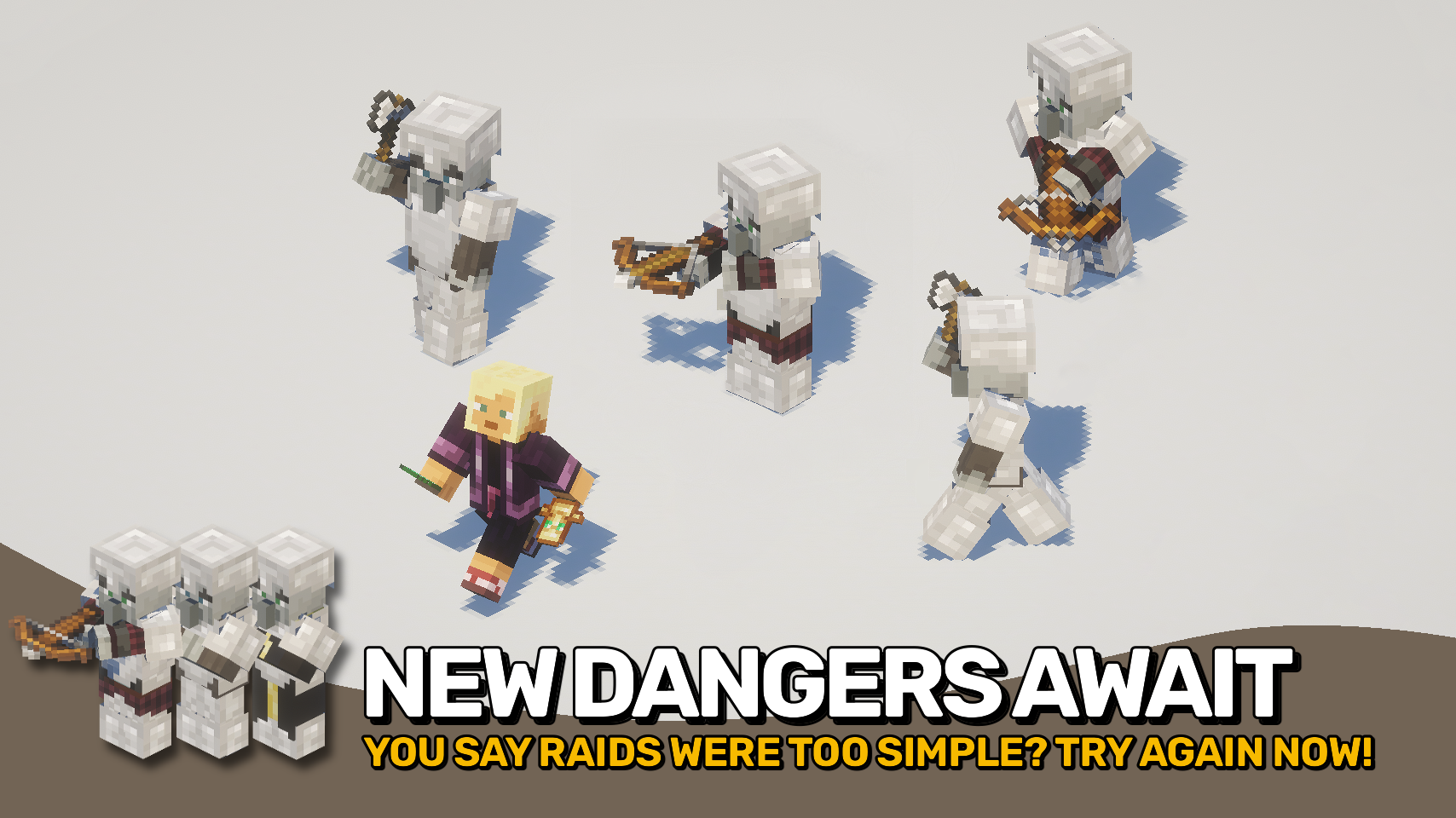
Armored Foes makes Minecraft’s enemies tougher and more immersive by letting more mobs wear and show armor. Villagers, witches, and all kinds of illagers now visibly display any armor they are equipped with, just like players do.

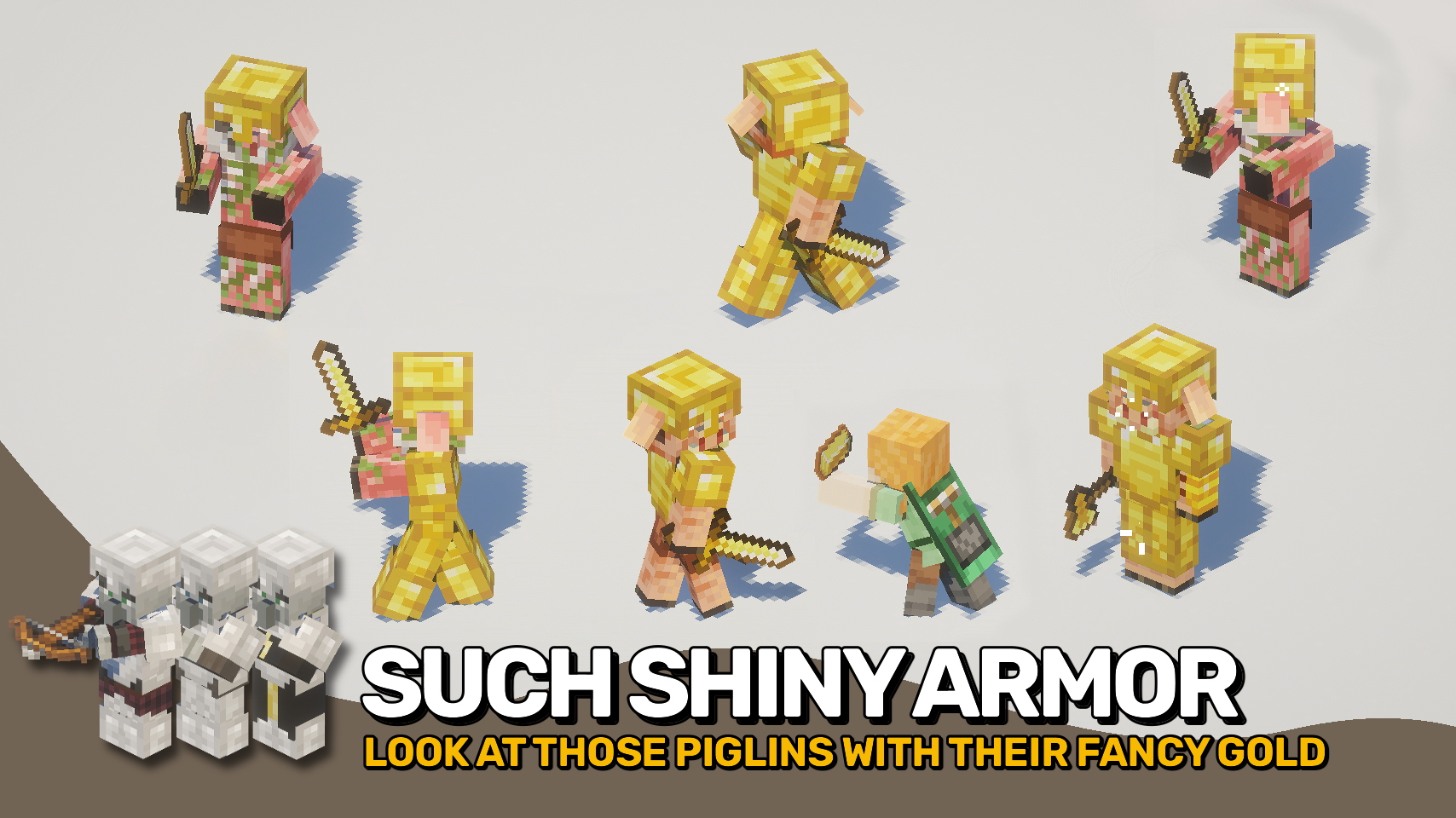
The mod also adds natural armor spawns to certain creatures, giving them more variety and challenge. Drowned and Wither Skeletons can appear in normal armor, Piglins in gold, and Illagers will equip armor during raids. Everything is fully data driven and easy to tweak through loot tables and conditions.


  • ⚔️ Visible Armor for All: Witches, villagers, and illagers now show the armor they wear.
  • 🧟 Natural Armor Spawns: Drowned and Wither Skeletons can spawn with armor like zombies and skeletons.
  • 🪙 Golden Piglins: Piglins, Piglin Brutes, and Zombie Piglins spawn wearing golden armor.
  • 🏰 Armored Raids: All Illagers such as Vindicators, Evokers, Pillagers, and Illusioners equip armor during raids.
  • 📜 Data Driven Equipment: Define natural mob equipment using loot tables with conditional rules.
  • ⚙️ Fully Configurable: Easily tweak spawn chances, armor types, and conditions via data packs.

⏩ INSTALLATION REQUIRED ON CLIENT & REQUIRED ON SERVER

⏩ REQUIRES PUZZLES LIB TO BE INSTALLED (FABRIC & NEOFORGE)

⏩ REQUIRES FABRIC API TO BE INSTALLED (FABRIC)

⏩ REQUIRES FORGE CONFIG API PORT TO BE INSTALLED (FABRIC)

If available for a mod, configuration is possible directly from in-game using the mod menu (requires Mod Menu by Prospector to be installed on Fabric). Please note that on older Minecraft versions installing Forge Config Screens is also a requirement.

For manual configuration using an external text editor all files are found at .minecraft/config, named as MOD_ID-client.toml, MOD_ID-common.toml, or MOD_ID-server.toml, depending on the type of config. Not all types might exist for a mod, if any at all.

🌟 Huge thanks to IMB11 for their Armorful mod, which inspired me to work on this project.


👥 Team & Contributors

LunaPixelStudios
LunaPixelStudios
Studio
Fuzs
FuzsOwner

⚙️ Compatibility

Environment
✅ Client & Server
Loaders
fabricneoforge
Minecraft Versions
1.21.11

🔗 Links

Modrinth Page