


The Admin Tool
A device that opens a menu with a lot of useful options
📖About The Admin Tool

The Admin Tool
- An advanced and user-friendly in-game interface designed for both server admins and singleplayer users.
▶️ The Tool

▶️ How to use
You can get a dedicated Admin Tool item to access all menus from your hotbar (Creative only).
Run this command to open the admin tool main menu:
/dialog show @s admin_tools:main_menu
To get the Admin Tool item (Creative only):
/function admin_tools:1_give_admin_tool
Note: In Datapack Version, the resource pack is required to display the Admin Tool correctly.
▶️ Current Features
■ Player Settings
Ban a player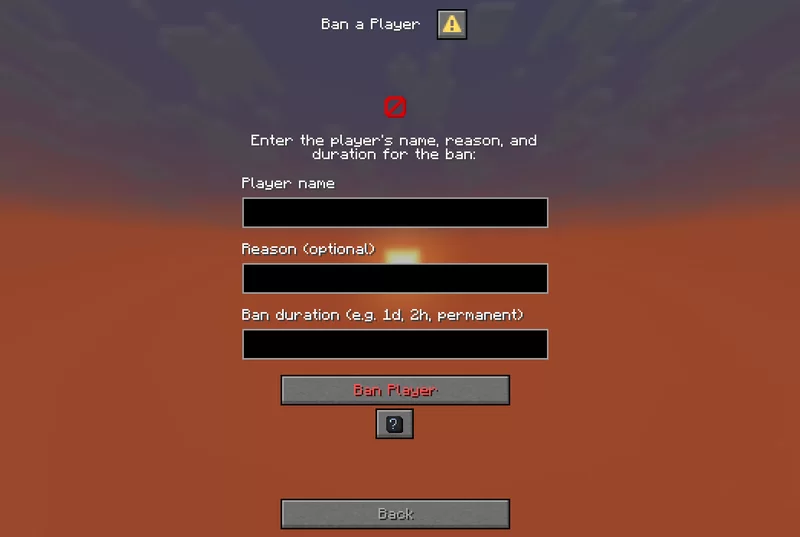
Allows banning a player by entering their name, reason, and duration.

Disconnects a specified player from the server without banning them.

Kills a specified player instantly using the /kill command.

Apply potion effects to yourself or another player, choosing effect type, duration, and level.

Allows applying a custom potion effect to yourself or another player by setting effect ID, duration, and level.

Switch gamemode for yourself or others quickly.

Teleports you to a specified player or coordinates by entering the exact player name or position.

Modify a player’s attribute base value by selecting the player, attribute, and new value

Set a player’s spawnpoint by specifying the player and coordinates X, Y, Z.

Select an armor kit material and give it to the targeted player.
■ World Settings
Time changer
Set the time of day by choosing ticks.

Set custom weather type and duration in ticks.

Set the global spawn point by entering X, Y, Z coordinates.

Select the world difficulty (peaceful, easy, normal, hard).

Summon a mob with detailed options: name, attributes, equipment, effects, size, visibility, and more.

Spawn or kill selected mobs easily by choosing the mob type and amount.

Edit the base attribute value of the nearest mob within 10 blocks.

Configure a custom mob spawner by adjusting spawn parameters, equipment, effects, and custom light conditions.
■ Utility Settings
Broadcast title
Send global announcements with formatted messages.

Removes dropped items.

Create custom items with names, lore, enchantments, and attribute modifiers.

Select a dimension to teleport to. Custom IDs allowed.

Create text_display entities with full control over text style, alignment, size, color, visibility, rotation, and more.

Edit existing text_display entities in the world directly.
Teams manager:
Create a team


■ Quick Settings:
Set Ranks
Set predefined ranks easily (just visual prefix, not perms).
■ Fun Settings
Explosion generator
Generate TNT with adjustable explosion power and fuse timer.
■ Gamerules Settings
Toggle gamerules through categorized menus with activate/deactivate options:
Gamerules menu
■ Help Menu
- Contains information and tips about how to use every menu

▶️ Details
- Perfect for adventure map creators, server operators, or singleplayer users who want control without commands
- Still in development – new tools and menu categories will be added in future updates
- Suggestions, bug reports, and feature requests are welcome!